
Introduction
The Yealink DECT Wireless Headset WH63 E2 UC is a single-ear (mono) convertible office headset designed for clear communication in professional environments. It features advanced noise-canceling technology, extended wireless range, and versatile wearing styles to suit individual preferences. This manual provides detailed instructions for setting up, operating, maintaining, and troubleshooting your headset.
Кутуда эмне бар
Carefully unpack your Yealink WH63 E2 UC headset and ensure all items are present:
- WH63 E2 Headset + Base
- Eartips (6 pieces), Earhook (2 pieces), Headband
- 1.2m USB C-C 2.0 Cable
- 1.2m USB C-A 2.0 Cable
- Кубаттуу адаптер
- Колдонуучунун Колдонмосу (бул документ)

Image: All components included in the Yealink WH63 E2 UC package.
Орнотуу нускамалары
1. Базалык станцияны туташтырыңыз
- Кубат адаптерин базалык станцияга туташтырып, аны розеткага сайыңыз.
- Connect the base station to your computer using the provided USB C-A or USB C-C cable.
- For desk phone connectivity, use the appropriate USB cable or an optional EHS62 adapter/telephone cable (purchased separately) to connect the base to your desk phone. Refer to your desk phone's manual for specific connection requirements.
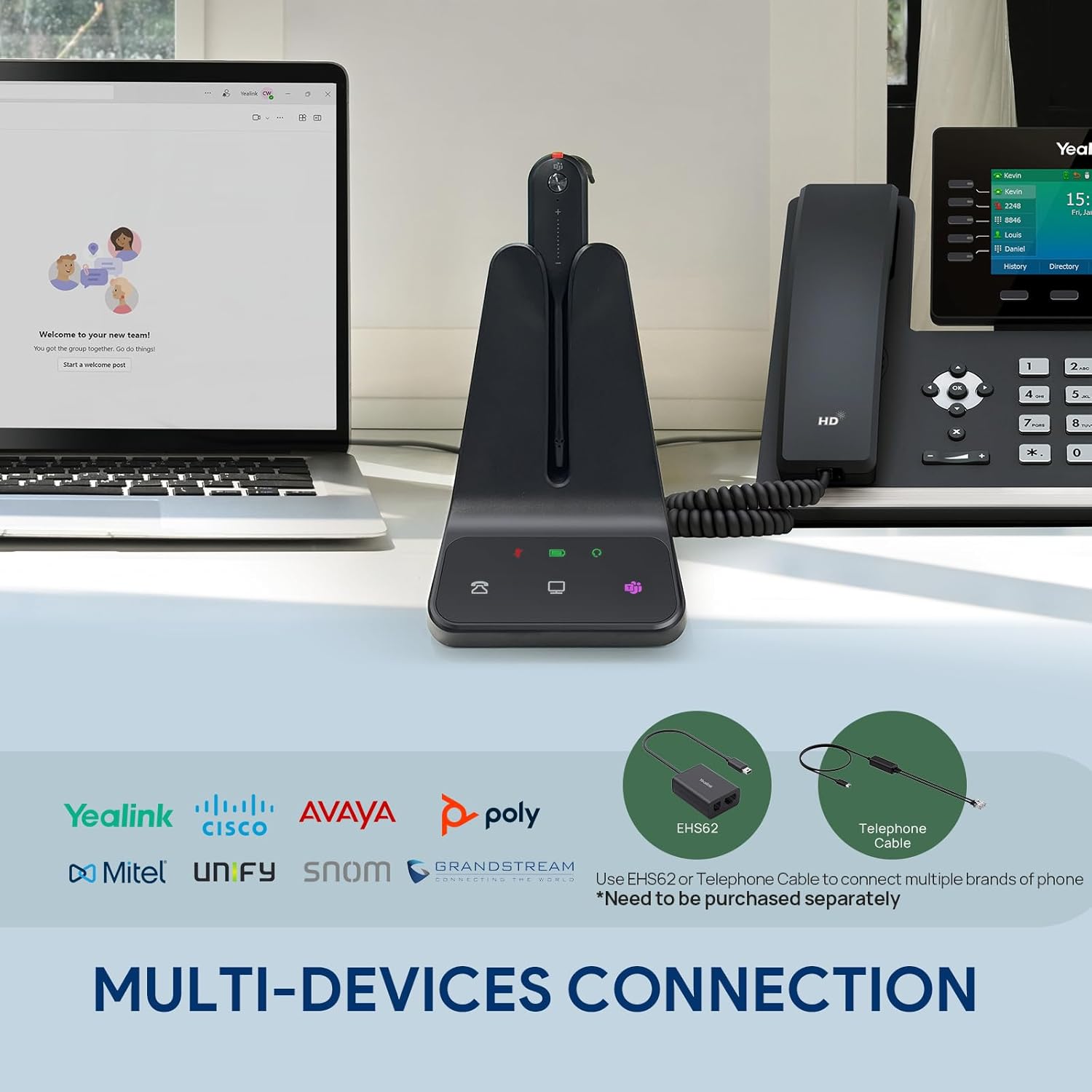
Image: The WH63 E2 UC base connected simultaneously to a computer and a desk phone.
2. Гарнитураны кубаттаңыз
Place the headset onto the base station. The charging indicator on the headset and base will illuminate, indicating that the headset is charging. Ensure the headset is fully charged before first use (approximately 8 hours for a full charge).
3. Select a Wearing Style
The WH63 E2 UC offers three wearing styles: Earhook, Eartip, and Headband. Choose the style that provides the most comfort and security for your needs.
- Кулак илгич: Attaches to the headset and hooks over your ear.
- Наушник: Inserts directly into your ear canal. Six different sizes are provided for optimal fit.
- Баш боосу: Provides a traditional over-the-head fit for stability.

Image: Visual representation of the Earhook, Eartip, and Headband wearing options.
Иштөө нускамалары
1. Күйгүзүү/өчүрүү
The headset automatically powers on when removed from the base and powers off when placed back on the base or after a period of inactivity.
2. Чалууларга жооп берүү/аяктоо
To answer an incoming call, press the Call Control button on the headset or the corresponding button on the base. To end a call, press the Call Control button again.
3. Mute/Unmute Microphone
Press the Mute button on the headset to mute or unmute your microphone during a call. A red indicator light on the microphone boom signifies that the microphone is muted.
4. Үндү башкаруу
Угуу үнүн тууралоо үчүн гарнитурадагы Үндү катуулатуу (+) жана Үндү азайтуу (-) баскычтарын колдонуңуз.
5. Microsoft Teams Integration
If using Microsoft Teams, press the Teams button on the headset or base to join a meeting or access Teams functionalities.

Image: The headset's noise-canceling microphone in use, demonstrating clear audio.
6. Зымсыз диапазон жана батареянын иштөө мөөнөтү
The DECT 6.0 technology provides a wireless range of up to 185 meters (607 feet) from the base station. The headset offers up to 8 hours of talk time and 71 hours of standby time on a single charge.
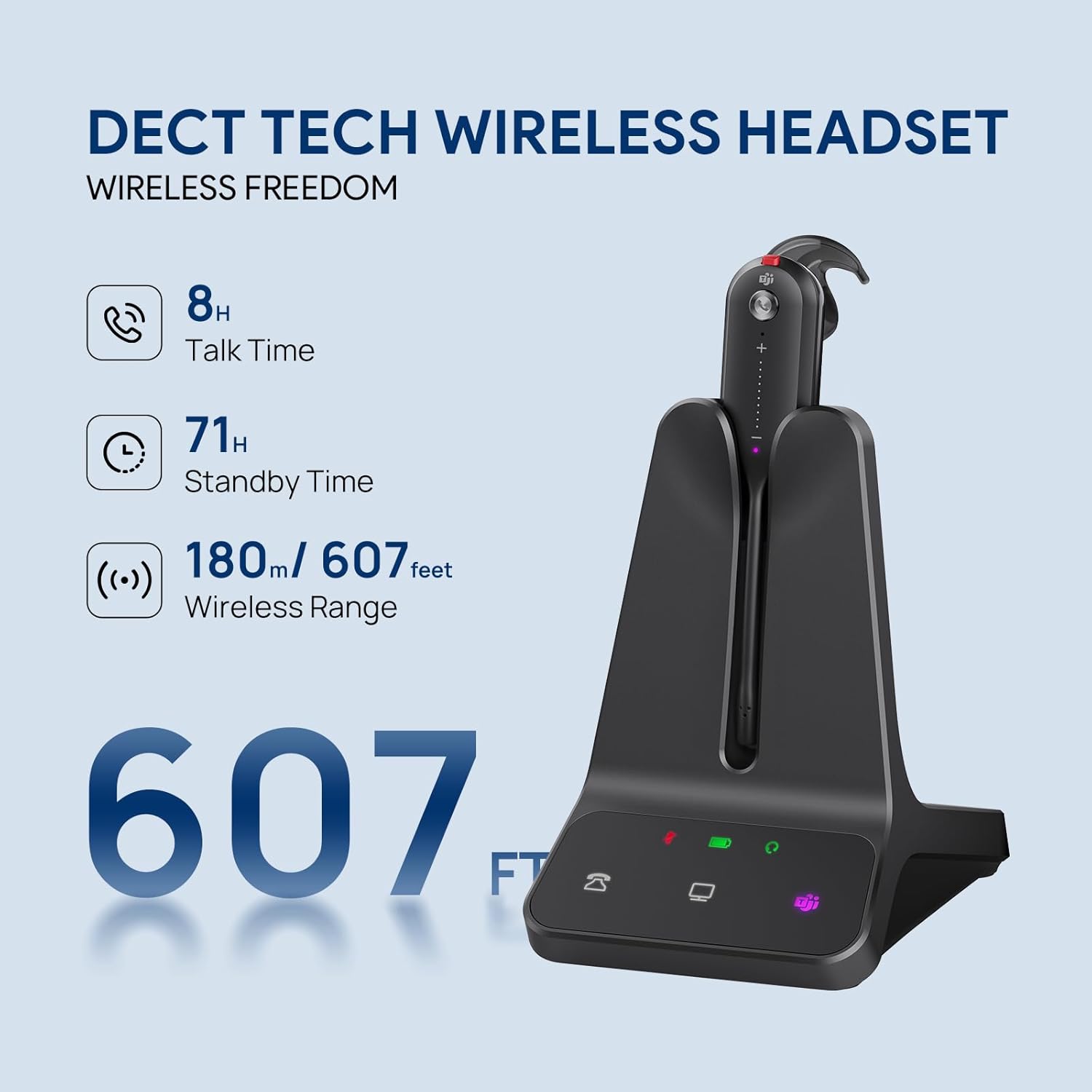
Image: The headset and base showcasing its wireless range and battery performance.
Шайкештик
The Yealink WH63 E2 UC is certified for Microsoft Teams and Zoom, ensuring seamless integration and optimized performance with these platforms. It is also compatible with a wide range of other Unified Communications (UC) platforms, including:
- Гугл
- RingCentral
- Genesys
- 8x8
- 3CX
- Unify
- Netsapiens
For desk phone compatibility, the headset supports various Yealink, Teams, Poly, and SNOM IP phones. For other 3rd-party desk phones, connection may require an optional EHS62 adapter or a telephone cable.

Image: Broad compatibility with leading UC platforms and phone systems.
Техникалык тейлөө
Proper maintenance ensures the longevity and optimal performance of your Yealink WH63 E2 UC headset:
- Тазалоо: Use a soft, dry cloth to clean the headset and base. Avoid using harsh chemicals or abrasive materials.
- Сактагыч: When not in use, store the headset on its base station to keep it charged and protected.
- Температура: Аппаратты экстремалдык температурага, тике күн нуруна же жогорку нымдуулукка дуушар кылуудан алыс болуңуз.
- Суу каршылык: The headset has a waterproof rating, but avoid submerging it in water.
Проблемаларды чечүү
If you encounter issues with your Yealink WH63 E2 UC headset, refer to the following common problems and solutions:
| Көйгөй | Мүмкүн себеп | Чечим |
|---|---|---|
| Аудио жок же аудио сапаты начар | Headset not connected/paired, low battery, incorrect audio settings on computer/phone, out of range. | Ensure headset is charged and properly seated on base. Check audio output settings on your device. Move closer to the base station. |
| Микрофон иштебей жатат | Микрофондун үнүн өчүрүлгөн, туура эмес киргизүү түзмөгү тандалган, микрофондун буму туура эмес. | Press the Mute button to unmute. Verify microphone input settings on your computer/phone. Adjust microphone boom closer to your mouth. |
| Cannot answer/end calls from headset | Software not installed/updated, compatibility issue. | Install or update the Yealink USB Connect software. Ensure your UC platform is supported. |
| Чектелген зымсыз диапазон | Interference from other devices, physical obstructions. | Move the base station away from other electronic devices. Reduce physical obstructions between headset and base. |
| Гарнитура заряддалбай жатат | Improper placement on base, faulty power connection. | Ensure headset is correctly seated on the base. Check power adapter connection to base and outlet. |
Техникалык шарттар
| Өзгөчөлүк | Деталь |
|---|---|
| Бренд | Yealink |
| Модель номери | WH63 E2 UC |
| Түс | Кара |
| Кулак жайгаштыруу | Кулакта |
| Форма фактору | Кулакта |
| Байланыш технологиясы | Зымсыз (DECT) |
| Зымсыз диапазон | Up to 185m / 607 feet |
| Talk Time | 8 саатка чейин |
| Күтүү убактысы | 71 саатка чейин |
| Микрофон | Noise-Canceling (2 microphones) |
| Жыштык диапазону | 20 Гц - 20 000 Гц |
| Башкаруу ыкмасы | Push Button |
| Сууга туруктуулук деңгээли | Суу өткөрбөйт |
| Шайкеш түзмөктөр | Computer Softphone, Deskphone IP phone, Desktops, Laptops, PC |
| Камтылган медиа | 1.2m USB C-C 2.0 Cable, 1.2m USB C-A 2.0 Cable, Eartips*6, Earhook*2, Headband, Power Adapter, User Manual, WH63 E2 Headset + Base |
Расмий продукт Video
Видео: Бүттүview of the Yealink WH63 E2 DECT Wireless Headset, demonstrating its features and use in an office environment.
Кепилдик жана колдоо
Yealink products are designed for reliability and performance. For detailed warranty information, please refer to the warranty card included with your product or visit the official Yealink website. For technical support, product registration, or to download the latest firmware and software, please visit the Yealink support portal or contact your local reseller.
Онлайн ресурстар: