
Jectse Jectsesikcd0et3w-11
Jectse Digital Camera User Manual
Model: Jectsesikcd0et3w-11
Introduction
Сатып алганыңыз үчүн рахматasing the Jectse Digital Camera. This compact and portable camera is designed to capture high-quality photos and videos, offering features such as 5K video resolution, 80MP photo resolution, and 18X digital zoom. This manual provides detailed instructions on how to set up, operate, and maintain your camera to ensure optimal performance and longevity.
Коопсуздук маалыматы
- Камераны сууга же ашыкча нымдуулукка дуушар кылбаңыз.
- Камераны жерге түшүрүүдөн же катуу тийүүдөн сактаныңыз.
- Keep the camera away from direct sunlight and high temperatures.
- Белгиленген кубаттоо кабелин жана кубат адаптерин гана колдонуңуз.
- Камераны өз алдынча бөлүүгө же оңдоого аракет кылбаңыз. Жардам алуу үчүн кардарларды колдоо бөлүмүнө кайрылыңыз.
- Кичинекей балдар жетпеген жерде сактаңыз.
Пакеттин мазмуну
Пакетиңизде бардык буюмдар бар экенин текшериңиз:
- 1 x Jectse Digital Camera
- 1 x Type-C заряддоо кабели
- 1 x Кол боо
- 1 x User Manual
- Note: Small Memory Card is not included.

Image: The Jectse Digital Camera shown alongside its included Type-C charging cable and hand strap, illustrating the complete package contents.
Продукт бүттүview
Familiarize yourself with the various parts and controls of your Jectse Digital Camera.

Сүрөт: алдыңкы view of the Jectse Digital Camera, highlighting the lens and flash.

Сүрөт: Артка view of the Jectse Digital Camera, showing the 2.8-inch display screen and control buttons.
Негизги компоненттер:
- Объектив: F/2.2 f=3.83mm wide angle lens with 18X digital zoom capability.
- Flash: Жарык аз болгон шарттар үчүн орнотулган жарк.
- Дисплей экраны: 2.8-inch screen for framing shots and reviewмазмуну.
- W/T Key: Used for zooming in (W) and out (T).
- Shutter Key: Сүрөткө тартуу же видео жазууну баштоо/токтоо үчүн басыңыз.
- OK/Mode Button: Confirms selections and switches between modes.
- Меню баскычы: Камера жөндөөлөрүнө жана параметрлерине кирет.
- ДИСП баскычы: Changes display information on the screen.
- Батарея бөлүмү: Houses the built-in 750mAh rechargeable battery.
- Тип-C Port: Камераны заряддоо үчүн.
- Эстутум картасынын слоту: Supports Small Memory Cards up to 256GB (not included).
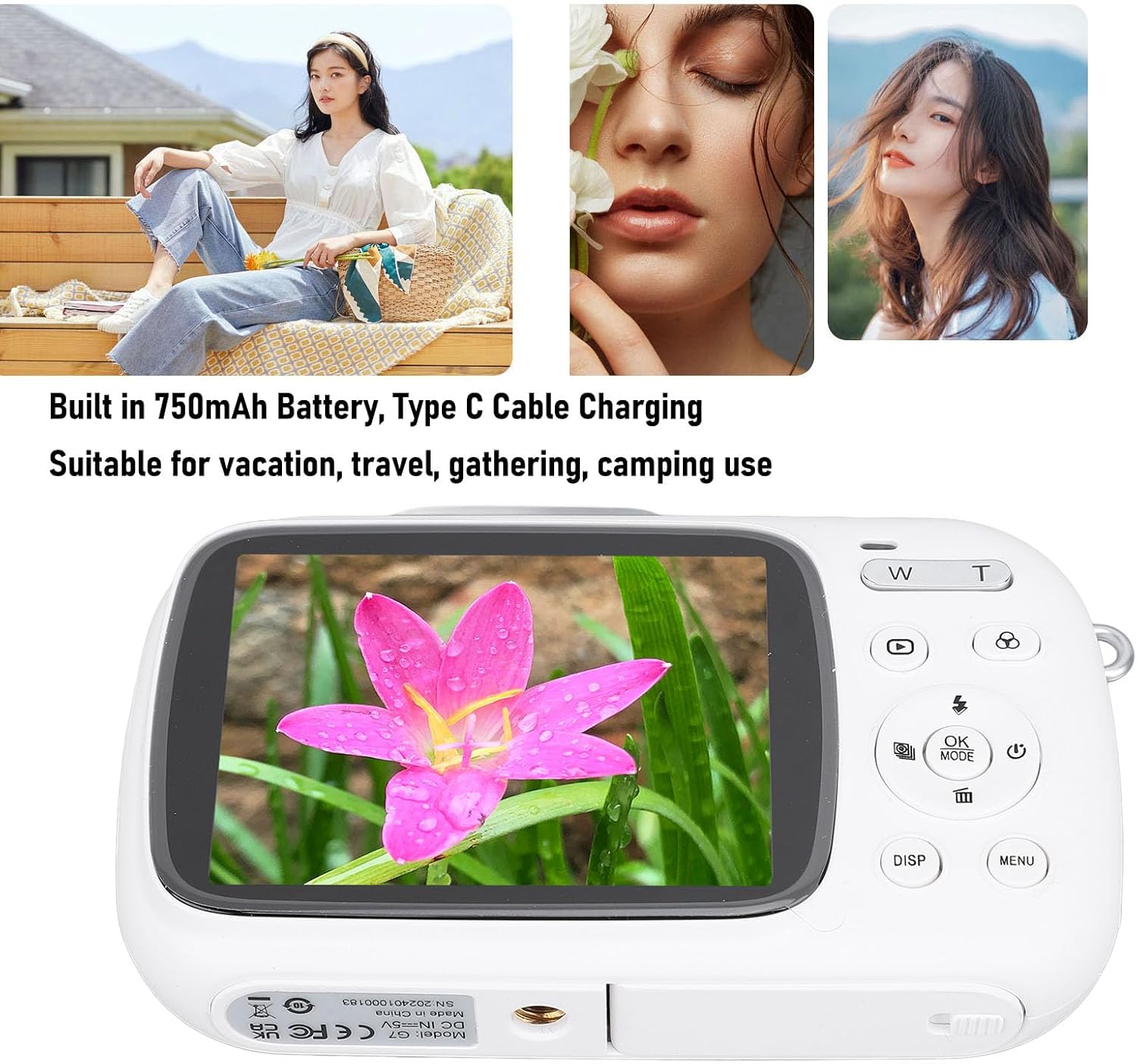
Image: Visual representation of key camera features including 80MP photo pixels, 5K HD video recording, 18X digital zoom, auto focusing, beauty filter, smiling selfie, continuous photo taking, built-in flash, and 2.8-inch display.
Жайгашуу
1. Батареяны заряддоо
The camera has a built-in 750mAh rechargeable lithium-ion battery. Before first use, ensure the battery is fully charged.
- Connect the provided Type-C charging cable to the camera's Type-C port.
- Кабелдин экинчи учун USB кубат адаптерине (кошумча эмес) же компьютердин USB портуна туташтырыңыз.
- The charging indicator light will illuminate. Charging typically takes about 3 hours.
- Once fully charged, the indicator light may change or turn off. Disconnect the cable.
2. Эстутум картасын салуу
A Small Memory Card (up to 256GB) is required to store photos and videos. It is not included in the package.
- Эстутум картасынын уячасын камеранын капталынан же астынан табыңыз.
- Insert the Small Memory Card into the slot with the metal contacts facing the correct direction (refer to the diagram near the slot if available).
- Картаны ордуна чыкылдаган үн чыкканча акырын басыңыз.
- To remove the card, push it in again until it springs out slightly, then pull it out.
3. Кол боону бекитүү
Attach the included hand strap to prevent accidental drops.
- Thread the thin loop of the hand strap through the strap eyelet on the camera body.
- Pass the larger end of the strap through the loop you just created and pull tight to secure it.
Иштөө нускамалары
1. Күйгүзүү / Өчүрүү
- To power on, press and hold the Power button (usually marked with a circle and a vertical line).
- Өчүрүү үчүн, экран өчкөнгө чейин Кубат баскычын кайра басып, кармап туруңуз.
2. Сүрөт тартуу
- Turn on the camera. It will typically default to photo mode. If not, press the РЕЖИМ button to switch to photo mode.
- Frame your shot using the 2.8-inch display screen.
- колдонуу W/T keys to zoom in or out (18X digital zoom).
- басыңыз Жабык key halfway down to focus (if applicable).
- басыңыз Жабык key fully down to capture the 80MP photo.
3. Видеолорду жаздыруу
- Turn on the camera. Press the РЕЖИМ button to switch to video recording mode.
- Frame your video using the display screen.
- басыңыз Жабык key to start recording 5K video. A recording indicator will appear on the screen.
- басыңыз Жабык жазууну токтотуу үчүн кайра баскычын басыңыз.
4. Using Special Functions
The camera offers several creative functions:
- Continuous Photography: Allows you to take multiple photos in quick succession. Access this setting via the МЕНЮ.
- Time Lapse Photography: Captures images at set intervals to create a time-lapse video. Configure in МЕНЮ.
- Укурук Video: Records video in segments, overwriting older footage when the memory card is full. Useful for continuous recording.
- Композиция саптары: Displays grid lines on the screen to help with framing and composition. Toggle with DISP button or in МЕНЮ.
- Жүздү таануу: Automatically detects and focuses on faces in the frame. Enable/disable in МЕНЮ орнотуулар.
- Камтылган Flash: The flash will automatically activate in low-light conditions or can be manually controlled via the flash button or МЕНЮ.
5. Ойнотуу жана кайра иштетүүview
- басыңыз Ойнотуу button (often indicated by a triangle icon) to enter playback mode.
- Сүрөттөрүңүз жана видеолоруңуз арасында багыттоо үчүн багыттоочу баскычтарды колдонуңуз.
- Басыңыз OK чейин view видеону көрүү же сүрөттү чоңойтуу.
- басыңыз Ойнотуу ойнотуу режиминен чыгуу үчүн баскычты кайра басыңыз.
Техникалык тейлөө
Камераны тазалоо
- Use a soft, lint-free cloth to wipe the camera body. Do not use liquid cleaners or solvents.
- For the lens and screen, use a specialized lens cleaning cloth or air blower to remove dust. Avoid touching the lens directly with your fingers.
- Тазалоодон мурун камеранын өчүк экенин текшериңиз.
Сактагыч
- Камераны салкын, кургак жерде күндүн тике тийген нурунан жана экстремалдык температурадан алыс сактаңыз.
- Эгер батарейканы узак убакытка сактап жатсаңыз, анын жарым-жартылай заряддалганын (болжол менен 50%) текшерип, батареянын иштөө мөөнөтүн сактоо үчүн аны бир нече ай сайын кайра заряддап туруңуз.
Проблемаларды чечүү
| Көйгөй | Мүмкүн болгон себеп / Чечим |
|---|---|
| Камера күйбөйт. |
|
| Сүрөткө тартуу/видео жаздыруу мүмкүн эмес. |
|
| Сүрөттөр бүдөмүк. |
|
| Батареянын иштөө мөөнөтү кыска. |
|
Техникалык шарттар
| Өзгөчөлүк | Деталь |
|---|---|
| Продукт материалы | ABS |
| Video Resolution | 5K (Maximum), 15FPS |
| Сүрөттүн резолюциясы | 80MP (Maximum) |
| Объектив | F/2.2 f=3.83mm Wide Angle Lens |
| Digital Zoom | 18X |
| Экранды көрсөтүү | 2.8 дюйм |
| Сактагыч | Small Memory Card, up to 256GB (not included) |
| Батарея | 750mAh Lithium Ion Battery (built-in) |
| Заряддоо порту | Type-C |
| Заряддоо убактысы | Болжол менен 3 саат |
| Чыдамдуулук убактысы | Болжол менен 2 саат (колдонууга жараша) |
| Элемент Салмагы | 9.1 унция |
| Модель номери | Jectsesikcd0et3w-11 |
Кепилдик жана колдоо
Jectse products are manufactured to the highest quality standards. For information regarding warranty coverage, technical support, or service inquiries, please refer to the contact information provided with your purchase or visit the official Jectse webсайт.
Кепилдик дооматтары үчүн сатып алганыңыздын далилин сактап коюңуз.
Ask a question about this manual
Ask about setup, troubleshooting, compatibility, parts, safety, or missing instructions. Manuals+ will review the question and use this page’s manual context to help answer it.