
Introduction
This manual provides detailed instructions for the setup, operation, and maintenance of your KYSONA 57° Ergonomic Wireless Tower Mouse. Please read this manual thoroughly before using the product to ensure proper functionality and a comfortable user experience.
Продукт өзгөчөлүктөрү
- Эргономикалык вертикалдык дизайн: Features a 57° tilt to promote a natural wrist and forearm position, reducing strain and tension during extended use.
- Silent Switch: Equipped with quiet click buttons for a disturbance-free work or entertainment environment.
- Кош режимдеги туташуу: Supports both Bluetooth (BT 3.0/5.0) and 2.4G wireless connections for versatile compatibility across multiple devices.
- Жөнгө салынуучу DPI: Offers 5 adjustable DPI settings (800/1200/1600/2400/4000) for precise cursor control.
- Акылдуу автоматтык уйку режими: Automatically enters sleep mode during inactivity to conserve battery life, providing up to 12 months of use.
- Шайкештик: Works with Windows, macOS, iPadOS, laptops, and PCs.
Пакеттин мазмуну
- KYSONA 57° Ergonomic Wireless Tower Mouse
- USB Receiver (for 2.4G wireless connection)
- User Manual
- Эскертүү: 2 AAA батарейкасы талап кылынат жана комплектке кирбейт.
Орнотуу нускамалары
1. Батареяны орнотуңуз
Open the battery compartment on the underside of the mouse. Insert two AAA batteries, ensuring correct polarity. Close the compartment securely.
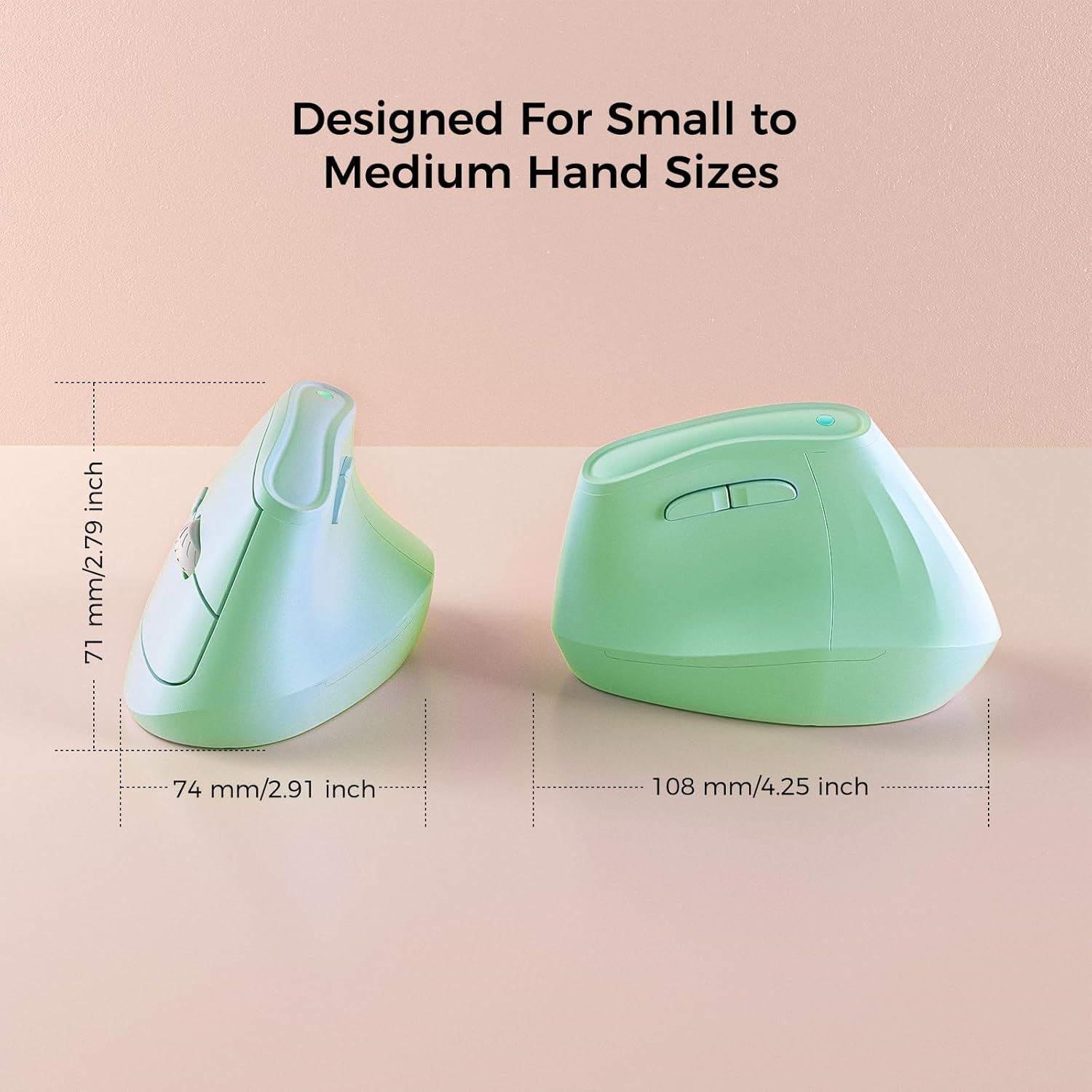
Image: Underside of the mouse with battery compartment visible.
2. Күйгүзүү
Locate the ON/OFF switch on the bottom of the mouse and slide it to the "ON" position.
3. Түзмөккө туташуу
Your KYSONA mouse offers two connectivity options:
3.1. 2.4G зымсыз байланыш (USB кабыл алгыч аркылуу)
- Remove the USB receiver from its storage slot on the bottom of the mouse.
- USB ресиверди компьютериңиздеги жеткиликтүү USB портуна сайыңыз.
- The mouse should automatically connect. If not, press the "Mode Switch" button on the bottom of the mouse until the indicator light shows 2.4G mode (usually green or blue).
3.2. Bluetooth туташуу (BT 3.0/5.0)
- Press the "Mode Switch" button on the bottom of the mouse to cycle through modes until the indicator light shows Bluetooth mode (usually blue).
- On your device (Windows, macOS, iPadOS), go to Bluetooth settings.
- Издөө new devices and select "KYSONA Mouse" (or similar) from the list.
- Жупташтыруу процессин аяктоо үчүн экрандагы көрсөтмөлөрдү аткарыңыз.
- The mouse can connect to up to three Bluetooth devices. Use the "Mode Switch" button to toggle between paired devices.

Image: Mouse demonstrating dual-mode connectivity with a laptop and tablet.
Иштөө нускамалары
1. Hand Position
Place your hand on the mouse so that your wrist and forearm are in a natural, handshake-like position. The 57° vertical design is intended to reduce pronation of the forearm.

Image: Proper hand placement on the ergonomic mouse.
2. Баскыч функциялары
- Сол чыкылдатуу: Стандарттык тандоо.
- Оң чыкылдатуу: Контексттик меню.
- Жылдыруу дөңгөлөгү: Scroll up/down. Pressing the scroll wheel acts as a middle click.
- Алдыга/Артка баскычтары: Located on the thumb side, these buttons allow for quick navigation in web браузерлер же file изилдөөчүлөр.
- DPI баскычы: Located near the scroll wheel, press to cycle through DPI settings.
3. DPI тууралоо
The mouse features 5 adjustable DPI levels: 800, 1200, 1600, 2400, and 4000. Press the DPI button to cycle through these settings. A higher DPI setting results in faster cursor movement, while a lower DPI provides more precise control.

Image: Visual representation of DPI settings.
Батарея маалыматы
- 2 ААА батарейканы талап кылат (киргизилген эмес).
- The smart auto-sleep mode helps extend battery life up to 12 months, depending on usage.
- Replace batteries when cursor movement becomes erratic or the mouse stops responding.
Техникалык тейлөө
- Чычканды дайыма жумшак, кургак чүпүрөк менен тазалаңыз.
- Катуу химиялык заттарды же абразивдүү тазалагычтарды колдонуудан алыс болуңуз.
- Оптималдуу көзөмөлдөө иштеши үчүн, чычкандын астыңкы жагындагы оптикалык сенсорду таза кармаңыз.
- Store the USB receiver in its designated slot on the mouse when not in use to prevent loss.
Проблемаларды чечүү
| Көйгөй | Чечим |
|---|---|
| Чычкан жооп бербей жатат |
|
| Курсордун туура эмес кыймылы |
|
| Bluetooth аркылуу жупташтыруу мүмкүн эмес |
|
Техникалык шарттар
- Модел: EM9
- Байланыш: Bluetooth (BT 3.0/5.0) & 2.4G Wireless
- DPI жөндөөлөрү: 800 / 1200 / 1600 / 2400 / 4000
- Баскычтар: 5 (Left, Right, Scroll Wheel/Middle, Forward, Backward, DPI)
- Кубат булагы: 2 x AAA Батареялар (киргизилген эмес)
- Өлчөмдөрү: 10.7 x 7.4 x 7.1 CM (4.2 x 2.9 x 2.8 inches)
- Салмагы: 4.2 унция
- Шайкештик: Windows, macOS, iPadOS, Laptop, PC
Кепилдик жана колдоо
For warranty information or technical support, please refer to the contact details provided on the product packaging or visit the official KYSONA webсайт. Кепилдик дооматтары үчүн сатып алуу дүмүрчөгүңүздү сактаңыз.