
1. Киришүү
Thank you for choosing the EuroFone S3 Plus Motorcycle Intercom with 2K HD Camera. This device is designed to enhance your riding experience by providing seamless communication, high-definition video recording, and entertainment features. Please read this manual carefully to understand the product's functions and ensure safe and optimal use.

Image 1.1: The EuroFone S3 Plus Intercom unit, showcasing анын компакттуу дизайны жана башкаруу циферблаты.
2. Пакеттин мазмуну
Төмөндө тизмеленген нерселердин баары пакетиңизге камтылганын текшериңиз:
- 1 x EuroFone S3 Plus Bluetooth Host Unit
- 1 x Type-C заряддоо кабели
- 2 x Helmet Clips (1 Screw Clip, 1 Velcro Clip)
- 1 x Stereo Headset
- 1 x Instruction Manual
- 2 x Microphones (1 Hard Mic for open-face helmets, 1 Soft Mic for full-face helmets)
3. Продукт бүтүп калдыview
Familiarize yourself with the various parts and controls of your S3 Plus intercom unit.

Image 3.1: Detailed diagram of the S3 Plus unit with numbered components.
| Жок. | Компонент | Функция |
|---|---|---|
| 1 | Камера линзасы | Captures 2K HD video footage. |
| 2 | Домофон баскычы | Activates and manages intercom communication. |
| 3 | Жазуу баскычы | Видео жазууну баштайт жана токтотот. |
| 4 | Wi-Fi баскычы | Activates Wi-Fi for app connection and file өткөрүп берүү. |
| 5 | Rotary Dial | Adjusts volume, navigates menus, and controls music playback. |
| 6 | Көп функциялуу баскыч | Manages phone calls, voice assistant, and other features. |
| 7 | Кубат баскычы | Аппаратты күйгүзөт/өчүрөт. |
| 8 | TF Card / Reset Button | Slot for microSD card; press and hold for reset. |
| 9 | Earphone Mic Jack | Connects the stereo headset and microphone. |
| 10 | Charging Port / K-Line Plug | Кубаттоо жана маалыматтарды берүү үчүн Type-C порту. |
4. Орнотуу
4.1. Туулга орнотуу
The S3 Plus can be mounted on most helmets using either the screw clip or the Velcro clip.
- Choose Clip Type: Select the screw clip for a more permanent attachment or the Velcro clip for easier removal.
- Позициялоо: Attach the clip to the left side of your helmet, ensuring it is securely fastened and does not obstruct your vision or helmet functionality.
- Агрегатты орнотуу: Slide the S3 Plus host unit onto the installed clip until it clicks into place.
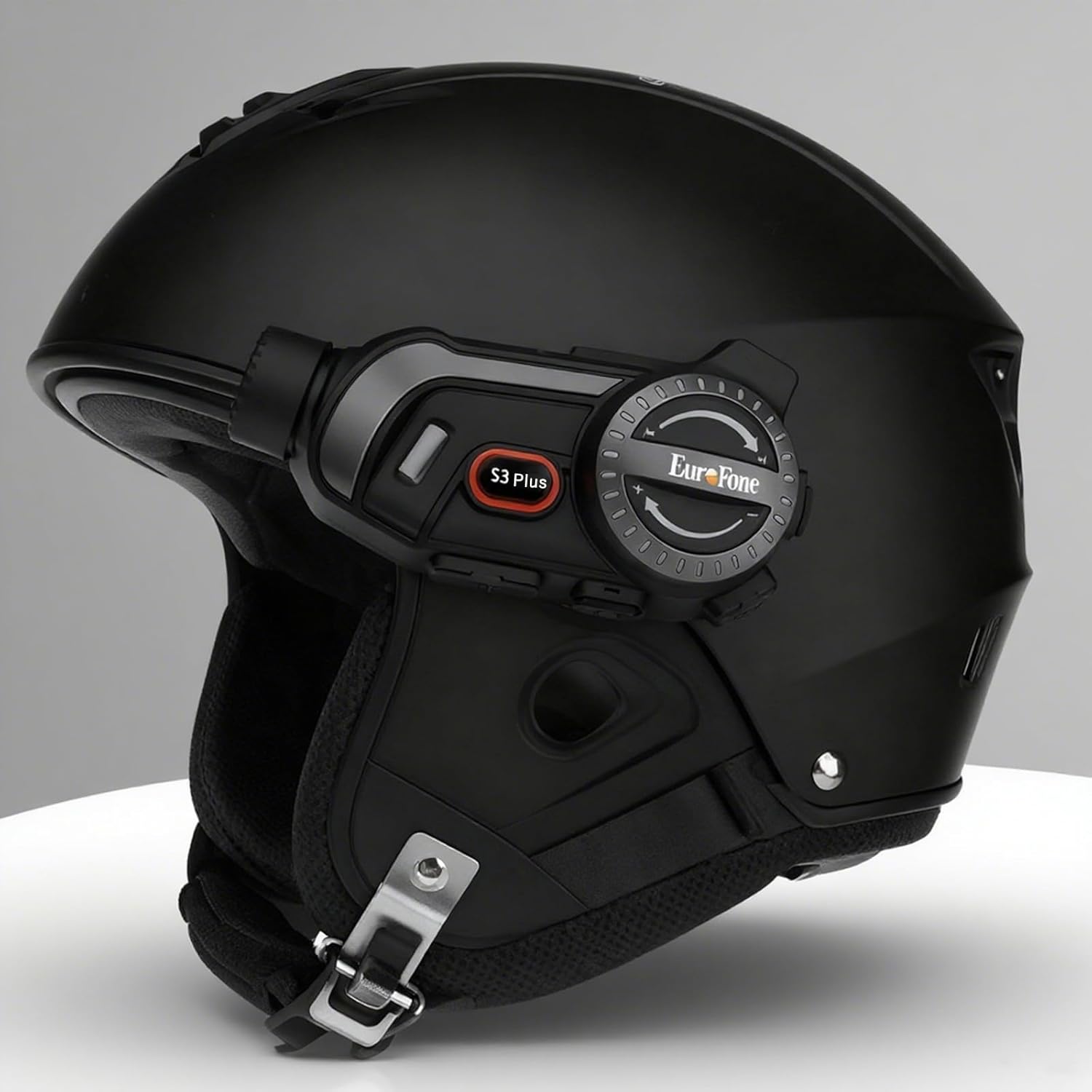
Image 4.1: The S3 Plus intercom unit securely attached to the side of a helmet.
4.2. Headset and Microphone Connection
Connect the stereo headset and microphone to the S3 Plus unit.
- Динамиктерди орнотуу: Place the headset speakers inside the helmet's ear pockets, ensuring they are aligned with your ears for optimal sound.
- Микрофонду тандоо: Choose the hard mic for open-face helmets or the soft mic for full-face helmets. Attach the microphone to the inside of the helmet near your mouth.
- Бирдикке туташуу: Plug the headset and microphone cable into the Earphone Mic Jack (9) on the S3 Plus unit.
4.3. Аппаратты заряддоо
Before first use, fully charge the S3 Plus unit.
- Кабелди туташтыруу: Insert the Type-C charging cable into the Charging Port (10) on the S3 Plus unit.
- Кубат булагы: Кабелдин экинчи учун USB кубат адаптерине (кошумча эмес) же компьютердин USB портуна туташтырыңыз.
- Заряддоо көрсөткүчү: LED индикатору кубаттоо абалын көрсөтөт. Толук кубаттоо болжол менен 1.5 саатты талап кылат.
4.4. Күйгүзүү/өчүрүү
- Күйгүзүү: Press and hold the Power Button (7) for approximately 3 seconds until the LED indicator lights up and you hear a voice prompt.
- Өчүрүү: Press and hold the Power Button (7) for approximately 3 seconds until the LED indicator turns off and you hear a voice prompt.
5. Иштөө нускамалары
5.1. Bluetooth Жупташтыруу
Pair your S3 Plus with your smartphone or other Bluetooth devices.
- Жупташтыруу режимине кирүү: With the S3 Plus powered off, press and hold the Power Button (7) for about 5-7 seconds until the LED indicator flashes red and blue alternately, indicating pairing mode.
- Bluetooth иштетүү: Смартфонуңузда же түзмөгүңүздө Bluetooth иштетиңиз жана жеткиликтүү түзмөктөрдү издеңиз.
- Түзмөктү тандоо: Select "EuroFone S3 Plus" from the list of found devices. If prompted, enter "0000" as the PIN.
- Ырастоо: Once paired, the LED indicator will flash blue slowly, and you will hear a voice confirmation.

Image 5.1: Illustration of Bluetooth 5.1 connectivity and extended battery performance.
5.2. Домофон функциясы
The S3 Plus supports both two-way and multi-person group intercom communication.
- Эки тараптуу интерком: To initiate a direct intercom call with another S3 Plus unit, ensure both units are powered on and within range (up to 2000m in open terrain). Briefly press the Intercom Button (2) on one unit. The units will connect automatically.
- Group Intercom (Up to 6 Riders): The S3 Plus supports simultaneous communication for up to 6 riders. Follow the pairing instructions in the manual for multi-unit connection. The system features automatic reconnection, so if a rider goes out of range, they will automatically rejoin the conversation when back in range.

Image 5.2: Visual representation of up to 6 riders engaged in group intercom communication.
5.3. Камеранын иштеши
Record your rides in 2K HD quality.
- TF картасын салыңыз: Ensure a microSD (TF) card (Class 10 or higher, up to 128GB) is inserted into the TF Card slot (8) before recording.
- Жазууну баштоо/Токтотуу: Briefly press the Record Button (3) to start recording. The LED indicator will change to confirm recording is active. Press again to stop recording.
- Цикл жаздыруу: The S3 Plus supports loop recording, automatically overwriting the oldest fileэстутум картасы толгондо.
- Wi-Fi App Connection: Press the Wi-Fi Button (4) to activate the unit's Wi-Fi. Connect your smartphone to the S3 Plus Wi-Fi network (details in the dedicated app manual). Use the companion app to view жаша фооtage, ойнотуу жаздыруулары жана жүктөп алуу files.

Image 5.3: Details on 2K video resolution (2560*1440) and the 135° wide-angle lens for comprehensive capture.
5.4. Музыка ойнотуу жана бөлүшүү
Enjoy music from your paired smartphone and share it with another rider.
- Ойнотуу/тындыруу: Briefly press the Multi-function Button (6) to play or pause music.
- Үндү тууралоо: Rotate the Rotary Dial (5) clockwise to increase volume, counter-clockwise to decrease volume.
- Кийинки / Мурунку трек: Press the Rotary Dial (5) forward or backward to skip tracks.
- Музыка бөлүшүү: While music is playing, activate the music sharing function (refer to the full manual for specific button combinations) to share your audio with a connected intercom unit.

Image 5.4: Two riders enjoying shared music during their journey, illustrating the music sharing feature.
5.5. FM радиосу
Tune into FM radio stations for news, weather, and entertainment.
- FM радиосун иштетүү: Press and hold the Intercom Button (2) for approximately 2 seconds to turn on the FM radio.
- Скандоо станциялары: Briefly press the Rotary Dial (5) forward or backward to scan for the next or previous available station.
- FM радиосун өчүрүү: Press and hold the Intercom Button (2) for approximately 2 seconds again to turn off the FM radio.

Image 5.5: A rider listening to FM radio, highlighting the integrated FM radio functionality.
5.6. Үн жардамчысы
Access your smartphone's voice assistant (e.g., Siri) hands-free.
- Үн Жардамчысын жандыруу: Briefly press the Multi-function Button (6) twice to activate your paired smartphone's voice assistant.
- Үн кеңештери: The S3 Plus supports voice prompts in Japanese, English, and Chinese, which can be switched as needed.

Image 5.6: Visualizing the voice assistant feature, HIFI audio quality, and key device statistics like weight and battery life.
5.7. Телефон чалуулар
Manage incoming and outgoing phone calls safely while riding.
- Чакырууга жооп берүү: When a call comes in, the S3 Plus will automatically answer after approximately 10 seconds, allowing for hands-free communication.
- Чакырууну аяктоо: Briefly press the Multi-function Button (6) to end an active call.
- Чакырууну четке кагуу: Press and hold the Multi-function Button (6) for 2 seconds to reject an incoming call.
- Акыркы номерди кайра терүү: Briefly press the Multi-function Button (6) twice to redial the last number.
6. Техникалык тейлөө
Proper maintenance ensures the longevity and performance of your S3 Plus intercom.
- Тазалоо: жумшак колдонуу, damp Түзмөктүн сыртын тазалоо үчүн чүпүрөк колдонуңуз. Катуу химиялык заттарды же абразивдүү тазалоочу каражаттарды колдонбоңуз.
- Суу таасири: The S3 Plus is IP67 waterproof. While it can withstand rain, avoid prolonged submersion in water or exposure to heavy downpours. If wet, wipe dry immediately with a towel.
- Сактагыч: Аппаратты колдонбогондо түз күн тийбеген жана өтө температурадан алыс салкын, кургак жерде сактаңыз.
- Батареяга кам көрүү: Батареянын оптималдуу иштөө мөөнөтү үчүн, бат-баттан батареяны толук зарядсыздандырбаңыз. Аппаратты узак убакыт бою колдонбосо дагы, үзгүлтүксүз заряддаңыз.
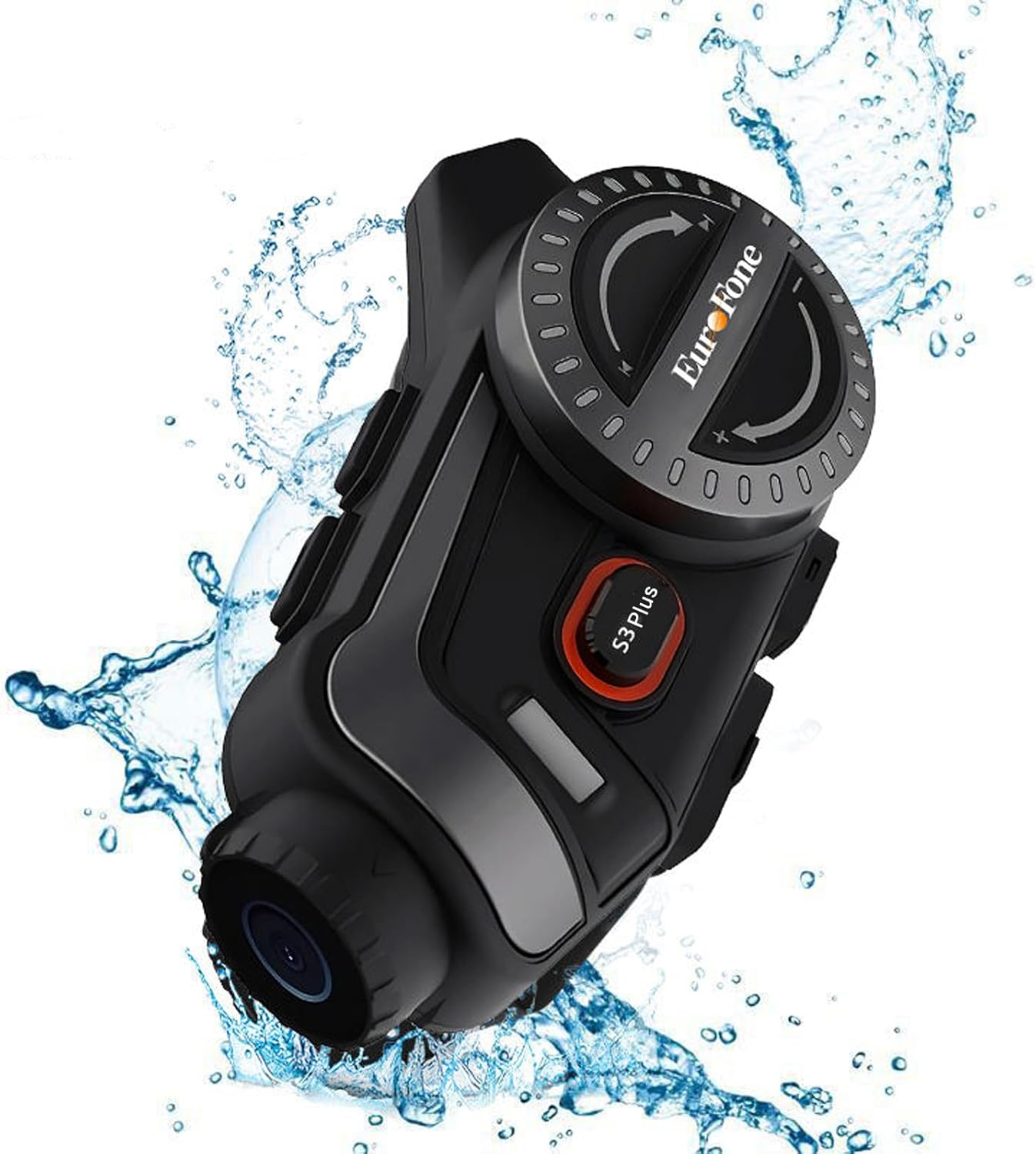
Image 6.1: The S3 Plus unit demonstrating its IP67 waterproof and dustproof capabilities.
7. Кыйынчылыктарды
If you encounter issues with your S3 Plus, refer to the following common problems and solutions:
- Түзмөк күйбөй жатат: Ensure the battery is charged. Connect to a charger and try again. If unresponsive, try a factory reset by pressing the Reset Button (8) with a small pin.
- Смартфон менен жупташтырууга мүмкүн эмес: Ensure the S3 Plus is in pairing mode (flashing red and blue). Turn off and on your phone's Bluetooth. Clear previous Bluetooth connections on both devices and try again.
- Домофон байланышы маселелери: Ensure both intercom units are within range and fully charged. Re-initiate the intercom connection. Obstacles can reduce range.
- Poor Audio Quality (Intercom/Music): Check headset and microphone connections. Ensure speakers are correctly positioned in the helmet. The device features CVC8.0 and DSP dual noise cancellation for clear audio, but extreme wind noise can still affect quality.
- Жаздыруу иштебей жатат: Ensure a compatible microSD (TF) card is inserted and has sufficient free space. Format the card if necessary (refer to app instructions or connect to PC).
- Wi-Fi App Connection Failure: Ensure the S3 Plus Wi-Fi is activated. Check your smartphone's Wi-Fi settings to confirm connection to the device's network. Ensure the app is up-to-date.
8. Техникалык шарттар
Key technical specifications of the EuroFone S3 Plus intercom:
| Өзгөчөлүк | Спецификация |
|---|---|
| Модель аты | S3 Plus |
| Бренд | EuroFone |
| Түс | Кара |
| Байланыш технологиясы | Зымсыз (Bluetooth 5.1) |
| Bluetooth версиясы | 5.1 |
| Домофон диапазону | Up to 2000 meters (1500-2000m between 2 units) |
| Топтук интерком | Up to 6 riders simultaneous talk |
| Video Resolution | 2K HD (1440p) |
| Камера линзасы | 135° Wide Angle, 14mm Sony HD F2.0 |
| Үзгүлтүксүз видео жаздыруу | 8 саатка чейин |
| Батарея сыйымдуулугу | 2000mAh |
| Үзгүлтүксүз сүйлөшүү убактысы | 45 саатка чейин |
| Музыканы ойнотуу убактысы | 80 саатка чейин |
| Күтүү убактысы | 1000 саатка чейин |
| Заряддоо убактысы | Болжол менен 1.5 саат (С түрү) |
| Суу өткөрбөйт рейтинги | IP67 |
| Noise Cancellation | CVC8.0 & DSP Dual Noise Cancellation |
| Өзгөчөлүктөр | FM Radio, Music Sharing, Voice Assistant (Siri compatible), Auto-Answer Calls, Loop Recording, WiFi App Support, GPS Guidance Compatibility |
| Продукциянын өлчөмдөрү | 5.7 x 10.5 x 3.5 см |
| Продукт Салмагы | 0.45 кг |
9. Кепилдик жана колдоо
The EuroFone S3 Plus Motorcycle Intercom comes with a 1-year warranty, affirming its quality and reliability. If you have any questions, concerns, or require technical assistance, please do not hesitate to contact our support team. We aim to respond within 24 hours.
For support, please refer to the contact information provided with your purchase or visit the official EuroFone webсайт.