
1. Киришүү
The Xigmatek Aqua V AIR is a high-performance mid-tower PC case designed for gaming enthusiasts. It features a spacious interior, optimized airflow, and tempered glass panels on the front and side to showcase your components. Equipped with seven 120mm ARGB fans, it supports graphics cards up to 410mm in length and is compatible with motherboards featuring hidden connectors for a clean build.
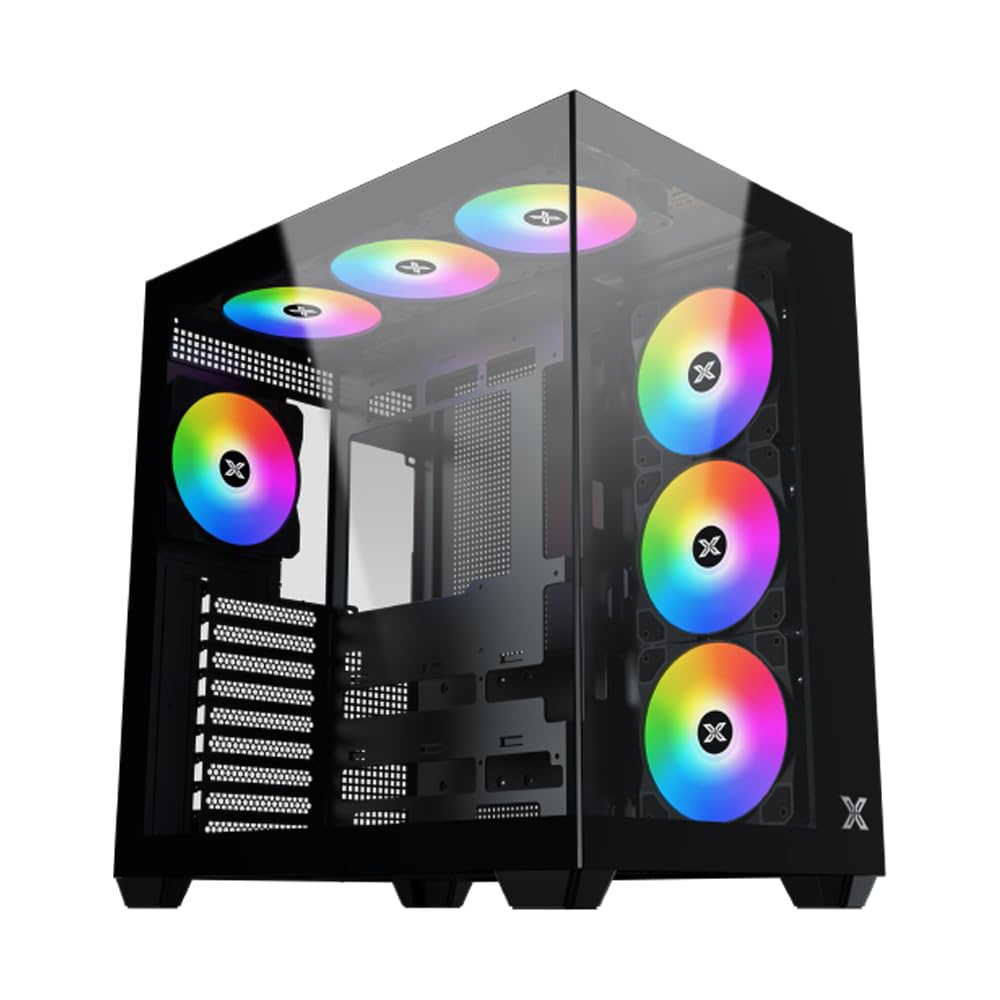
1-сүрөт: Жалпысынан view of the Xigmatek Aqua V AIR PC Case.
2. Негизги өзгөчөлүктөрү
- Материал: Constructed from high-quality steel for durability and reliability.
- Өлчөмдөрү: 427 x 285 x 455 mm (L x W x H), offering a spacious interior.
- Муздатуу системасы: Supports up to three 120mm or two 140mm fans for optimal cooling performance.
- Радиатор колдоо: Compatible with 240/280/360mm radiators on the top, bottom, and rear for versatile cooling options.
- I/O панели: Features 2x USB 3.0 ports, 1x USB-C port, and HD audio for convenient connectivity.
- Motherboard шайкештиги: Supports ATX, Micro ATX, and Mini ITX motherboards, including those with hidden connectors.
- GPU узундугу: Узундугу 410 мм чейинки графикалык карталарды колдойт.
- Сактоо колдоо: камсыз кылат ample space for multiple storage drives.
3. Техникалык шарттар
| Өзгөчөлүк | Деталь |
|---|---|
| Бренд | Xigmatek |
| Модель номери | EN45820 |
| Сериялар | Aqua V AIR BLACK |
| Түс | Кара |
| Өлчөмдөрү (L x W x Y) | 42.7 x 28.5 x 45.5 см |
| Продукт Салмагы | 8.8 килограмм |
| Материал | Эритме болот, чыңдалган айнек |
| Motherboard шайкештиги | ATX, Микро ATX, Мини ITX |
| Иштин түрү | Орто мунара |
| Сунушталган Колдонуулар | Gaming, High-Performance Computing |
| USB 3.0 порттору | 2 |
| USB-C порттору | 1 |
| Муздатуу ыкмасы | Water (Liquid Cooling Support) |
| Fan Size | 120 Millimeters (Pre-installed ARGB fans) |
| PSU монтаждоо түрү | Төмөнкү тоо |
4. Орнотуу жана орнотуу
This section provides general guidance for installing components into your Xigmatek Aqua V AIR PC case. Always refer to the specific manuals for your motherboard, power supply, and other components for detailed instructions.
4.1 Ишти даярдоо
- Компьютердин кутучасын ачып, бардык таңгактоочу материалдарды алып салыңыз.
- Carefully remove the tempered glass side panel(s) and front panel (if applicable) to access the interior. Store them safely to prevent damage.
- Identify the accessory box, which typically contains screws, cable ties, and other small parts.
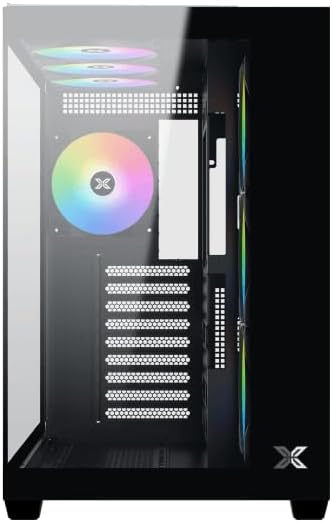
2-сүрөт: Интерьер view каптал панели алынып салынган.
4.2 Motherboard орнотуу
- I/O калканын (эгер энелик платаңызга алдын ала орнотулбаган болсо) корпустун арткы тешигине орнотуңуз.
- Align your ATX, Micro ATX, or Mini ITX motherboard with the standoffs inside the case. Ensure all standoffs match the screw holes on your motherboard.
- Secure the motherboard with the appropriate screws provided in the accessory kit.

Figure 3: Motherboard tray and cable management area.
4.3 Электр менен камсыздоо блогун (PSU) орнотуу
- Корпустун ылдыйкы артындагы PSU монтаждоо аймагын табыңыз.
- Slide your PSU into position, ensuring the fan faces downwards (if the case has a bottom vent) or upwards.
- PSUну корпустун артындагы бурамалар менен бекитиңиз.
4.4 Сактоочу дискти орнотуу
The case supports various storage configurations. Refer to the case diagram for specific drive bay locations.
- Install 2.5" SSDs or 3.5" HDDs into the designated drive bays or mounting brackets.
- Secure the drives with screws.
4.5 Графикалык картаны (GPU) орнотуу
- Керектүү PCIe уячасынын капкактарын корпустун арткы бөлүгүнөн алып салыңыз.
- Графикалык картаңызды энелик платадагы тиешелүү PCIe уячасына салыңыз.
- Графикалык картаны бурамалар менен бекитиңиз.
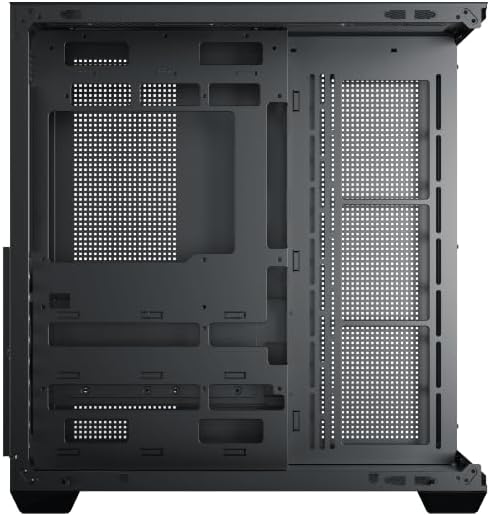
Figure 4: Components installed inside the case.
4.6 Кабелди башкаруу
Utilize the cable routing cutouts and tie-down points behind the motherboard tray to manage cables for improved airflow and aesthetics.
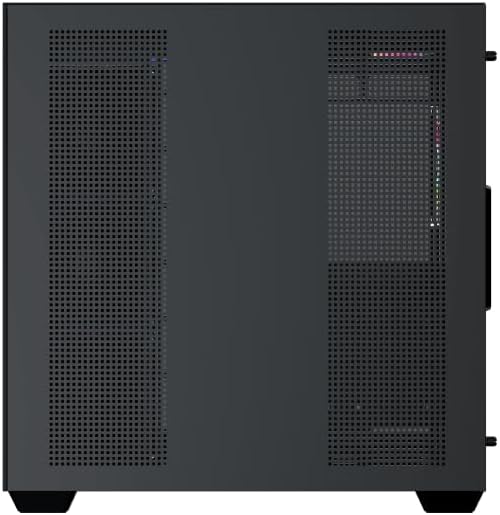
Figure 5: Top panel and I/O ports.
5. Иштөө нускамалары
5.1 Күйгүзүү
Once all components are securely installed and connected, close the side panels. Connect your power cable to the PSU and press the power button on the case's front I/O panel.
5.2 ARGB Fan Control
The Xigmatek Aqua V AIR comes with pre-installed ARGB fans. These fans can typically be controlled via:
- Энелик плата программасы: If your motherboard supports ARGB synchronization, connect the fan's ARGB cables to the motherboard's 3-pin 5V ARGB header and use the motherboard's software (e.g., ASUS Aura Sync, MSI Mystic Light, Gigabyte RGB Fusion) to customize lighting effects.
- Интеграцияланган контроллер: If your case includes a built-in ARGB controller, use the dedicated button on the I/O panel to cycle through various lighting modes and colors.
6. Техникалык тейлөө
Үзгүлтүксүз тейлөө сиздин PC компоненттеринин оптималдуу иштешин жана узак иштөөсүн камсыз кылууга жардам берет.
6.1 Чаң чыпкасын тазалоо
The Xigmatek Aqua V AIR case is equipped with dust filters to prevent dust buildup. Locate and gently remove the dust filters (typically on the top, front, and bottom). Clean them with compressed air or by rinsing with water. Ensure they are completely dry before reattaching.
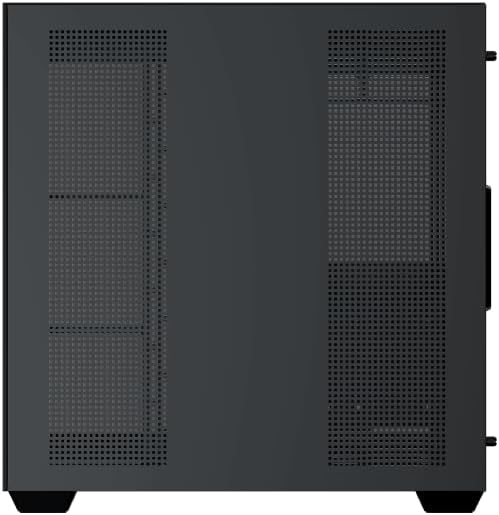
Figure 6: Bottom dust filter.
6.2 Жалпы тазалоо
Use a soft, dry cloth to wipe down the exterior of the case. For tempered glass panels, use a glass cleaner and a microfiber cloth to avoid streaks. Avoid using abrasive cleaners or solvents.
7. Кыйынчылыктарды
Көйгөйгө туш болсоңуз, көйгөйлөрдү чечүүнүн төмөнкү жалпы кадамдарын карап көрүңүз:
- Кубат жок:
- Ensure the PSU is switched on and properly connected to the wall outlet and motherboard.
- Check all power connections to components (motherboard, CPU, GPU, drives).
- Verify the front panel power switch cable is correctly connected to the motherboard.
- Желдеткичтер айланбай жатат / RGB иштебей жатат:
- Check if fan power cables are securely connected to the motherboard or fan controller.
- Ensure ARGB cables are connected to the correct 3-pin 5V ARGB header (not 4-pin 12V RGB).
- If using a controller, ensure it has power and is functioning correctly.
- Ашыкча ысып кетүү:
- Ensure all fans are spinning and oriented correctly for optimal airflow (intake/exhaust).
- Чаң чыпкаларын жана ички компоненттерин тазалаңыз.
- Verify CPU cooler and GPU cooler are properly seated and functioning.
8. Кепилдик жана колдоо
The Xigmatek Aqua V AIR PC Case comes with a 2 жылдык өндүрүүчүнүн кепилдиги. For technical support, warranty claims, or further assistance, please contact Xigmatek customer service or visit their official webсайт.
Сураныч, кепилдик максаттары үчүн сатып алганыңыздын далилин сактап коюңуз.