
1MORE P10
1MORE Piston-Fit USB-C кулакчындарынын колдонуучу колдонмосу
Модел: P10
Introduction
Thank you for choosing the 1MORE Piston-Fit USB-C Headphones. This manual provides detailed instructions for the proper setup, operation, and maintenance of your new headphones. Please read this manual thoroughly before use to ensure optimal performance and longevity of your device.

Image: The 1MORE Piston-Fit USB-C Headphones in use, highlighting their design and comfort.
Пакеттин мазмуну
Пакетиңизде бардык буюмдар бар экенин текшериңиз:
- 1MORE Piston-Fit USB-C Headphones (2 pairs if 2-pack)
- Силикон кулакчындардын учтары (ар кандай өлчөмдөрдө)
- Колдонуучунун Колдонмосу (бул документ)

Сүрөт: толук view of the 1MORE Piston-Fit USB-C Headphones, including the USB-C connector and inline remote.
Продукт бүттүview
The 1MORE Piston-Fit USB-C Headphones are designed for clear audio and comfortable wear. Key components include:
- Кулакчындар: Featuring a 45° angled fit for secure placement and noise isolation.
- USB-C туташтыргычы: For direct connection to compatible devices.
- Inline Remote: Integrated control button for music and call management.
- Микрофон: Built into the inline remote for hands-free communication.
- Kevlar-Reinforced Cable: Designed for durability and tangle resistance.

Сүрөт: деталдуу view of the earbuds, highlighting their construction.
Жайгашуу
- Кулак учтарын тандаңыз: Choose the silicone eartips that provide the most comfortable and secure fit for your ears. A proper seal enhances sound quality and noise isolation.
- Түзмөккө туташуу: Insert the USB-C connector into the USB-C port of your compatible smartphone, tablet, or laptop. The headphones are plug-and-play and do not require additional drivers for most devices.

Image: Illustration of the 45° angled in-ear design for optimal fit and comfort.
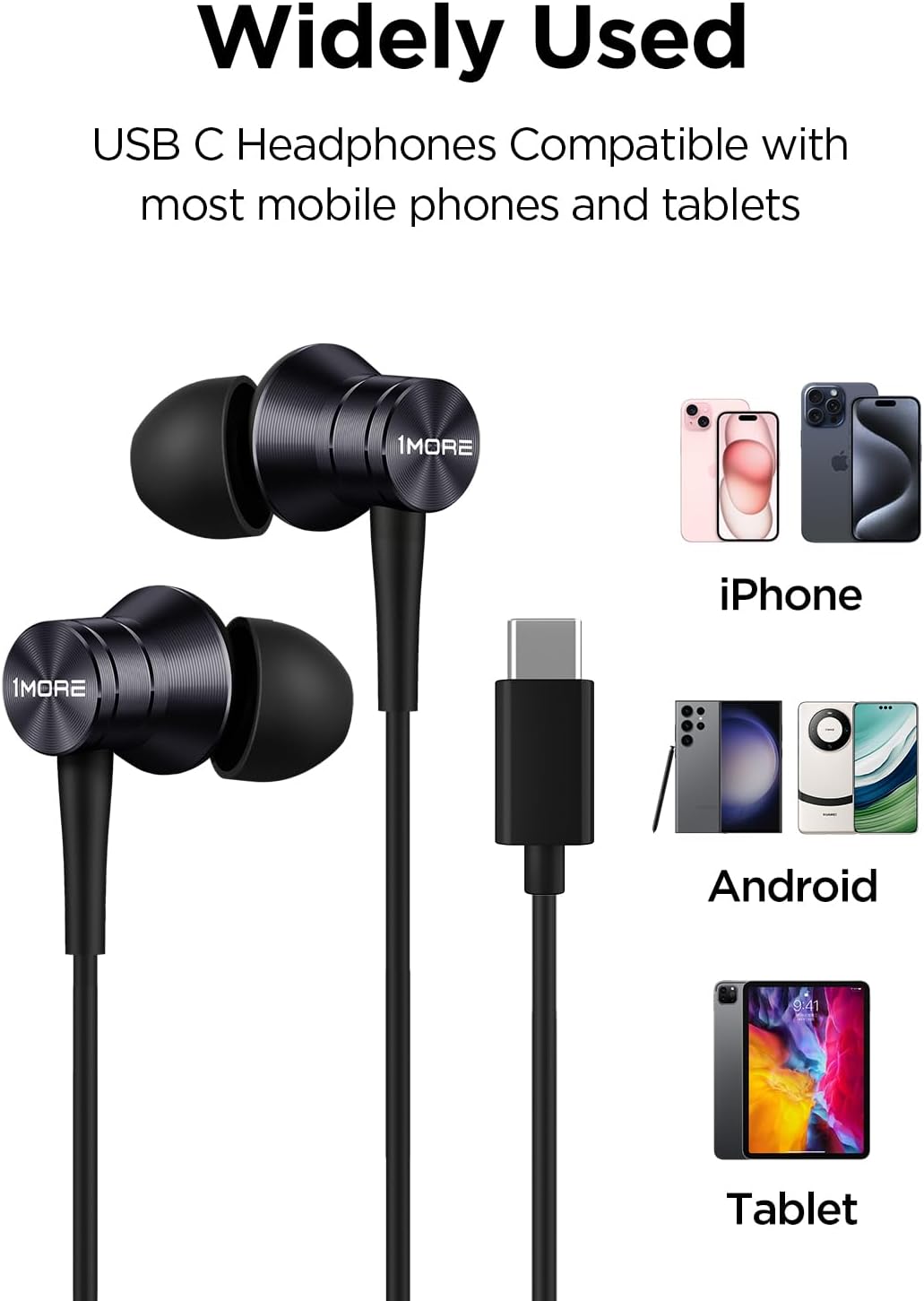
Image: Visual representation of the headphones' wide compatibility with USB-C devices.
Иштөө нускамалары
The inline remote provides convenient control over your audio and calls.
Музыканы ойнотуу
- Ойнотуу/тындыруу: Башкаруу баскычын бир жолу басыңыз.
Чалууларды башкаруу
- Чакырууга жооп берүү: Башкаруу баскычын бир жолу басыңыз.
- Чакырууну аяктоо: Чалуу учурунда башкаруу баскычын бир жолу басыңыз.
- Чакырууну четке кагуу: Press and hold the control button for approximately 2 seconds.

Image: Detailed functions of the inline microphone and multi-function control button.
Техникалык тейлөө жана кам көрүү
- Тазалоо: Regularly clean the eartips with a soft, dry cloth. For deeper cleaning, remove the silicone eartips and wash them with mild soap and water, ensuring they are completely dry before reattaching.
- Сактагыч: When not in use, store the headphones in a clean, dry place. Avoid extreme temperatures.
- Кабельге кам көрүү: The Kevlar-reinforced cable is designed to be durable and tangle-free. Avoid sharp bends or excessive pulling to prevent damage.
- Нымдуулуктан качыңыз: Наушниктерди сууга же ашыкча нымдуулукка дуушар кылбаңыз.
Проблемаларды чечүү
| Көйгөй | Мүмкүн себеп | Чечим |
|---|---|---|
| Үн жок же үнү төмөн |
|
|
| Микрофон иштебей жатат |
|
|
| Static or distorted sound |
|
|
Техникалык шарттар
- Модель аты: P10
- Байланыш технологиясы: Зымдуу (USB-C)
- Кулак жайгаштыруу: Кулакта
- Ызы-чууну көзөмөлдөө: Үн изоляциясы
- Аудио драйвер түрү: Dynamic Driver (Aerospace-grade composite diaphragm)
- Импеданс: 32 Ом
- Кабель өзгөчөлүгү: Tangle Free, Kevlar-Reinforced
- Башкаруу ыкмасы: Remote (Inline button)
- Элемент Салмагы: Approximately 14 grams (0.08 Kilograms)
- Шайкеш түзмөктөр: Cellphones, Laptops, Tablets (e.g., iPhone 15, Samsung Galaxy, Pixel 10, OnePlus)
- Камтылган компоненттер: Кулак учтары

Image: Illustration of the aerospace-grade composite diaphragm for powerful sound.
Кепилдик жана колдоо
1MORE products are covered by a limited warranty. For detailed warranty information, please refer to the warranty card included with your product or visit the official 1MORE website. For technical support, troubleshooting assistance, or to inquire about replacement parts, please contact 1MORE customer service through their official channels.
Онлайн колдоо: www.1more.com/support
Ask a question about this manual
Ask about setup, troubleshooting, compatibility, parts, safety, or missing instructions. Manuals+ will review the question and use this page’s manual context to help answer it.