
Introduction
Thank you for choosing the RORSOU B8 Bluetooth Headphones. These over-ear headphones are designed to provide a superior audio experience with deep bass and Hi-Fi stereo sound, powered by a 40mm audio driver and advanced Bluetooth 5.4 technology. Enjoy extended listening with up to 50 hours of playtime and versatile connectivity options. This manual will guide you through the setup, operation, and maintenance of your new headphones.

Figure 1: RORSOU B8 Bluetooth Headphones (Beige White)
The RORSOU B8 headphones feature a sleek beige white finish with gold accents, designed for comfort and portability.
Кутуда эмне бар
- User Manual
- Кулак жаздыкчалары (алдын ала орнотулган)
- Protective Case (Drawstring Bag)
- USB-C заряддоо кабели
- 3.5 мм AUX аудио кабели

Figure 2: Included accessories with the RORSOU B8 Headphones.
The box contains the headphones, a user manual, a USB-C charging cable, a 3.5mm AUX cable, and a soft drawstring protective case.
Продукт бүттүview & Башкаруулар
Familiarize yourself with the buttons and ports on your RORSOU B8 headphones for optimal use.

3-сүрөт: Детальдуу view кулакчындарды башкаруу элементтери жана порттору.
The right earcup features the main controls including the EQ button, USB-C charging port, 3.5mm audio jack, and power/playback buttons.
- Күч/Ойнотуу/Тыным баскычы: Күйгүзүү/өчүрүү үчүн көпкө басыңыз. Музыканы ойнотуу/тындыруу же чалууларга жооп берүү/аяктоо үчүн кыска басыңыз.
- Үнүн жогорулатуу (+) баскычы: Үндү катуулатуу үчүн кыска басыңыз. Кийинки трекке өтүү үчүн көпкө басыңыз.
- Үндү азайтуу (-) баскычы: Үндү азайтуу үчүн кыска басыңыз. Мурунку трекке өтүү үчүн көпкө басыңыз.
- EQ баскычы: Press to cycle through 6 preset EQ modes (Standard, Classical, Metal, Jazz, Rock, Bass).
- USB-C заряддоо порту: Наушниктерди заряддоо үчүн.
- 3.5 мм аудио уячасы: AUX кабелин колдонуу менен зымдуу туташуу үчүн.
- Микрофон: Үнсүз чалуулар үчүн.
Жайгашуу
Наушниктерди заряддоо
- Connect the USB-C charging cable to the headphone's charging port.
- USB кабелинин экинчи учун шайкеш келген USB кубат булагына (мисалы, компьютердин USB портуна, дубал адаптерине) туташтырыңыз.
- LED индикатору кубаттоо абалын көрсөтөт. Толук кубаттоо болжол менен 2 саатты талап кылат.
- Once fully charged, the headphones provide up to 50 hours of playtime.
Bluetooth Жупташтыруу
- Наушниктердин өчүрүлгөнүн текшериңиз.
- Long press the Power/Play/Pause button until the LED indicator flashes blue and red alternately. This indicates pairing mode.
- Түзмөгүңүздө (смартфон, планшет, компьютер) Bluetooth иштетип, жеткиликтүү түзмөктөрдү издеңиз.
- Select "RORSOU B8" from the list of found devices.
- Once successfully paired, the LED indicator will turn solid blue or flash blue slowly.
- The headphones can be paired with two devices simultaneously and seamlessly switch between them.
Wired Connection (AUX)
If your headphones run out of battery or you prefer a wired connection, you can use the included 3.5mm AUX cable.
- Connect one end of the 3.5mm AUX cable to the headphone's 3.5mm audio jack.
- Экинчи учун түзмөгүңүздүн аудио чыгышына туташтырыңыз.
- Наушник автоматтык түрдө зымдуу режимге өтөт.
Иштөө нускамалары
Күйгүзүү/өчүрүү
- Күйгүзүү: Long press the Power/Play/Pause button until the LED indicator lights up.
- Өчүрүү: Long press the Power/Play/Pause button until the LED indicator turns off. The headphones will automatically shut down after 5 minutes if no device is connected.
Үндү көзөмөлдөө
- Көлөмүн жогорулатуу: Үндү жогорулатуу (+) баскычын кыска басыңыз.
- Көлөмдү азайтуу: Үндү азайтуу (-) баскычын кыска басыңыз.
Ойнотуу башкаруу
- Ойнотуу/тындыруу: Short press the Power/Play/Pause button.
- Кийинки трек: Үндү жогорулатуу (+) баскычын көпкө басыңыз.
- Мурунку трек: Үндү азайтуу (-) баскычын көпкө басыңыз.
Чалууларды башкаруу
- Кирүүчү чалууга жооп берүү: Short press the Power/Play/Pause button.
- Чакырууну аяктоо: Short press the Power/Play/Pause button during a call.
- Чакырууну четке кагуу: Long press the Power/Play/Pause button when a call is incoming.
- Call Back Last Number: Double click the Power/Play/Pause button.
EQ режимдери
The RORSOU B8 headphones offer 6 preset EQ modes to optimize your listening experience for different music genres.
- Стандарттык режим: Тең салмактуу үн проfile.
- Classical Mode: Enhanced for classical music.
- Металл режими: Optimized for heavy metal and rock.
- Джаз режими: Tailored for jazz music.
- Рок режими: Boosted for rock music.
- Басс режими: Enhanced bass for powerful low-end sound.
To switch between modes, press the EQ button on the right earcup.
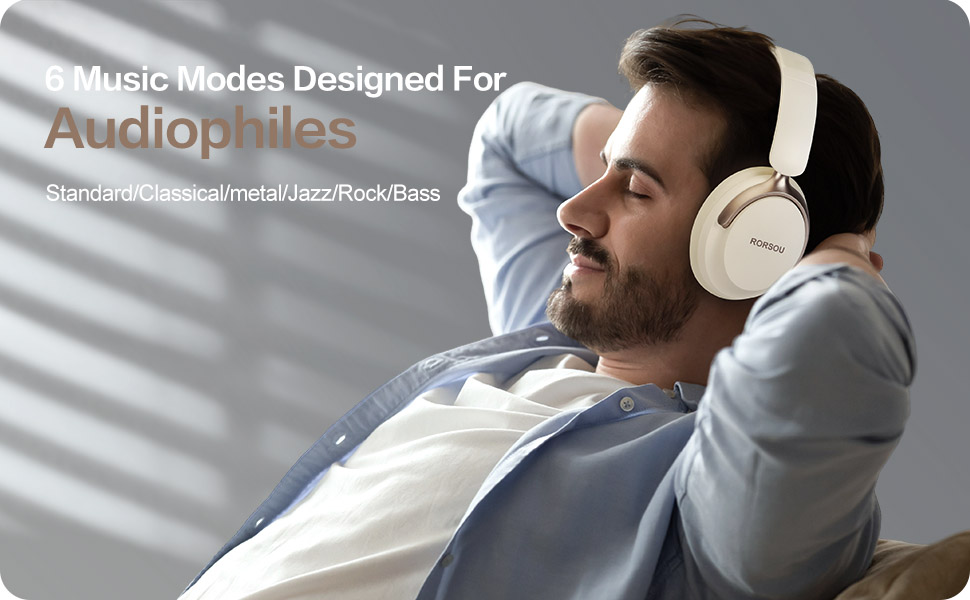
Figure 4: Experience optimized sound with 6 EQ modes.
The EQ modes allow users to customize the audio output to match their preferred music style.

