
Introduction
Thank you for choosing the CREATE Speaker Retro. This portable Bluetooth speaker combines a classic retro design with modern audio technology, offering versatile connectivity and powerful sound. This manual will guide you through the setup, operation, and maintenance of your new speaker to ensure optimal performance and longevity.

Image: The CREATE Speaker Retro, highlighting its elegant retro aesthetic and compact form factor.
Маанилүү коопсуздук нускамалары
- Продукцияны колдонуудан мурун бардык нускамаларды кылдат окуп чыгыңыз.
- Бул колдонмону келечекте маалымат алуу үчүн сактаңыз.
- Динамикти сууга же ашыкча нымдуулукка дуушар кылбаңыз. Бул продукт суу өткөрбөйт.
- Радиаторлор, жылуулук регистрлери, мештер же башка аппараттар (анын ичинде) сыяктуу жылуулук булактарынын жанына койбоңуз ampкөтөргүчтөр) жылуулукту пайда кылуучу.
- Өндүрүүчү белгилеген тиркемелерди/аксессуарларды гана колдонуңуз.
- Чагылган бороондо же көпкө колдонулбаганда бул аппаратты электр розеткасынан ажыратыңыз.
- Бардык тейлөөлөрдү квалификациялуу тейлөө кызматкерлерине тапшырыңыз.
Пакеттин мазмуну
The CREATE Speaker Retro package includes:
- CREATE Speaker Retro Portable Bluetooth Speaker (1 unit)
- USB-C заряддоо кабели
- Колдонуучунун Колдонмосу (бул документ)
Башкаруу элементтери жана портторview
Familiarize yourself with the speaker's controls and connection ports:

Сүрөт: деталдуу view of the speaker's top control panel.
- Үн баскычы: Үндүн жалпы көлөмүн тууралайт.
- Басс баскычы: Басс деңгээлин тууралайт.
- Үч ыргытуу баскычы: Үчтүк деңгээлди тууралайт.
- Киргизүүнү тандоочу которгуч: Toggles between AUX, Bluetooth (BT), and USB input modes.
- Кубат которгучу: Динамикти КҮЙГҮЗҮҮ/ӨЧҮРҮҮ.
- AUX киргизүү (3.5 мм): For connecting external audio devices via an audio cable.
- USB порт: USB дискти ойнотуу үчүн.
- DC-IN 5V Port: Динамикти заряддоо үчүн.
- Индикатор жарыгы: Кубаттын абалын, кубаттоо абалын жана Bluetooth жупташтыруу абалын көрсөтөт.
Жайгашуу
1. Динамикти кубаттоо
Before first use, fully charge the speaker. Connect the provided USB-C charging cable to the DC-IN 5V port on the speaker and the other end to a compatible USB power adapter (not included) or a computer's USB port. The indicator light will show the charging status. A full charge takes approximately 4-5 hours.
- Заряддоо: Indicator light glows (color may vary).
- Толугу менен заряддалган: Indicator light turns off or changes color.
2. Күйгүзүү / Өчүрүү
To power on the speaker, flip the Power Switch to the "ON" position. To power off, flip the switch to the "OFF" position.
Иштөө нускамалары
1. Bluetooth режими
The speaker features Bluetooth 5.2 for wireless audio streaming with a range of up to 10 meters.
- Динамикти иштетүү.
- коюңуз Киргизүүнү тандоочу которгуч to "BT/AUX" and then ensure it's in Bluetooth mode (indicator light will blink, indicating pairing mode).
- Смартфонуңузда, планшетиңизде же башка Bluetooth иштетилген түзмөгүңүздө Bluetooth'ту иштетип, жеткиликтүү түзмөктөрдү издеңиз.
- Select "CREATE Speaker Retro" from the list.
- Once paired, the indicator light will stop blinking and remain solid. You can now play music wirelessly.
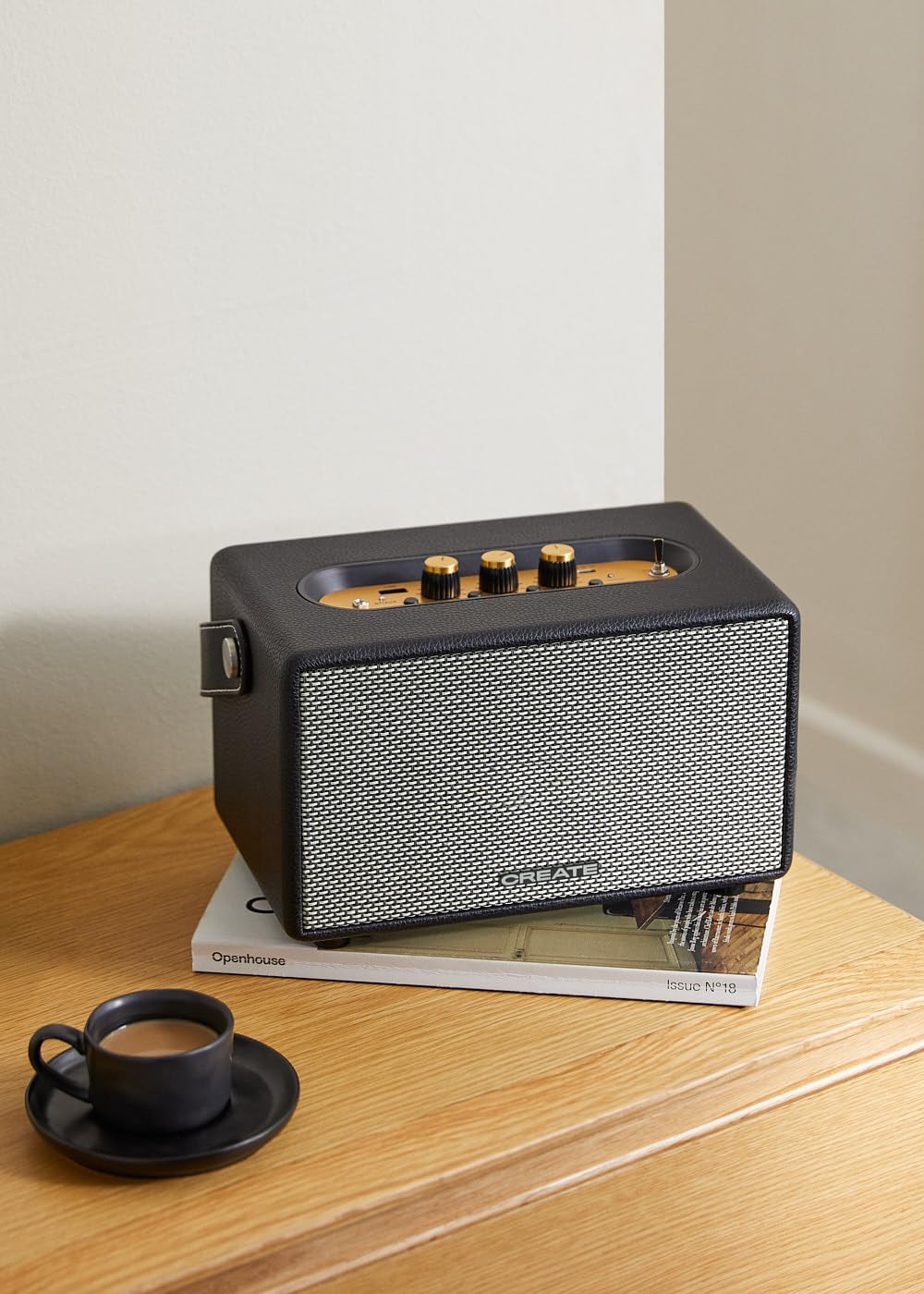
Image: Connecting to the speaker via Bluetooth from a mobile device.
2. USB ойнотуу режими
Аудио ойнотуу fileтүздөн-түз USB флэш-дискинен.
- Динамикти иштетүү.
- Аудио камтыган USB флэш-дискти салыңыз fileс ичине USB порту.
- коюңуз Киргизүүнү тандоочу которгуч to "USB". The speaker will automatically begin playing music from the USB drive.

Image: Inserting a USB drive for direct audio playback.
3. AUX киргизүү режими
3.5 мм аудио кабелин колдонуу менен тышкы аудио түзмөктөрдү туташтырыңыз.
- Динамикти иштетүү.
- 3.5 мм аудио кабелдин бир учун (кошулмага кирбейт) туташтырыңыз AUX киргизүү динамиктеги порт.
- Connect the other end of the cable to the headphone jack or audio output of your external device (e.g., MP3 player, laptop).
- коюңуз Киргизүүнү тандоочу которгуч to "AUX". The speaker will now play audio from your connected device.
4. Үндү тууралоо
Use the dedicated knobs on the control panel to fine-tune your audio experience:
- айлантыңыз Көлөм баскычы to increase or decrease the overall sound level.
- айлантыңыз Бас баскычы to adjust the low-frequency sounds.
- айлантыңыз Үч ыргак баскычы to adjust the high-frequency sounds.
Техникалык тейлөө
Тазалоо
Динамикти тазалоо үчүн жумшак, кургак чүпүрөктү колдонуңуз. Абразивдүү тазалагычтарды, момдорду же эриткичтерди колдонбоңуз, анткени алар финишке зыян келтириши мүмкүн. Суюктуктарды динамикке түздөн-түз чачуудан алыс болуңуз.
Сактагыч
When not in use for extended periods, store the speaker in a cool, dry place away from direct sunlight and extreme temperatures. Ensure the speaker is fully charged before storing to preserve battery health.
Батареяга кам көрүү
The speaker is equipped with a built-in rechargeable battery. To maximize battery life:
- Батареяны бат-баттан толук кубаттап калуудан алыс болуңуз.
- Recharge the battery regularly, even if the speaker is not used often.
- Динамикти 45°C (113°F) жогору же 0°C (32°F) төмөн температурага дуушар кылбаңыз.
Проблемаларды чечүү
If you encounter any issues with your CREATE Speaker Retro, please refer to the following common problems and solutions:
| Көйгөй | Мүмкүн себеп | Чечим |
|---|---|---|
| Динамик күйбөйт. | Батарея түгөнүп калды. | Charge the speaker for 4-5 hours using the USB-C cable. |
| Динамиктен үн чыкпайт. | Үн өтө төмөн; киргизүү режими туура эмес; түзмөк туура эмес туташтырылган. | Increase volume. Ensure the correct input mode (BT, USB, AUX) is selected. Reconnect Bluetooth device or AUX cable. |
| Bluetooth жупташуусу болбой жатат. | Динамик жупташтыруу режиминде эмес; аппарат диапазондон тышкары; кийлигишүү. | Ensure speaker is in Bluetooth pairing mode (blinking indicator). Move device closer to speaker (within 10m). Turn off other Bluetooth devices. |
| USB ойнотуу иштебей жатат. | Incorrect input mode; USB drive not formatted correctly or no compatible files. | Ensure "USB" input mode is selected. Check USB drive for compatible audio files (e.g., MP3). Try a different USB drive. |
| Play/Pause button not responding. | Potential hardware issue or software glitch. | Restart the speaker. If the issue persists, contact customer support. (Эскертүү: Колдонуучу кайраview mentioned this issue.) |
Техникалык шарттар
| Модель аты | SPEAKER RETRO |
| Модель номери | 181643_452174 |
| Өлчөмдөр (D x W x H) | 17 x 26 x 15 см |
| Салмагы | 2.5 кг |
| Динамиктин максималдуу чыгаруу кубаты | 40 Вт |
| Аудио чыгаруу режими | Стерео (2.0 канал) |
| Байланыш технологиясы | Bluetooth 5.2, USB, AUX (3.5 мм) |
| Bluetooth диапазону | 10 метрге чейин |
| Батарея сыйымдуулугу | 3000 мАч |
| Батареянын иштөө мөөнөтү | 5 саатка чейин (колдонууга жараша) |
| Заряддоо убактысы | Болжол менен 4-5 саат |
| Башкаруу ыкмасы | Touch (knobs and switches) |
| Түс | Кара |
| Суу өткөрбөйт | Жок |
Кепилдик жана колдоо
Кепилдик маалымат
The CREATE Speaker Retro comes with a standard manufacturer's warranty. Please retain your proof of purchase for warranty claims. The warranty covers defects in materials and workmanship under normal use. It does not cover damage caused by misuse, accidents, unauthorized modifications, or exposure to water.
For specific warranty terms and conditions, please refer to the warranty card included with your product or contact CREATE customer service.
Кардарларды колдоо
If you have any questions, require technical assistance, or need to report an issue that cannot be resolved using the troubleshooting guide, please contact CREATE customer support.
You can find more information and contact details on the official CREATE webсайты же алардын Amazon бренд дүкөнү аркылуу: