
1. Киришүү
This manual provides essential information for the safe and efficient operation of your ZDSSY E2 Mini Projector. Please read it thoroughly before use and retain it for future reference.
2. Орнотуу
2.1 Кутудан чыгаруу жана компоненттер
Бардык буюмдарды кутудан кылдаттык менен чыгарыңыз. Төмөнкү компоненттердин бар экендигин текшериңиз:
- Мини проектор
- Алыстан башкаруу
- Электр кабели
- Колдонуучунун Колдонмосу (бул документ)
2.2 Күйгүзүү
- Электр шнурун проектордун электр киргизүү портуна туташтырыңыз.
- Электр шнурунун экинчи учун ылайыктуу электр розеткасына сайыңыз.
- Аппаратты иштетүү үчүн проектордун же пульттун кубат баскычын басыңыз.
2.3 Алгачкы жайгаштыруу
Проекторду туруктуу, тегиз бетке коюңуз. Оптималдуу үчүн viewing, ensure the projection surface (wall or screen) is clean and smooth. The projector supports various mounting options including table placement, tripod mount, and ceiling mount.
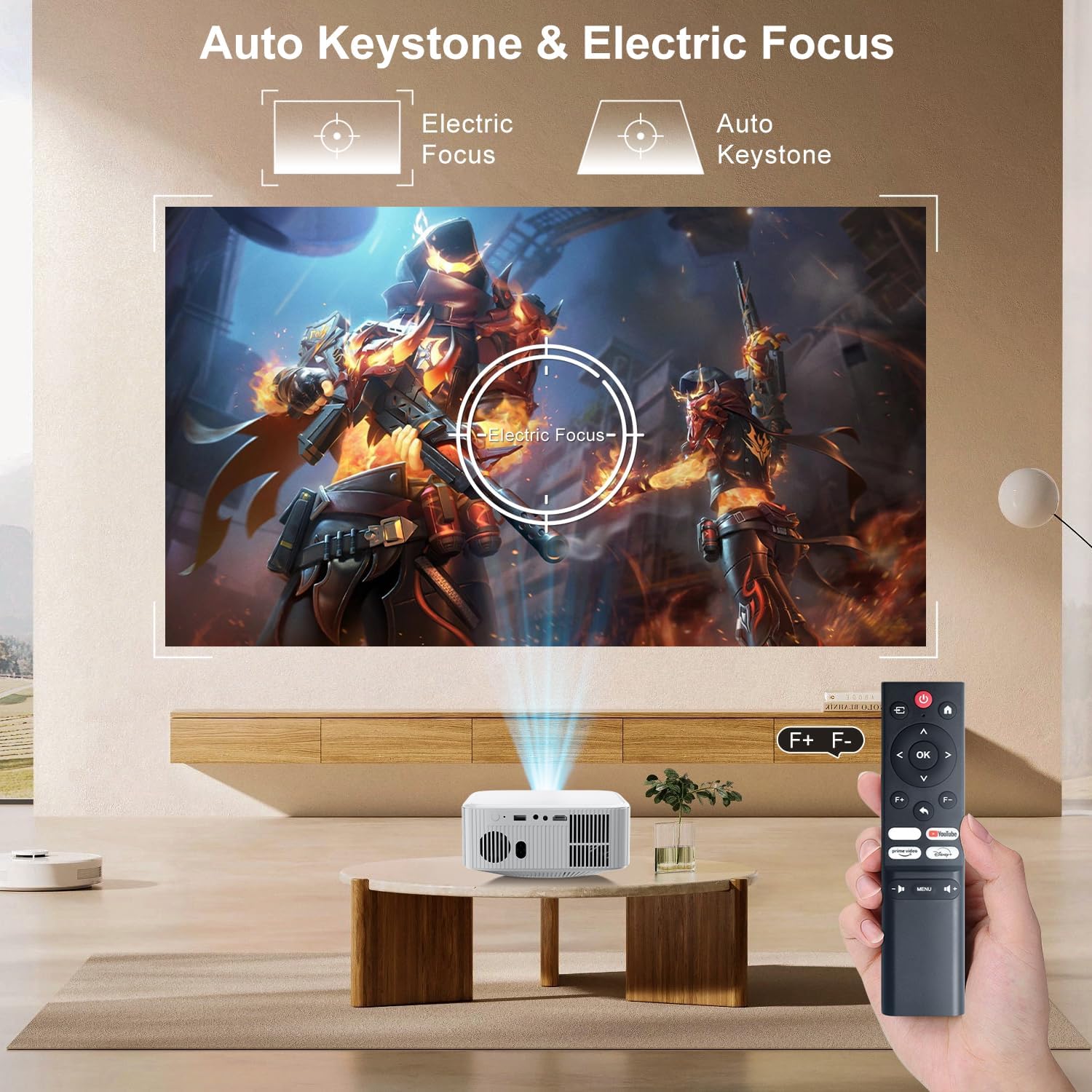
Image: The ZDSSY E2 Mini Projector demonstrating flexible placement options and screen sizes from 40 to 300 inches.
3. Операция
3.1 Navigation and Remote Control
Use the provided remote control to navigate the projector's interface. The remote allows you to select apps, adjust settings, and control media playback.
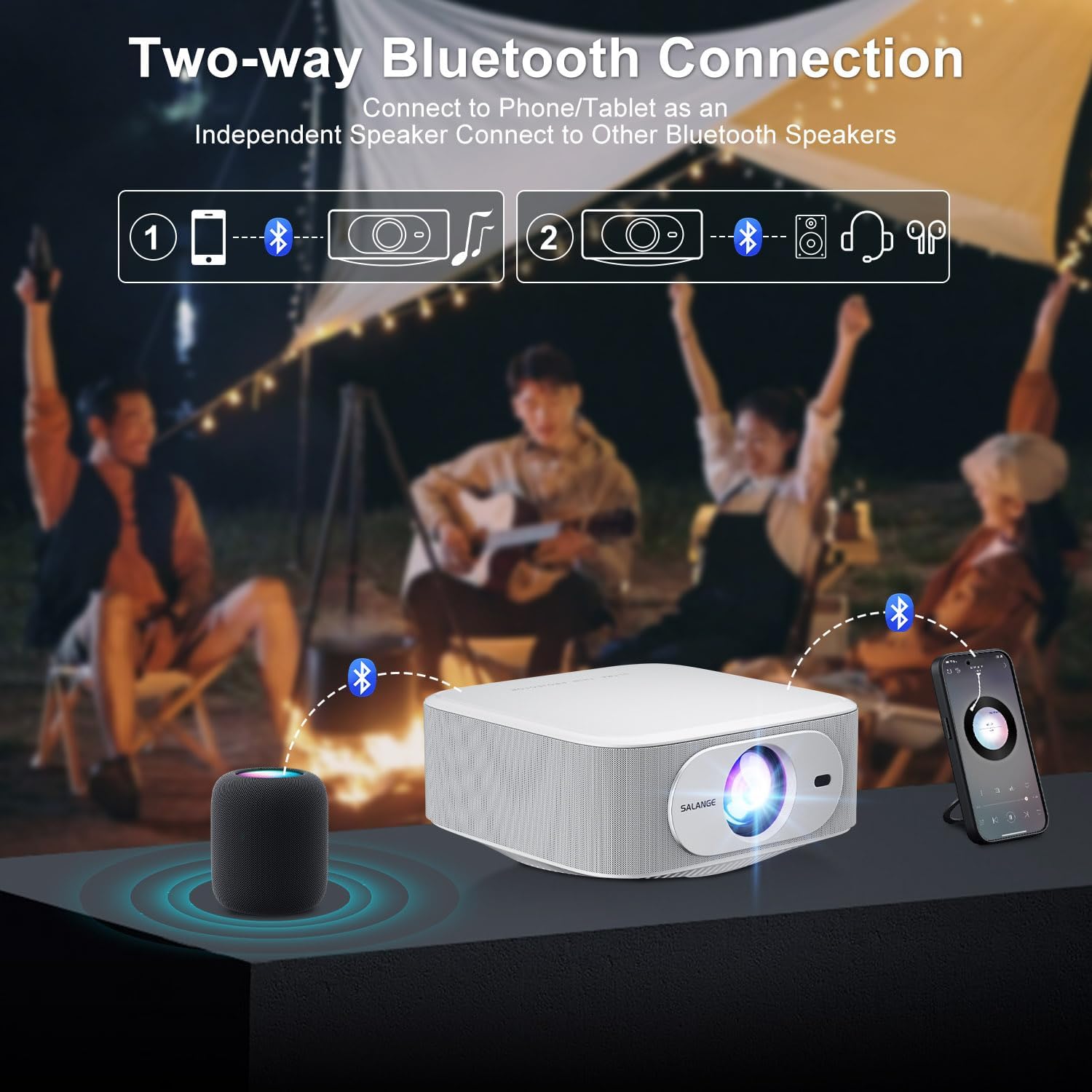
Image: The ZDSSY E2 Mini Projector and its remote control, highlighting the user interface.
3.2 Auto Keystone and Electric Focus
The projector features automatic keystone correction and electric focus for a clear and properly aligned image. These functions adjust the picture automatically upon startup or when the projector is moved.
- Электр Фокус: Provides instant, crystal-clear images.
- 4-Point Keystone Correction: Smoothly adjusts the screen across a wide ±45° range from any direction.
- Чоңойтуу функциясы: Adjust the screen size from 100% to 50% without moving the projector.

Image: Visual representation of the auto keystone and electric focus features of the ZDSSY E2 Mini Projector.
3.3 Wi-Fiга туташуу
The ZDSSY E2 supports dual-band 5G/2.4G Wi-Fi for fast and stable internet connectivity.
- Navigate to the 'Settings' menu on the projector.
- Select 'Network' or 'Wi-Fi settings'.
- Тизмеден каалаган Wi-Fi тармагын тандаңыз.
- Суралган болсо, сырсөздү киргизип, туташыңыз.
3.4 Bluetooth байланышы
The projector features two-way Bluetooth 5.2, allowing it to function as a standalone speaker or connect to external Bluetooth audio devices.
- As a Bluetooth Speaker: Connect your mobile device to the projector via Bluetooth to use the projector's built-in speakers for audio playback.
- Тышкы динамиктерди туташтыруу: Pair the projector with external Bluetooth speakers, headphones, or soundbars for an enhanced audio experience. (Note: Bluetooth is for audio transmission only and does not support video.)

Image: Illustration of the two-way Bluetooth connectivity of the ZDSSY E2 Mini Projector.
3.5 Using Built-in Apps
The ZDSSY E2 comes with officially licensed apps like Prime Video, YouTube, and more, pre-installed on its Android 13 Whale OS system. Access these apps directly from the home screen for instant entertainment.

Image: The ZDSSY E2 Mini Projector's home screen showing pre-installed streaming applications.
3.6 Тышкы түзмөктү туташтыруу
The projector is equipped with multiple ports for connecting external devices:
- HDMI порту: Connect gaming consoles, laptops, Fire Sticks, or other HDMI-enabled devices.
- USB порт: Play media directly from USB drives.
- 3.5 мм гарнитура уячасы: Зымдуу кулакчындарды же тышкы динамиктерди туташтырыңыз.

Image: Close-up of the ZDSSY E2 Mini Projector's connectivity ports.
4. Техникалык тейлөө
4.1 Тазалоо
- Объектив: Оптикалык линзалар үчүн атайын жасалган жумшак, түксүз кездемени колдонуңуз. Абразивдүү тазалагычтарды же чүпүрөктөрдү колдонбоңуз.
- Сырткы: Проектордун сыртын жумшак, кургак чүпүрөк менен сүртүңүз. өжөр белгилери үчүн, бир аз гamp кездеме, андан кийин кургак аарчый колдонсо болот.
- Вентиляция: Ашыкча ысып кетүүнүн алдын алуу үчүн желдетүү тешиктери чаңдан жана тоскоолдуктардан тазаланганын текшериңиз.
4.2 Сактоо
Проекторду узак убакыт бою колдонбогон учурда, аны салкын, кургак жерде, күндүн түз нурунан жана өтө жогорку температурадан алыс сактаңыз. Чаңдын топтолушун жана бузулушун алдын алуу үчүн түпнуска таңгакты же коргоочу капты колдонуңуз.
5. Кыйынчылыктарды
| Көйгөй | Мүмкүн себеп | Чечим |
|---|---|---|
| Күч жок | Электр зымы туташкан эмес; розетка туура эмес | Электр шнурунун бекем туташтырылганын текшериңиз; Башка розетканы колдонуп көрүңүз. |
| бүдөмүк сүрөт | Focus not adjusted; Projector too far/close to screen | Автофокуска фокусту бүтүрүү же кол менен тууралоо үчүн уруксат берүү; Проектор аралыкты тууралоо. |
| Үн жок | Volume too low; External audio device not connected/paired | Increase volume; Check Bluetooth connection or wired audio cable. |
| Wi-Fi туташуу маселелери | Incorrect password; Router issues; Signal interference | Verify Wi-Fi password; Restart router; Move projector closer to router. |
| Apps Not Working | No internet connection; App requires update | Check Wi-Fi connection; Update the app from the app store. |
6. Техникалык шарттар
| Өзгөчөлүк | Деталь |
|---|---|
| Бренд | ZDSSY |
| Модель номери | E2 |
| Display Resolution | 1920 x 1080 (Native 1080P, 4K Support) |
| Жарыктык | 400 ANSI челинин |
| Операция системасы | Smart Android 13.0 NTV (Whale OS) |
| Эс | RAM 1GB + ROM 8GB |
| Байланыш | Wi-Fi 5G/2.4G, Two-way Bluetooth 5.2 |
| Өзгөчөлүктөр | Electric Focus, Auto Keystone Correction (4D/4P), Zoom (100%-50%), Built-in Apps (Prime Video, YouTube, etc.) |
| Порттар | 1 HDMI, 1 USB, 1 3.5mm Headphone Jack |
| Продукциянын өлчөмдөрү | 7.67 x 7.67 x 3.54 дюйм |
| Элемент Салмагы | 3.3 фунт |
| Сунушталган колдонуу | Ички/тышкы |
7. Кепилдик жана колдоо
The ZDSSY E2 Mini Projector comes with a standard manufacturer's warranty. For specific warranty details, including coverage and duration, please refer to the warranty card included in your product packaging or contact ZDSSY customer support.
Кардарларды колдоо
If you encounter any issues or have questions regarding your projector, please contact ZDSSY customer support through the retailer's platform or the official ZDSSY website. Our support team is available to assist you with troubleshooting, technical inquiries, and service requests.