
1. Киришүү
This manual provides essential information for the safe and efficient operation of your ZDSSY HY320MAX Mini Projector. Please read it thoroughly before using the device and retain it for future reference. The ZDSSY HY320MAX is a 1080P native mini projector featuring Android 13, built-in licensed applications, WiFi 6, Bluetooth 5.4, and automatic keystone correction, designed for versatile indoor and outdoor entertainment.
2. Коопсуздук маалыматы
- Электр камсыздоо: Берилген кубат адаптерин гана колдонуңуз. Voltage сиздин жергиликтүү электр камсыздооңузга дал келет.
- Вентиляция: Желдетүүчү тешиктерди жаппаңыз. Проектордун ысып кетишине жол бербөө үчүн, анын айланасында жетиштүү аба айлануусун камсыз кылыңыз.
- Суюктук таасири: Проекторду суудан же башка суюктуктардан алыс кармаңыз. г менен операция жасабагылаamp чөйрөлөр.
- Жылуулук булактары: Avoid placing the projector near heat sources such as radiators, heat registers, stoves, or other heat-producing appliances.
- Көздү коргоо: l болгондо проектордун объективине тике карабаamp күйүп турат, анткени жаркыраган жарык көздүн чарчоосуна же зыянга алып келиши мүмкүн.
- Тазалоо: Тазалоодон мурун электр кубатынан сууруп алыңыз. Сыртын тазалоо үчүн жумшак, кургак чүпүрөктү колдонуңуз. Линза үчүн атайын линза тазалоочу чүпүрөктү колдонуңуз.
- Тейлөө: Бул продуктту өзүңүз тейлөөгө аракет кылбаңыз. Бардык тейлөөнү квалификациялуу тейлөө кызматкерлерине тапшырыңыз.
3. Пакеттин мазмуну
Таңгактан чыгарганда бардык буюмдардын бар экенин жана жакшы абалда экенин текшериңиз:
- ZDSSY HY320MAX Mini Projector
- Кубаттуу адаптер
- Bluetooth Үн алыстан башкаруу
- User Manual
- HDMI кабели (Болжолдуу)
4. Продукт бүтүп калдыview
4.1 Проектордун компоненттери
The ZDSSY HY320MAX Mini Projector features a compact design with essential components for ease of use.
- Проекциялык линза: Сүрөттү экранга же анын бетине чыгарат.
- Вентиляция торлору: Located on the sides or rear to dissipate heat.
- Кубат киргизүү: Кубат адаптерин туташтыруу үчүн.
- HDMI порту: For connecting external devices like gaming consoles or laptops.
- USB порт: USB сактагыч түзмөктөрдү туташтыруу үчүн.
- IR алуучу: Алыстан башкаруу пультунан сигналдарды кабыл алуу үчүн.
- Жөнгө салынуучу стенд: Allows for 180° flexible rotation for various projection angles.
4.2 Алыстан башкаруу
The included Bluetooth voice remote control allows for easy navigation and voice commands.
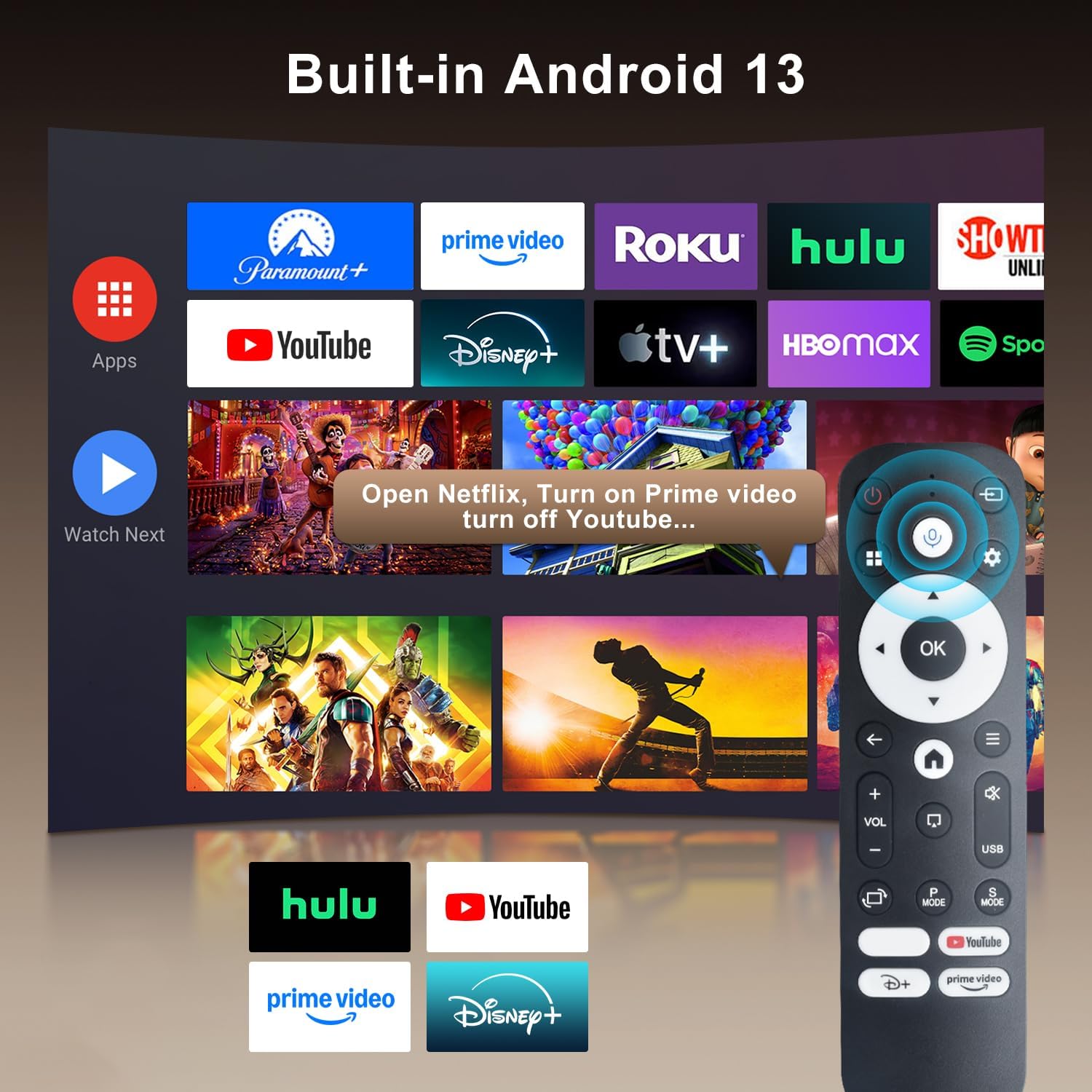
Image: The projector's interface showing built-in Android 13 apps and the Bluetooth voice remote control.
5. Орнотуу
5.1 Орнотуу
Position the projector on a stable, flat surface. The 180° flexible rotation allows projection onto walls, ceilings, or floors. Ensure the projector is within the recommended throw distance of 1 to 6 meters for an optimal image size between 30 and 300 inches.

Image: The ZDSSY HY320MAX Mini Projector set up for an outdoor movie night, demonstrating its portability and flexible placement.
5.2 Кубат туташтыруу
Кубат адаптерин проектордун кубат киргизүү портуна туташтырыңыз, андан кийин адаптерди розеткага сайыңыз.
5.3 Баштапкы күйгүзүү
Түзмөктү күйгүзүү үчүн проектордогу же пульттагы күйгүзүү баскычын басыңыз. Проектор күйүп, Android 13 интерфейсин көрсөтөт.
5.4 Фокустоо жана Keystone коррекциясы
The projector features AI Auto Keystone correction, which automatically adjusts the image to be rectangular even if the projector is placed at an angle. You can also use the 50%-100% zoom function to resize the screen without moving the projector.

Image: A visual representation of the projector's automatic keystone correction feature, ensuring a perfectly aligned picture.
5.5 Тармактык туташуу
Navigate to the settings menu to connect to a Wi-Fi network. The projector supports ultra-fast WiFi 6 for smooth streaming and lag-free gaming.

Image: The projector displaying content wirelessly, highlighting its WiFi 6 and Bluetooth 5.4 capabilities for smoother performance.
5.6 Bluetooth жупташтыруу
For enhanced audio, pair Bluetooth 5.4 compatible speakers or headphones with the projector through the settings menu.
6. Иштөө нускамалары
6.1 Интерфейсте навигация
Use the directional buttons and 'OK' button on the remote control to navigate through the Android 13 interface. The 'Back' button returns to the previous screen, and the 'Home' button returns to the main menu.

Image: The ZDSSY HY320MAX projector's home screen, displaying various pre-installed streaming applications.
6.2 Using Built-in Apps
The projector comes with officially licensed apps such as Netflix, Prime Video, and YouTube pre-installed. Access these directly from the home screen. The built-in APP STORE allows you to download additional applications.
6.3 External Input Sources
Connect external devices via the HDMI or USB ports. Select the appropriate input source from the projector's menu to display content from these devices.
6.4 Экранды чагылдыруу
The projector supports screen mirroring from compatible smartphones (Android and iOS) over Wi-Fi. Refer to the on-screen instructions for connecting your device.

Image: A user mirroring their smartphone screen to the projector, demonstrating the wireless connectivity feature.
6.5 Үн менен башкаруу
Utilize the Bluetooth voice remote for hands-free control. Press and hold the microphone button on the remote, then speak your command (e.g., "Open Netflix," "Издөө movies").
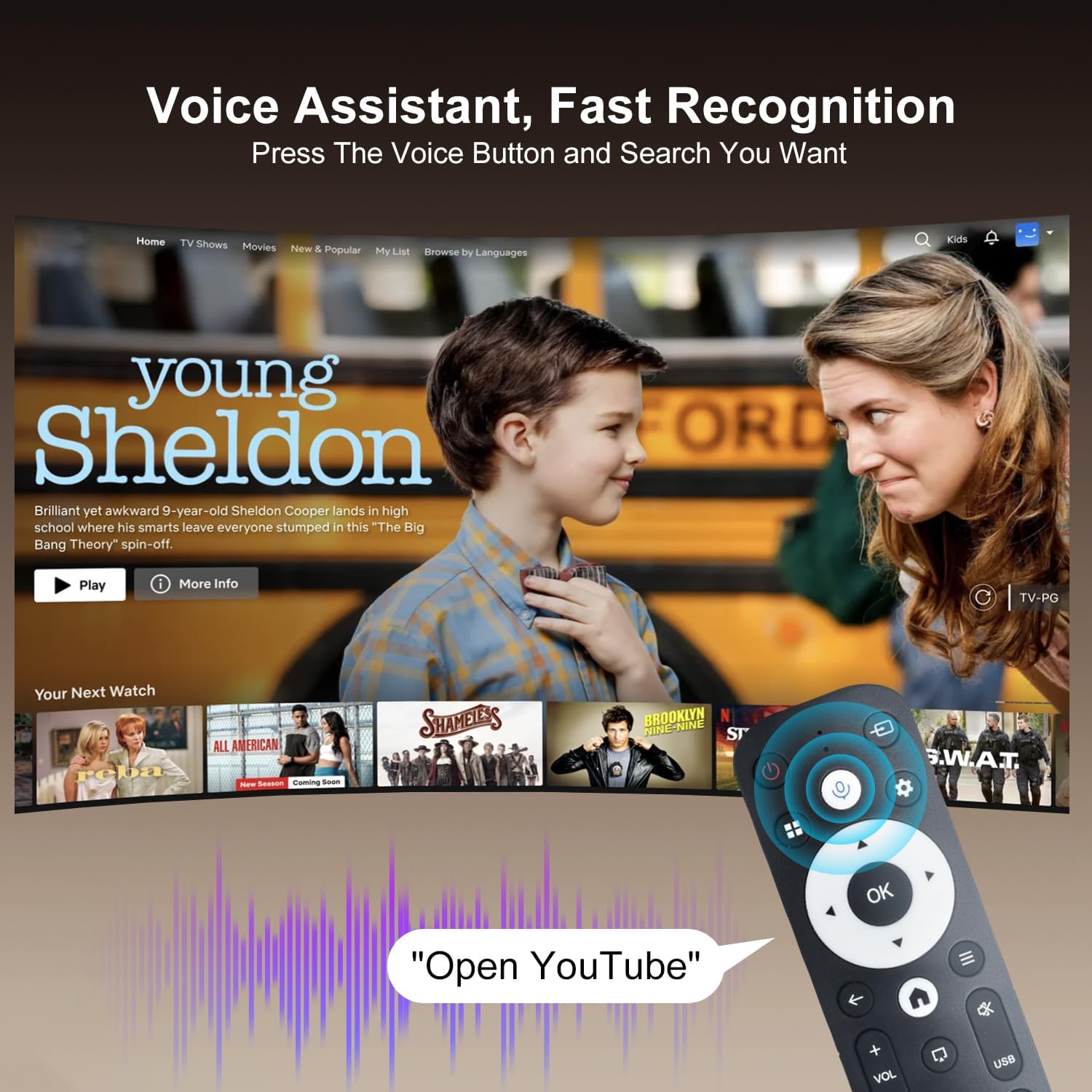
Image: The projector displaying a streaming service interface, with the remote control highlighting the voice assistant button and a voice command example.
7. Техникалык тейлөө
- Линзаны тазалоо: Gently wipe the projector lens with a soft, lint-free cloth specifically designed for optical lenses. Avoid using abrasive materials or harsh chemicals.
- Тышкы тазалоо: Use a soft, dry cloth to clean the projector's exterior. Do not use liquid or aerosol cleaners.
- Вентиляция: Regularly check that the ventilation grilles are free from dust and obstructions to ensure proper heat dissipation.
- Сактагыч: Эгерде проектор көпкө колдонулбаса, аны салкын, кургак, чаңдан жана түз күн нурунан корголгон жерде сактаңыз.
8. Кыйынчылыктарды
Проекторуңузда көйгөйлөргө туш болсоңуз, төмөнкү жалпы көйгөйлөрдү жана чечимдерди караңыз:
| Көйгөй | Мүмкүн себеп | Чечим |
|---|---|---|
| Күч жок | Электр кабели үзүлдү; Розеткада бузук | Электр кабели бекем туташтырылганын текшериңиз; Башка электр розеткасын колдонуп көрүңүз. |
| Сүрөт жок | Input source not selected; Device not connected | Select correct input source (HDMI/USB); Ensure external device is connected and powered on. |
| бүдөмүк сүрөт | Out of focus; Incorrect keystone | Allow Auto Keystone to adjust; Manually adjust focus if available. |
| Үн жок | Volume too low; External audio device not connected | Increase volume; Check Bluetooth connection for external speakers. |
| Алыстан жооп бербейт | Low battery; Not paired | Replace batteries; Re-pair the Bluetooth remote control. |
| Wi-Fi туташуу маселелери | Туура эмес сырсөз; Роутердеги көйгөйлөр | Verify Wi-Fi password; Restart your router and the projector. |
9. Техникалык шарттар
Detailed technical specifications for the ZDSSY HY320MAX Mini Projector:
- Бренд: ZDSSY
- Модель аты: HY320MAX
- Модель номери: HY320MAX-US
- Дисплейдин чечилиши: Native 1920 x 1080 Pixels
- Максималдуу дисплей чечилиши: 3840 x 2160 пиксел (4K колдоосу менен)
- Дисплей түрү: LCD
- Жарыктык: 20000 Lumen (400 ANSI Lumens)
- Контраст катышы: 10000:1
- Жарык булагы иштөө мөөнөтү: 60000 саат
- Байланыш технологиясы: USB, HDMI, Built-In Wi-Fi (WiFi 6), Bluetooth 5.4
- Башкаруу ыкмасы: Алыстан башкаруу, үн
- Сунушталган колдонуулар: Ички/тышкы
- Монтаж түрү: Ceiling Mount/Table Mount/Wall Mount
- Минималдуу ыргытуу аралыгы: 1 метр
- Максималдуу ыргытуу аралыгы: 6 метр
- Minimum Image Size: 30 дюйм
- Сүрөттүн максималдуу өлчөмү: 300 дюйм
- Тtage: 110 вольт
- Ватtage: 70 ватт
- Элементтин өлчөмдөрү (L x W x Y): 4.09"L x 3.98"W x 8.66"H

Image: A comparison illustrating the native 1080P resolution and 4K support capabilities of the ZDSSY HY320MAX projector.
10. Кепилдик жана колдоо
The ZDSSY HY320MAX Mini Projector comes with a 3 жылдык кепилдик. This warranty includes free parts replacement and lifelong technical support. For any warranty claims, technical assistance, or support inquiries, please contact ZDSSY customer service through the retailer where the product was purchased or refer to the contact information provided on the official ZDSSY webсайт.