
1. Киришүү
Thank you for choosing the GGSTOPWATER AI Translate True Wireless OWS Headset JM13. This innovative headset combines open-ear audio with advanced AI translation capabilities, allowing you to enjoy music and calls while remaining aware of your surroundings, and facilitating communication across 150 languages. This manual provides detailed instructions for setup, operation, and maintenance to ensure optimal performance and longevity of your device.
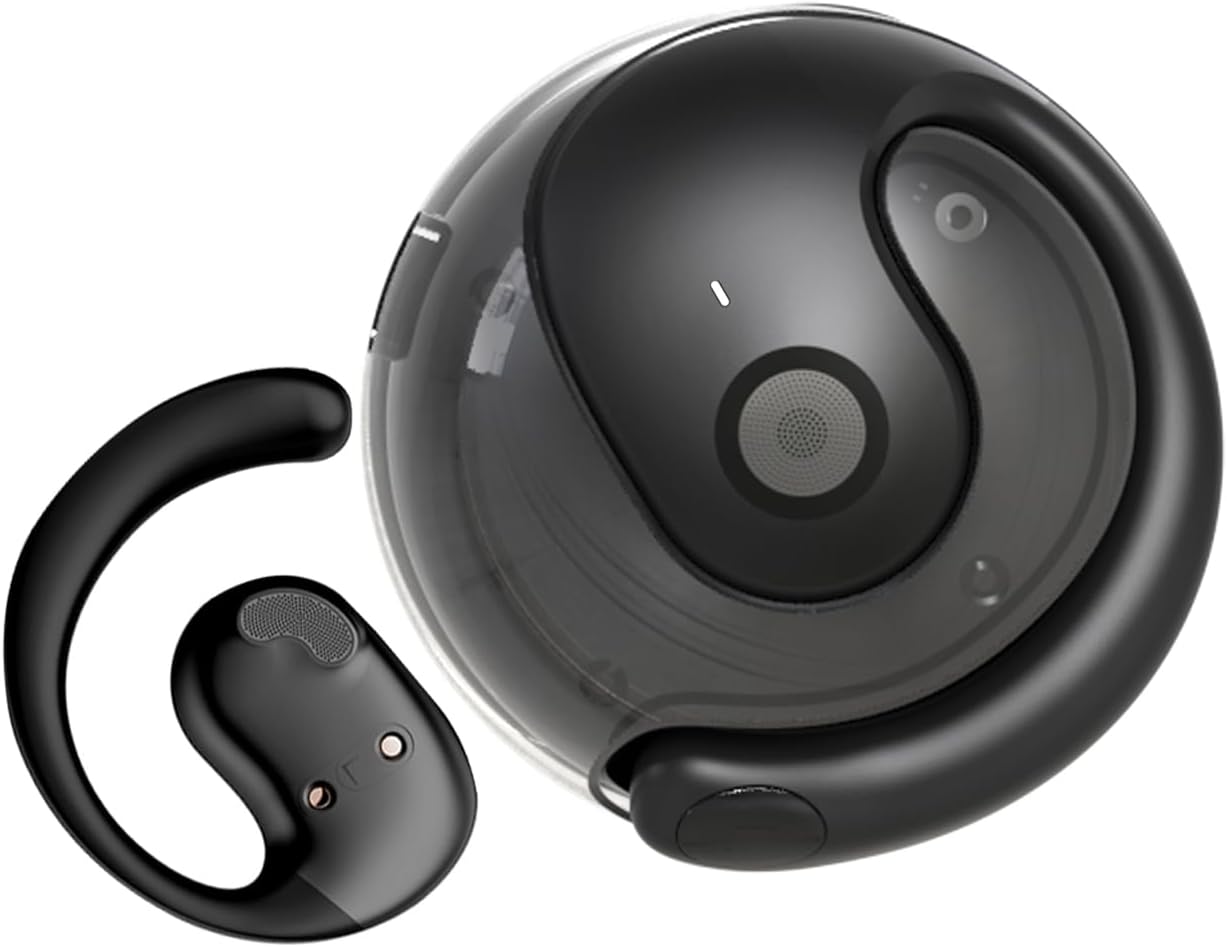
Image: The JM13 AI Translate True Wireless OWS Headset, showing one earbud and its compact charging case.
2. Негизги өзгөчөлүктөрү
- AI Translation Technology: Supports real-time online translation in 150 languages via the EarJoy Intelligence APP, enabling binaural translation, headphone + mobile phone translation, and AI chat functions.
- Ачык кулак дизайны (OWS): Allows you to listen to audio while maintaining awareness of your surroundings, providing a comfortable and secure fit without entering the ear canal.
- Компакт жана көчмө: Lightweight and round design, easily fits into backpacks or pockets, includes a silicone lanyard for convenience.
- Жогорку тактыктагы аудио: Built-in 16mm dynamic speaker delivers 360° Hi-Fi stereo sound.
- IPX5 Water and Dust Resistance: Nano waterproof coating protects against daily sweat and rain, ideal for sports and outdoor activities.
- Bluetooth 5.4 туташуусу: Ensures lower power consumption, lower latency, longer battery life, and enhanced sound quality.

Image: Individuals wearing the OWS open-ear earbuds while exercising, working, and relaxing, demonstrating the ability to hear surroundings.
3. Кутуда эмне бар
Пакетиңизди ачканда, төмөнкү компоненттердин бардыгы камтылганын текшериңиз:
- True Wireless Bluetooth Headphones (2 units)
- Battery Compartment (Charging Case) (1 unit)
- Type-C заряддоо кабели (1 бирдик)
- Instructions Manual (1 unit)
- Silicone Lanyard (1 unit)

Image: A visual representation of the items included in the JM13 product package, such as the earbuds, charging case, and accessories.
4. Орнотуу колдонмосу
4.1 Гарнитураны заряддоо
Before first use, fully charge the headset and charging case. The charging case has a 300mAh battery capacity.
- Кулакчындарды заряддоо кутусуна салыңыз.
- Type-C заряддоо кабелин корпустагы кубаттоо портуна жана USB кубат булагына туташтырыңыз.
- Charging time for the case is approximately 1.5 hours. The earbuds provide approximately 4 hours of usage time on a full charge, with a standby time of 120 hours.
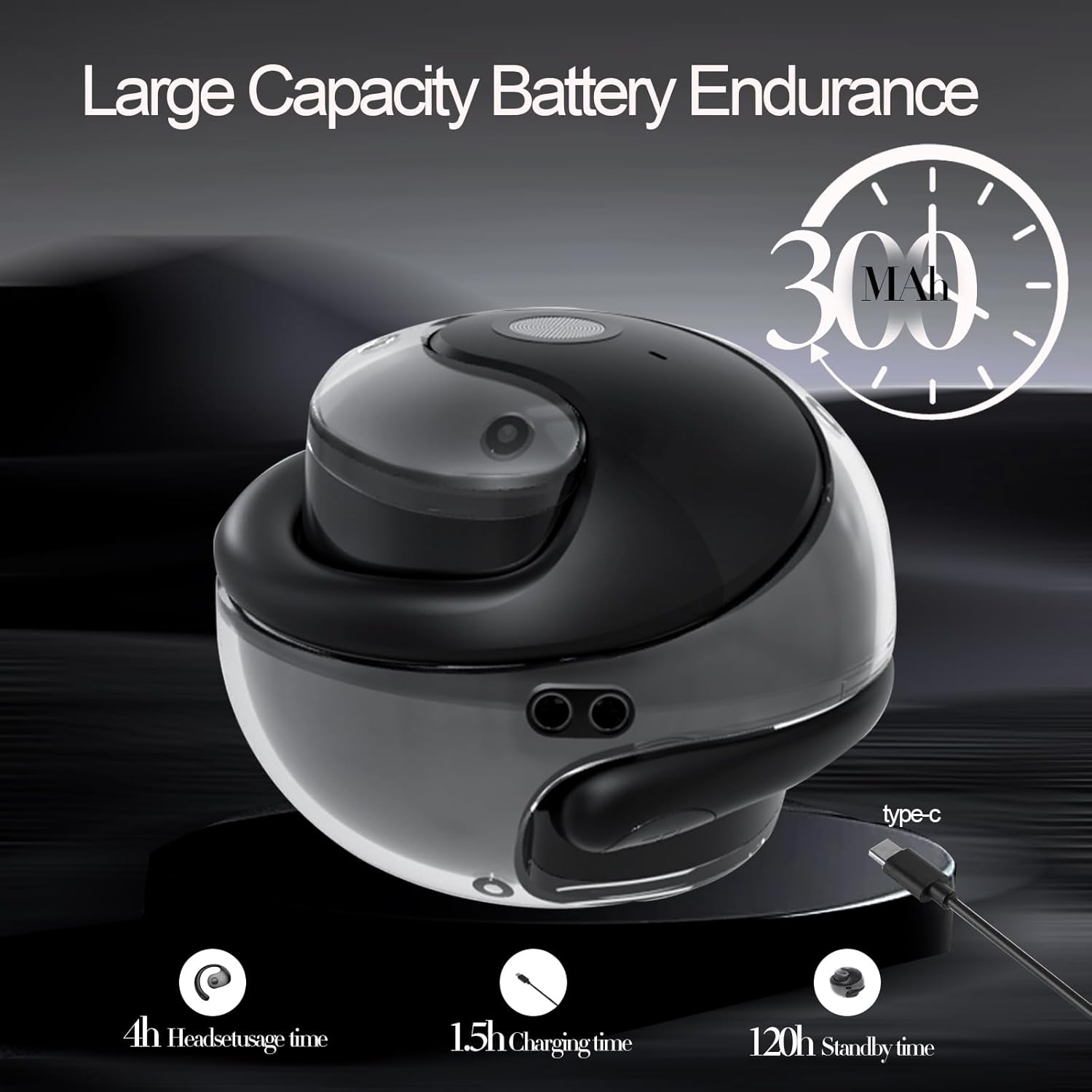
Image: An illustration detailing the battery capacity (300mAh), headset usage time (4h), charging time (1.5h), and standby time (120h) of the JM13 headset and case.
4.2 Гарнитураны тагынуу
The JM13 headset is ergonomically designed for comfort and stability.
- 1-кадам: Pick up the headset and wear it along the back of the ear, ensuring the speaker portion is positioned near your ear canal without entering it.
- 2-кадам: Gently adjust the headphones to a comfortable and secure position on your ear.
- 3-кадам: Once adjusted, the headphones are ready for use.

Image: A visual guide demonstrating the correct way to wear the JM13 headset, from picking it up to adjusting it for a comfortable fit.
4.3 Bluetooth жупташтыруу
To connect your JM13 headset to your device:
- Гарнитура заряддалганын жана күйгүзүлгөнүн текшериңиз.
- Open the Bluetooth settings on your smartphone, tablet, or other compatible device.
- Издөө available devices. The headset will appear as "JM13" or similar.
- Select "JM13" to pair. Once connected, you will hear an audible confirmation.

Image: A graphic highlighting the benefits of Bluetooth 5.4 technology in the JM13 headset, including lower power consumption, lower latency, longer battery life, and improved sound quality.
4.4 EarJoy Intelligence APP Installation
For full access to AI translation and other smart features, download the "EarJoy Intelligence" application from your device's app store (available for iOS and Android).
- Scan the QR code provided in the quick start guide (if applicable) or search for "EarJoy Intelligence" in your app store.
- Install the application and follow the on-screen instructions to connect your JM13 headset.
5. Иштөө нускамалары
5.1 Негизги сенсордук башкаруу элементтери
The JM13 headset features intuitive touch controls on each earbud. Refer to the diagram below for specific commands:

Image: A detailed chart illustrating the touch commands for the JM13 earbuds, covering functions for telephone mode (reject call, answer call, hang up, volume control) and music mode (play/pause, previous/next song, power on/off).
Телефон режими:
- Чакырууну четке кагуу: 2 секунд узак басуу.
- Incoming Call (Answer): Single click to answer.
- Чакырууну токтотуу: Single click during a call.
- Үнүн азайтуу: Three touch (L) (Left earbud).
- Көлөмү: Three touch (R) (Right earbud).
Музыка режими:
- Ойнотуу/тындыруу: Бир тийүү.
- Мурунку ыр: Double touch (L) (Left earbud).
- Кийинки ыр: Double touch (R) (Right earbud).
Binaural Mode (Power):
- Күйгүзүү: 3 секунд узак басуу.
- Өчүрүү: 3 секунд узак басуу.
5.2 Жасалма интеллекттин котормо функциялары
The JM13 headset leverages AI technology through the EarJoy Intelligence APP for various translation functions:
- AI Binaural котормосу: This mode allows for real-time translation during conversations. One person speaks into their phone/headset, and the translation is heard by the other person through their headset or phone. This requires both parties to be using the app or a compatible setup.
- Наушник + мобилдик телефондун котормосу: Use your headset for listening to translations while speaking into your phone's microphone, or vice-versa. This is ideal for one-on-one conversations where you can pass the phone to the other person.
- AI чаты: Engage in translated text or voice chats within the EarJoy Intelligence APP, facilitating communication across language barriers.
Note: The translation feature relies on an active internet connection and the EarJoy Intelligence APP. It is designed for assisted communication, not always instantaneous, direct ear-to-ear real-time translation without app interaction.
6. Техникалык тейлөө жана кам көрүү
To ensure the longevity and optimal performance of your JM13 headset, follow these maintenance guidelines:
- Тазалоо: Кулакчындарды жана кубаттоочу кутучаны дайыма жумшак, кургак, түксүз чүпүрөк менен сүртүп туруңуз. Абразивдүү материалдарды же катуу химиялык заттарды колдонуудан алыс болуңуз.
- Суу каршылык: The headset is IPX5 water and dust resistant, meaning it can withstand splashes of water and sweat. Do not submerge the headset in water or expose it to heavy rain. Ensure the charging port is dry before charging.
- Сактагыч: When not in use, store the headset in its charging case to protect it from dust and damage. Store in a cool, dry place away from extreme temperatures.
- Батареяга кам көрүү: Avoid fully draining the battery frequently. Charge the headset regularly, even if not in constant use, to maintain battery health.

Image: The JM13 headset being splashed with water, illustrating its IPX5 water and dust resistance, suitable for various environments.
7. Кыйынчылыктарды
If you encounter issues with your JM13 headset, please refer to the following common solutions:
| Көйгөй | Мүмкүн себеп | Чечим |
|---|---|---|
| Гарнитура күйбөйт | Low battery; Earbuds not properly seated in case | Charge the headset and charging case fully. Ensure earbuds are correctly placed in the charging case. |
| Түзмөк менен жупташтыруу мүмкүн эмес | Bluetooth is off; Headset not in pairing mode; Device list full | Ensure Bluetooth is enabled on your device. Power off and on the headset to re-enter pairing mode. Forget previous Bluetooth connections on your device and try again. |
| Үн жок же үн сапаты начар | Volume too low; Headset out of range; Obstructions; Earbuds dirty | Increase volume on both headset and connected device. Move closer to your device. Clear any obstructions between headset and device. Clean the speaker mesh gently. |
| Translation feature not working as expected (e.g., not real-time in ear) | No internet connection; App not running; Misunderstanding of feature | Ensure your phone has a stable internet connection. Confirm the EarJoy Intelligence APP is open and properly connected to the headset. Understand that translation requires app interaction and may not be instantaneous direct ear-to-ear without phone involvement. Refer to section 5.2 for details on translation modes. |
| Тийүү башкаруулары жооп бербейт | Temporary software glitch; Dirty touch sensor | Power off and restart the headset. Clean the touch sensor area on the earbuds. |
8. Техникалык шарттар
Detailed technical specifications for the GGSTOPWATER AI Translate True Wireless OWS Headset JM13:
| Өзгөчөлүк | Деталь |
|---|---|
| Модель аты | JM13 |
| Бренд | GGSTOPWATER |
| Байланыш технологиясы | Зымсыз (Bluetooth) |
| Зымсыз байланыш технологиясы | Bluetooth 5.4 |
| Наушник формасы | Ачык кулак |
| Аудио драйвер түрү | Динамикалык драйвер (16 мм) |
| Жыштык диапазону | 20 Гц - 20 000 Гц |
| Импеданс | 20 Ом |
| Башкаруу ыкмасы | Колдонмо, тийүү |
| Сууга туруктуулук деңгээли | IPX5 (Суу өткөрбөйт) |
| Материал | Силикон |
| Түс | Кара |
| Продукциянын өлчөмдөрү | 0.5 x 1 x 0.5 дюйм |
| Элемент Салмагы | 3.84 унция |
| Батареялар | 1 CR5 батарейкасы талап кылынат (кошулган) |
| Камтылган компоненттер | Зымсыз кубаттоо кутусу |
| Шайкеш түзмөктөр | Смартфондор, планшеттер, ноутбуктар, стол үстүндөгү компьютерлер, акылдуу динамиктер |
9. Кепилдик жана колдоо
GGSTOPWATER products are manufactured to the highest quality standards. For warranty information and customer support, please refer to the warranty card included in your product packaging or visit the official GGSTOPWATER webсайт. Эгерде сиз бул колдонмодо камтылбаган кандайдыр бир көйгөйлөргө туш болсоңуз, жардам алуу үчүн биздин кардарларды тейлөө тобуна кайрылыңыз.