
Two trees TTS 10
Эки дарак TTS-10 Pro лазердик гравюра колдонуучусунун колдонмосу
Model: TTS 10
1. Киришүү
Thank you for choosing the Two trees TTS-10 Pro Laser Engraver. This device utilizes advanced laser technology for precise engraving and cutting on a variety of materials. This manual provides essential information for safe operation, setup, maintenance, and troubleshooting to ensure optimal performance and longevity of your engraver.

Figure 1.1: Assembled Two trees TTS-10 Pro Laser Engraver.
2. Коопсуздук маалыматы
Operating a laser engraver involves inherent risks. Adhere to the following safety guidelines to prevent injury and damage to the equipment:
- Көздү коргоо: Always wear certified laser safety goggles when the laser is active. The TTS-10 Pro includes a red circular laser shield, but additional eye protection is mandatory.
- Вентиляция: Ensure adequate ventilation in the work area. Laser engraving and cutting can produce fumes and particles that may be harmful if inhaled.
- Өрт коркунучу: Laser processing can ignite flammable materials. Never leave the engraver unattended during operation. Keep a fire extinguisher nearby.
- Материалдык шайкештик: Лазердик иштетүү үчүн коопсуз деп көрсөтүлгөн материалдарды гана оюп же кесиңиз. Уулуу түтүн чыгаруучу же жогорку деңгээлде чагылдыруучу материалдардан алыс болуңуз.
- Балдар жана үй жаныбарлары: Балдарды жана үй жаныбарларын операциядан алыс кармаңыз.
- Электр коопсуздугу: Ensure the power supply is stable and correctly grounded. Do not operate with wet hands or in damp чөйрөлөр.
- Шашылыш токтотуу: Familiarize yourself with the location of the emergency stop button (if present) or the power switch to quickly shut down the machine in an emergency.
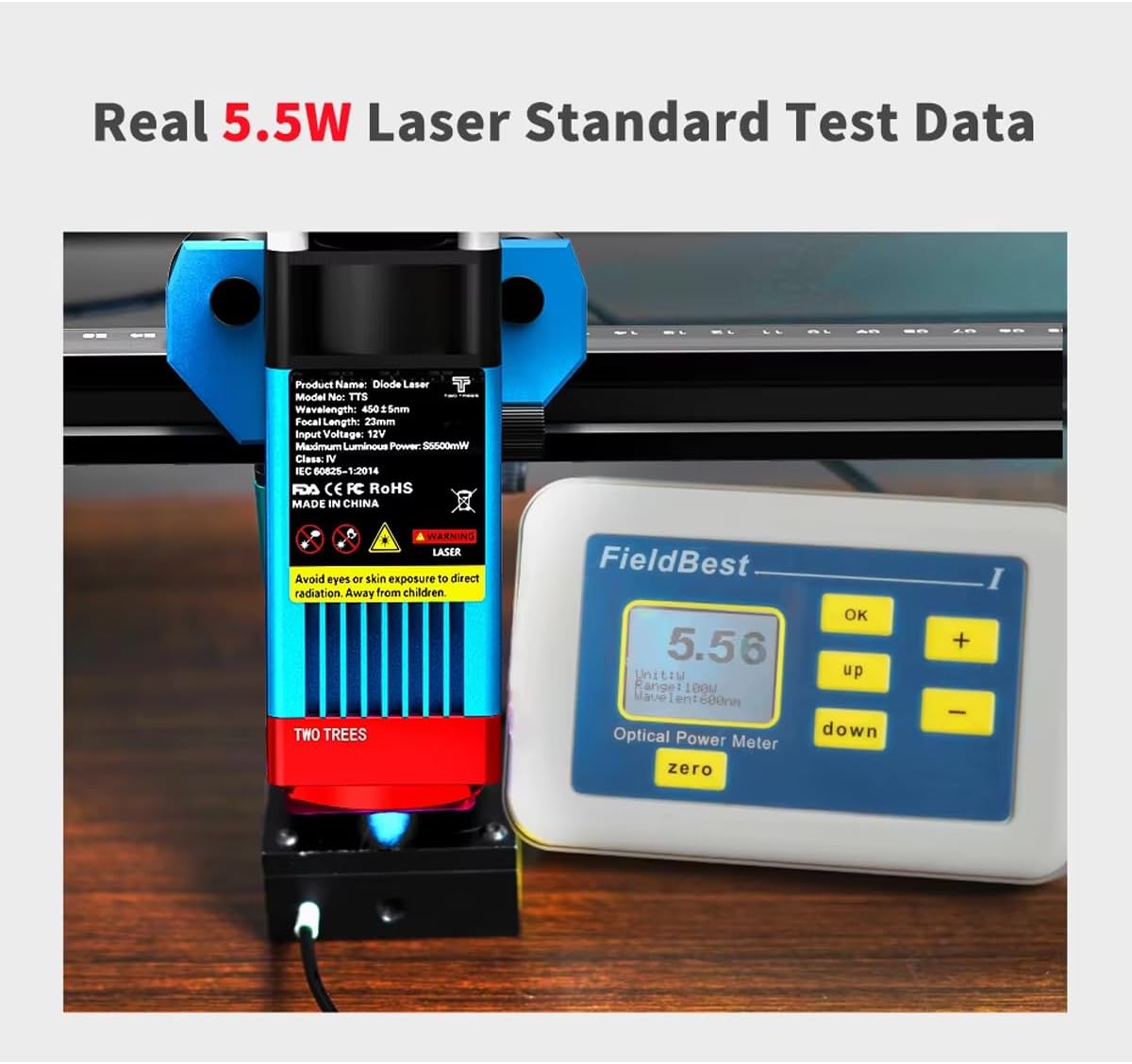
Figure 2.1: Laser module with safety warnings and a power meter indicating 5.5W optical output.
3. Продукциянын өзгөчөлүктөрү
The TTS-10 Pro Laser Engraver is designed with advanced features for high-precision engraving and efficient cutting:
- Advanced Laser Technology: Utilizes LD+FAC+C-Lens compression spot technology for a fine laser spot as small as 0.08mm, enabling delicate and high-precision engraving.
- Fixed Focus Laser Module: The laser module has a fixed focal length of 23mm, providing superior engraving and cutting capabilities compared to long-focus lasers.
- Күчтүү аткаруу: Features an 80W machine power with a 5.5W optical output laser module, capable of cutting materials up to 5mm thick.
- Кеңири материалдык шайкештик: Capable of engraving and cutting various materials including wood, plastic, paper, leather, bamboo, sponge paper, alumina, stainless steel, Chevron board, and acrylic.
- Аба жардам берүүчү сопло: Includes a metal air assist nozzle for improved cutting performance and cleaner edges.
- Circular Laser Shield: Equipped with a red circular laser shield for enhanced safety during operation.
- Бир нече туташуу параметрлери: Supports WiFi, USB, and mobile app (MKSLaser) connections for flexible control. Offline use is also supported.
- Программалык шайкештик: Compatible with popular engraving software such as LaserGRBL (Windows), Lightburn (Windows, Mac), and MKSLaser (Android/iOS app).
- Туруктуу курулуш: Features an all-aluminum alloy body for stability and longevity.
- 32-bit Motherboard: Ensures fast and efficient processing of engraving tasks.
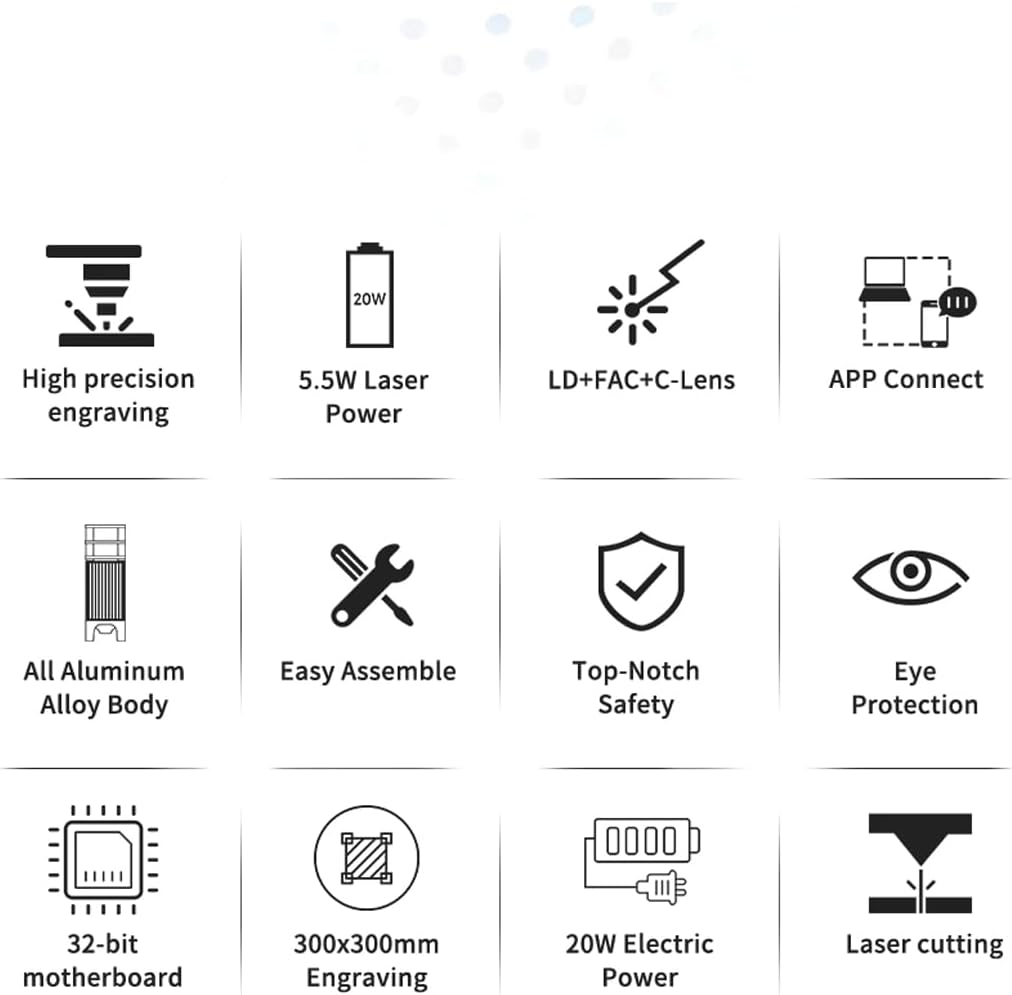
Figure 3.1: Visual representation of key product features.
4. Пакеттин мазмуну
Upon unboxing, verify that all components are present. The package typically includes:
- TTS-10 Pro Laser Engraver Frame Assembly
- Laser Module (TTS-55 Pro Diode Laser Module)
- Кубаттуу адаптер жана кабель
- USB кабели
- Коопсуздук көз айнек
- Air Assist Nozzle and Tubing
- Small Tool Kit for Assembly
- Колдонуучунун Колдонмосу (бул документ)
- Test Materials (e.g., small wood piece)
Note: The product description states "NO INCLUYE LA PLACA BASE" (DOES NOT INCLUDE THE BASE PLATE). This refers to an optional base plate for the working area, not the machine's motherboard.
5. Орнотуу колдонмосу
5.1 Ассамблея
The TTS-10 Pro is designed for easy assembly. Follow the included quick start guide or assembly video (if provided) for detailed steps. Ensure all screws are tightened securely for stability.
5.2 Программалык камсыздоону орнотуу
Choose your preferred software for operating the engraver:
- LaserGRBL: Free software for Windows. Download from the official LaserGRBL webсайт.
- Жарык күйүү: Paid software compatible with Windows and Mac. Download from the official Lightburn webсайт.
- MKSLaser App: Mobile application for Android and iOS devices. Издөө "MKSLaser" in your device's app store.
Install the necessary drivers if prompted by the software or operating system.
5.3 Байланыш
The engraver offers multiple connection methods:
- USB туташуу: Connect the engraver to your computer using the provided USB cable.
- WiFi туташуусу: Follow the software's instructions to connect the engraver to your local WiFi network. This allows for wireless control.
- Колдонмону башкаруу: Use the MKSLaser app on your mobile device to connect and control the engraver via Bluetooth or WiFi.
- Оффлайн колдонуу: The engraver supports offline operation, allowing you to load designs via an SD card (if applicable) and run jobs without a continuous computer connection.

Figure 5.1: Various connectivity options for the TTS-10 Pro.
5.4 Лазерди фокустоо
The TTS-10 Pro features a fixed-focus laser module with a focal length of 23mm. To adjust the laser height for optimal focus:
- Place your material on the working surface.
- Use the spiral button on the laser module to raise or lower the module until the bottom of the laser module is approximately 23mm from the surface of your material.
- Some models may include a focus gauge or a multi-scale positioning column to assist with precise height adjustment.

Figure 5.2: Spiral button for convenient height adjustment and multi-scale positioning column.
5.5 Air Assist Setup
For enhanced cutting performance and to reduce charring, connect the air assist tubing to the metal nozzle on the laser module and to an external air pump (not included, unless specified in package contents). Ensure the air flow is directed at the laser's focal point.
6. Иштөө нускамалары
6.1 Дизайныңызды даярдоо
Create or import your design using your chosen software (LaserGRBL, Lightburn, or MKSLaser). Adjust parameters such as power, speed, and number of passes according to the material and desired effect. Refer to the software's documentation for detailed instructions on design preparation.

6.1-сүрөт: Мисamples of creative displays and materials suitable for engraving and cutting.
6.2 Жүктөөчү материал
Place the material securely on the working surface. Ensure it is flat and does not obstruct the laser's path or the movement of the gantry.
6.3 Гравировка/кесүү процессин баштоо
- Ensure all safety precautions are in place, including wearing safety goggles and ensuring proper ventilation.
- Power on the engraver.
- In your software, home the laser (if applicable) and set the origin point for your job.
- Initiate the engraving or cutting process from the software.
- Monitor the process closely for any issues, such as material ignition or unexpected behavior.
6.4 High-Precision Engraving
The TTS-10 Pro's laser source, guided by LD+FAC+C-Lens technology, produces a spot as small as 0.08mm. This allows for highly detailed and delicate engraving works, capturing intricate designs with precision.
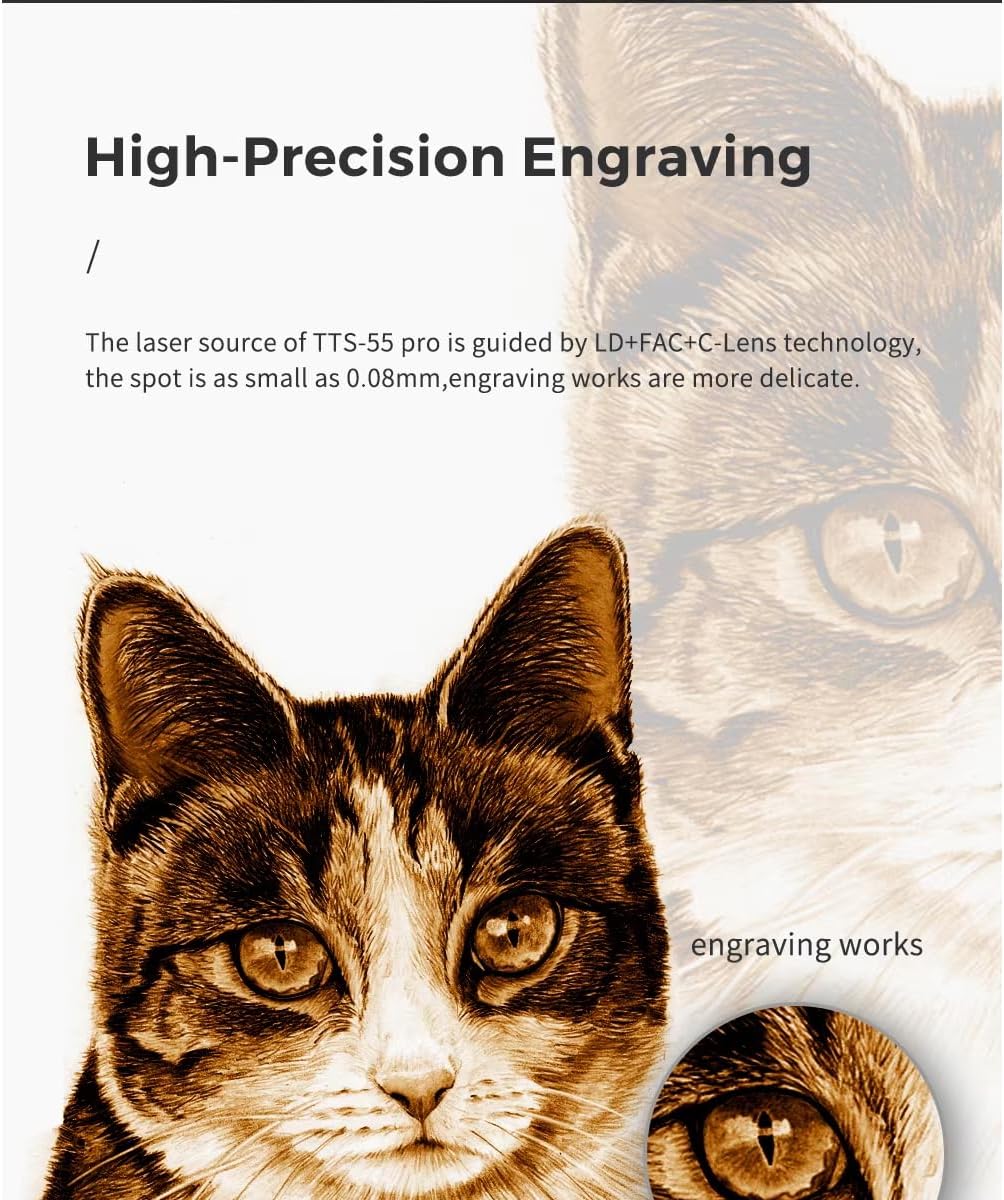
6.2-сүрөт: Мисample of high-precision engraving detail.
7. Техникалык тейлөө
Үзгүлтүксүз техникалык тейлөө лазердик гравёруңуздун узак мөөнөттүү иштешин жана оптималдуу иштешин камсыз кылат:
- Лазердик линзаны тазалоо: Periodically clean the laser lens with a lint-free cloth and lens cleaning solution to maintain laser beam quality.
- Clean the Work Area: Remove debris and dust from the working surface and around the machine after each use.
- Inspect Belts and Rails: Check the tension of the timing belts and ensure the linear rails are clean and free of obstructions. Lubricate rails if recommended by the manufacturer.
- Программалык камсыздоонун жаңыртуулары: Өндүрүүчүнү текшериңиз website for any available firmware updates for the engraver's motherboard.
8. Кыйынчылыктарды
Бул бөлүм сиз кабылышы мүмкүн болгон жалпы көйгөйлөрдү карайт:
| Көйгөй | Мүмкүн себеп | Чечим |
|---|---|---|
| Лазер иштебейт же алсыз чыгаруу. | Incorrect focus, dirty lens, low power setting, loose connection. | Adjust focus, clean lens, increase power setting in software, check all cables. |
| Engraving/cutting quality is poor. | Incorrect speed/power, material not flat, loose belts, dirty lens. | Adjust speed/power settings, ensure material is flat, check belt tension, clean lens. |
| Machine not connecting to computer/app. | Incorrect port selected, driver issues, WiFi/Bluetooth off, firewall blocking. | Verify port in software, reinstall drivers, check network settings, disable firewall temporarily. |
| Машина адаттан тыш үндөрдү чыгарат. | Loose components, debris on rails, motor issues. | Inspect for loose parts, clean rails, contact support if motor noise persists. |
9. Техникалык шарттар
| Өзгөчөлүк | Деталь |
|---|---|
| Модель номери | TTS 10 |
| Өндүрүүчү | Two trees |
| Машинанын күчү | 80 Вт |
| Оптикалык лазердин чыгуу кубаты | 5.5 Вт |
| Лазердик технология | LD+FAC+C-Lens Compression Spot |
| Лазердик Spot өлчөмү | 0.08мм |
| Фокустун узундугу | 23мм (Түзүлгөн Фокус) |
| Гравюра аянты | Болжол менен 300 мм x 300 мм (11.8 дюйм x 11.8 дюйм) |
| Жалпы өлчөмдөр | Болжол менен 570 мм x 510 мм (22.4 дюйм x 20.1 дюйм) |
| Power Source | Электр |
| Байланыш | USB, WiFi, Mobile App (MKSLaser) |
| Колдоого алынган программалык камсыздоо | LaserGRBL (Windows), Lightburn (Windows, Mac), MKSLaser (Android/iOS) |
| Макс кесүү калыңдыгы | 5mm Plywood, 3mm Acrylic, 3mm Cardboard, 0.7mm Leather |
| Frame Material | All Aluminum Alloy |

Сүрөт 9.1: Продукциянын өлчөмдөрү.
10. Кепилдик жана колдоо
Кепилдик маалыматы жана техникалык колдоо үчүн, сатып алууда берилген документтерди караңыз же сатуучу менен түз байланышыңыз. Сатып алганыңыздын далили катары сатып алуу дүмүрчөгүңүздү сактаңыз.
For general inquiries or further assistance, you may also visit the official Two trees website or relevant online communities for laser engravers.