
BlueAnt PUMPX-BK
BlueAnt Pump X Wireless Over-Ear Headphones User Manual
Model: PUMPX-BK
Introduction
Welcome to the BlueAnt Pump X Wireless Over-Ear Headphones user manual. These headphones are designed for an active lifestyle, featuring robust construction, powerful audio, and advanced noise control. This manual provides essential information for setting up, operating, and maintaining your headphones.
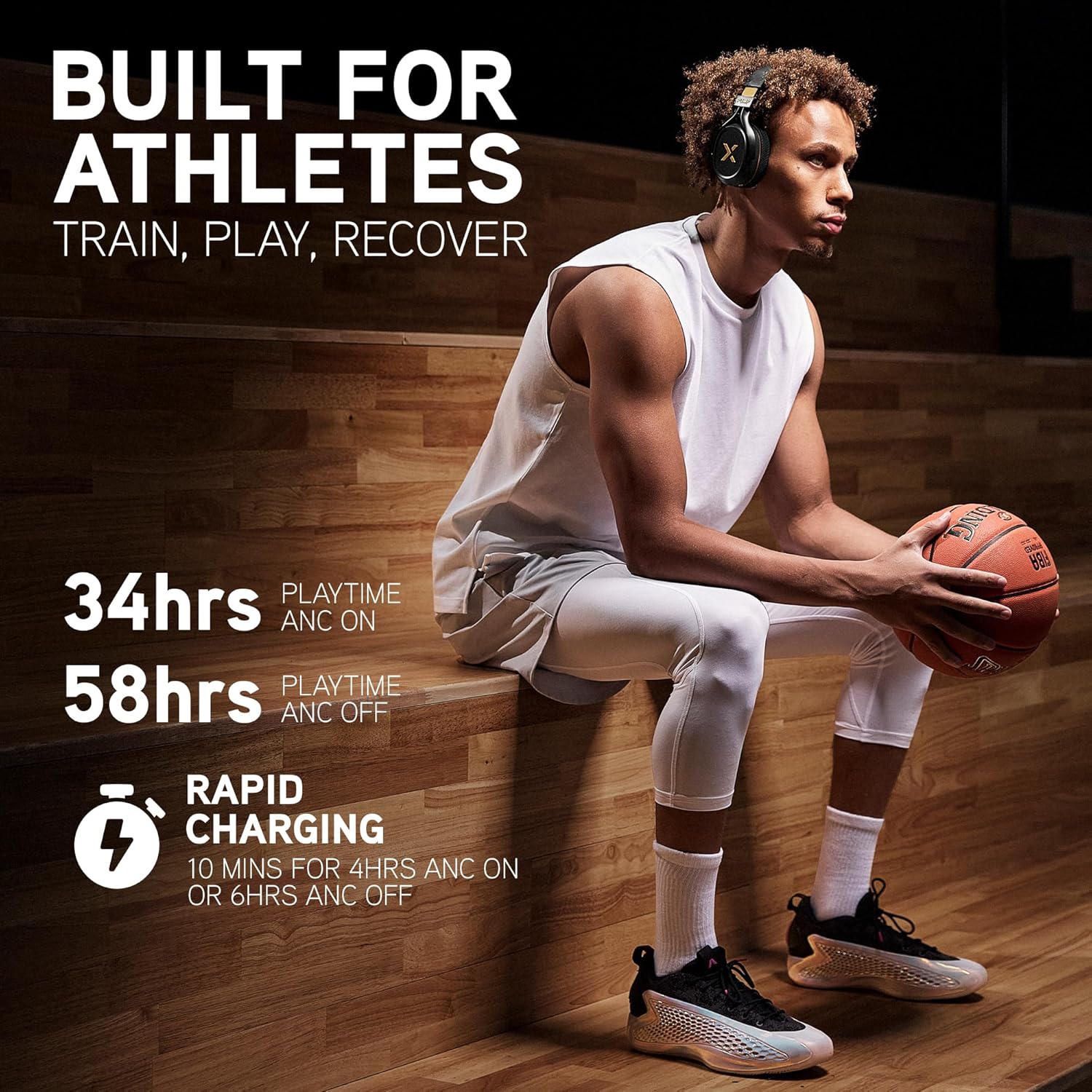
Image: BlueAnt Pump X headphones worn by an athlete, highlighting battery life (34 hours with ANC, 58 hours without ANC) and rapid charging capabilities (10 minutes for 4-6 hours playtime).
Кутуда эмне бар
Орнотууну улантуудан мурун бардык элементтер бар экенин текшериңиз:
- Pump X Headphones
- Cooling Gel Ear Pads (interchangeable)
- Everyday Ear Pads (fitted)
- Braided USB-C to USB-C Audio | Charging Cable
- Коргоочу кап
Video: An unboxing of the BlueAnt Pump X headphones, showing the contents of the package including the headphones, interchangeable ear pads, charging cable, and protective case.
Продукт бүттүview
The BlueAnt Pump X headphones are engineered for performance and comfort, especially during physical activity. Key features include:
- Interchangeable Ear Cups: Comes with both standard and cooling gel ear pads for versatile use and comfort during intense workouts.
- Активдүү ызы-чууну жокко чыгаруу (ANC): Reduces up to 35dB of ambient noise, allowing for focused listening.
- Advanced Transparency Mode: Amplifies surrounding sounds for increased awareness when needed.
- Күчтүү аудио: Boosts output and enhances bass for an energetic sound experience.
- Durable and Sweat-Resistant: Designed to withstand rigorous workouts.
- Интуитивдик башкаруулар: Tactile buttons provide easy access to functions.

Image: A detailed diagram illustrating the construction of the cooling gel ear pads, showing layers of listening space, memory foam, cooling gel, and fabric for enhanced comfort and temperature regulation.

Сүрөт: жарылган view of the Pump X headphones, detailing the internal components, including drivers, circuit boards, and the overall build design, emphasizing precision engineering.
Жайгашуу
1. Наушниктерди заряддоо
Before first use, fully charge your Pump X headphones. Use the provided USB-C cable to connect the headphones to a compatible USB power source.
- USB-C кабелин гарнитурадагы заряддоо портуна туташтырыңыз.
- Connect the other end of the cable to a USB wall adapter or a computer's USB port.
- LED индикатору кубаттоо абалын көрсөтөт (чоо-жайын LED индикатору бөлүмүн караңыз).
- Толук кубаттоо 58 саатка чейин ойноо убактысын (ANC өчүк) же 34 саатка чейин (ANC күйүк) камсыз кылат.
2. Bluetooth Жупташтыруу
Кулакчындарды Bluetooth аркылуу түзмөккө туташтыруу үчүн:
- Наушниктердин өчүрүлгөнүн текшериңиз.
- LED индикатору жупташтыруу режимин көрсөткөн көк жана кызыл күйгүчө Күч баскычын басып, кармап туруңуз.
- Түзмөгүңүздө (смартфон, планшет, компьютер) Bluetooth жөндөөлөрүнө өтүп, Bluetooth'ду иштетиңиз.
- Select "BlueAnt Pump X" from the list of available devices.
- Туташтырылгандан кийин, LED индикатору көк түстө же жай көк түстө күйүп-өчүп турат.

Сүрөт: жакын план view of the BlueAnt Pump X headphone ear cup, highlighting the power button, USB-C port, and the durable design, emphasizing smart controls and portability.
Наушниктерди иштетүү
Күйгүзүү/өчүрүү
- Күйгүзүү: Кубат баскычын 2 секунд басып, кармап туруңуз.
- Өчүрүү: Кубат баскычын 3 секунд басып, кармап туруңуз.
Активдүү ызы-чууну жокко чыгаруу (ANC) жана тунуктук режими
The Pump X headphones feature both Active Noise Cancelling and Advanced Transparency modes to control your listening environment.
- ANCти иштетүү/өчүрүү: ANC баскычын бир жолу басыңыз.
- Ачыктык режимин иштетүү: Press the ANC button twice quickly.
- Режимдердин ортосунда которулуу: Continue pressing the ANC button to cycle through ANC On, Transparency Mode, and ANC Off.

Image: A woman wearing BlueAnt Pump X headphones, illustrating the concept of silencing external noise to stay focused on audio.
Video: A demonstration of switching between different audio modes, such as "Street Mode" and "Court Mode," likely referring to transparency and noise-cancelling modes for different environments.
Video: A short clip emphasizing the noise-cancelling capabilities of the headphones, with the tagline "Silence the Noise, Feel the Sound."
Music Playback & Call Management
Use the intuitive controls on the ear cup for media and calls:
- Ойнотуу/тындыруу: Single press the multi-function button (often the 'X' logo).
- Кийинки трек: Көп функциялуу баскычты эки жолу басыңыз.
- Мурунку трек: Көп функциялуу баскычты үч жолу басыңыз.
- Чалууга жооп берүү/аяктоо: Кирүүчү же активдүү чалуу учурунда көп функциялуу баскычты бир жолу басыңыз.
- Чакырууну четке кагуу: Кирүүчү чалуу учурунда көп функциялуу баскычты басып, кармап туруңуз.
- Үнүн жогорулатуу/төмөндөтүү: Атайын үн баскычтарын колдонуңуз.
Техникалык тейлөө
Наушникти тазалоо
To ensure longevity and hygiene, regularly clean your headphones:
- Кулак чөйчөктөрдү жана баштын боосун жумшак менен сүртүңүз, damp кездеме.
- Катуу химиялык заттарды же абразивдүү материалдарды колдонуудан алыс болуңуз.
- Ensure the headphones are dry before storing or charging.
Кулак төшөктөрүн алмаштыруу
The Pump X headphones come with interchangeable ear pads (Everyday and Cooling Gel) for different activities.
- Gently pull the current ear pad away from the ear cup to detach it.
- Align the new ear pad with the ear cup, ensuring the 'L' (left) or 'R' (right) indicator matches.
- Press firmly around the edges of the ear pad until it clicks securely into place.
Video: An unboxing video that also demonstrates the easy-swap feature of the cooling gel ear pads, showing how to remove and attach them to the headphones.
Проблемаларды чечүү
Күч жок
- Наушниктердин толук заряддалганын текшериңиз. Кубат булагына туташып, заряддоо индикаторун текшериңиз.
- Башка USB-C кабелин жана кубат адаптерин колдонуп көрүңүз.
Түзмөк менен жупташтыруу мүмкүн эмес
- Наушниктердин жупташтыруу режиминде экенин текшериңиз (LED көк жана кызыл күйүп турат).
- Түзмөгүңүздө Bluetooth күйгүзүлгөнүн жана ал аралыкта (адатта 10 метр) экенин текшериңиз.
- Forget "BlueAnt Pump X" from your device's Bluetooth list and attempt to re-pair.
- Наушникти да, түзмөгүңүздү да өчүрүп күйгүзүңүз.
Үн жок же үн сапаты начар
- Наушниктердин жана туташкан түзмөгүңүздүн үнүнүн деңгээлин текшериңиз.
- Наушниктердин Bluetooth аркылуу туура туташтырылганын текшериңиз.
- Кедерги болбош үчүн түзмөгүңүзгө жакыныраак жылыңыз.
- Башка колдонмодон же түзмөктөн аудио ойнотуп көрүңүз.
АНК натыйжалуу иштебей жатат
- Ensure ANC mode is activated (single press the ANC button).
- Check that the ear pads are properly seated and creating a good seal around your ears.
Техникалык шарттар
| Модель аты | PUMPX-BK |
| Байланыш технологиясы | Зымсыз (Bluetooth) |
| Bluetooth версиясы | 5.4 |
| Noise Control | Активдүү ызы-чууну жокко чыгаруу |
| Батареянын иштөө мөөнөтү | 58 саатка чейин (ANC өчүрүлгөн) |
| Наушник формасы | Кулак үстүндө |
| Сууга туруктуулук деңгээли | Сууга чыдамдуу (IP54) |
| Башкаруу ыкмасы | Touch / Tactile Buttons |
| Аппараттык интерфейс | USB түрү C |
| Элемент Салмагы | 9.9 унция |
| Продукциянын өлчөмдөрү | 2.95 x 6.7 x 7.87 дюйм |
Кепилдик жана колдоо
For warranty information, product registration, and technical support, please visit the official BlueAnt webсайтына кириңиз же продуктуңуздун таңгагында камтылган документтерди караңыз.
Кошумча коргоо пландары сатып алуу үчүн жеткиликтүү болушу мүмкүн. Сураныч, чоо-жайын билүү үчүн сатуучуга кайрылыңыз.
Көбүрөөк маалымат жана колдоо таба аласыз BlueAnt Store.
Ask a question about this manual
Ask about setup, troubleshooting, compatibility, parts, safety, or missing instructions. Manuals+ will review the question and use this page’s manual context to help answer it.