
Jesverty SPS-3020H
Jesverty SPS-3020H DC Power Supply User Manual
Model: SPS-3020H | Brand: Jesverty
1. Киришүү
This manual provides detailed instructions for the safe and efficient operation of your Jesverty SPS-3020H DC Power Supply. This device is a variable, regulated bench power supply offering 0-30V and 0-20A output, with a maximum power of 600W. It features an encoder knob for precise adjustments, an output on/off switch, and a 4-digit LED display. Please read this manual thoroughly before use to ensure proper functionality and safety.
2. Коопсуздук нускамалары
- Кубат булагын ар дайым жерге туташтырылган розеткага туташтырыңыз.
- Аппаратты нымдуу жерде иштетпеңиз же damp шарттар.
- Ашыкча ысып кетүүнүн алдын алуу үчүн аппараттын айланасында туура желдетүүнү камсыз кылыңыз.
- Before connecting or disconnecting loads, ensure the output is turned off.
- Do not attempt to open or modify the power supply. Refer all servicing to qualified personnel.
- Киргизилген томду текшериңизtage setting matches your local power supply before connecting the power cord.
3. Продукт бүтүп калдыview
3.1 алдыңкы панели

Image: Front and rear panel layout of the Jesverty SPS-3020H.
- 4 орундуу LED дисплей: Чыныгы убактагы том көрсөтөтtage жана ток чыгаруу.
- Encoder Knobs (Voltage/Current): Used for precise adjustment of output voltage and current. Press to select digit, rotate to change value.
- Чыгарууну күйгүзүү/өчүрүү которгучу: Кубаттуулукту терминалдарга которуштурат.
- Protection Indicators (OVP, OCP): LEDs illuminate when Over Voltage Protection or Over Current Protection is active.
- Чыгуу терминалдары: Кызыл оң (+), кара терс (-) белгисин билдирет.
- Aux Output Terminal: Additional output terminal, typically for lower current applications (e.g., 5A max).
3.2 Арткы панель
- Кубат киргизүү розеткасы: AC кубат шнурын туташтыруу үчүн.
- Страховка кармагыч: Коргоочу сактагычты камтыйт.
- Акылдуу муздатуу желдеткичи: Activates automatically to regulate internal temperature.
4. Орнотуу
- Пакеттен чыгаруу: Carefully remove the power supply and all accessories from the packaging. Verify that all items listed in the "What's in the Box" section are present.
- Жайгашкан жери: Place the power supply on a stable, level surface with adequate ventilation. Ensure no objects obstruct the cooling fan vents on the rear and sides.
- Кубат туташуу: Connect the provided power cord to the power input socket on the rear panel of the unit, then plug the other end into a grounded AC power outlet.
- Чыгуу туташуулары: Connect your load to the output terminals. The red terminal is positive (+), and the black terminal is negative (-). Ensure connections are secure.
5. Иштөө нускамалары
5.1 Күйгүзүү/өчүрүү
Toggle the main power switch located on the front panel to the 'ON' position to power on the unit. The LED display will illuminate. To power off, toggle the switch to the 'OFF' position.
5.2 Setting Voltage жана Current
Image: Encoder knob operation for setting values.
- Тtage Тууралоо: Көлөмдү басыңызtage encoder knob. A digit on the voltage display will begin to blink. Rotate the knob to change the value of the blinking digit. Press the knob again to move to the next digit. Repeat until the desired voltage коюлган.
- Учурдагы тууралоо: Similarly, press the Current encoder knob. A digit on the current display will blink. Rotate the knob to adjust the value, and press again to select the next digit.
- The setting resolution is 0.01V for voltage and 0.01A for current.
5.3 Output ON/OFF Function
Каалаган томду койгондон кийинtage and current, press the 'OUT' button on the front panel to enable or disable the power output to the terminals. This allows you to adjust settings without disconnecting the load or short-circuiting the output.
5.4 Protection Functions (OVP & OCP)

Image: Overcurrent Detection Alarm feature.
- Voltage Коргоо (OVP): This feature protects the connected load from excessive voltagд. Эгерде чыгаруу томtage exceeds a preset limit, the power supply will automatically shut down the output.
- Ашыкча ток коргоо (OCP): This feature protects the connected load from excessive current. If the output current exceeds a preset limit, the power supply will automatically shut down the output and trigger an alarm.
- The OVP and OCP functions are designed to safeguard your equipment. Refer to the display indicators for active protection status.
5.5 Батареяны заряддоо функциясы
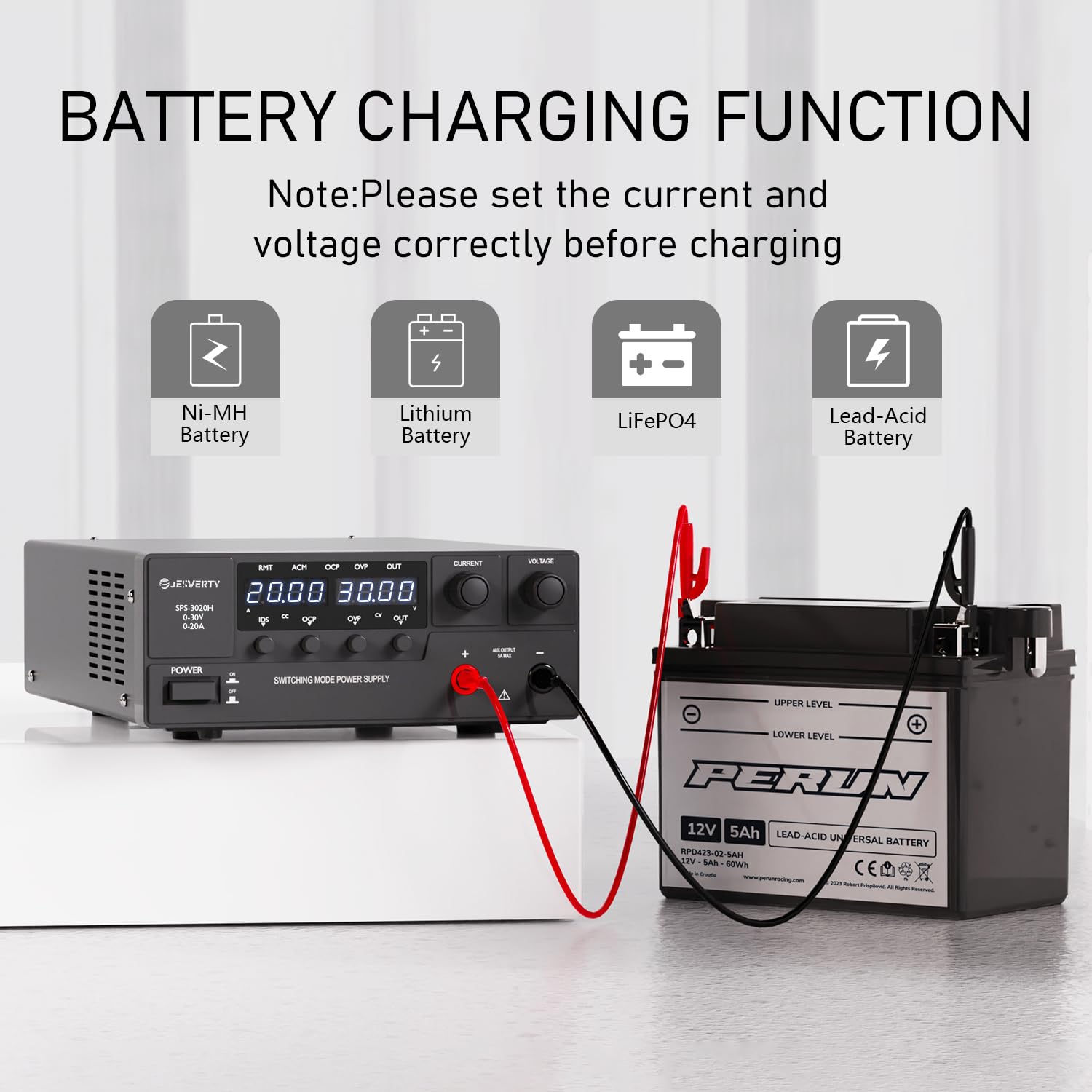
Image: Battery charging function with various battery types.
The Jesverty SPS-3020H can be used for charging various battery types, including Ni-MH, Lithium, LiFePO4, and Lead-Acid batteries. Before charging, ensure you set the correct voltage and current limits appropriate for the battery chemistry and capacity. Always monitor the charging process.
6. Техникалык тейлөө
- Түзмөктү таза жана чаңсыз кармаңыз. Тазалоо үчүн жумшак, кургак чүпүрөк колдонуңуз.
- Ensure the ventilation openings are clear of obstructions.
- Store the power supply in a cool, dry environment when not in use.
- Regularly check the power cord and output cables for any signs of damage.
7. Кыйынчылыктарды
| Көйгөй | Мүмкүн себеп | Чечим |
|---|---|---|
| Күйгүзүлгөндө кубат жок | Power cord not connected; Fuse blown; Main power switch off | Check power cord connection; Replace fuse if necessary; Ensure main power switch is ON. |
| Чыгаруунун көлөмү жокtage/Current | Output ON/OFF switch is off; OVP/OCP activated; Load disconnected or faulty | Press the 'OUT' button; Check for OVP/OCP indicators and resolve fault; Verify load connection. |
| желдеткич иштебейт | Normal operation at low load/temperature | The fan is temperature-regulated and will only activate when needed. This is not a fault. |
| Так эмес окуулар | Loose connections; External interference | Ensure all connections are secure; Operate away from strong electromagnetic fields. |
8. Техникалык шарттар

Image: Physical dimensions of the power supply.
| Өзгөчөлүк | Спецификация |
|---|---|
| Модел | SPS-3020H |
| Output Voltage | 0-30V |
| Output Current | 0-20A |
| Чыгуу Wattage | 600 Вт |
| Учурдагы рейтинг | 20 Amps |
| Минималдуу киргизүү көлөмүtage | 120V (AC) |
| Максималдуу киргизүү көлөмүtage | 240V (AC) |
| Муздатуу ыкмасы | Air (Intelligent Cooling Fan) |
| Элемент Салмагы | 3.49 килограмм (болжол менен 7.69 фунт) |
| Пакеттин өлчөмдөрү | 15.55 x 10.94 x 5.67 дюйм |
| UPC | 680306176915 |
9. Кутуда эмне бар
- 1 x Jesverty SPS-H Unit (SPS-3020H)
- 1 x Power Cord* (Note: Power cords and AC input settings vary by destination)
- 1 x Instruction Manual
10. Кепилдик жана колдоо
Jesverty provides professional technical support for this product. Should you encounter any problems or have questions regarding your order or the product's operation, please contact Jesverty Customer Service. You can typically reach customer service via the Amazon message system or email.
For further assistance, please refer to the contact information provided with your purchase or visit the official Jesverty brand store on Amazon: Jesverty Store.
Ask a question about this manual
Ask about setup, troubleshooting, compatibility, parts, safety, or missing instructions. Manuals+ will review the question and use this page’s manual context to help answer it.