
Introduction
The hohem HRT-04 Detachable Remote Control is a wireless accessory designed to enhance the functionality of your iSteady X3 or iSteady V3 gimbal stabilizer. This remote provides convenient, remote operation of your smartphone gimbal, allowing for precise control of gimbal movements and camera functions from a distance. Its detachable design ensures versatility, enabling use both attached to the gimbal or as a standalone unit.
The compact and portable design makes it easy to carry, fitting into pockets or small bags. It is equipped with a long-lasting battery for extended filming sessions.
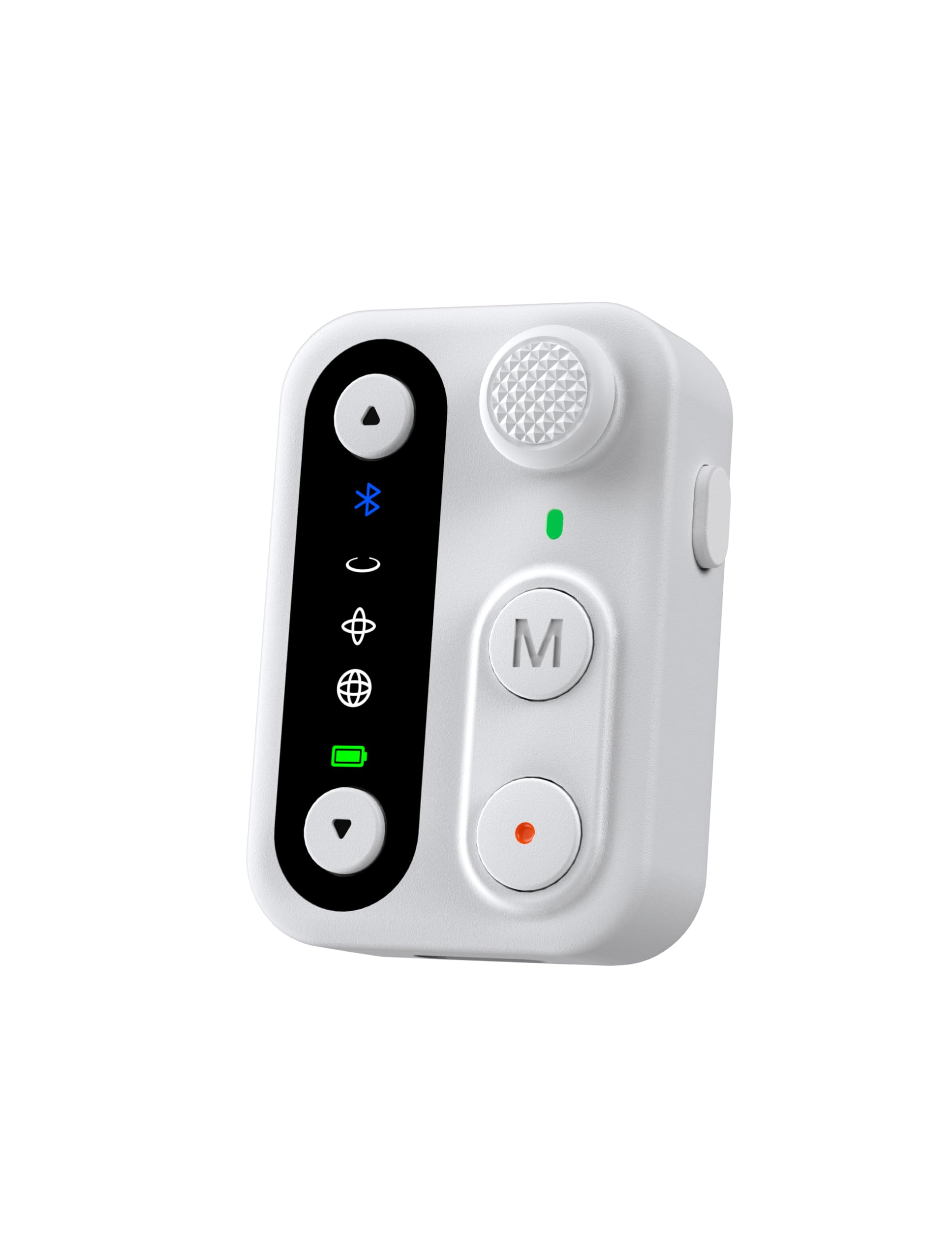
Image: The hohem HRT-04 Detachable Remote Control in white.
Продукт бүттүview
The HRT-04 remote control features several buttons and indicators for intuitive operation. Familiarize yourself with the layout before use.

Image: Labeled diagram of the HRT-04 remote control showing its components.
- Джойстик: Controls gimbal pan and tilt movements.
- Zoom In/Out Buttons: Adjusts the camera's zoom level.
- Функция баскычы: Performs various functions depending on the gimbal mode.
- Режим баскычы (M): Cycles through different gimbal operating modes.
- Жабык баскычы: Initiates photo capture or video recording.
- Иш режиминин көрсөткүчү: Displays the current operating mode and connection status.
- USB-C заряддоо порту: For charging the remote control.
Жайгашуу
1. Алыстан башкаруу пультун кубаттоо
Before initial use, ensure the remote control is fully charged. The remote can be charged in two ways:
- Магниттик заряддоо: Attach the remote control to the designated magnetic charging area on your iSteady X3 or V3 gimbal grip. It will automatically begin charging.
- USB-C заряддоо: Connect a USB-C cable to the remote control's USB-C charging port and plug the other end into a power source.

Image: Illustration of magnetic charging by attaching to the gimbal and direct USB-C charging.
2. Pairing with Gimbal
The HRT-04 remote control is designed for seamless wireless connection with the hohem iSteady X3 and iSteady V3 gimbals. Typically, the remote will automatically pair when attached to the gimbal or when powered on near a compatible gimbal that is also powered on. If manual pairing is required:
- Ensure both the remote control and your iSteady X3/V3 gimbal are powered on.
- Refer to your specific iSteady X3/V3 gimbal manual for detailed Bluetooth pairing instructions, as the process may vary slightly.
- Once successfully paired, the Bluetooth indicator on the remote control will illuminate steadily.
Иштөө нускамалары
The HRT-04 remote control allows for versatile operation of your iSteady X3/V3 gimbal from a distance of up to 10 meters (32.8 feet), providing enhanced stability for smooth footage.

Image: A user operating the gimbal remotely with the detachable control.
Негизги функциялар:
- Gimbal Movement: колдонуу Джойстик to control the pan (left/right) and tilt (up/down) axes of the gimbal.
- Масштабды башкаруу: басыңыз Чоңойтуу (өйдө жебе) же Кичирейтүү (down arrow) buttons to adjust the camera's focal length.
- Сүрөт/Видео тартуу: басыңыз Жабык баскычы once to take a photo or start/stop video recording.
- Которуу режими: басыңыз Режим баскычы (M) to cycle through the gimbal's various operating modes (e.g., Pan Follow, Pan & Tilt Follow, All Lock, POV). Refer to your gimbal's manual for specific mode descriptions.
- Функция баскычы: The function of this button may vary based on the current gimbal mode or app settings. Consult your gimbal's manual or the hohem app for details.
Техникалык тейлөө
Proper maintenance ensures the longevity and optimal performance of your HRT-04 remote control.
- Тазалоо: Пультту тазалоо үчүн жумшак, кургак чүпүрөктү колдонуңуз. Катуу химиялык заттарды же абразивдүү материалдарды колдонуудан алыс болуңуз.
- Сактагыч: Пультту күн нурунан жана өтө температурадан алыс салкын, кургак жерде сактаңыз.
- Батареяга кам көрүү: To maintain battery health, avoid fully discharging the remote control frequently. Charge it regularly, even if not in use for extended periods.
- Таасирден качуу: Protect the remote control from drops and impacts, which can damage internal components.
Проблемаларды чечүү
If you encounter issues with your HRT-04 remote control, refer to the following common solutions:
| Көйгөй | Мүмкүн себеп | Чечим |
|---|---|---|
| Пульт күйбөйт. | Батарея аз же түгөнүп калган. | Charge the remote control using either the magnetic connection to the gimbal or a USB-C cable. |
| Remote does not connect/pair with gimbal. | Gimbal is off, out of range, or not in pairing mode. Remote is not compatible with the specific gimbal model. | Ensure the gimbal is powered on and within 10 meters of the remote. Verify that your gimbal is an iSteady X3 or iSteady V3. (Note: This remote is not compatible with models like the iSteady Pro4). Restart both the remote and the gimbal. |
| Башкаруулар жооп бербей жатат. | Connection issue, low battery, or gimbal is in an incompatible mode. | Check battery level. Re-establish connection by restarting both devices. Ensure the gimbal is in a mode that allows remote control input. |
| Zoom function not working. | Camera app does not support remote zoom, or connection issue. | Ensure you are using the hohem app or a camera app that supports remote zoom control via Bluetooth. Check connection status. |
Техникалык шарттар
Key technical specifications for the hohem HRT-04 Detachable Remote Control:
- Модел: HRT-04
- Түсү: Ак
- Шайкеш түзмөктөр: hohem iSteady X3, hohem iSteady V3 gimbals
- Элемент Салмагы: 1.76 унция (0.05 килограмм)
- Пакеттин өлчөмдөрү: 4.13 x 2.05 x 1.73 дюйм
- Батареялар: 1 x 9V батарейка (киргизилген)
- Өндүрүүчү: Hohem Technology Co., LTD.
- ASIN: B0DQY2R2R7
- GTIN (Глобалдык соода идентификациялык номери): 06971071554072