Introduction
Welcome to the user manual for your new X10 Bone Conduction Swimming Headphones. These headphones are designed for active lifestyles, offering wireless audio with bone conduction technology, 32GB internal memory, and a digital display. They are waterproof and sweatproof, making them suitable for various activities including swimming, running, and gym workouts. This manual provides essential information on setup, operation, maintenance, and troubleshooting to ensure optimal performance and longevity of your device.
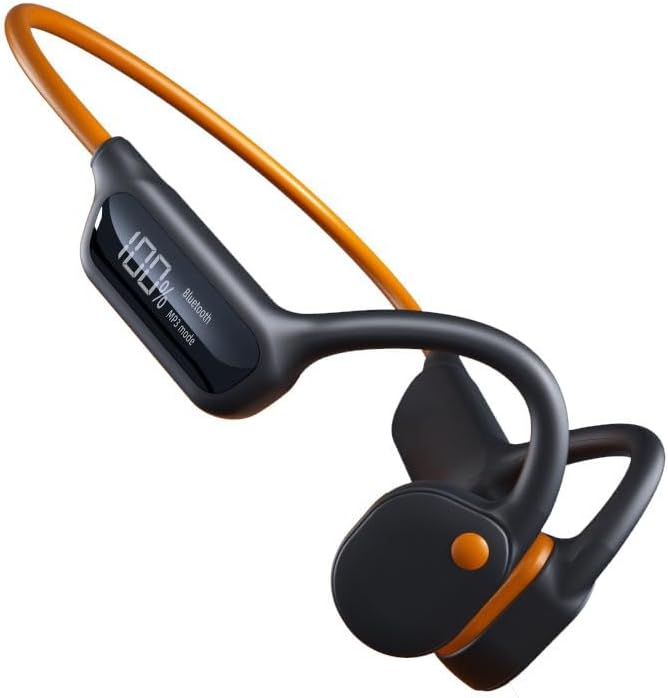
Image: The X10 Bone Conduction Swimming Headphones, featuring a black body with an orange neckband and ear hooks, showcasing санариптик дисплей.
Продукт өзгөчөлүктөрү
- Сөөк өткөргүч технологиясы: Delivers sound directly to your inner ear, keeping your ears open to ambient sounds.
- 32 ГБ ички эс тутум: Store thousands of songs directly on the device for offline playback.
- Санариптик дисплей: Provides real-time information on battery level, playback mode (Bluetooth/MP3), and track details.
- IPX8 суу өткөрбөйт рейтинги: Designed to withstand submersion, making them ideal for swimming.
- Bluetooth 5.3 туташуусу: Ensures stable and fast wireless connection to compatible devices.
- Батареянын узак иштөө мөөнөтү: 8 саатка чейин үзгүлтүксүз музыка ойнотуу.
- Сенсордук башкаруу каражаттары: Intuitive controls for managing music and calls.

Image: The X10 headphones partially submerged in water, with text overlays indicating "Super waterproof," "Three modes," "32GB RAM," and "It doesn't hurt to wear for a long time."
Жайгашуу
1. Наушниктерди заряддоо
Before first use, fully charge your X10 headphones. A full charge takes approximately 2 саат.
- Заряддоо кабелин наушниктеги заряддоо портуна туташтырыңыз.
- Кабелдин экинчи учун USB кубат адаптерине (кошумча эмес) же компьютердин USB портуна туташтырыңыз.
- The digital display will show the charging progress. Once fully charged, the display will indicate 100%.
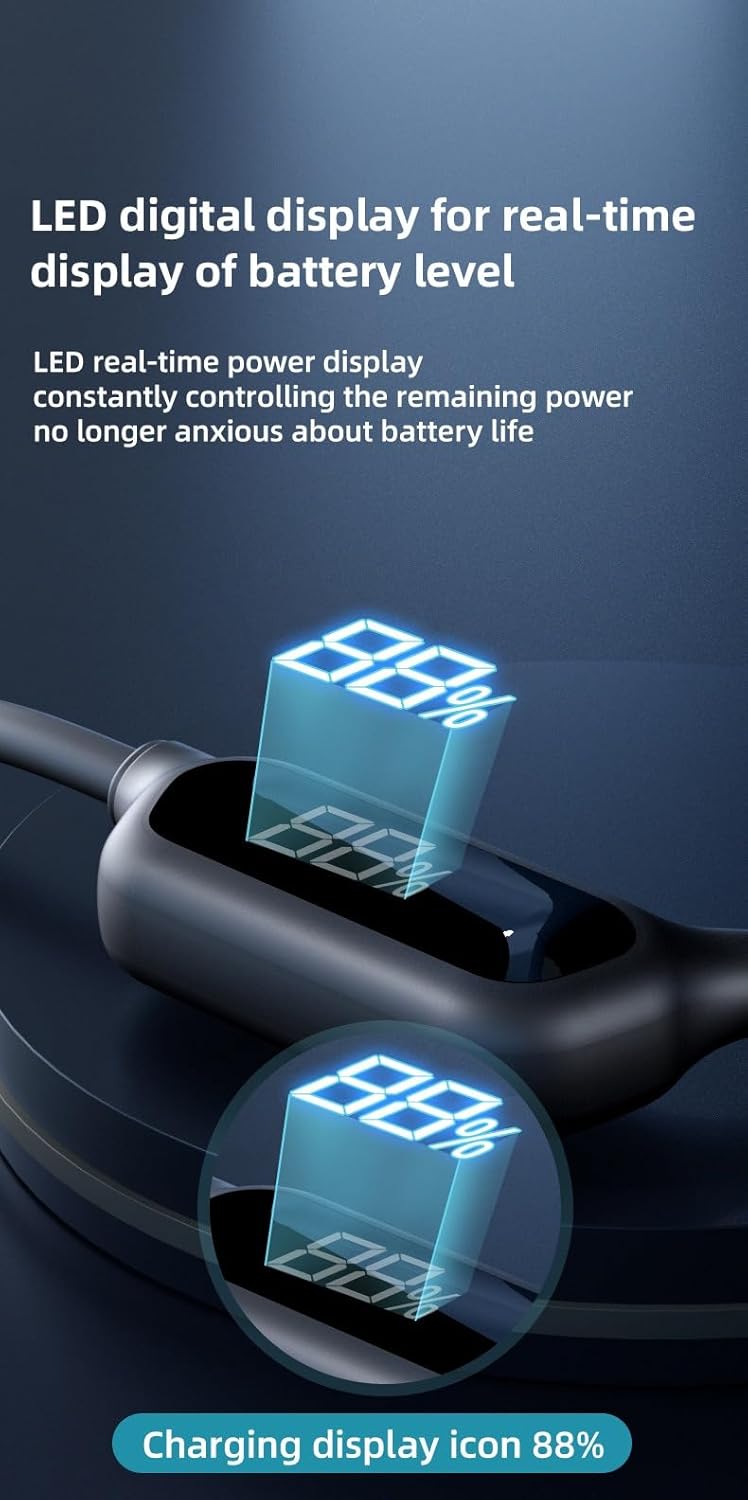
Image: A close-up of the headphone's LED digital display, showing a battery percentage (e.g., 88%) and indicating charging status.
2. Bluetooth Жупташтыруу
Гарнитураңызды Bluetooth иштетилген түзмөккө туташтыруу үчүн:
- Наушниктердин өчүрүлгөнүн текшериңиз.
- Press and hold the power button until the digital display shows "Bluetooth" and the indicator light flashes, indicating pairing mode.
- Түзмөгүңүздө (смартфон, планшет, ноутбук) Bluetooth жөндөөлөрүнө өтүп, Bluetooth'ду күйгүзүңүз.
- Издөө available devices and select "X10 Headphones" (or similar name) from the list.
- Once connected, the display will show "Bluetooth" steadily, and you will hear a confirmation tone.

Image: An internal diagram of the X10 headphones highlighting the Bluetooth 5.3 chip and 32GB memory, emphasizing fast and stable connectivity.
3. Loading Music to Internal Memory (MP3 Mode)
The X10 headphones feature 32GB of built-in memory for storing music directly.
- Connect the headphones to your computer using the provided USB cable.
- Наушник компьютериңизде алынуучу диск катары пайда болот.
- Каалаган аудиоңузга сүйрөп барып таштаңыз files (мисалы, MP3, WAV) кулакчындын сактоо папкасына салыңыз.
- Кабелди ажыратуудан мурун, түзмөктү компьютериңизден коопсуз ажыратыңыз.
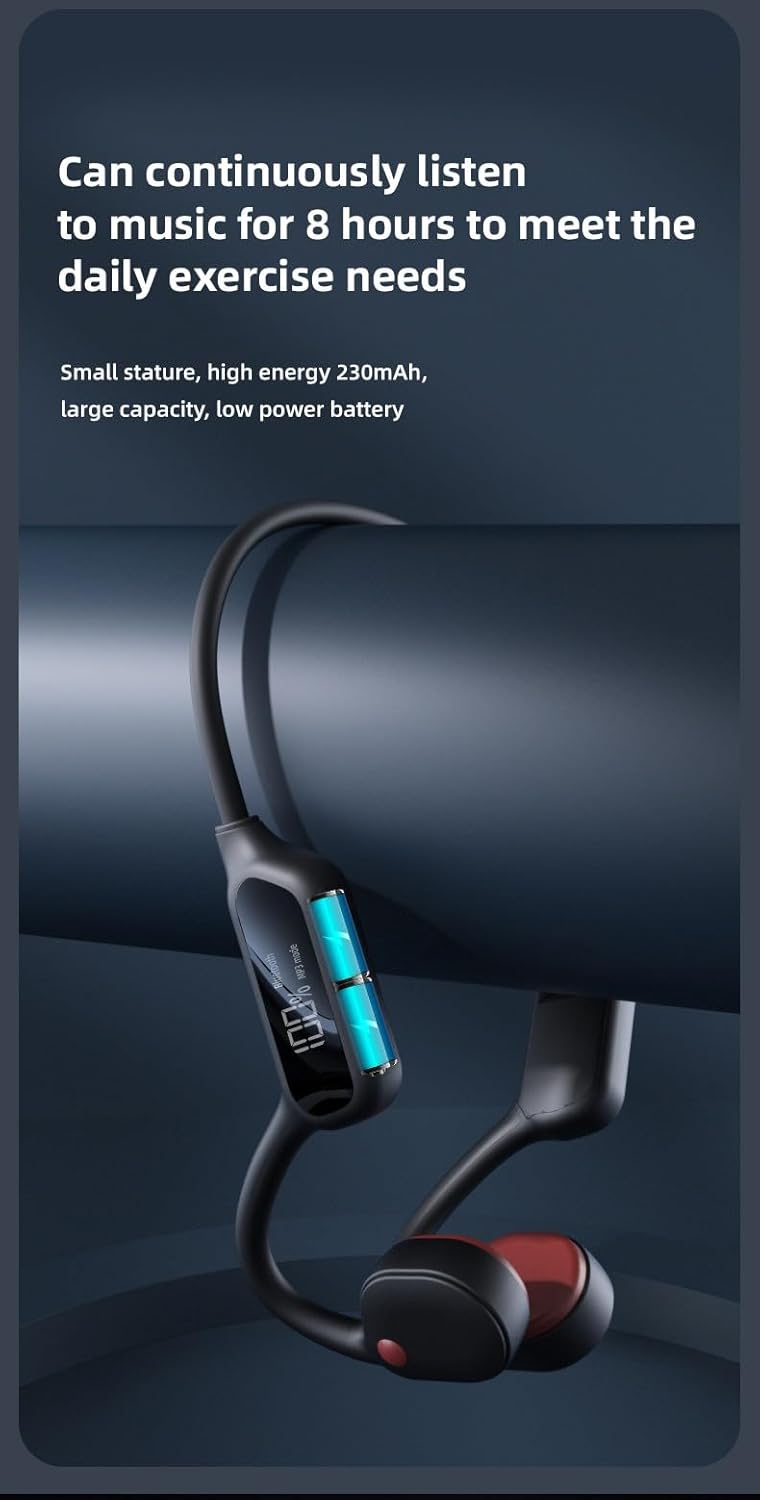
Image: A visual representation of the X10 headphones emphasizing the 32GB built-in memory, capable of storing thousands of songs.
Иштөө нускамалары
Controls Overview
The X10 headphones feature intuitive physical buttons for easy control.
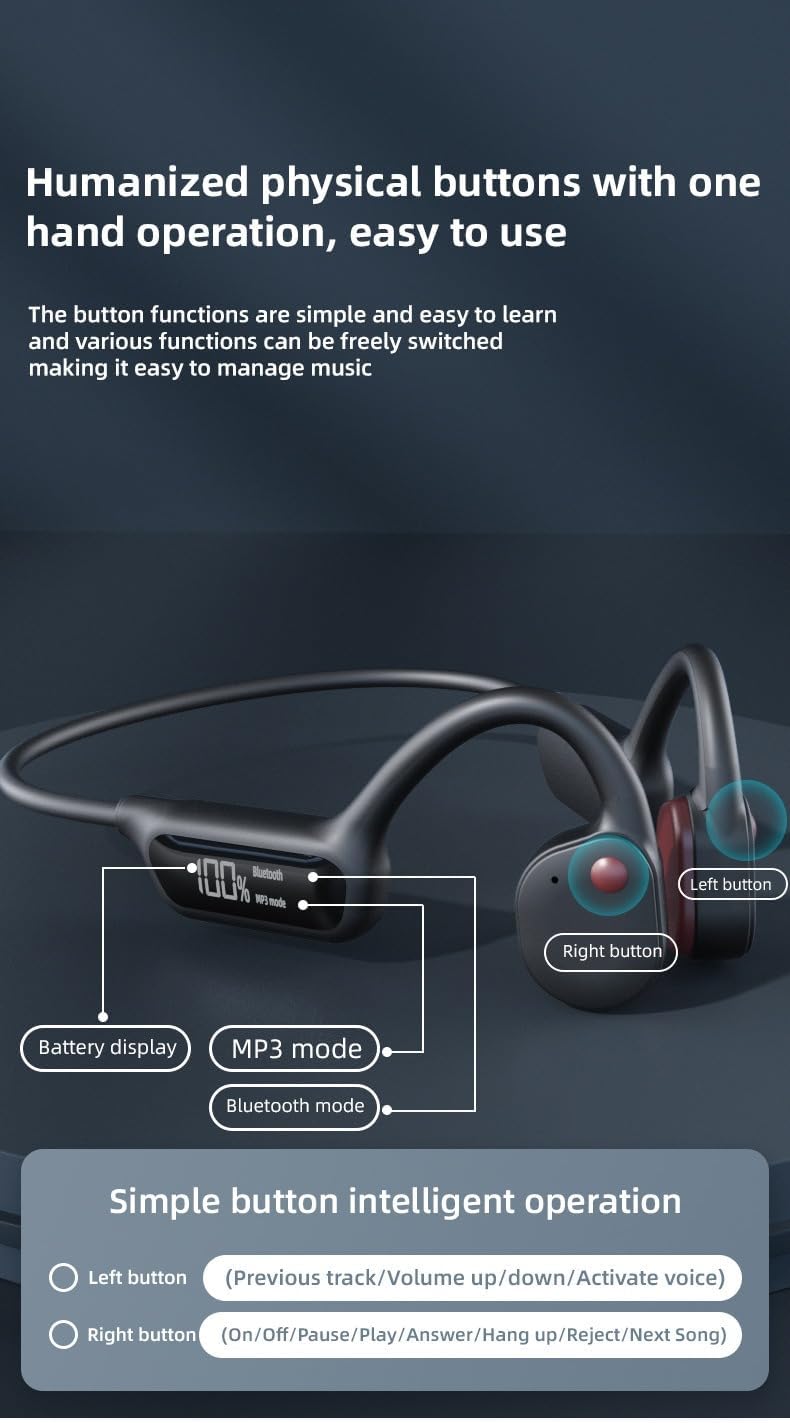
Image: A diagram illustrating the location of the left and right buttons on the X10 headphones, along with the digital display showing battery, Bluetooth, and MP3 modes.
| баскыч | Функция |
|---|---|
| Сол баскыч | Previous track / Volume up/down / Activate voice assistant |
| Оң баскыч | Power On/Off / Pause/Play / Answer/Hang up call / Reject call / Next Song |
Режимдерди которуу (Bluetooth / MP3)
The headphones support both Bluetooth streaming and internal MP3 playback. Use the appropriate button (refer to the control diagram) to switch between "Bluetooth" and "MP3 Mode" as indicated on the digital display.

Image: A close-up of the headphone's "AI Smart Screen" digital display, showing battery percentage, Bluetooth icon, and MP3 mode indicator.
Суу өткөрбөйт колдонуу
With an IPX8 waterproof rating, these headphones are designed for use in water, including swimming. Ensure all ports are securely closed before submersion.

Image: A man wearing the X10 headphones while swimming, demonstrating their waterproof capability. The text "Take it for a swim No problem! IPX8 waterproof design can be worn for swimming" is overlaid.
Техникалык тейлөө
Тазалоо
- After use, especially after swimming or intense workouts, rinse the headphones with clean fresh water.
- Wipe them dry with a soft, clean cloth.
- Абразивдүү тазалагычтарды же эриткичтерди колдонбоңуз.
Сактагыч
- Наушниктерди салкын, кургак жерде күндүн тике тийген нурунан жана экстремалдык температурадан алыс сактаңыз.
- Avoid storing them in humid environments.
Батареяга кам көрүү
- To prolong battery life, avoid fully discharging the headphones frequently.
- Charge the headphones regularly, even if not in use for extended periods.
- The headphones provide up to 8 hours of continuous music playback on a full charge.

Image: The X10 headphones displayed next to a large battery icon, indicating "Can continuously listen to music for 8 hours to meet the daily exercise needs."
Проблемаларды чечүү
| Көйгөй | Мүмкүн себеп | Чечим |
|---|---|---|
| Күч жок | Батарея түгөнүп калды. | Наушниктерди толук заряддаңыз. |
| Bluetooth аркылуу жупташтыруу мүмкүн эмес | Кулакчындар жупташтыруу режиминде эмес; түзмөк Bluetooth өчүк; аппараттан өтө алыс. | Ensure headphones are in pairing mode; turn on device Bluetooth; keep devices within 10 meters; try restarting both devices. |
| Наушниктен үн жок | Volume too low; incorrect mode selected (Bluetooth/MP3); audio file маселе. | Increase volume; switch to correct mode; check audio file бүтүндүк. |
| Которуу мүмкүн эмес files to 32GB memory | Headphones not connected properly to computer; driver issue. | Ensure USB cable is securely connected; try a different USB port or computer; ensure headphones are recognized as a removable disk. |
Техникалык шарттар
| Өзгөчөлүк | Деталь |
|---|---|
| Модель аты | S190 |
| Байланыш технологиясы | Bluetooth 5.3 |
| Ички эс тутум | 32 ГБ |
| Сууга туруктуулук деңгээли | IPX8 суу өткөрбөйт |
| Заряддоо убактысы | Болжол менен 2 саат |
| Үзгүлтүксүз ойнотуу убактысы | 8 саатка чейин |
| Башкаруу түрү | Touch Control / Physical Buttons |
| Материал | Пластик |
| Кулак жайгаштыруу | In Ear (Bone Conduction) |
| Сунушталган Колдонуулар | Sports (Swimming, Running) |
| Өндүрүүчү | Гуанчжоу Changhong Huixin Technology Co., Ltd. |
Кутуда эмне бар
- X10 Bone Conduction сууда сүзүүчү наушник
- USB заряддоо кабели
- Колдонуучунун Колдонмосу (бул документ)
Кепилдик жана колдоо
This product comes with a standard manufacturer's warranty. For specific warranty details, please refer to the product packaging or contact your retailer. For technical support or further assistance, please contact the manufacturer or your point of purchase.
Кепилдик дооматтары үчүн сатып алганыңыздын далилин сактап коюңуз.


