
1. Продукт бүтүп калдыview
The Adin S8BT Bone Conduction Vibration Speaker is an innovative audio device that transmits sound through vibrations, allowing any flat surface to become a speaker. Its compact and portable design makes it ideal for various indoor and outdoor environments.
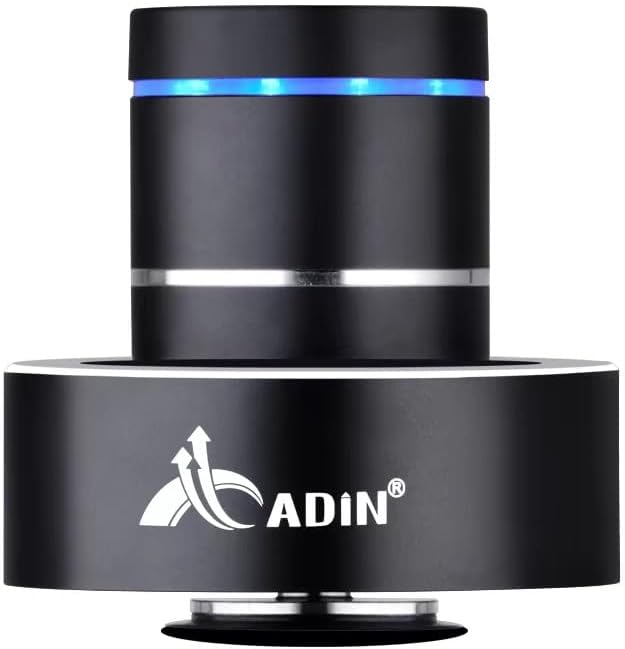
Figure 1: Adin S8BT Bone Conduction Vibration Speaker. This image displays the main unit of the speaker, showcasing its sleek black cylindrical design with a luminous blue accent ring and silver band. The speaker is designed to sit on a surface, utilizing bone conduction technology.

Figure 2: Adin S8BT Speaker and Included Accessories. This image shows the Adin S8BT speaker alongside its retail packaging, a USB charging cable, and an auxiliary audio cable, indicating the complete product package.
2. Негизги өзгөчөлүктөрү
- Сөөк өткөргүч технологиясы: Transforms any flat surface into a speaker, delivering immersive audio.
- Зымсыз туташуу: Seamlessly stream audio via Bluetooth from compatible devices.
- Компакт жана көчмө: Lightweight and small form factor for easy transport and placement.
- Интуитивдик башкаруулар: Simple touch controls for volume adjustment, track switching, and playback management.
- Көп максаттуу дизайн: Can function as a speaker, ambient lamp, or decorative item.
- Батареянын узак иштөө мөөнөтү: Built-in high-performance battery with Type-C socket charging.
3. Пакеттин мазмуну
Пакетиңизде бардык буюмдар бар экенин текшериңиз:
- Adin S8BT Bone Conduction Vibration Speaker
- USB заряддоо кабели (1 м)
- Auxiliary Audio Cable (1m)
- Instruction Manual (PDF version available online)
4. Техникалык шарттар
| Өзгөчөлүк | Спецификация |
|---|---|
| Модель аты | Adin S8BT Bone Conduction Speaker |
| Динамик түрү | Сөөк өткөргүч |
| Байланыш технологиясы | Bluetooth |
| Bluetooth диапазону | 10 метр |
| Башкаруу ыкмасы | тийүү |
| Power Source | Батарея менен иштейт |
| Динамиктин максималдуу чыгаруу күчү | 26 Ватт |
| Frequency Response | 18 KHz |
| Аудио чыгаруу режими | Стерео |
| Материал | Алюминий |
| Түс | Кара |
| Продукциянын өлчөмдөрү | 3.35"D x 3.35"W x 3.35"H |
| Элемент Салмагы | 2.2 фунт |
| Ички/тышкы колдонуу | Ички, сырткы |
| Суу өткөрбөйт | Жок |
5. Орнотуу колдонмосу
5.1 Алгачкы заряддоо
Before first use, fully charge the speaker. Connect the provided USB charging cable to the speaker's DC 5V port and the other end to a USB power adapter (not included) or a computer's USB port.

Figure 3: Adin S8BT Speaker Ports. This image shows the side of the speaker with the DC 5V charging port, ON/OFF/BT switch, and AUX input, indicating connectivity options.
5.2 Күйгүзүү/өчүрүү
Locate the ON/OFF switch on the side of the speaker. Slide it to the "ON" position to power on the device. Slide it to the "OFF" position to power off.
5.3 Placement for Optimal Sound
For the best audio experience, place the speaker on a flat, solid surface. Different surfaces will produce varying sound qualities and volumes due to the bone conduction technology. Experiment with surfaces like wood, glass, metal, or cardboard to find your preferred sound.
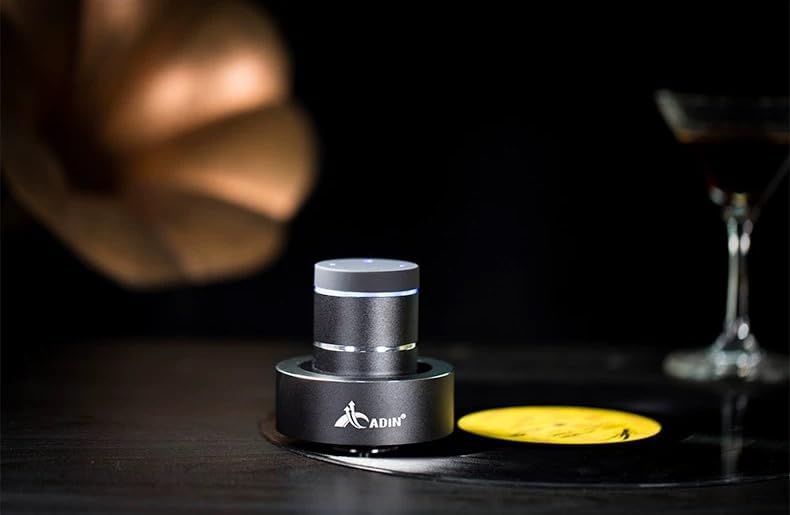
Figure 4: Adin S8BT Speaker in Use. This image depicts the Adin S8BT speaker placed on a flat surface, demonstrating its compact size and how it integrates into an environment for audio playback.
6. Иштөө нускамалары
6.1 Bluetooth жупташтыруу
- Ensure the speaker is powered on and in Bluetooth mode. The blue accent ring will likely flash, indicating it's ready for pairing.
- Смартфонуңузда же башка Bluetooth иштетилген түзмөгүңүздө Bluetooth жөндөөлөрүнө өтүңүз.
- Издөө available devices. The speaker should appear as "Adin S8BT" or similar.
- Select the speaker from the list to pair. Once paired, the blue light may become solid or change its flashing pattern.
6.2 Аудио ойнотуу
Once connected via Bluetooth, you can play audio from your device. Use the touch controls on the top of the speaker to manage playback:
- таптаңыз: Ойнотуу/Тыныгуу.
- Солго/Оңго сүрүү: Previous/Next Track.
- Кармап туруу: Volume Up/Down (specific gesture may vary, refer to quick start guide for precise touch controls).
6.3 AUX киргизүү
For devices without Bluetooth, use the provided auxiliary cable. Connect one end to the speaker's "Link In" port and the other end to your audio source's headphone jack.
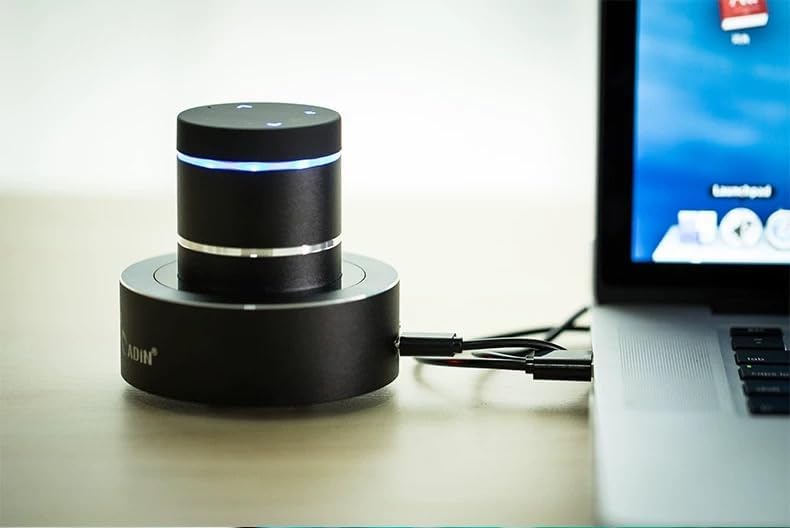
Figure 5: Adin S8BT Speaker with AUX Connection. This image illustrates the Adin S8BT speaker connected to a laptop via an auxiliary cable, demonstrating its wired connectivity option for audio input.
7. Техникалык тейлөө жана кам көрүү
- Тазалоо: Динамиктин бетин сүртүү үчүн жумшак, кургак чүпүрөктү колдонуңуз. Абразивдүү тазалоочу каражаттарды же эриткичтерди колдонбоңуз.
- Сактагыч: Динамикти түз күн нурунан жана өтө температурадан алыс салкын, кургак жерде сактаңыз.
- Суу таасири: Баяндамачы суу өткөрбөйтСууга же ашыкча нымдуулукка дуушар болбоңуз.
- Батареяга кам көрүү: Батареянын иштөө мөөнөтүн узартуу үчүн, батареяны тез-тез толук зарядсыздандырбаңыз. Аны көпкө чейин колдонбосоңуз да, үзгүлтүксүз заряддап туруңуз.
8. Кыйынчылыктарды
| Көйгөй | Мүмкүн себеп | Чечим |
|---|---|---|
| Динамиктен үн жок. | Speaker is off, not paired, or volume is too low. | Ensure speaker is ON. Re-pair Bluetooth. Increase speaker and device volume. Check surface contact. |
| Bluetooth аркылуу жупташтыруу мүмкүн эмес. | Динамик жупташтыруу режиминде эмес, түзмөктүн Bluetooth'у өчүк же өтө алыс туташып турат. | Ensure speaker is in pairing mode (flashing blue light). Turn device Bluetooth off/on. Move device closer to speaker (within 10m). |
| Үн сапаты начар. | Unsuitable surface, low battery, or interference. | Try placing on a different, more solid surface. Charge the speaker. Move away from other electronic devices. |
| Динамик заряддалбай жатат. | Кабель маселеси, кубат булагы маселеси же кир порт. | Check USB cable connection. Try a different USB port or power adapter. Ensure charging port is clean. |
9. Кепилдик жана колдоо
For information regarding warranty coverage, please refer to the warranty card included with your purchase or contact the manufacturer directly. Keep your proof of purchase for any warranty claims.
If you encounter issues not covered in this manual or require further assistance, please contact Adin customer support through their official webсайтка же продуктуну сатып алган сатуучуга.