
Introduction
Оurlife AI Translation Earbuds A38 are designed to facilitate real-time communication across language barriers. These earbuds offer advanced features including 144 language support, offline translation capabilities, Bluetooth 5.4 connectivity, and extended battery life. They function as a 3-in-1 device, combining translation, music playback, and call functionality. This manual provides essential information for setting up, operating, maintaining, and troubleshooting your earbuds.
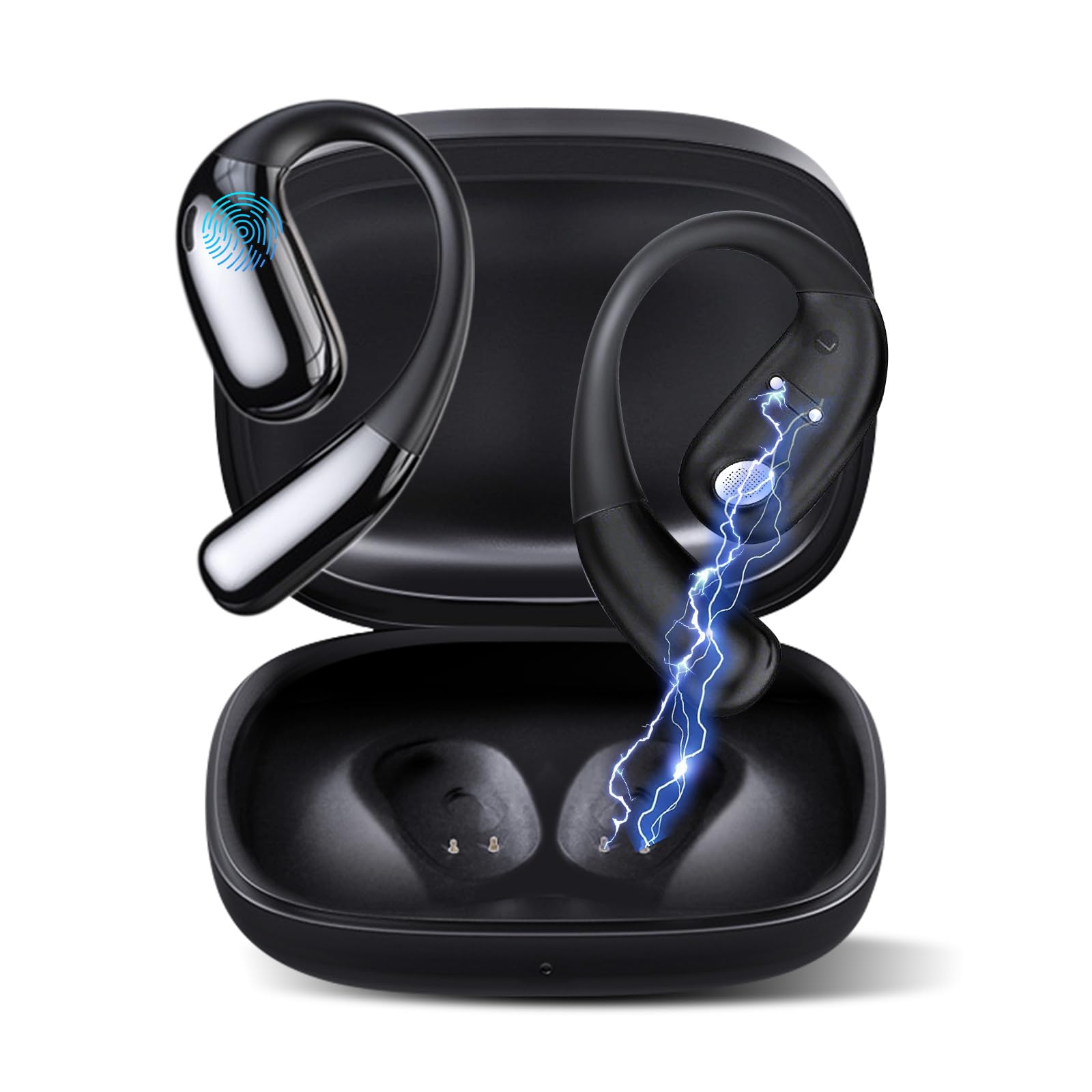
1-сүрөт: Оurlife AI Translation Earbuds A38 in use, highlighting key features.
Кутуда эмне бар
Пакетиңизде бардык буюмдар бар экенин текшериңиз:
- 2 x Translation Earbuds (Left and Right)
- 1 х заряддоо кутусу
- 1 x USB Type-C заряддоо кабели
- 1 x User Manual
Продукт бүттүview

Figure 2: Earbuds and charging case, illustrating 144 language support.

Figure 3: Offline translation in action, showing two users communicating.

Figure 4: Technical features and design elements of the earbuds.

Figure 5: The 'One Click' app interface and 3-in-1 functionality.

Figure 6: Ergonomic clip-on-ear design for comfort and stability.

Figure 7: Real-time translation capabilities with high accuracy.
Жайгашуу
1. Кулакчындарды жана кутуну кубаттоо
- Кулакчындарды заряддоо кутусуна салыңыз.
- USB Type-C заряддоо кабелин корпустагы кубаттоо портуна жана кубат булагына туташтырыңыз.
- The indicator lights on the case will show charging status. A full charge typically takes 1.5 hours.
2. Downloading the 'One Click' App
- Scan the QR code provided in the quick start guide or search for "One Click" in your device's app store (iOS or Android).
- Тиркемени смартфонуңузга орнотуңуз.
3. Смартфонуңуз менен жупташуу
- Кулакчындардын кубатталганын жана кубаттоочу кутучанын ичинде экенин текшериңиз.
- Open the charging case lid. The earbuds will enter pairing mode.
- Смартфонуңузда Bluetooth'ду иштетиңиз.
- In your phone's Bluetooth settings, select "Ourlife A38" from the list of available devices.
- Once paired, open the "One Click" app. The app will guide you through connecting the earbuds within the application.
4. Колдонмонун баштапкы орнотуусу
- Follow the on-screen instructions in the "One Click" app to select your native language and the target language for translation.
- Familiarize yourself with the different translation modes available.
Иштөө нускамалары
Котормо режимдери
Оurlife A38 earbuds support various translation modes via the "One Click" app:
- Эркин сүйлөшүү режими: Allows for natural, continuous conversation where the app automatically detects and translates spoken languages.
- Тийүү режими: Tap an earbud to speak, and the app translates. Tap again to end your turn. This is ideal for turn-based conversations.
- Динамик режими: One person wears an earbud, and the other speaks into the phone's microphone. Translations are played through the earbud and the phone's speaker.
- Аудио транскрипциясы: Transcribes and translates spoken audio in real-time, useful for meetings or lectures.
- Сүрөт котормосу: Use your phone's camera through the app to translate text from images.
- Оффлайн режими: For supported languages (Chinese, English, Japanese, Korean, Russian, German, French, Spanish), offline translation packages can be purchased within the app for use without an internet connection.
Музыка ойнотуу жана чалуулар
The earbuds also function as standard Bluetooth headphones:
- Музыка ойнотуу: Once paired, open your music application on your smartphone. Audio will play through the earbuds.
- Чалууларды кабыл алуу/кабыл алуу: When a call comes in, the earbuds will ring. Tap the touchpad on either earbud to answer or end a call.
- Сенсордук панелдин башкаруу элементтери: The earbuds feature touchpad controls for functions such as play/pause, skip tracks, answer/end calls, and activate voice assistant. Refer to the app or quick start guide for specific gestures.
Техникалык тейлөө
Тазалоо
- Кулакчындарды жана кубаттоочу кутуну жумшак, кургак, түксүз чүпүрөк менен акырын сүртүңүз.
- Абразивдүү тазалагычтарды, спиртти же химиялык эриткичтерди колдонбоңуз.
- Ар кандай тешиктерге ным кирүүдөн сактаңыз.
Батареяга кам көрүү жана сактоо
- Батареянын иштөө мөөнөтүн сактоо үчүн, көп колдонулбаса да, кулакчындарды жана кутучаны үзгүлтүксүз кубаттап туруңуз.
- Аппаратты түз күн нурунан жана экстремалдык температурадан алыс салкын, кургак жерде сактаңыз.
- Батареянын узак убакыт бою толугу менен түгөнүп калышынан алыс болуңуз.
Проблемаларды чечүү
| Маселе | Мүмкүн себеп | Чечим |
|---|---|---|
| Кулакчындар жупташкан жок | Bluetooth өчүк, кулакчындар жупташтыруу режиминде эмес, батареясы аз | Ensure Bluetooth is on. Place earbuds in case, close, then open lid to re-enter pairing mode. Charge earbuds and case. |
| No sound during translation/music | Volume too low, not connected to app, incorrect language settings | Increase phone volume. Verify earbuds are connected in the 'One Click' app. Check language settings in the app. |
| Translation inaccuracy or delay | Poor internet connection, background noise, speaking too fast | Ensure stable internet connection. Speak clearly and at a moderate pace. Reduce background noise. |
| App not recognizing earbuds | App glitch, Bluetooth connection issue | Close and restart the 'One Click' app. Disconnect and re-pair Bluetooth. Restart your smartphone. |
| Кулакчындар заряддалбай жатат | Cable issue, dirty charging contacts, faulty power source | Try a different USB-C cable and power adapter. Clean charging contacts on earbuds and case with a dry cotton swab. |
Техникалык шарттар
| Өзгөчөлүк | Деталь |
|---|---|
| Бренд | Ourlэгерде |
| Модель аты | A38 |
| Байланыш технологиясы | Bluetooth 5.4 |
| Шайкеш түзмөктөр | Смартфон (Android, iOS) |
| Өзгөчөлүктөр | AI-Powered Real-Time Translation, 144 Languages (74 languages + 70 accents), Offline Mode (8 languages available for purchase), Intelligent Noise Cancellation, 3D Spatial Audio, Quick Charge, Ergonomic Clip-on Design |
| Батареянын иштөө мөөнөтү (наушник) | Заряддоого 7 саатка чейин |
| Жалпы ойноо убактысы (заряддоо кутусу менен) | 60 саатка чейин |
| Заряддоо убактысы | Болжол менен 1.5 саат |
| Заряддоо порту | USB Type-C |
| Controller Type | Сенсордук панелди башкаруу |
| Sensor Technology | Noise Canceling |
| Материал | High-Grade ABS+PC |
Кепилдик жана колдоо
Кепилдик маалымат
Оurlife AI Translation Earbuds A38 come with a limited warranty. Please refer to the warranty card included in your product packaging or visit the official Ourlэгерде webтолук шарттары жана шарттары үчүн сайт.
Кардарларды колдоо
For technical assistance, troubleshooting, or further inquiries, please visit the official Ourlэгерде website or contact their customer support team. You can find more information and contact details at the OurlAmazon'догу ife дүкөнү.