1. Киришүү
Сатып алганыңыз үчүн рахматasing the Portable Mini Projector. This device is designed to provide a versatile and immersive viewing experience, supporting high-definition decoding and various connectivity options for both indoor and outdoor use. Please read this manual thoroughly before operating the projector to ensure proper use and to maximize its performance and lifespan.
2. Коопсуздук маалыматы
To prevent fire, electric shock, or damage to the projector, please observe the following safety precautions:
- Желдетүүчү тешиктерди жаппаңыз. Проектордун айланасында жетиштүү аба айлануусун камсыз кылыңыз.
- Do not expose the projector to rain or moisture. Keep it away from water sources.
- Проектор менен келген кубат адаптерин гана колдонуңуз.
- l болгондо проектордун объективине түз кароодон качыңызamp күйүп турат, анткени жаркыраган жарык көздүн чарчоосуна же зыянга алып келиши мүмкүн.
- Do not attempt to disassemble or modify the projector. Refer all servicing to qualified personnel.
- Проектор кулап калбашы үчүн аны туруктуу, түз жерге коюңуз.
- Keep the projector away from direct sunlight, heat sources, and extreme temperatures.
3. Пакеттин мазмуну
Сураныч, кутудан чыкканда пакеттин мазмунун текшериңиз:
- Портативдик мини проектор
- Кубаттуу адаптер
- Алыстан башкаруу (Батареялар кошулган эмес)
- HDMI кабели
- User Manual
4. Продукттун өзгөчөлүктөрү жана компоненттери
Familiarize yourself with the projector's key features and components:
- Проекциялык линза: Emits the image onto the screen or surface.
- Фокус шакеги: Проекцияланган сүрөттүн ачыктыгын тууралайт.
- Киргизүү порттору: HDMI, USB, AV, Memory Card slot for various device connections.
- Камтылган динамик: Аудио чыгарууну камсыз кылат.
- Вентиляция торлору: Жылуулукту бөлүп чыгаруу үчүн.
- Кубат баскычы: Проекторду күйгүзөт/өчүрөт.
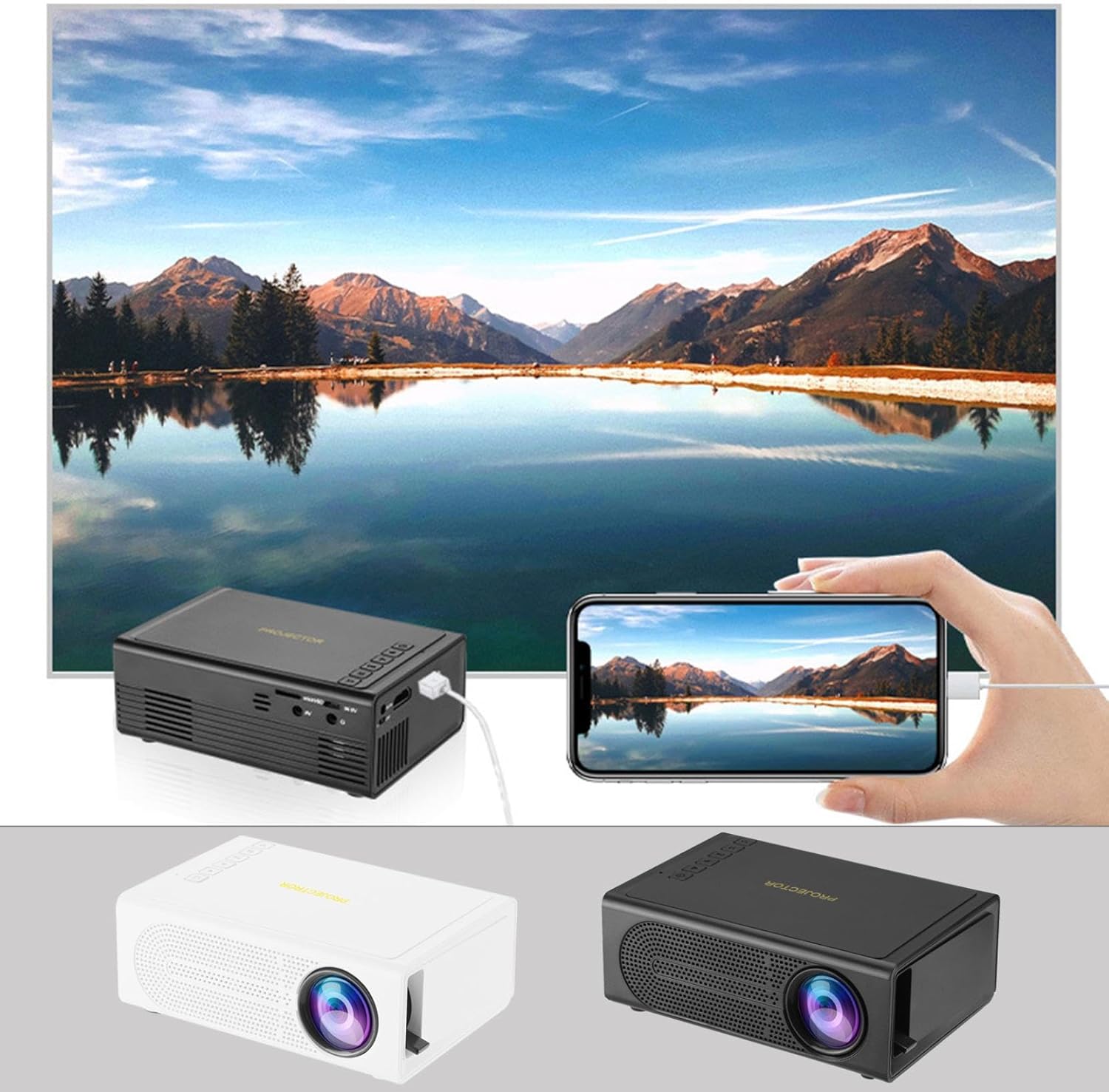
Image: The Portable Mini Projector in use, demonstrating its ability to mirror a smartphone screen onto a large display. Both black and white color options of the projector are shown.

Image: Physical dimensions of the projector, indicating its compact size.
5. Орнотуу
- Кубат туташуу: Connect the supplied power adapter to the projector's power input port and then plug it into a power outlet.
- Жайгашкан жери: Проекторду туруктуу, тегиз бетке коюңуз. Оптималдуу үчүн viewing, position the projector perpendicular to the projection surface (wall or screen).
- Күйгүзүү: Аппаратты иштетүү үчүн проектордун же пульттун кубат баскычын басыңыз.
- Фокусту тууралоо: Once powered on, rotate the focus ring on the projector until the projected image appears clear and sharp.
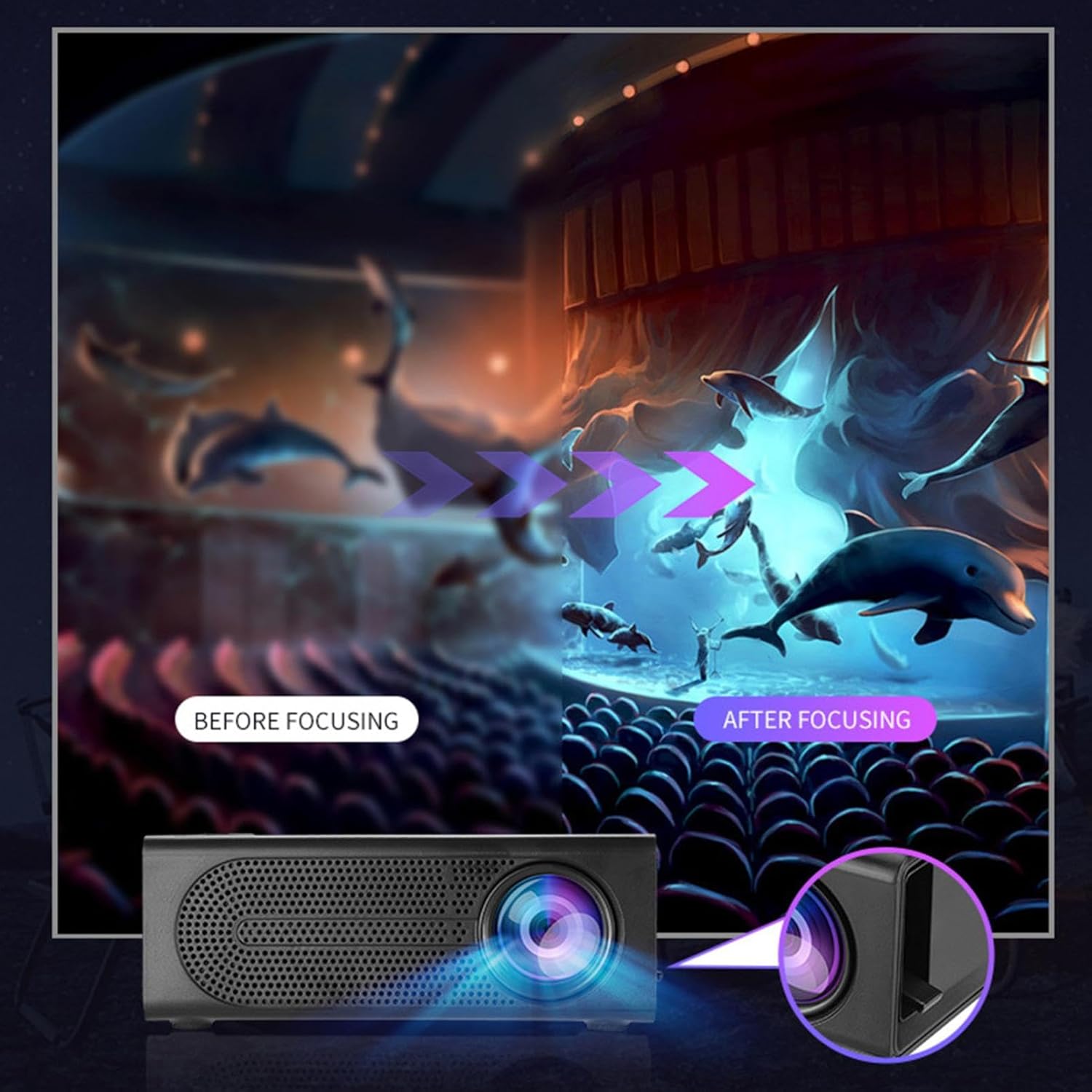
Image: Visual demonstration of focus adjustment, showing the difference between a blurry and a sharp image.
6. Иштөө нускамалары
6.1 Түзмөктөрдү туташтыруу
The projector supports various input sources. Select the appropriate input mode from the projector's menu after connecting your device.
- HDMI: Connect laptops, gaming consoles, DVD players, or other HDMI-enabled devices using an HDMI cable.
- USB: Медиа ойнотуу үчүн USB флеш-дискти салыңыз fileтүздөн-түз с.
- OF: Use an AV cable to connect older devices like VCRs or some set-top boxes.
- Эстутум картасы: Insert a compatible memory card to view сүрөттөр же видеолор.
- Смартфон/Планшет: For wired phone same screen playback, connect your smartphone or tablet via a compatible cable (e.g., USB to Lightning/USB-C for screen mirroring, if supported by your device and the projector).

Image: Connectivity diagram illustrating the wide range of devices compatible with the projector.
6.2 Adjusting Projection Size
The projector can project images ranging from 32 to 100 inches. The projection size is determined by the distance between the projector and the projection surface. Move the projector closer to the surface for a smaller image, and further away for a larger image.
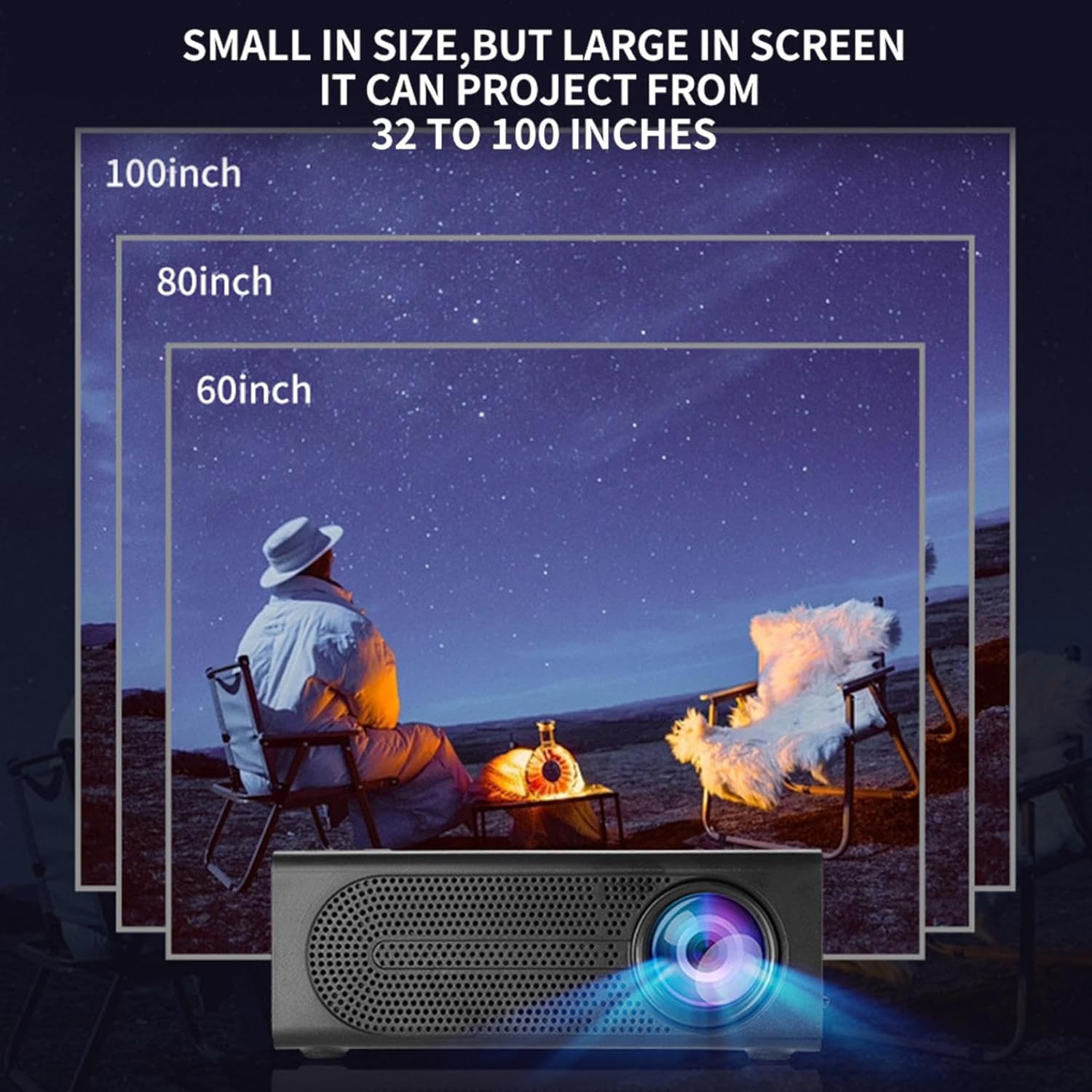
Image: Illustration of various projection sizes achievable with the projector, from 32 to 100 inches.
6.3 Колдонуу сценарийлери
This projector is suitable for a variety of environments and uses:
- Parent-child interaction: Enjoy movies or educational content with family.
- Outdoor cinema: Set up a movie night in your backyard.
- Bedroom projection: Watch content comfortably from your bed.
- Living room cinema: Transform your living space into a home theater.

Сүрөт: Мисamples of diverse usage scenarios for the projector, from indoor home theater to outdoor entertainment.

Image: Depiction of family entertainment using the projector, alongside a technical diagram explaining the benefit of diffuse reflection for eye comfort compared to direct-ray light from a TV.
7. Техникалык тейлөө
Проекторуңуздун узак мөөнөттүү иштешин жана оптималдуу иштешин туура тейлөө камсыз кылат:
- Линзаны тазалоо: Проектордун линзасын акырын сүртүү үчүн оптикалык линзалар үчүн атайын иштелип чыккан жумшак, мамыксыз чүпүрөктү колдонуңуз. Абразивдүү тазалоочу каражаттарды же ашыкча күч колдонбоңуз.
- Чаңды тазалоо: Regularly clean the ventilation grilles with a soft brush or compressed air to prevent dust buildup, which can affect cooling and performance.
- Сактагыч: Узак мөөнөткө пайдаланылбаганда, проекторду салкын, кургак жерде, тике күн нурунан жана экстремалдык температурадан алыс сактаңыз.
- Туура өчүрүү: Проекторду өчүрүүдөн же жылдыруудан мурун ар дайым кубат баскычын колдонуп өчүрүп, муздаганга мүмкүнчүлүк бериңиз.
8. Кыйынчылыктарды
Проекторуңузда көйгөйлөргө туш болсоңуз, төмөнкү жалпы көйгөйлөрдү жана чечимдерди караңыз:
| Көйгөй | Мүмкүн себеп | Чечим |
|---|---|---|
| Сүрөт чагылдырылган жок | Power not connected; Input source not selected; Lens cap on. | Ensure power is connected and unit is on; Select correct input source; Remove lens cap. |
| Сүрөт бүдөмүк | Фокус туураланган эмес; проектор экранга өтө жакын/алыс. | Фокус шакекчесин тууралаңыз; проекциялоо аралыгын тууралаңыз. |
| Үн жок | Үнү өтө төмөн; Аудио кабель туташтырылган эмес; Үнсүз. | Increase volume; Check audio connections; Unmute projector/source device. |
| Пульт иштебей жатат | Batteries dead/incorrectly inserted; Obstruction between remote and projector. | Replace batteries; Ensure clear line of sight to IR receiver. |
Бул чечимдерди колдонуп көргөндөн кийин көйгөй чечилбесе, кардарларды колдоо менен байланышыңыз.
9. Техникалык шарттар
- Продукт түрү: Портативдик мини проектор
- Бренд: Жалпы
- Шайкеш түзмөктөр: Laptop, Gaming Console, Tablet, Camera, Smartphone
- Сүрөттүн контраст катышы: Жогорку
- Проекциянын өлчөмү: 32ден 100 дюймга чейин
- Видеону чечмелөө: H.264, H.265
- Байланыш: HDMI, USB, AV, Memory Card
- Өлчөмдөрү: Approximately 5in (L) x 3.2in (W) x 1.9in (H) / 12.7cm (L) x 8.15cm (W) x 4.85cm (H)
10. Кепилдик жана колдоо
This product comes with a standard manufacturer's warranty. Please refer to the warranty card included in your package for specific terms and conditions. For technical support, troubleshooting assistance, or warranty claims, please contact the retailer or manufacturer's customer service department.
Кардарларды колдоо кызматы менен байланыш: Please refer to retailer or manufacturer webбайланыш маалыматы үчүн сайт.