
KTC H24V27
KTC 24-inch FHD 100Hz Computer Monitor User Manual
Model: H24V27
1. Киришүү
Thank you for choosing the KTC 24-inch FHD 100Hz Computer Monitor. This manual provides essential information for setting up, operating, and maintaining your monitor to ensure optimal performance and longevity. Please read this manual thoroughly before using the product.

Сүрөт 1.1: Алдыңкы view of the KTC 24-inch FHD 100Hz Computer Monitor.
2. Орнотуу
2.1 Пакеттин мазмуну
Пакетте бардык буюмдар бар экенин текшериңиз:
- Монитордун экраны x 1
- Стенд x 1
- HDMI кабели (1.5 м) x 1
- Кубат адаптери x 1
- QSGI (Quick Start Guide) x 1

Figure 2.1: Monitor dimensions, tilt range, and included accessories.
2.2 Стендди чогултуу
- Мониторду жана стенд компоненттерин таңгактан этияттык менен алып салыңыз.
- Тургучтун негизин тирөөчтүн мойнуна бекитип, аны берилген бурама менен бекитиңиз.
- Attach the assembled stand to the back of the monitor until it clicks into place or is securely fastened with screws, depending on the design.
2.3 Мониторду туташтыруу
The monitor supports various connectivity options:
- HDMI1.4: Connect to your computer or game console for high-definition video and audio. Supports up to 100Hz refresh rate.
- VGA: Connect to older systems or devices. Supports up to 75Hz refresh rate.
- Наушник джек: Connect external headphones or speakers for audio output.
Ensure the power adapter is connected to the monitor and a power outlet after all video connections are made.

Figure 2.2: Available connectivity ports on the KTC monitor.
2.4 VESA орнотуу
The monitor is compatible with 100mm x 100mm VESA mounts, allowing for alternative mounting solutions such as wall mounts or monitor arms (sold separately).
3. Мониторду иштетүү
3.1 Күйгүзүү/өчүрүү
Press the power button, usually located on the back or bottom of the monitor, to turn it on or off. The power indicator light will illuminate when the monitor is active.
3.2 Экрандагы дисплей (OSD) менюсу
Use the OSD joystick or buttons (location varies by model) to navigate and adjust monitor settings. Common settings include:
- Жарыктык/Контраст: Adjust image luminance and color depth.
- Түс жөндөөлөрү: Түс температурасын, гаммасын жана түс мейкиндигин так жөндөө.
- Киргизүү булагы: HDMI жана VGA киргизүүлөрүнүн ортосунда кол менен тандаңыз.
- Сүрөт режими: Select predefined modes for different content types (e.g., Standard, Game, Movie).
3.3 Негизги өзгөчөлүктөрү
This monitor is equipped with several features to enhance your viewтажрыйбасы:
- Толук HD (1920x1080) чечилиши: Ар кандай колдонмолор үчүн так жана курч сүрөттөрдү камсыз кылат.
- 100Hz жаңыртуу ылдамдыгы: Offers smoother motion and reduced input lag, especially beneficial for fast-paced content and gaming.

Figure 3.1: Visual representation of the smooth motion provided by the 100Hz refresh rate.
- VA Panel with 4000:1 Contrast Ratio: Delivers deep blacks and vibrant colors with a wide 178° viewбурч.
- HDR колдоо: Enhances image details in both bright and dark areas for a more dynamic visual experience.

Figure 3.2: Features contributing to realistic color reproduction and enhanced visual detail.
- FreeSync/G-Sync Compatible: Reduces screen tearing and stuttering for a fluid gaming experience when paired with compatible graphics cards.
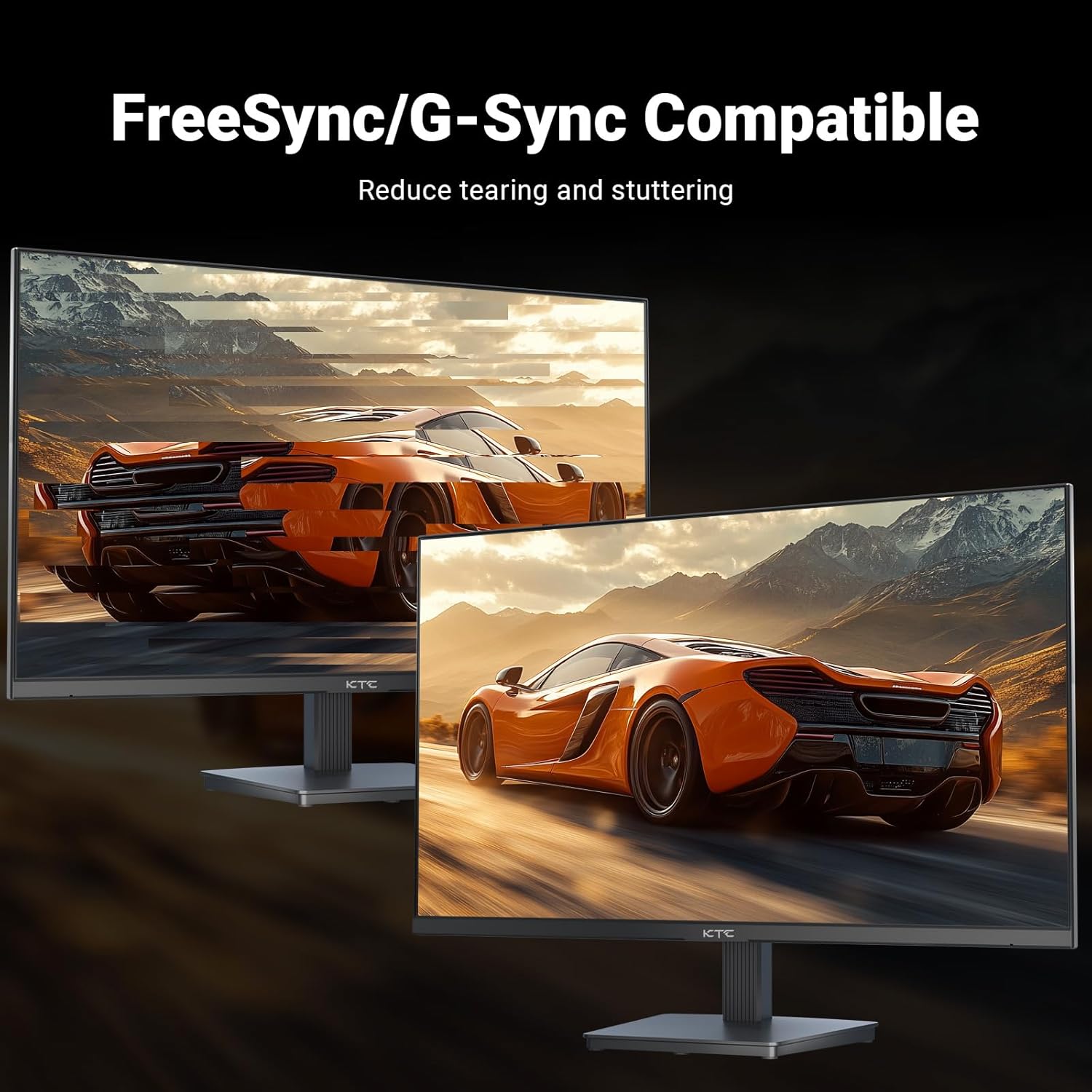
Figure 3.3: Demonstration of screen tearing reduction with FreeSync/G-Sync compatibility.
- Көзгө кам көрүү технологиясы: Features Flicker-free technology and Low Blue Light mode to reduce eye strain during prolonged use.
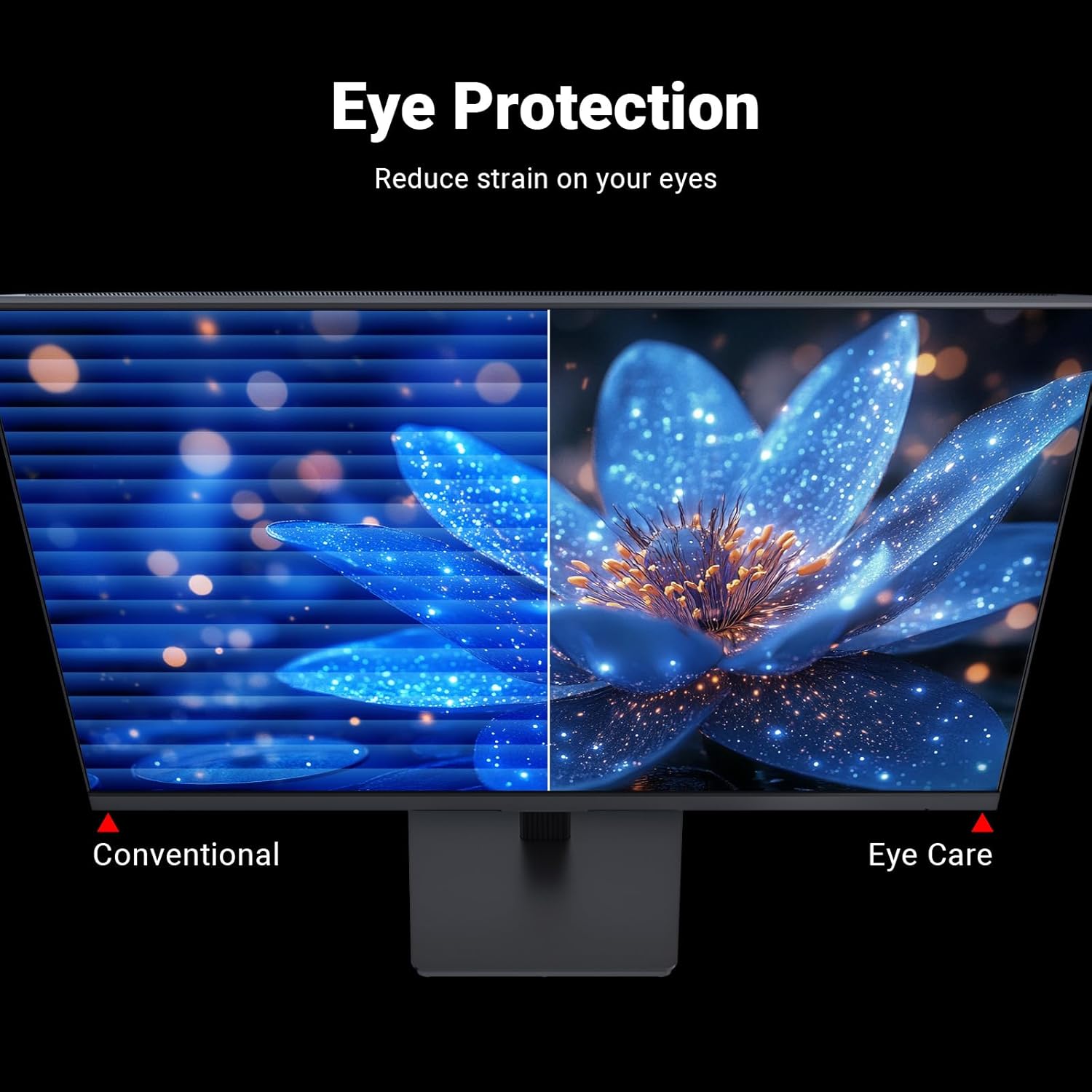
Figure 3.4: Visual comparison highlighting the benefits of eye protection features.
- Эргономикалык кыйшаюусу: Allows for tilt adjustment from -5° to 15° to find a comfortable viewбурч.
- 3-Sided Frameless Design: Maximizes screen space and is ideal for multi-monitor setups.

Figure 3.5: The 3-sided frameless design enhances multi-monitor viewing.
4. Техникалык тейлөө
4.1 Мониторду тазалоо
Монитордун экранын тазалоо үчүн аны жумшак, түксүз чүпүрөк менен акырын сүртүңүз. өжөр белгилер үчүн, гampчүпүрөктү бир аз аммиаксыз, спиртсиз айнек тазалагыч менен сүртүңүз. Тазалоочу каражатты түз эле экранга чачпаңыз.
Монитор үчүн casing, use a soft, dry cloth. Avoid using abrasive cleaners or solvents that may damage the surface.
4.2 Жалпы кам көрүү
- Монитор же анын кабелдерине оор нерселерди коюудан алыс болуңуз.
- Мониторду түз күндүн нуруна, ашыкча ысыкка же катуу суукка тийгизбеңиз.
- Мониторду суюктуктардан жана ашыкча нымдуулуктан алыс кармаңыз.
- Ашыкча ысып кетүүнүн алдын алуу үчүн монитордун айланасында туура желдетүүнү камсыз кылыңыз.
5. Кыйынчылыктарды
If you encounter issues with your monitor, please refer to the following common solutions before contacting customer support:
| Көйгөй | Мүмкүн себеп | Чечим |
|---|---|---|
| Экранда сүрөт жок | Электр кабели ажыратылган; Видео кабели ажыратылган; Туура эмес киргизүү булагы тандалды. | Кубат жана видео кабелдердин туташууларын текшериңиз; OSD менюсу аркылуу туура киргизүү булагын тандаңыз. |
| Сүрөт бүдөмүк же бурмаланган | туура эмес чечим; Бошогон видео кабели. | Set the display resolution to 1920x1080; Ensure video cable is securely connected. |
| Аудио жок | Аудио кабель туташкан эмес; Үнү өтө төмөн; Компьютерде туура эмес аудио чыгышы тандалды. | Ensure headphones/speakers are connected to the earphone jack; Adjust volume; Check PC audio settings. |
| Экрандын бүлбүлдөөсү | Жаңыртуу ылдамдыгы дал келбейт; Бузулган кабель. | Ensure refresh rate is set to 100Hz (or 75Hz for VGA); Try a different video cable. |
6. Техникалык шарттар
| Өзгөчөлүк | Деталь |
|---|---|
| Модель номери | H24V27 |
| Screen Size | 23.8 inches (24-inch class) |
| Панел түрү | VA |
| Резолюция | 1920 x 1080 (FHD 1080p) |
| Жаңыртуу ылдамдыгы | 100Hz (HDMI), 75Hz (VGA) |
| Аспект катышы | 16:9 |
| Контраст катышы | 4000:1 |
| Viewбурч | 178° (горизонталдуу/вертикалдуу) |
| HDR колдоо | Ооба |
| Түс гаммасы | 103% sRGB coverage |
| Байланыш | 1x HDMI 1.4, 1x VGA, 1x Earphone Jack |
| VESA шайкештиги | 100мм x 100мм |
| Тилтти тууралоо | -5°тан 15°ка чейин |
| Продукциянын өлчөмдөрү (L x W x Y) | 4 x 24 x 18 дюйм |
| Элемент Салмагы | 9.38 фунт |
| Screen Surface | Мт |
7. Кепилдик жана колдоо
KTC is committed to providing quality products and excellent customer service. Your monitor comes with a 3 жылдык сапат кепилдиги жана өмүр бою техникалык колдоо.
If you have any questions, require technical assistance, or need to claim warranty service, please do not hesitate to contact KTC customer support. We aim to provide solutions within 24 hours.
For the most up-to-date contact information, please visit the official KTC webсайтына же сатып алуу документтериңизде берилген байланыш маалыматына кайрылыңыз.
Ask a question about this manual
Ask about setup, troubleshooting, compatibility, parts, safety, or missing instructions. Manuals+ will review the question and use this page’s manual context to help answer it.