
BoxWave DirectSync Cable for Thinkcar CJS101
BoxWave DirectSync Cable User Manual
Model: DirectSync Cable for Thinkcar CJS101
Introduction
The BoxWave DirectSync Cable is designed to provide reliable and efficient charging and data transfer for your Thinkcar CJS101 device. This cable supports Hi-Speed USB 2.0 data transfers, ensuring quick synchronization of information. Its robust construction, including reinforced strain reliefs, is engineered for durability and long-term performance. This manual provides essential information on the cable's features, proper setup, operation, maintenance, and technical specifications.

Image: The BoxWave DirectSync Cable shown alongside a Thinkcar CJS101 diagnostic tool, illustrating the cable's connection capability.
Негизги өзгөчөлүктөрү
- Hi-Speed USB 2.0 Support: Enables rapid data transfers for efficient synchronization of your device.
- Dual-Functionality: Simultaneously charges your device while transferring data, offering convenience and efficiency.
- Туруктуу курулуш: Features a shielded cable design and strong rubberized grommet strain reliefs to prevent kinks and splitting, ensuring a long product lifespan.
- Оптималдуу узундук: Provides a generous length for flexible use without restricting device placement during charging or data transfer.

Image: A visual representation highlighting the cable's ability to both charge a device and synchronize data simultaneously.

Сүрөт: деталдуу view of the cable's reinforced strain relief, designed to enhance durability and prevent damage at the connector points.
Жайгашуу
- Туташтыргычтарды аныктоо: The DirectSync Cable features a standard USB-A connector on one end and a Micro-USB connector on the other.
- Кубат булагына/Компьютерге туташуу: Insert the USB-A end of the cable into a compatible USB port on a computer, wall adapter, or power bank.
- Түзмөккө туташуу: Carefully insert the Micro-USB end of the cable into the corresponding port on your Thinkcar CJS101 device. Ensure the connector is oriented correctly to avoid damage.
- Байланышты текшерүү: Once connected, your device should indicate that it is charging or that a data connection has been established.
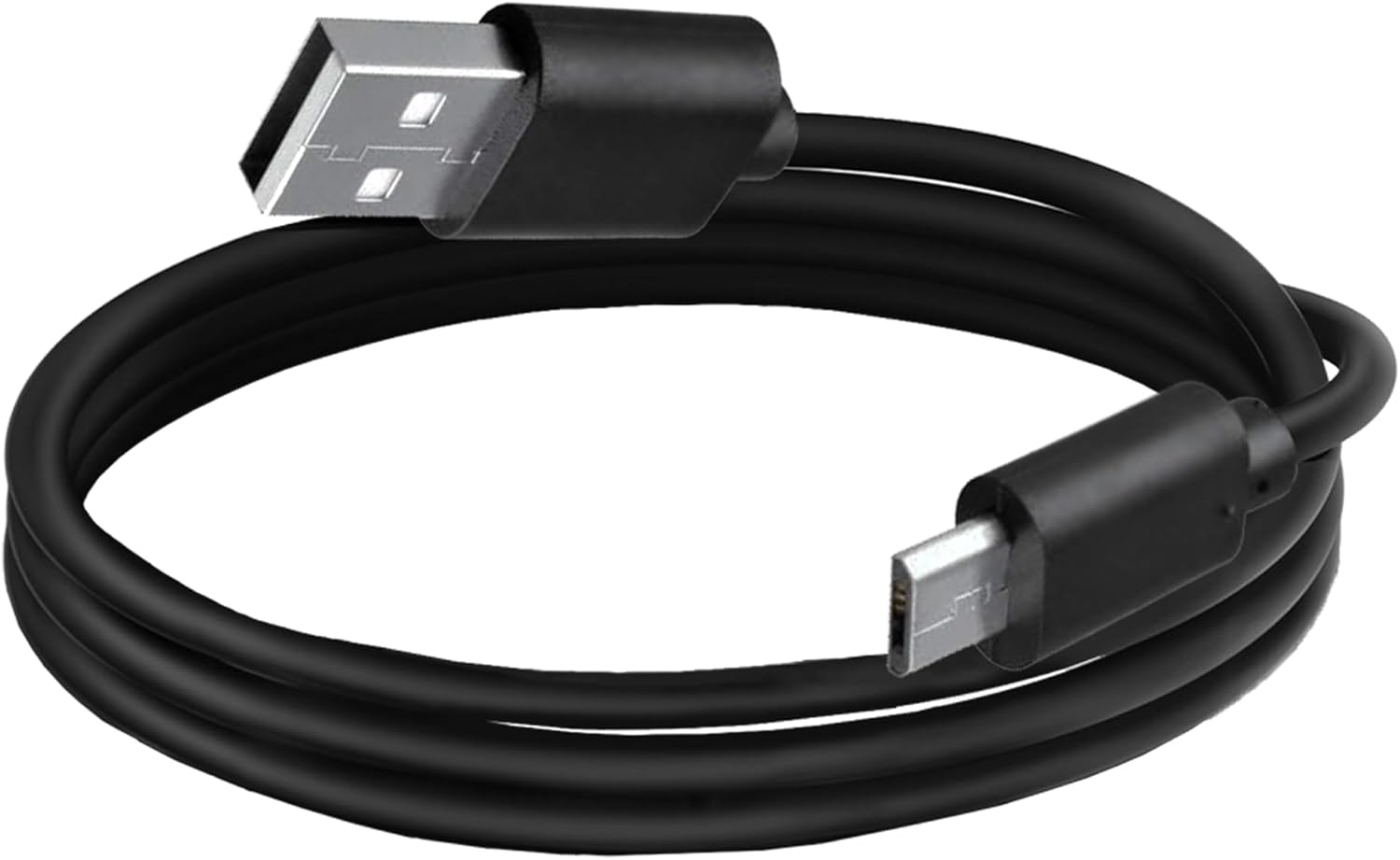
Image: The BoxWave DirectSync Cable, coiled, showing both the USB-A and Micro-USB connectors.
Иштеп жатат
Түзмөгүңүздү заряддоо
To charge your Thinkcar CJS101, connect the DirectSync Cable to a power source (e.g., USB wall adapter, computer USB port, or power bank) and then to your device. The device's battery indicator will show charging status.
Маалыматтарды өткөрүү
For data transfer, connect the DirectSync Cable between your Thinkcar CJS101 and a computer. Your computer should recognize the device, allowing you to access its storage for file management. Ensure your device is in the correct mode for data transfer if prompted.

Image: The DirectSync Cable actively connecting a smartphone to a laptop, demonstrating its charge and sync capabilities.
Техникалык тейлөө
- Сактагыч: When not in use, coil the cable loosely. Avoid tight coiling or sharp bends, which can damage internal wires.
- Тазалоо: Use a soft, dry cloth to wipe the cable and connectors. Do not use harsh chemicals or abrasive materials.
- Колдонуу: Always grasp the connector head when plugging or unplugging the cable. Avoid pulling directly on the cable itself, as this can strain the connections.
- Экологиялык шарттар: Keep the cable away from extreme temperatures, direct sunlight, and moisture to prevent degradation.

Сүрөт: жакын план view of the cable's reinforced strain relief, emphasizing its design for durability and resistance to wear.
Проблемаларды чечүү
| Көйгөй | Мүмкүн себеп | Чечим |
|---|---|---|
| Түзмөк заряддалбай жатат. | Loose connection, faulty power source, damaged cable. | Ensure cable is securely plugged into both device and power source. Try a different USB port or wall adapter. Inspect cable for visible damage. |
| Маалыматтарды өткөрүү иштебей жатат. | Incorrect device mode, driver issues, loose connection. | Check device settings to ensure it's in data transfer mode. Restart computer and device. Ensure cable is fully inserted. |
| Slow charging/data transfer. | Using a low-power USB port, background processes. | Use a high-power USB port (e.g., directly on computer, not a hub). Close unnecessary applications on your computer. |
Техникалык шарттар
| Атрибут | Деталь |
|---|---|
| Продукт аты | BoxWave DirectSync Cable |
| Шайкештик | Thinkcar CJS101 and other Micro-USB devices |
| USB стандарты | USB 2.0 (Жогорку ылдамдыкта) |
| Маалыматтарды өткөрүү ылдамдыгы | 480 Мбит/сек чейин |
| Туташтыргычтар | USB-A to Micro-USB |
| Элемент Салмагы | 1.7 унция |
| Өндүрүүчү | BoxWave |
| Келип чыккан өлкө | Кытай |

Image: A summary graphic detailing key specifications such as simultaneous charge and sync, reinforced strain relief, cable length, and USB standard.
Кепилдик жана колдоо
For product support, BoxWave offers limited 3rd party technical assistance for your device, available for up to 3 inquiries via messaging. Please note that this support is not affiliated with or endorsed by Thinkcar.
For any issues or questions regarding your BoxWave DirectSync Cable, please contact BoxWave customer service through the platform where the product was purchased or visit the official BoxWave webбайланыш маалыматы үчүн сайт.
Ask a question about this manual
Ask about setup, troubleshooting, compatibility, parts, safety, or missing instructions. Manuals+ will review the question and use this page’s manual context to help answer it.