
1. Продукт бүтүп калдыview
The JEYI 40Gbps USB4 M.2 Enclosure with Fan is a high-performance external adapter designed for M.2 2280 NVMe Solid State Drives (SSDs). It supports data transfer speeds up to 40Gbps, making it suitable for demanding tasks such as 8K RAW video transfers. The enclosure features a built-in PWM fan for efficient temperature control and is constructed from aluminum alloy for superior heat dissipation. It is compatible with a wide range of devices supporting USB4, Thunderbolt 3/4, USB 3.2, and USB 3.1/3.0 interfaces.
Негизги өзгөчөлүктөрү:
- Жогорку ылдамдыктагы маалыматтарды өткөрүп берүү: USB4.0 Type-C interface, offering up to 40Gbps. Utilizes an ASM2464 chip for compatibility with Thunderbolt 3/4. Achieves read speeds of 3800MB/s and write speeds of 3300MB/s.
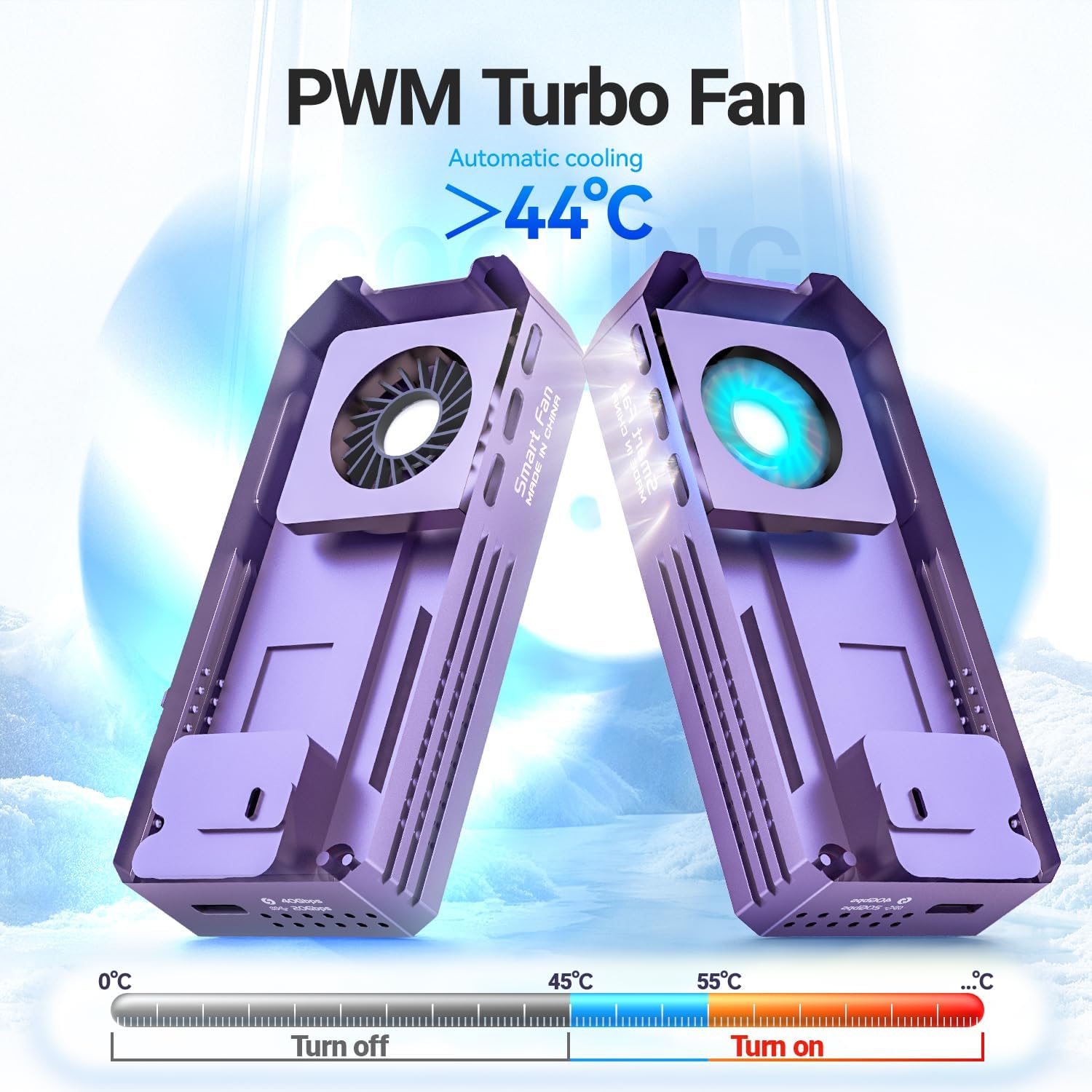
- Натыйжалуу муздатуу системасы: Equipped with a built-in PWM fan that activates automatically when the hard drive's operating temperature exceeds 44°C (111°F) to prevent overheating and maintain performance.
- Кеңири шайкештик: Supports USB4, Thunderbolt 3/4, USB 3.2 Gen 2x2 (20Gbps), USB 3.1 (10Gbps), and USB 3.0. Designed for M/B+M Key NVMe SSDs, specifically 2280 size, with capacities up to 8TB.
- Туруктуу курулуш: Full aluminum alloy body ensures excellent heat dissipation and robust protection for the installed SSD. Includes thermal pads for enhanced heat transfer.
- Plug-and-Play: Simple installation process with included screwdriver. Tested for compatibility with Windows and macOS.
2. Пакеттин мазмуну
Төмөндө тизмеленген нерселердин баары пакетиңизге камтылганын текшериңиз:
- USB4.0 M.2 NVMe Enclosure
- Thunderbolt 4/3 Cable
- Термикалык жаздыкчалар
- Screwdriver
- Ачкыч чынжырчасы кармагыч
- DIY этикеткалар
- Сактоочу баштык

3. Орнотуу боюнча колдонмо
M.2 NVMe SSD дискиңизди корпуска орнотуу үчүн төмөнкү кадамдарды аткарыңыз:
- Unscrew the Cover: Use the provided screwdriver to loosen the screw on the enclosure and carefully remove the back cover.
- SSD салыңыз: Gently slide your M.2 2280 NVMe SSD into the M.2 slot inside the enclosure. Ensure it is fully seated.
- Apply Thermal Pads: Place the included thermal pads onto the SSD to ensure optimal heat transfer to the enclosure's aluminum body.
- Капкакты бекитиңиз: Replace the back cover and tighten the screw to secure it.
- Кабелди туташтыруу: Plug the Thunderbolt 4/3 cable into the enclosure's USB-C port and connect the other end to your computer or compatible device.
Video Installation Guide:
Video 3.1: Visual guide demonstrating the installation of an M.2 2280 NVMe SSD into the JEYI 40Gbps USB4 M.2 Enclosure.
4. Иштөө нускамалары
Once the SSD is installed and the enclosure is connected to your device, it will function as an external storage drive. Ensure your operating system recognizes the new drive. You may need to format the SSD if it is new or if you wish to change its file системасы.
Маалыматтарды өткөрүү ылдамдыгы:
The enclosure supports various transmission protocols. For optimal performance, connect to a USB4 or Thunderbolt 3/4 port to achieve speeds up to 40Gbps. Connection to USB 3.2 Gen 2x2 ports will yield 20Gbps, while USB 3.2 Gen 2 or USB 3.1 ports will provide 10Gbps.

PWM Fan Operation:
The integrated PWM fan is designed for automatic temperature regulation. It will activate when the internal temperature of the SSD reaches or exceeds 44°C (111°F) to maintain stable operating temperatures and prevent thermal throttling. The fan will turn off when the temperature drops below this threshold.

5. Техникалык тейлөө
To ensure the longevity and optimal performance of your JEYI M.2 Enclosure, consider the following maintenance tips:
- Тазалоо: Periodically clean the exterior of the enclosure with a soft, dry cloth. Avoid using liquid cleaners directly on the device.
- Thermal Pads: The included thermal pads are crucial for heat dissipation. If you ever need to replace the SSD, ensure new thermal pads are applied to maintain efficient cooling.
- Сактагыч: When not in use, store the enclosure in a cool, dry place, preferably in the provided storage bag, to protect it from dust and physical damage.
6. Кыйынчылыктарды
If you encounter issues with your JEYI M.2 Enclosure, refer to the following common problems and solutions:
- Түзмөк таанылган жок:
- Ensure the SSD is correctly seated in the M.2 slot and the enclosure cover is securely closed.
- Try connecting the enclosure to a different USB-C or Thunderbolt port on your computer.
- Verify that the SSD is properly formatted for your operating system. New SSDs often require initialization and formatting through Disk Management (Windows) or Disk Utility (macOS).
- Test with a different Thunderbolt 4/3 cable if available.
- Жай берилиштерди өткөрүү ылдамдыгы:
- Ensure you are connected to a USB4 or Thunderbolt 3/4 port for maximum speeds. Older USB ports will result in lower speeds.
- Check if the SSD is a genuine NVMe drive. SATA M.2 SSDs are not supported by this enclosure.
- Confirm that your computer's drivers for USB/Thunderbolt ports are up to date.
- Ашыкча ысып кетүү:
- Ensure the thermal pads are correctly placed on the SSD to facilitate heat transfer to the aluminum casing.
- Verify that the fan is operating when the enclosure is under heavy load and feels warm. The fan activates above 44°C.
- Avoid obstructing the fan vents on the enclosure.
- Compatibility with AMD Systems:
- While fully compatible with Intel and Apple systems, the enclosure (ASM2464PDX) may experience issues with some AMD-based devices, primarily limited to their USB4.0 and Thunderbolt interfaces.
- Standard USB 3.2 ports on AMD systems are unaffected and will function normally.
- AMD users are strongly recommended to verify compatibility with their specific hardware before purchase.
7. Техникалык шарттар
| Өзгөчөлүк | Деталь |
|---|---|
| Модель номери | 2464-фан |
| Аппараттык интерфейс | Thunderbolt 3, Thunderbolt 4, USB 3.1 Type C, USB 3.2 Gen 2x2, USB Type C |
| Бренд | JEYI |
| Түс | Кызгылт көк |
| Продукциянын өлчөмдөрү (L x W x Y) | 3.94" x 1.73" x 0.71" (100 мм x 44 мм x 18 мм) |
| Аппараттык платформа | PC, Pads, Laptop |
| Эстутум сактоо сыйымдуулугу (макс) | 8 ТБ |
| Шайкеш түзмөктөр | Компьютер, оюн консолу, ноутбук, смартфон, планшет |
| Катуу диск форма фактору | M.2 2280 NVMe SSD (M-Key, B+M Key) |
| Маалыматтарды өткөрүү ылдамдыгы | Up to 3800 MB/s Read, 3300 MB/s Write (40Gbps) |
| Коргоочу материал | Алюминий эритмеси |
| Элемент Салмагы | 80 грамм |
| Муздатуу | Built-in PWM Fan (activates > 44°C) |
8. Кепилдик жана колдоо
This JEYI product comes with a 2 Жыл Чектелген Кепилдик. For warranty claims or technical support, please contact JEYI customer service through their official webпродукт сатылып алынган сайт же платформа.
JEYI Official Webсайт: www.jeyi.com