
1. Киришүү
This manual provides essential information for the safe and efficient operation of your WEMAX S5 Laser Projector. Please read this manual thoroughly before using the product and retain it for future reference.
The WEMAX S5 is a portable laser projector featuring ALPD technology, native 1080P resolution, 500 ISO lumens brightness, HDR10 support, and integrated smart streaming capabilities including officially licensed Netflix. It also includes 2x5W Dolby Audio speakers and dual-band WiFi for enhanced connectivity.
2. Коопсуздук маалыматы
ЭСКЕРТҮҮ: ЛАЗЕР РАДИАЦИЯСЫ
- Do not stare directly into the projector lens when the device is operating.
- Лазердик нурга түздөн-түз көз тийбеңиз.
- Аппаратты балдардан алыс кармаңыз.
- Ашыкча ысып кетүүнүн алдын алуу үчүн туура желдетүүнү камсыз кылыңыз.
- Проектор менен кошо берилген кубат адаптерин гана колдонуңуз.
- Проекторду бөлүктөргө бөлүүгө же өзгөртүүгө аракет кылбаңыз. Бардык тейлөө иштерин квалификациялуу адистерге тапшырыңыз.
- Проекторду туруксуз беттерге коюудан алыс болуңуз.
The WEMAX S5 includes a Smart Eye Protection feature that dims the light and pauses projection when an object or person is detected in front of the lens. This is designed to enhance user safety.
3. Пакеттин мазмуну
Пакетте бардык буюмдар бар экенин текшериңиз:
- Smart Projector (WEMAX S5)
- Кубаттуу адаптер
- User Manual
- Алыстан башкаруу
- International Plug Adapters (various types)
- USB-C Cable
- Алыстан башкаруу үчүн AAA батареялары

Image: The WEMAX S5 Laser Projector and its remote control, as typically found in the package.
Video: An unboxing video demonstrating the contents of the WEMAX S5 Laser Display Projector package, including the projector unit, power adapter, remote control, and various international plug adapters.
4. Продукт бүтүп калдыview
4.1 Фронт View
Image: The front of the WEMAX S5 projector, showing the lens and indicator lights.
- Проектордун линзасы: Сүрөттү чыгарат.
- Сенсорлор: For auto-focus and eye protection.
4.2 Арткы View (Туташуу порттору)
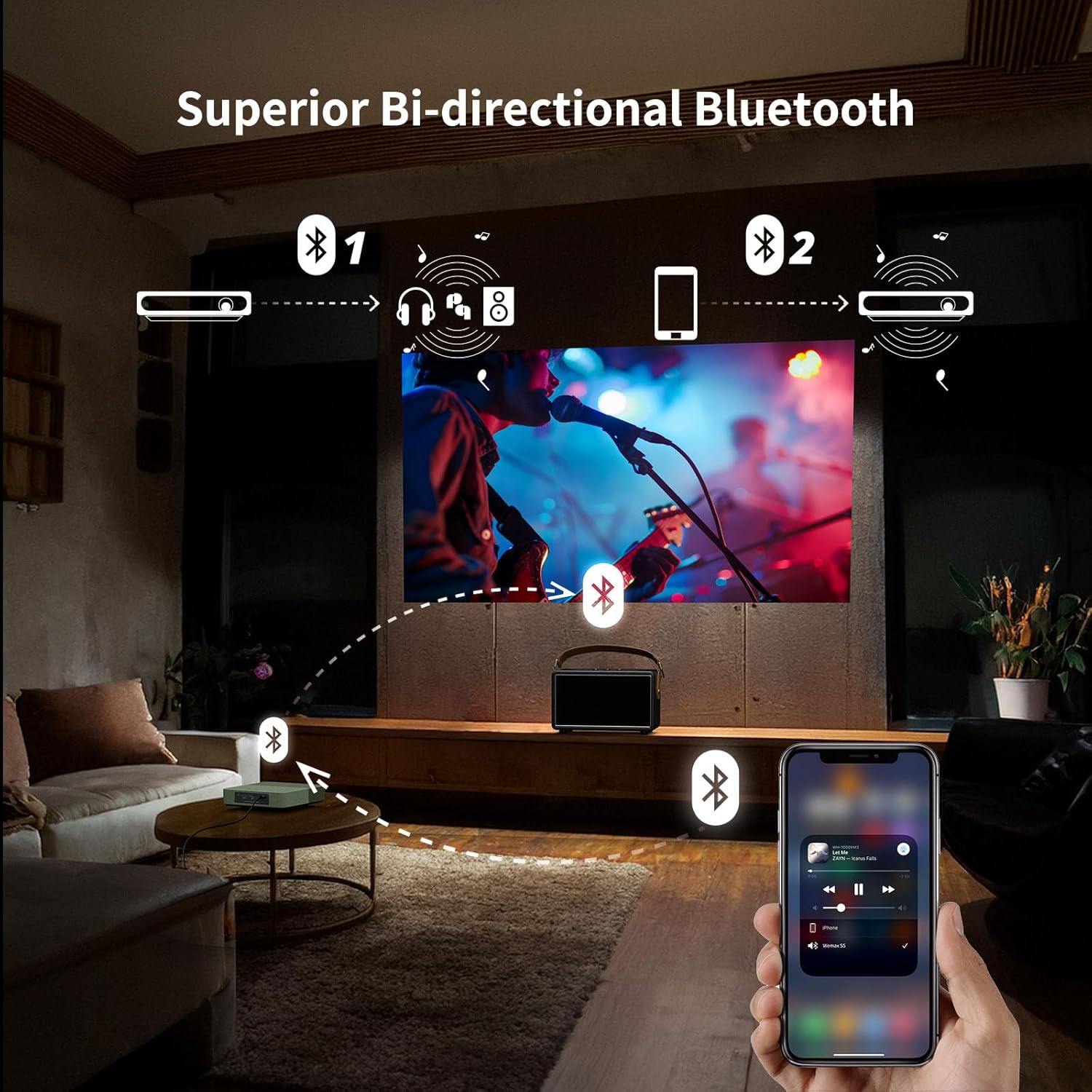
Image: The rear panel of the WEMAX S5 projector, displaying various input and output ports.
- Кубат баскычы: Проекторду күйгүзүү/өчүрүү үчүн.
- USB 2.0 порт: For connecting USB devices (e.g., flash drives for media playback, firmware updates).
- HDMI порту: For connecting external video sources (e.g., game consoles, laptops, Blu-ray players).
- 3.5 мм аудио уячасы: Тышкы кулакчындарды же динамиктерди туташтыруу үчүн.
- USB-C кубат киргизүү: For connecting the power adapter or a compatible 65W power bank.
4.3 Жогорку жана төмөнкү Views
Сүрөт: Жогорку view of the WEMAX S5 projector, highlighting its compact design and fabric finish.
- Динамик тор: Интеграцияланган стерео динамиктер.
- Монтаждык жип: Standard thread for tripod or ceiling mount.
5. Орнотуу
- Кубат туташуу: Connect the power adapter to the USB-C port on the projector and then to a power outlet. Alternatively, use a compatible 65W power bank for portable use.
- Жайгашкан жери: Place the projector on a stable, flat surface or mount it on a tripod. Ensure the lens is facing the projection surface (wall or screen).
- Күйгүзүү: Аппаратты иштетүү үчүн проектордун же пульттун кубат баскычын басыңыз.
- Баштапкы орнотуу: Follow the on-screen instructions to complete the initial setup, including language selection, network connection (Wi-Fi), and account login for streaming services.
- Автоматтык жөндөөлөр: The projector features automatic keystone correction and auto-focus for quick and clear image alignment.

Image: Illustration of the projector's auto keystone, auto focus, and 50%-100% zoom features for quick setup.
Video: A first look at the WEMAX S5 Portable Laser Projector, demonstrating its features and ease of setup.
6. Иштөө нускамалары
6.1 Smart Operating System & Streaming
The WEMAX S5 runs on a smart Linux-based operating system with pre-installed applications like Netflix, YouTube, and Prime Video. Access additional apps via the dedicated App Store.

Image: The projector's interface showing one-click access to pre-installed streaming applications like Netflix, YouTube, and Prime Video.
6.2 Image Quality & ALPD Technology
Experience native 1080P resolution with 500 ISO lumens brightness and HDR10 support. The advanced ALPD (Advanced Laser Phosphor Display) technology ensures vibrant colors, sharp details, and high contrast.

Image: Illustration of the true brightness and clarity of 1080P resolution with ALPD technology on the WEMAX S5 versus other 720P projectors.
6.3 Аудио өзгөчөлүктөрү
The projector is equipped with 2x5W Dolby Audio speakers, providing an immersive cinematic sound experience. It also supports bi-directional Bluetooth, allowing it to function as a standalone Bluetooth speaker or connect to external Bluetooth audio devices.

Image: Visual representation of the WEMAX S5's 2x5W Dolby Audio speakers delivering cinematic sound.
6.4 Smart Eye Protection
The projector features an Eye Guard function that uses a ToF laser sensing module to detect when someone is in front of the projected image. It automatically dims the light and pauses projection to protect viewers' eyes.

Image: Diagram illustrating the Smart Eye Protection feature, showing the laser sensing module detecting a child in the projection path and dimming the light.
7. Байланыш
The WEMAX S5 offers multiple connectivity options:
- Wi-Fi: Supports 2.4G/5G dual-band Wi-Fi for fast and stable wireless streaming and screen mirroring.
- Bluetooth: Bi-directional Bluetooth for connecting to mobile devices as a speaker or pairing with external Bluetooth speakers/headphones.
- HDMI: Connect external devices such as laptops, game consoles, or Blu-ray players.
- USB 2.0: USB сактагыч түзмөктөрүн медиа ойнотуу же микропрограмманы жаңыртуу үчүн туташтыруу үчүн.
- 3.5 мм аудио уячасы: For wired audio output to headphones or external speakers.
- USB-C: Power input, also supports power from a 65W power bank for portability.

Image: Diagram showing various devices that can be connected to the WEMAX S5, including mobile hard disks, USB drives, PCs, game consoles, soundbars, and headsets.
Видео: Кыска видео көрсөтүүasing the WEMAX S5 Portable Laser Projector being used for outdoor entertainment, highlighting its portability and power bank compatibility.
8. Техникалык тейлөө
- Линзаны тазалоо: Оптикалык линзалар үчүн атайын жасалган жумшак, түксүз кездемени колдонуңуз. Абразивдүү тазалагычтарды же эриткичтерди колдонбоңуз.
- Тышкы тазалоо: Wipe the projector's exterior with a soft, dry cloth. For stubborn stains, use a slightly damp кездеме жана жумшак жуугуч, андан кийин кургатыңыз.
- Вентиляция: Ашыкча ысып кетүүнүн алдын алуу үчүн желдетүү тешиктери тоскоолдуктардан таза экенине ынаныңыз.
- Сактагыч: Проекторду узак убакыт бою колдонбогон учурда, аны салкын, кургак, чаңдан жана өтө жогорку температурадан корголгон жерде сактаңыз.
- Оптикалык кыймылдаткыч: The WEMAX S5 features a fully sealed optical engine to prevent dust pollution and extend lifespan.

Image: Illustration of the fully sealed optical engine design, which helps prevent dust accumulation and extends the projector's lifespan compared to semi-enclosed or open light engines.
9. Кыйынчылыктарды
| Көйгөй | Мүмкүн себеп | Чечим |
|---|---|---|
| Сүрөт көрсөтүлгөн жок | Power not connected, input source incorrect, lens cap on. | Check power connection, select correct input source (HDMI), remove lens cap. |
| Сүрөт бүдөмүк | Фокусунан чыгып, проектор жылып кетти. | Allow auto-focus to adjust or manually adjust focus if available. Ensure projector is stable. |
| Үн жок | Volume too low, external speakers not connected, audio output settings. | Increase volume, check external speaker connection, verify audio output settings in menu. |
| Пульт иштебей жатат | Батареялар аз/өчүк, тоскоолдуктар бар, пульт жупташтырылган эмес. | Replace batteries, remove obstructions, re-pair remote control according to instructions. |
| Wi-Fi туташуу маселелери | Incorrect password, router too far, interference. | Verify Wi-Fi password, move projector closer to router, check for interference. |
10. Техникалык шарттар
| Өзгөчөлүк | Деталь |
|---|---|
| Бренд | WEMAX |
| Модель номери | FMM4101 |
| Дисплей технологиясы | ALPD Laser & DLP |
| Native Resolution | 1920 x 1080 (1080P HD) |
| Жарыктык | 500 ISO люмен |
| HDR колдоо | HDR10 |
| Аудио | 2x5W Dolby Audio Speakers |
| Байланыш | 2.4G/5G Dual-band Wi-Fi, Bi-directional Bluetooth, HDMI, USB 2.0, 3.5mm Audio Jack, USB-C Power |
| Өзгөчөлүктөр | Officially Licensed Netflix, Auto Focus, Auto Keystone, Smart Eye Protection, Lightweight, Portable |
| Элемент Салмагы | 1.83 фунт |
| Продукциянын өлчөмдөрү | 6.89 x 6.89 x 1.89 дюйм |
| Электр камсыздоо | AC Adapter or 65W Type-C Power Bank (20VDC/3.25A) |
11. Кепилдик жана колдоо
For warranty information and technical support, please contact WEMAX customer service:
- Электрондук почта: support@wemax.com
- Онлайн колдоо: Visit the official WEMAX webКөп берилүүчү суроолор жана кошумча ресурстар үчүн сайт.
WEMAX is committed to providing prompt assistance. Expect a quick response within 24 hours for email inquiries.

Image: WEMAX customer support details, including email address and response time.