
Introduction
Welcome to the user manual for your new Oilsky M1 128GB Bluetooth 5.4 MP3 Player. This guide provides essential information on how to set up, operate, and maintain your device, ensuring you get the best experience from its advanced features. Please read this manual thoroughly before using the product.
Продукт өзгөчөлүктөрү
- Bluetooth 5.4 туташуусу: Enjoy a more stable connection and extended range with Bluetooth 5.4. The device features a Bluetooth memory function for automatic reconnection upon startup, optimizing power consumption and battery life.
- Жогорку тактыктагы аудио: Equipped with a professional digital noise reduction chip, this MP3 player delivers high-quality audio. It supports various common audio formats including MP3, WMA, APE, FLAC, WAV, and AAC. Organize your music by title, folder, artist, or album.
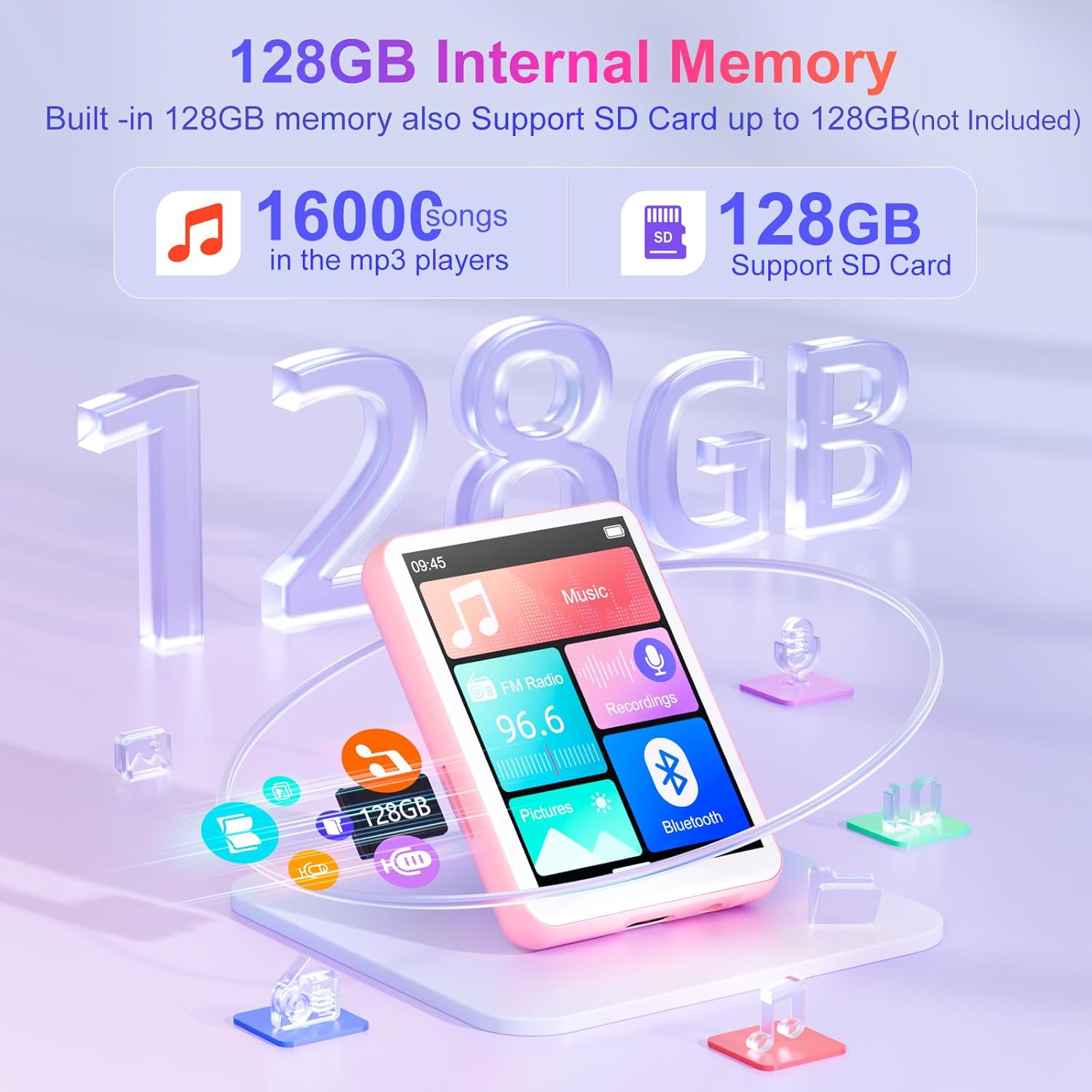
- Generous 128GB Internal Memory: The Oilsky M1 comes with 128GB of built-in memory, capable of storing approximately 16,000 lossless quality songs. It also includes a Micro-SD card slot, supporting expansion up to an additional 128GB (Micro-SD card not included).
- Көп функциялуу түзмөк: Featuring a 2.4-inch touch screen for quick function selection, this MP3 player offers a range of features including music playback, FM radio, voice recorder, e-book reader, photo viewer, alarm clock, folder management, and calendar. It supports 29 languages, including English, German, French, Italian, and Spanish.
- Узак мөөнөттүү 300 мАч батарея: Enjoy up to 50 hours of lossless music playback on a single charge. The device fully recharges in approximately 2 hours, making it an ideal companion for travel or sports enthusiasts.
- Маанилүү эскертүү: This device cannot connect to mobile phones or car audio systems via Bluetooth.
Кутуда эмне бар
Пакетте бардык буюмдар бар экенин текшериңиз:
- 1x Oilsky M1 MP3 Player
- 1x USB кубаттоо кабели
- 1x Наушник
- 1x Колдонуучунун колдонмосу
- 1x коргоочу кап
- 1x Lanyard

Жайгашуу
1. Аппаратты заряддоо
Before first use, fully charge your MP3 player. Connect the provided USB cable to the device's charging port and the other end to a USB power adapter (not included) or a computer's USB port. The battery indicator on the screen will show charging status.
2. Күйгүзүү/өчүрүү
- Күйгүзүү үчүн: Экран күйгүчө кубат баскычын басып, кармап туруңуз.
- Өчүрүү үчүн: Press and hold the power button until the power-off options appear, then select 'Power Off'.
3. Initial Language Selection
Upon first startup, you may be prompted to select your preferred language. Follow the on-screen instructions to choose from the available languages.
Иштөө нускамалары
Негизги навигация
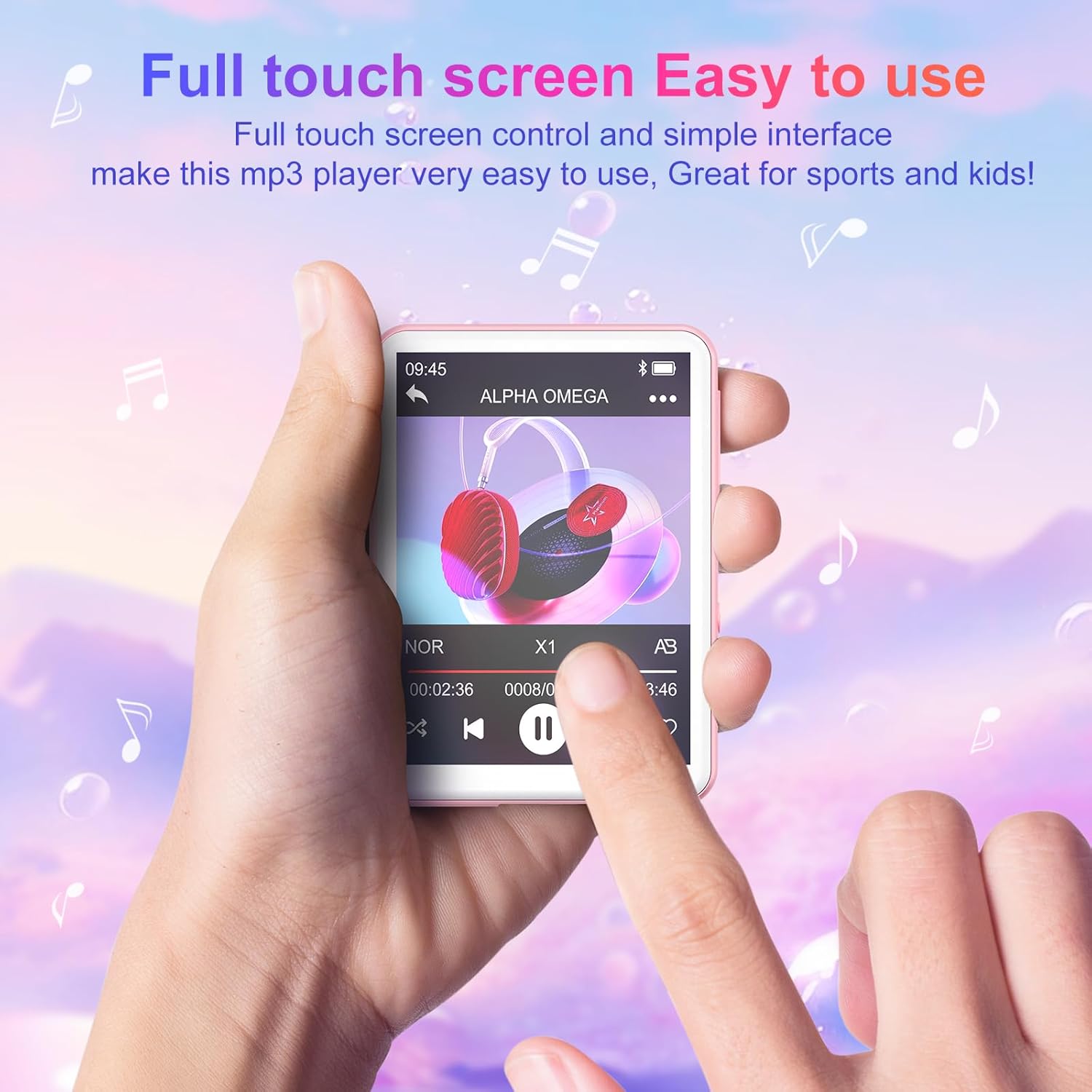
The Oilsky M1 features a 2.4-inch full touch screen for intuitive navigation. Swipe left/right or up/down to browse menus and tap icons to select functions. Use the back arrow icon to return to the previous screen.
Музыканы ойнотуу
- Transferring Music: Connect the MP3 player to your computer using the USB cable. The device will appear as a removable disk. Drag and drop your music files (MP3, WMA, APE, FLAC, WAV, AAC) into the 'Music' folder on the device.
- Музыка ойнотуу: From the main menu, tap the 'Music' icon. You can browse your songs by title, artist, album, or folder. Tap a song to begin playback.
- Башкаруу каражаттары: Use the on-screen controls for play/pause, next/previous track, volume adjustment, and repeat modes.

Bluetooth туташуу
Bluetooth кулакчындарды же динамиктерди туташтыруу үчүн:
- Bluetooth кулакчындарыңыз/динамикиңиз жупташтыруу режиминде экенин текшериңиз.
- On the MP3 player, go to the main menu and tap the 'Bluetooth' icon.
- Turn Bluetooth 'On'. The device will scan for available devices.
- Select your desired device from the list to pair. Once paired, the device will automatically reconnect when turned on, if the paired device is within range.

FM радиосу
To use the FM Radio function, connect the wired earphones (included) as they act as the antenna. From the main menu, tap the 'FM Radio' icon. You can auto-scan for stations or manually tune.
Үн жазгыч
Tap the 'Recordings' icon from the main menu. Use the on-screen controls to start, pause, and save recordings. The built-in microphone captures clear audio.
E-book Reader
Transfer TXT format e-books to the device. Tap the 'E-book' icon to access your library and read on the 2.4-inch screen.
Сүрөт Viewer
Transfer JPEG or BMP image files to the device. Tap the 'Pictures' icon to view сүрөттөрүңүз.
Ойготкуч саат
Set alarms by tapping the 'Alarm' icon. You can customize alarm times and sounds.

Сактагычты башкаруу
The Oilsky M1 comes with 128GB of internal storage. If you require more space, you can insert a Micro-SD card (up to 128GB, not included) into the designated slot. The device will automatically detect the external storage, allowing you to manage files across both internal and external memory.
Техникалык шарттар
| Модель номери | M1 |
| Бренд | Ойлский |
| Screen Size | 2.4 дюйм |
| Дисплей технологиясы | Сенсордук экран |
| Байланыш технологиясы | Auxiliary, Bluetooth 5.4, USB |
| Ички сактоо сыйымдуулугу | 128 ГБ |
| Expandable Memory | Micro SD (128 ГБ чейин) |
| Колдоого алынган аудио стандарттары | MP3, WMA, APE, FLAC, WAV, AAC |
| Батарея түрү | 1 Литий-полимер (кошулган) |
| Батареянын орточо иштөө мөөнөтү | 50 саатка чейин (музыканы ойнотуу) |
| Заряддоо убактысы | Болжол менен 2 саат |
| Элемент Салмагы | 63.5 грамм |
| Элементтин өлчөмдөрү (L x W x Y) | 7 x 5 x 1 centimeters (approx. 2.75 x 1.98 x 0.4 inches) |
| Өзгөчө өзгөчөлүк | Камтылган динамик |
| Шайкеш түзмөктөр | Personal Computer, Headphones, Smartphone (for file которуу) |
Проблемаларды чечүү
- Түзмөк күйбөй жатат: Түзмөктүн толук заряддалганын текшериңиз. Эгерде батареясы түгөнгөн болсо, аны кубат булагына туташтырып, кайра күйгүзүүдөн мурун кеминде 10 мүнөт заряддап коюңуз.
- Cannot connect to Bluetooth devices: Ensure both the MP3 player's Bluetooth and the target device's Bluetooth are enabled and in pairing mode. Remember, this MP3 player cannot connect to mobile phones or car audio systems via Bluetooth.
- Үн жок: Check the volume level. Ensure earphones are properly connected if not using Bluetooth. If using Bluetooth, ensure the device is correctly paired and connected to your audio output.
- Fileс көрүнбөйт: Музыканы камсыз кылуу files are in supported formats (MP3, WMA, APE, FLAC, WAV, AAC) and transferred to the correct folders. For e-books, ensure they are in TXT format.
- Device frozen or unresponsive: Кайра күйгүзүүгө мажбурлоо үчүн кубат баскычын 10-15 секунд басып туруңуз.
Коопсуздук маалыматы
- Аппаратты экстремалдык температурага, түз күндүн нуруна же жогорку нымдуулукка дуушар кылбаңыз.
- Аппаратты түшүрүүдөн же катуу таасирлерден сактаныңыз.
- Аппаратты суудан жана башка суюктуктардан алыс кармаңыз.
- Заряддоо үчүн берилген USB кабелин гана колдонуңуз.
- Аппаратты өз алдынча бөлүүгө же оңдоого аракет кылбаңыз. Жардам алуу үчүн кардарларды колдоо бөлүмүнө кайрылыңыз.
- Listening to audio at high volumes for extended periods can cause hearing damage.
Кепилдик жана колдоо
For any questions or concerns regarding your Oilsky M1 MP3 Player, please do not hesitate to contact our customer support. We are committed to providing excellent service and will be happy to assist you.
Manufacturer's warranty information is available upon request or from the point of purchase.
Продукт бүттүview Video
Видео: Бүттүview showcasing the Oilsky M1 MP3 Player's features, including Bluetooth connectivity, 128GB storage, touch screen interface, and multi-functional capabilities.