
1. Киришүү
The Oilsky M1 MP3 Player is a portable digital music player designed for high-quality audio playback. It features Bluetooth 5.4 for stable wireless connections, a 2.4-inch touchscreen for easy navigation, and a built-in speaker. With 128GB of internal storage and support for an additional 128GB Micro SD card, it can store a vast library of music, audiobooks, and other media. This manual provides detailed instructions on how to set up, operate, and maintain your device.
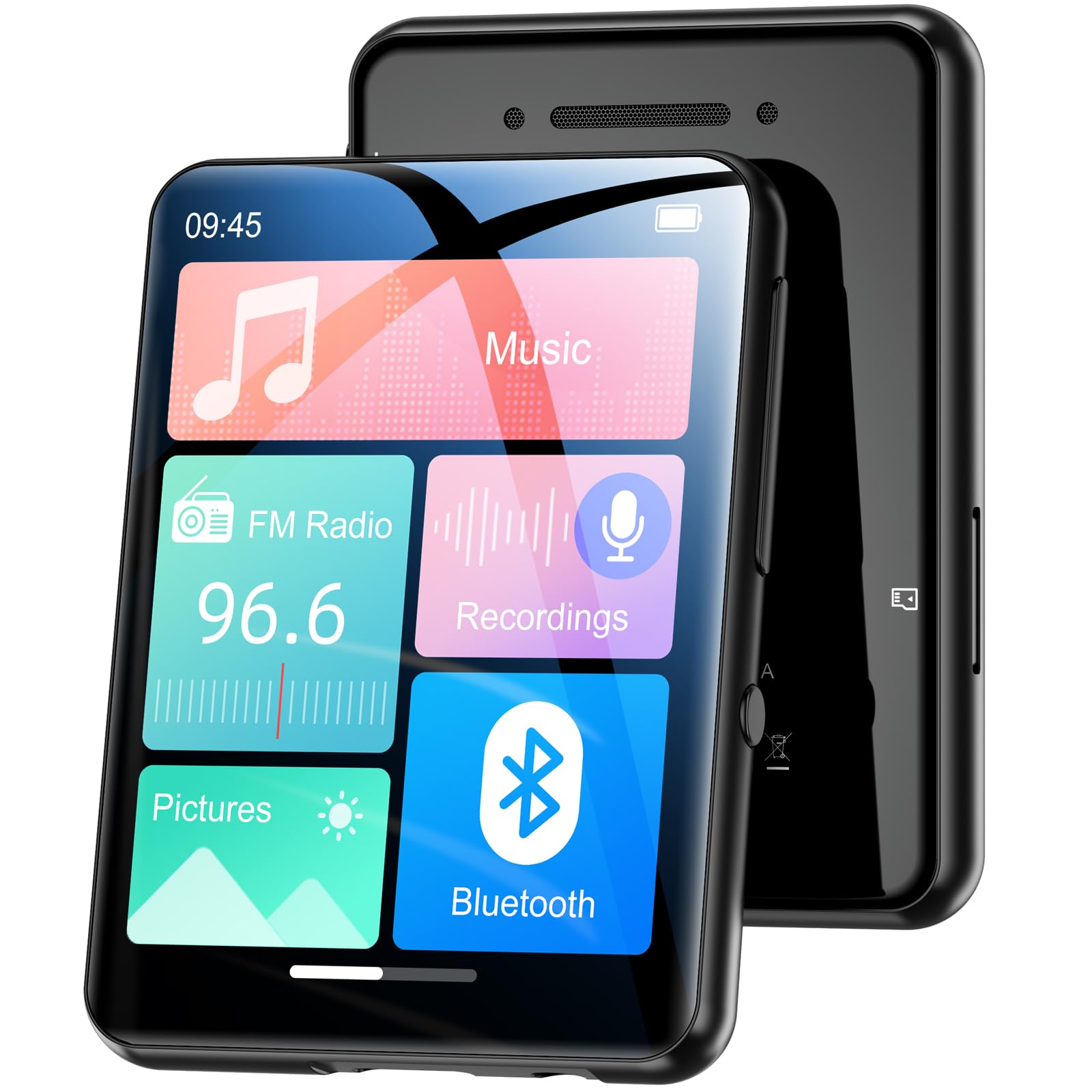
Сүрөт 1.1: Алдыңкы view of the Oilsky M1 MP3 Player, showcasing its compact design and touchscreen interface.
2. Кутуда эмне бар
Сураныч, кутудан чыгарганда пакеттин мазмунун текшерип, бардык буюмдар бар экенин текшериңиз:
- 1x Oilsky M1 MP3 Player
- 1x USB кубаттоо кабели
- 1x Зымдуу кулакчындар
- 1x Колдонуучунун колдонмосу (бул документ)
- 1x коргоочу кап
- 1x Lanyard

Image 2.1: All included accessories and the MP3 player laid out, including the USB cable, headphones, protective case, and lanyard.
3. Орнотуу
3.1 Аппаратты заряддоо
Before first use, fully charge the MP3 player. Connect the provided USB cable to the player's charging port and the other end to a USB power adapter (not included) or a computer's USB port. The device takes approximately 2 hours to fully charge, providing up to 50 hours of music playback.
3.2 Күйгүзүү/өчүрүү
- Күйгүзүү үчүн: Экран күйгүчө кубат баскычын басып, кармап туруңуз.
- Өчүрүү үчүн: Экранда өчүрүү опциясы пайда болгонго чейин кубат баскычын басып, кармап туруңуз, андан соң ырастаңыз.
3.3 Микро SD картаны салуу
The Oilsky M1 has 128GB of built-in memory and supports Micro SD cards up to an additional 128GB (not included). To expand storage:
- Ойноткучтун капталынан Micro SD карта уячасын табыңыз.
- Micro SD картаны алтын түстүү контакттары ылдый каратып, ордуна чыкылдаганча акырын салыңыз.
- Алып салуу үчүн, картаны сыртка чыкканча ичкери түртүңүз.

Image 3.1: Visual representation of the 128GB internal memory and the option to expand storage with a Micro SD card.
3.4 Тил орнотуулары
The device supports English, German, French, Italian, Spanish, and 29 other languages. To change the language:
- Go to the 'Settings' menu.
- "Тилди" тандаңыз.
- Тизмеден каалаган тилиңизди тандаңыз.
4. Иштөө нускамалары
The Oilsky M1 features a 2.4-inch full touchscreen for intuitive control. Navigate through menus by swiping and tapping.

Image 4.1: A hand interacting with the full touchscreen interface of the MP3 player, demonstrating ease of use.
4.1 Музыканы ойнотуу
The player supports various audio formats including MP3, WMA, APE, FLAC, WAV, and AAC, providing high-fidelity sound with digital noise reduction. You can organize music by title, folder, artist, or album.
- Transferring Music: Connect the player to your computer using the USB cable. The player will appear as a removable disk. Drag and drop your music files into the 'Music' folder on the device or Micro SD card.
- Музыка ойнотуу: From the main menu, tap 'Music'. You can browse by 'All Songs', 'Artists', 'Albums', 'Folders', etc. Tap a song to begin playback.
- Башкаруу каражаттары: Use the on-screen controls for play/pause, next/previous track, and volume adjustment.

Image 4.2: A user enjoying music with headphones connected to the Oilsky M1 MP3 Player, highlighting the high-quality sound experience.

Image 4.3: Display illustrating the multiple audio formats supported by the MP3 player, including MP3, WMA, APE, FLAC, WAV, and AAC.
4.2 Bluetooth байланышы
The player features Bluetooth 5.4 for connecting to Bluetooth headphones and speakers. It includes a memory function that automatically reconnects to previously paired devices. Note: The player cannot connect to mobile phones or car Bluetooth systems.
- From the main menu, tap 'Bluetooth'.
- Turn on Bluetooth. The player will scan for nearby devices.
- Жупташтыруу үчүн тизмеден каалаган Bluetooth кулакчыныңызды же динамикти тандаңыз.

Image 4.4: The MP3 player screen showing the Bluetooth connection icon, indicating stable and fast Bluetooth 5.4 connectivity to external audio devices.
4.3 FM радиосу
FM радио функциясын колдонуу үчүн:
- Connect the wired headphones (they act as an antenna).
- From the main menu, tap 'FM Radio'.
- Станцияларды издөө же кол менен күүлдөө үчүн экрандагы башкаруу элементтерин колдонуңуз.
4.4 Диктофон
The player includes a built-in microphone for digital voice recording.
- From the main menu, tap 'Recordings'.
- Tap the record icon to start and stop recording.
- Recordings are saved and can be played back from this menu.

Image 4.5: The MP3 player displaying its voice recording interface, useful for capturing notes or conversations.
4.5 Электрондук китеп окугуч
The player supports TXT format e-books.
- TXTти өткөрүп берүү files to the 'E-book' folder on the device.
- From the main menu, tap 'E-book' to access your library.
4.6 Сүрөт Viewer
View JPEG/BMP image file2.4 дюймдук экранда.
- Transfer image files to the 'Pictures' folder.
- From the main menu, tap 'Pictures' to browse your photos.
4.7 Ойготкуч функциясы
Set alarms using your favorite music as the ringtone.
- From the main menu, tap 'Alarm'.
- Configure alarm time, repeat settings, and select a music file for the alarm sound.

Image 4.6: The MP3 player displaying an alarm clock icon, indicating its alarm function capability.
5. Техникалык тейлөө
5.1 Тазалоо
- Аппаратты жумшак, кургак чүпүрөк менен аарчыңыз.
- Do not use liquid cleaners or aerosols, as they may damage the device.
5.2 Батареяга кам көрүү
- Аппаратты экстремалдык температурага тийгизүүдөн сактаңыз.
- Батареянын ден соолугун сактоо үчүн, колдонбосо дагы, аппаратты дайыма заряддап туруңуз.
5.3 Сактоо
When not in use for extended periods, store the player in a cool, dry place, away from direct sunlight and moisture.
6. Кыйынчылыктарды
| Көйгөй | Мүмкүн чечим |
|---|---|
| Түзмөк күйбөй жатат. | Ensure the device is fully charged. If the battery is depleted, it may take a few minutes of charging before it can power on. |
| Bluetooth headphones/speaker won't connect. | Ensure Bluetooth is enabled on both devices. Make sure the headphones/speaker are in pairing mode. Confirm the MP3 player is not attempting to connect to a mobile phone or car system, as this is not supported. |
| Которуу мүмкүн эмес fileоюнчуга. | Check the USB cable connection. Ensure the player is properly recognized by your computer. Try a different USB port or cable. |
| Music playback is distorted or silent. | Check headphone connection or Bluetooth connection. Ensure volume is not muted and is set to an audible level. Verify the audio file формат колдоого алынат. |
| Экран жооп бербей жатат. | Perform a soft reset by pressing and holding the power button for 10-15 seconds. If the issue persists, ensure the device is charged. |
7. Техникалык шарттар
| Өзгөчөлүк | Деталь |
|---|---|
| Бренд | Ойлский |
| Модель номери | M1 |
| Өзгөчөлүктөр | Touchscreen, Built-in Speaker, Digital Noise Reduction |
| Байланыш технологиясы | Bluetooth 5.4, USB |
| Ички сактагыч | 128 ГБ |
| Кеңейтүүчү сактагыч | Micro SD карта 128 ГБ чейин |
| Түс | Кара |
| Screen Size | 2.4 дюйм |
| Шайкеш түзмөктөр | Bluetooth Speakers, Bluetooth Headphones, Personal Computers |
| Колдоого алынган аудио форматтары | MP3, WMA, APE, FLAC, WAV, AAC |
| Supported E-book Format | TXT |
| Колдоого алынган сүрөт форматтары | JPEG, BMP |
| Батареянын иштөө мөөнөтү | 50 саатка чейин |
| Заряддоо убактысы | Болжол менен 2 саат |
| Элемент Салмагы | 65 грамм |
| Элементтин өлчөмдөрү (D x W x Y) | 1 см х 5 см х 7 см |
8. Кепилдик жана колдоо
8.1 Кепилдик саясаты
Oilsky offers a one-year return policy for this product. This warranty covers manufacturing defects and issues arising from normal use.
8.2 Кардарларды колдоо
Our team is dedicated to providing prompt, attentive, and high-quality support. We guarantee a response within 24 hours for any inquiries or issues you may have.
For assistance, please contact us through the platform where you purchased the product or refer to the contact information provided on the official Oilsky webсайт.
We are committed to ensuring your satisfaction with your Oilsky M1 MP3 Player.