
1. Киришүү
Welcome to the FLAMMA FF01 Looper Pedal user manual. This guide provides detailed instructions for setting up, operating, and maintaining your looper pedal. The FF01 is a versatile stereo looper pedal designed for electric guitar and bass, offering extensive looping capabilities and intuitive controls.

The FLAMMA FF01 Looper Pedal features a compact design with a clear display screen, two footswitches, and control knobs for intuitive operation.
2. Орнотуу
2.1 Кутудан чыгаруу жана алгачкы текшерүү
Carefully remove all components from the packaging. Verify that all items listed in the "Product Contents" section are present and undamaged.

The package includes the FF01 Looper Pedal, a Quick Start Guide, a Power Adapter, a USB Cable, and a Logo Sticker.
2.2 Кубат туташтыруу
Connect the provided 9V power adapter to the DC IN port on the pedal. Ensure the power supply meets the specified voltagд жана amperage requirements (9V, 300mA).

The rear panel of the FF01 pedal shows the USB-C port for data management, the 9V 200mA power input, and a 1/8" headphone output.
2.3 Аудио байланыштар
Connect your instrument (guitar or bass) to the L (MONO) input jack. For stereo operation, connect a second instrument or stereo source to the R input jack. Connect the output(s) to your ampкөтөргүч же аудио интерфейси.

The side of the FF01 pedal features 1/4-inch input jacks for mono or stereo audio connections.
3. Педал менен иштөө
3.1 Негизги башкаруу каражаттары
The FF01 features an intuitive interface with a screen, two control knobs, an LED strip, and two footswitches.

Key controls include the screen for status, SELECT/SAVE knob for parameter adjustment and saving, VOLUME/DELETE knob for volume and deletion, an LED strip for loop progress, and two footswitches for record/overdub/play and play/stop/clear functions.
3.2 Recording a Loop
To begin recording, press the Left Footswitch once. The LED strip will indicate recording status. Press the Left Footswitch again to stop recording and start playback.
This video demonstrates the basic operation of the FLAMMA FF01 Stereo Looper Pedal, including recording, overdubbing, and playback.
3.3 Дубляждоо
While a loop is playing, press the Left Footswitch once to enter overdub mode. Play your additional part, then press the Left Footswitch again to stop overdubbing and continue playback.
3.4 Playback and Stopping
Press the Right Footswitch once to stop playback. Press it again to resume playback. To clear the current loop, press and hold the Right Footswitch.
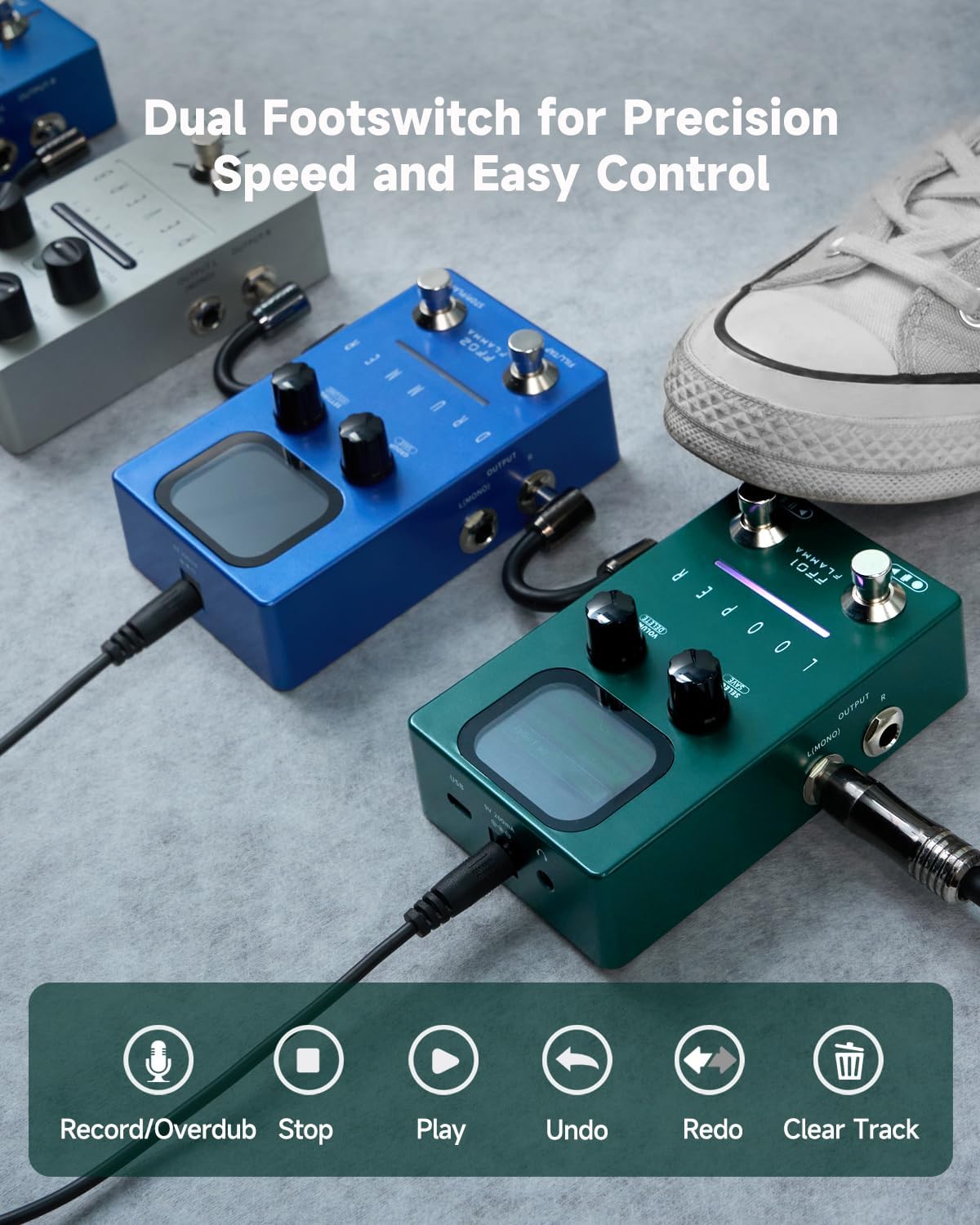
The dual footswitches provide precise control over recording, overdubbing, playback, and track management.
3.5 Saving and Deleting Loops
The FF01 can store up to 40 loops. To save a loop, press and hold the SELECT/SAVE knob. To delete a loop, press and hold the VOLUME/DELETE knob.

The FF01 offers a large capacity with 40 storage slots, each capable of holding up to 4 minutes of audio, totaling 160 minutes of recording time.

The control knobs allow for quick selection of loop slots and precise adjustment of playback volume.
4. Негизги өзгөчөлүктөрү
- Чоң сыйымдуулугу: Store up to 40 loops, each with a maximum of 4 minutes of recording, for a total of 160 minutes of creative freedom.
- Dual-Footswitch & LED Feedback: Easy dual footswitch operation for recording, overdubbing, playback, and track clearing, with a real-time LED strip to show loop progress.
- USB & High-Quality Audio: Supports 44.1kHz 16-bit WAV files. USB connectivity allows for seamless import, export, and deletion of tracks, making it easy to manage your loops.
- Ойнотуу өзгөчөлүктөрү: Undo/Redo for track layers, One Shot for single-playback, and Fade Out for smooth transitions to silence—giving you full control over your performance.
- Headphone Output & Stereo I/O: 1/8" headphone output for silent practice, plus stereo input/output for flexible routing in any setup.

The FF01 includes "One Shot" for immediate loop termination and "Fade Out" for a gradual, smooth decay of the loop.
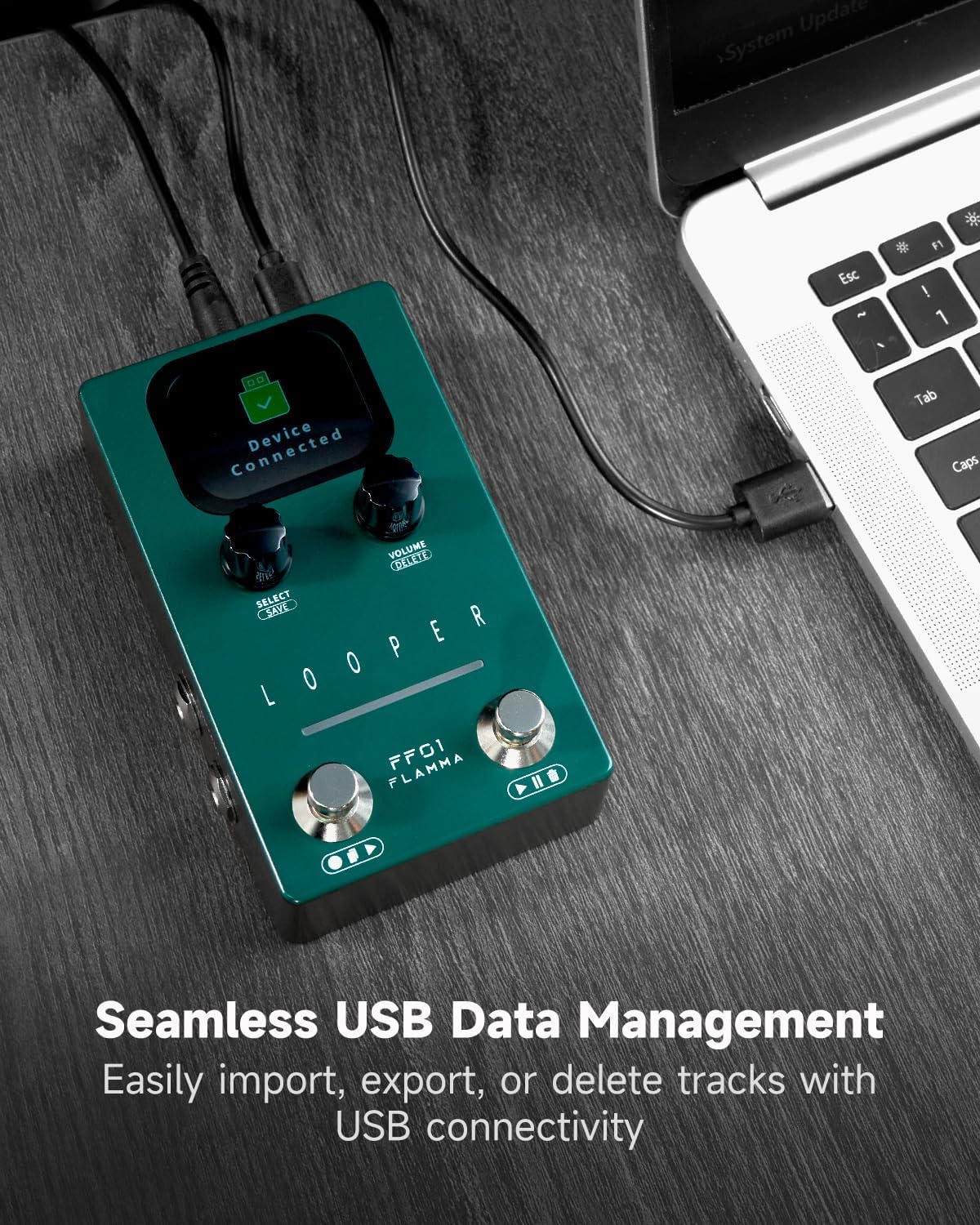
The USB-C port enables easy data management, allowing users to import, export, and delete loop tracks directly from a computer.
5. Техникалык тейлөө
5.1 Тазалоо
Use a soft, dry cloth to clean the pedal's surface. Avoid abrasive cleaners or solvents.
5.2 Сактоо
Педальды салкын, кургак жерде, күндүн түз нурунан жана өтө жогорку температурадан алыс сактаңыз.
5.3 Микропрограмма жаңыртуулары
Check the official FLAMMA webОптималдуу иштөөнү жана жаңы функцияларга жетүүнү камсыз кылуу үчүн мезгил-мезгили менен сайттагы микропрограммалык камсыздоонун бардык жеткиликтүү жаңыртууларын карап туруңуз.
6. Кыйынчылыктарды
6.1 Күч жок
- Ensure the 9V power adapter is correctly connected and functioning.
- Розетка иштеп турганын текшериңиз.
6.2 Үн жок
- Бардык аудио кабельдердин туура туташуусун жана бүтүндүгүн текшериңиз.
- Ensure the instrument and ampкөтөргүчтүн көлөмү жогорулатылган.
- Verify the pedal's output volume is not set to zero.
6.3 Loop Not Clean/Off-Timing
- Practice starting and stopping the loop precisely with your playing.
- Ensure you are playing through the end of your loop when stopping to avoid abrupt cuts.
- Consider using a metronome for timing practice before looping.
6.4 USB туташуу көйгөйлөрү
- Ensure the USB cable is securely connected to both the pedal and the computer.
- Башка USB портун же кабелин колдонуп көрүңүз.
- Компьютериңизди жана педалды өчүрүп күйгүзүңүз.
7. Техникалык шарттар
| Өзгөчөлүк | Нарк |
|---|---|
| Элемент Салмагы | 7.4 унция |
| Пакеттин өлчөмдөрү | 6.89 x 5.31 x 2.32 дюйм |
| Келип чыккан өлкө | Кытай |
| ASIN | B0DSBNTGT1 |
| Элементтин моделинин номери | FF01 |
| Аппараттык интерфейс | 1/4 дюймдук аудио |
| Сигнал форматы | Санарип |
| Power Source | Электр зымдары |
| Тtage | 9 вольт |
| Бренд | Flamma |
| Стиль | Looper |
| Ampөчүрүү | 300 миллионamps |
| Slots саны | 40 |
| Max. Record Time per Slot | 4 мүнөт |
| Number of Overdubs | Чек жок |
| Sample Rate | 44.1кГц |
| Sample Accuracy | 16 бит |
| Импорт/Экспорт File Формат | WAV(Stereo) |
| Динамикалык диапазон | +5.74дБу |
| Жооп берүү жыштыгы | 20Гц-20кГц |
| Киргизүү | 2*1/4" unbalanced mono input jack (impedance value 2M) |
| Чыгуу | 2*1/4" unbalanced mono output jack (impedance value 470 ohm) |
| Наушник чыгаруу | 1*1/8" unbalanced stereo output (impedance value 32 ohm) |
| USB | 1*USB-C port |
8. Кепилдик жана колдоо
For warranty information and technical support, please visit the official FLAMMA webсайтына кириңиз же жергиликтүү дилериңизге кайрылыңыз. Сатып алуунун далили катары сатып алуу дүмүрчөгүңүздү сактап коюңуз.
Online resources and FAQs may also be available on the FLAMMA brand store: FLAMMA Store.