
1. Киришүү
Сатып алганыңыз үчүн рахматasing the ROCAM CR1024 Projection Alarm Clock Radio. This device combines a digital alarm clock with a projection feature, FM radio, and convenient USB charging ports. Please read this manual carefully to ensure proper use and optimal performance of your new alarm clock.

Image 1.1: The ROCAM CR1024 Projection Alarm Clock Radio displaying time, date, temperature, and humidity, with the time projected onto a surface. The device also features an FM radio and dual alarm settings.
2. Коопсуздук маалыматы
- Аппаратты сууга же ашыкча нымдуулукка дуушар кылбаңыз.
- Аппаратты жылуулук булактарынын жанына же тике күн нуруна коюудан алыс болуңуз.
- Берилген кубат адаптерин гана колдонуңуз.
- Балдар жетпеген жерде сактаңыз.
- Түзмөктү өз алдынча бөлүктөргө бөлүүгө же оңдоого аракет кылбаңыз. Көйгөйлөр жаралса, кардарларды колдоо кызматына кайрылыңыз.
3. Пакеттин мазмуну
Сураныч, пакетте төмөнкү нерселерди текшериңиз:
- ROCAM CR1024 Projection Alarm Clock Radio
- Кубаттуу адаптер
- USB-C заряддоо кабели
- Колдонуучунун Колдонмосу (бул документ)
4. Продукт бүтүп калдыview
4.1. Controls and Buttons
- ТЫНЧТЫК/ЖАРАЙТ/*: Snooze alarm, confirm settings, adjust display brightness (short press).
- VOL-/AL1: Decrease volume, set Alarm 1.
- VOL+/AL2: Increase volume, set Alarm 2.
- 12/24H: Switch between 12-hour and 24-hour time format.
- ° C / ° F: Switch between Celsius and Fahrenheit temperature display.
- PRESET/STORE: Save FM radio stations, recall presets.
- RADIO/SCAN: Turn FM radio on/off, auto-scan for stations.
- DIM: Adjust projection brightness.
- АЙЛАНДЫРУУ: Rotate projected time display.
4.2. Дисплейдин элементтери
- Убакытты көрсөтүү: Large LED digits for current time.
- AM/PM көрсөткүчү: For 12-hour format.
- DST көрсөткүчү: Daylight Saving Time.
- Дата дисплей: Month and Day.
- Аптанын күнү: Indication for current day.
- Температура/Нымдуулук: Indoor temperature and humidity readings.
- Alarm 1/2 Indicators: Show active alarms.
- FM жыштыгы: Displays current radio station frequency.
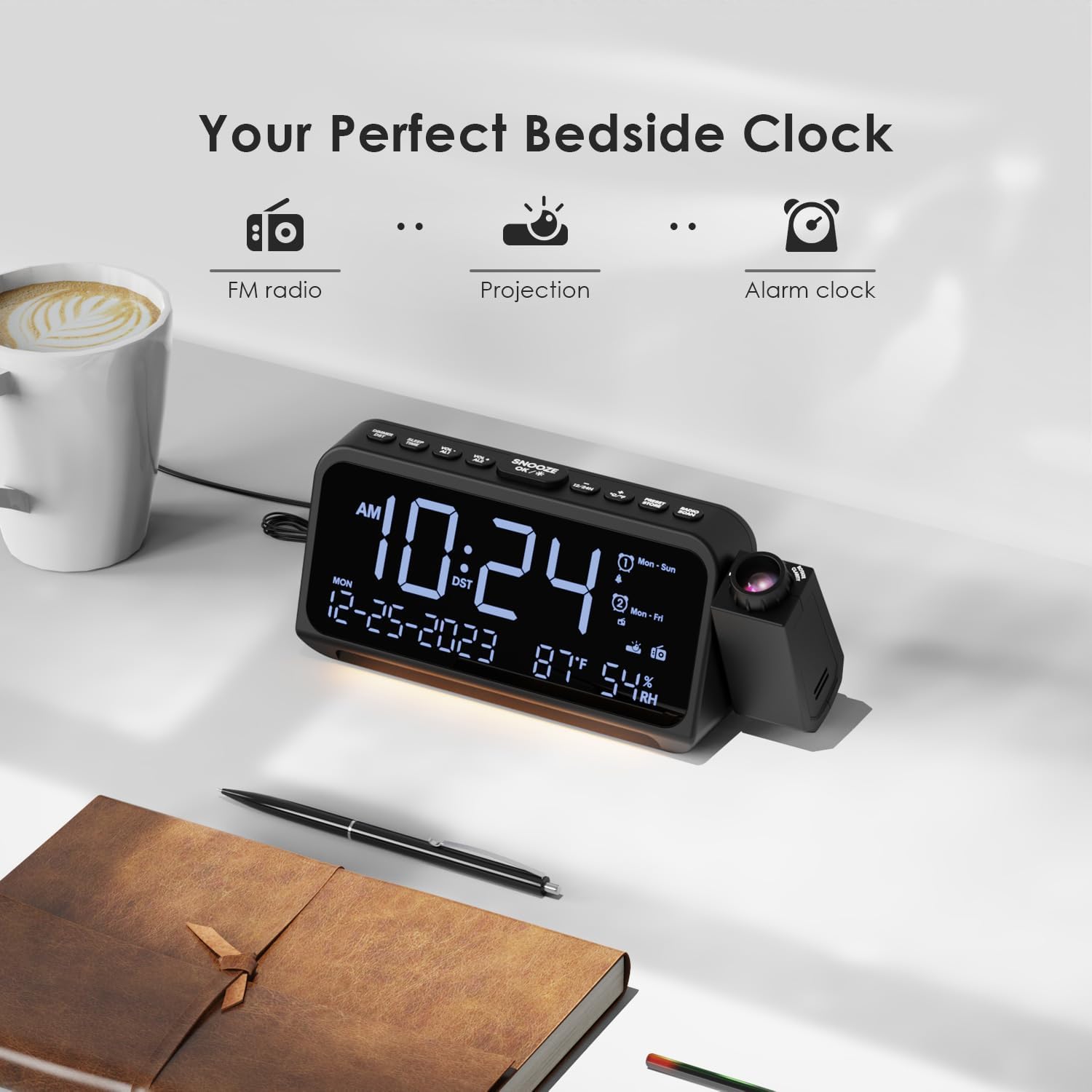
Image 4.1: The ROCAM CR1024 Projection Alarm Clock Radio positioned on a bedside table, highlighting its compact design and integrated projection feature. The display shows time, date, temperature, and humidity.
5. Орнотуу
5.1. Power Connection
Connect the provided power adapter to the DC IN port on the back of the alarm clock and plug it into a standard wall outlet. The display will light up.

Image 5.1: The alarm clock connected to a wall outlet via its power adapter, illustrating the primary power source connection.
5.2. Батареянын резервдик көчүрмөсүн орнотуу
For memory backup during power outages, insert 2 AAA batteries (not included) into the battery compartment on the bottom of the unit. This will preserve time and alarm settings but will not power the display or other functions.

Image 5.2: The open battery compartment on the underside of the alarm clock, showing where two AAA batteries should be inserted for backup power.
5.3. Баштапкы убакытты жана күндү коюу
- басып, кармап туруңуз 12/24H Убакытты орнотуу режимине өтүү үчүн баскычын басыңыз. Сааттын сандары күйүп-өчүп турат.
- Колдонуу VOL- or VOL+ саатты жөндөө. Пресс ТЫНЧТЫК/ЖАРАЙТ/* to confirm and move to minute setting.
- менен мүнөттөрдү тууралаңыз VOL- or VOL+. Басыңыз ТЫНЧТЫК/ЖАРАЙТ/* to confirm and move to year setting.
- Continue adjusting year, month, and day using VOL- or VOL+ and confirming with ТЫНЧТЫК/ЖАРАЙТ/*.
- After setting the date, you can set the 12/24-hour format by pressing 12/24H.
- Басыңыз ° C / ° F to switch between Celsius and Fahrenheit for temperature display.
6. Иштөө нускамалары
6.1. Дисплейдин жарыктыгын жөндөө
баскычын кыска басыңыз ТЫНЧТЫК/ЖАРАЙТ/* button to cycle through 5 levels of LED display brightness (L-1 to L-5). This allows you to adjust the display to your preference for different lighting conditions.
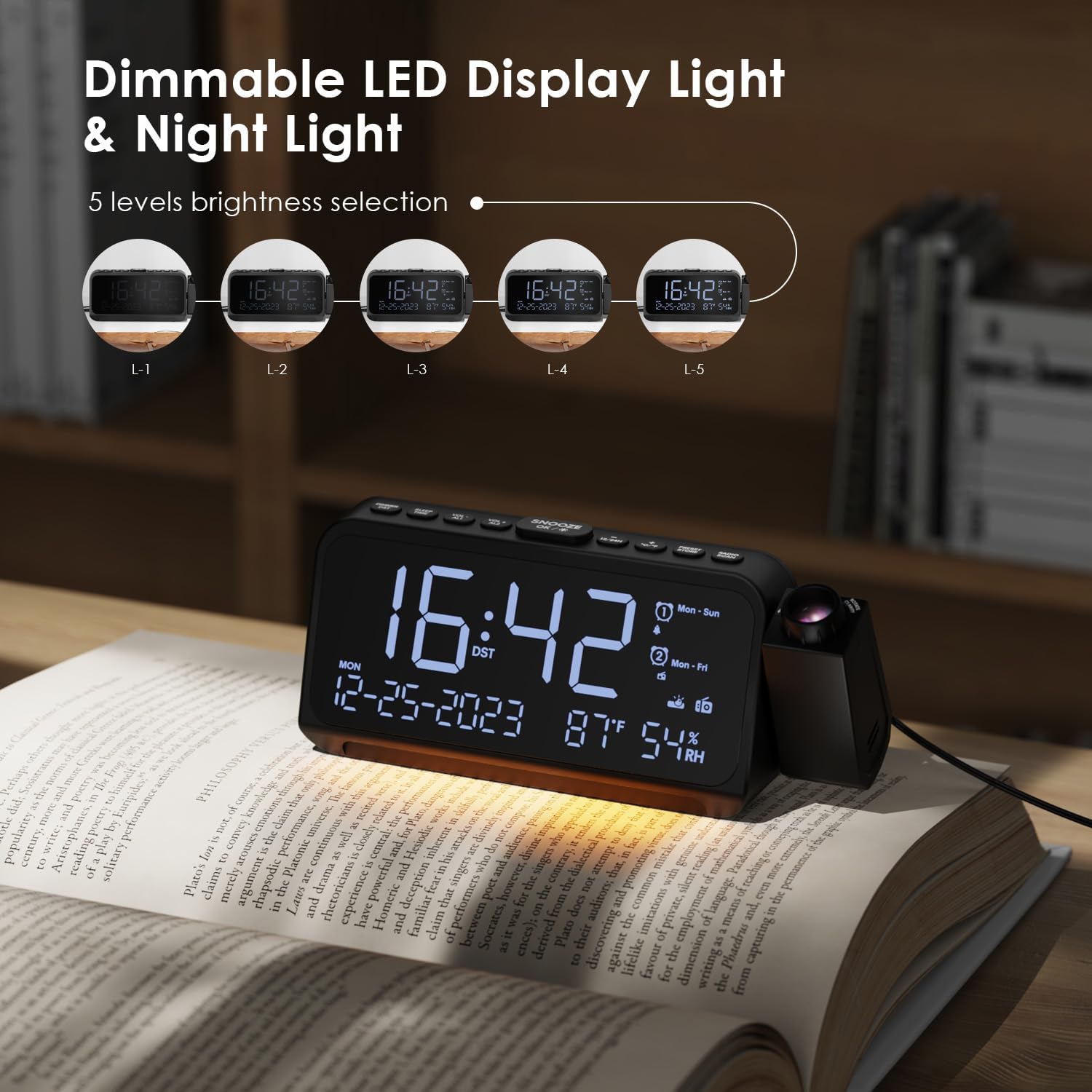
Image 6.1: The alarm clock demonstrating its 5-level dimmable LED display, with examples of different brightness settings (L-1 to L-5).
6.2. Проекциялоо өзгөчөлүгү
- Проекцияны иштетүү же өчүрүү үчүн, баскычын басыңыз DIM button on the side of the projector.
- басыңыз DIM button repeatedly to cycle through 5 levels of projection brightness.
- Rotate the projector lens to adjust the focus of the projected image.
- колдонуу АЙЛАНДЫРУУ button on the side of the projector to flip the projected time 180 degrees for optimal viewing angle. The projector can be physically rotated up to 270 degrees.

Image 6.2: The time projected clearly onto a wall from the alarm clock, illustrating the projection feature in a bedroom setting.

Image 6.3: A close-up of the projector lens, showing the rotation capability of the projected time for flexible viewбурчтар.
6.3. Alarm Settings (Alarm 1 & Alarm 2)
The device supports two independent alarms with customizable settings.
- Басып кармап туруңуз VOL-/AL1 to set Alarm 1. The hour digits will flash.
- Колдонуу VOL- or VOL+ саатты жөндөө. Пресс ТЫНЧТЫК/ЖАРАЙТ/* to confirm and move to minute setting.
- менен мүнөттөрдү тууралаңыз VOL- or VOL+. Басыңыз ТЫНЧТЫК/ЖАРАЙТ/* ырастоо үчүн.
- Select alarm sound: Use VOL- or VOL+ to choose between buzzer or FM radio. Press ТЫНЧТЫК/ЖАРАЙТ/*.
- Select alarm mode: Use VOL- or VOL+ to choose between Mon-Sun, Mon-Fri, Sat-Sun, or One-Time. Press ТЫНЧТЫК/ЖАРАЙТ/* ырастоо жана чыгуу.
- Repeat steps for Alarm 2 using VOL+/AL2.
- Ойготкучту иштетүү/өчүрүү үчүн, кыска басыңыз VOL-/AL1 or VOL+/AL2. The alarm icon will appear/disappear on the display.
- Сигнал чыкканда, баскычын басыңыз ТЫНЧТЫК/ЖАРАЙТ/* for a 9-minute snooze. To turn off the alarm, press any other button.

Image 6.4: The alarm clock display illustrating the dual alarm settings, including options for alarm sound (buzzer or radio) and alarm frequency (Mon-Sun, Mon-Fri, Sat-Sun, One-Time).
6.4. FM радиосунун иштеши
The alarm clock can store up to 30 FM radio stations (87.5 MHz - 108.0 MHz).
- Басыңыз RADIO/SCAN FM радиосун күйгүзүү же өчүрүү үчүн.
- Автоматтык түрдө скандоо: When the radio is on, press and hold RADIO/SCAN to automatically scan and save available stations.
- Кол менен жөндөө: Кыска басуу RADIO/SCAN to switch between saved stations. To manually tune, press VOL- or VOL+.
- Алдын ала орнотууларды сактоо: Каалаган станцияга күүлдөңүз. Басып кармап туруңуз PRESET/STORE. Колдонуу VOL- or VOL+ to select a preset number (P01-P30). Press PRESET/STORE сактап калуу үчүн дагы.
- Алдын ала орнотууларды эстөө: Кыска басуу PRESET/STORE to cycle through saved stations.
- Үндү тууралоо: Колдонуу VOL- or VOL+ to adjust the radio volume (7 levels).

Image 6.5: The alarm clock displaying an FM radio frequency (108.0 MHz) and illustrating the sleep timer function with options from 15 to 90 minutes, or off.
6.5. Уйку таймери
When the FM radio is on, press the УЙКУ/УБАКЫТ button to activate the sleep timer. Repeatedly press the button to cycle through sleep timer options: 15, 30, 60, 90 minutes, or OFF. The radio will automatically turn off after the selected duration.

Image 6.6: A hand interacting with the alarm clock, demonstrating the selection of sleep timer durations (15, 30, 60, 90 minutes, or OFF) for the FM radio.
6.6. USB заряддоо порттору
The alarm clock features two charging ports:
- Тип-C Port: Input 5V-2A, Output 5V-1A.
- USB-A порту: Output 5V-1A.
These ports can be used to charge compatible electronic devices such as smartphones or tablets while the alarm clock is powered.

Image 6.7: The back of the alarm clock, clearly showing the Type-C and standard USB charging ports, along with their respective input/output specifications.
7. Техникалык тейлөө
- Аппаратты жумшак, кургак чүпүрөк менен тазалаңыз. Абразивдүү тазалагычтарды же эриткичтерди колдонбоңуз.
- Ensure the projector lens is clean for clear projection.
- If storing the device for an extended period, remove the AAA backup batteries.
8. Кыйынчылыктарды
| Көйгөй | Мүмкүн себеп | Чечим |
|---|---|---|
| Дисплей бош. | No power, power adapter not connected. | Ensure the power adapter is securely plugged into the device and a working outlet. |
| Ойготкуч угулбайт. | Alarm not activated, volume too low, incorrect alarm mode. | Check if the alarm icon is displayed. Adjust alarm volume. Verify the alarm mode (Mon-Sun, Mon-Fri, etc.) is set correctly. |
| Радио статикалык же начар кабыл алуу. | Сигнал начар, антенна узартылган эмес. | Extend the FM antenna fully. Try repositioning the device for better reception. Perform an auto-scan again. |
| Болжолдонгон убакыт бүдөмүк. | Projection focus needs adjustment. | Rotate the projector lens to adjust the focus until the image is clear. |
| USB кубаттоо иштебей жатат. | Device not powered, cable issue, incompatible device. | Ensure the alarm clock is powered. Try a different USB cable or device. |
9. Техникалык шарттар
- Бренд: ROCAM
- Модель номери: CR1024
- Түсү: Ак
- Продукциянын өлчөмдөрү (L x W x Y): 20 x 3.81 x 8.4 см (7.87 x 1.5 x 3.3 дюйм)
- Салмагы: 370 грамм (0.82 фунт)
- Материал: Пластик
- Дисплей түрү: Digital LED
- Кубат булагы: Электр зымдары
- Батареянын камдык көчүрмөсү: 2 x AAA батарейкалар (киргизилген эмес)
- FM радио жыштыгы: 87.5 МГц - 108.0 МГц
- USB-C чыгышы: 5V-1A
- USB-A чыгаруу: 5V-1A
10. Кепилдик жана колдоо
For warranty information and customer support, please refer to the documentation included with your purchase or visit the official ROCAM webсайт. Кепилдик дооматтары үчүн сатып алуу дүмүрчөгүңүздү сактаңыз.