
1. Киришүү
The Cooler Master MasterFrame 600 is a versatile PC case designed for optimal performance and extensive customization. Constructed from high-quality aluminum, it offers a flexible space configuration to accommodate various hardware setups. This case supports the latest generation GPUs and features an optimized cooling layout to ensure efficient airflow and stable thermal performance. It is an ideal choice for users seeking both high functionality and personalized aesthetics for their computing needs.
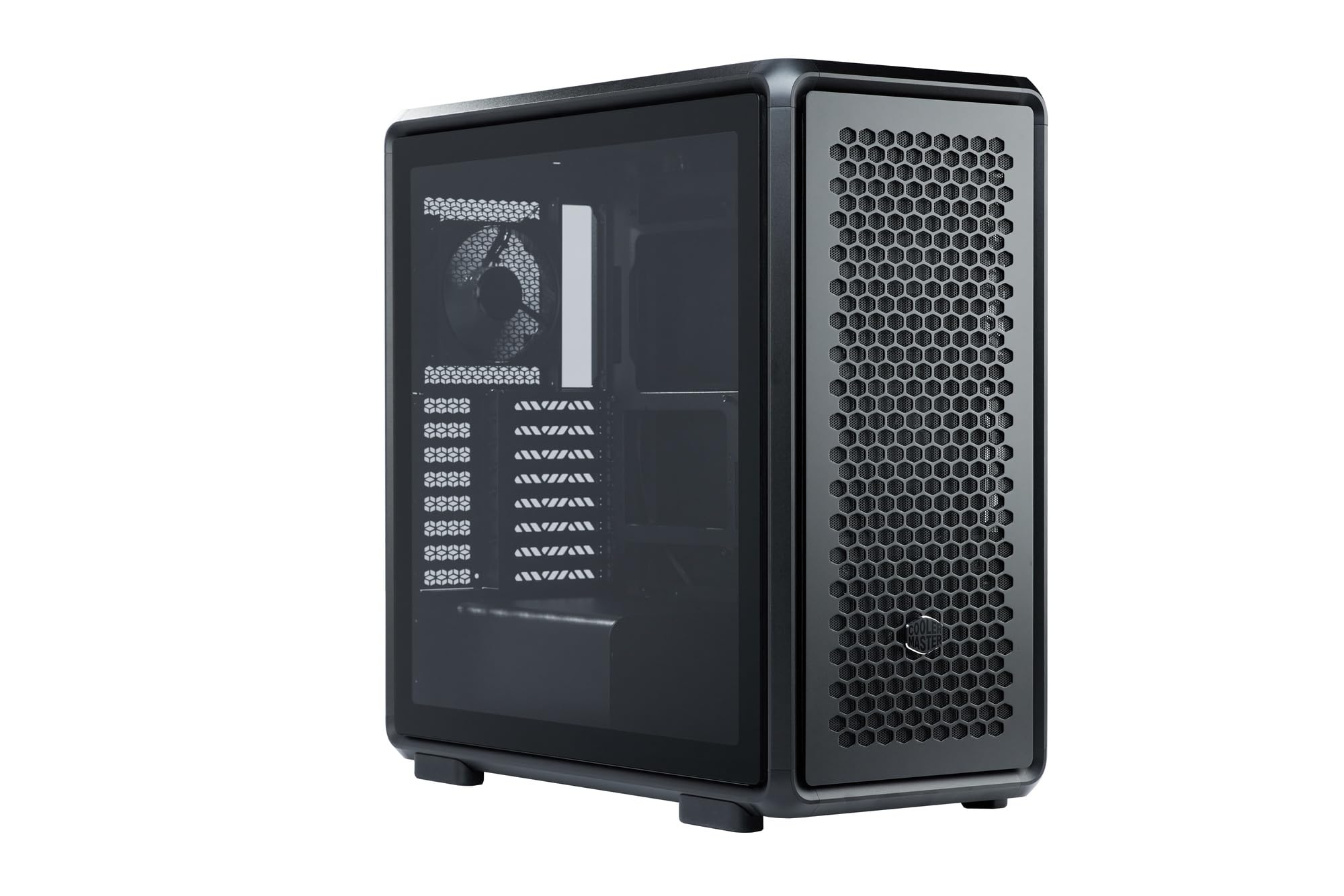
Figure 1: Cooler Master MasterFrame 600 PC Case, showcasing its sleek design and mesh panels.
Видео 1: Бүттүview of the MasterFrame 600's design, highlighting its EXO-STRUCTURE, adaptable frame, and versatile, maker-driven customization options. (Note: Video source is a placeholder as a specific m3u8 URL was not provided in the product data.)
2. Орнотуу жана орнотуу
This section provides general guidelines for assembling your PC components within the MasterFrame 600. Always refer to the specific manuals for your individual components (motherboard, GPU, PSU, etc.) for detailed instructions.
2.1 Кутудан чыгаруу жана компоненттерди идентификациялоо
Carefully remove all components from the packaging. Verify that all parts listed in the packing list are present. Familiarize yourself with the case's internal layout and mounting points.

2-сүрөт: жарылган view of the MasterFrame 600, illustrating its modular components and assembly parts.
2.2 Motherboard орнотуу
- Identify the correct standoff positions for your motherboard form factor (ITX, Micro-ATX, ATX, E-ATX).
- Install the necessary standoffs onto the motherboard tray.
- I/O калканын корпустун арткы тешигине коюңуз.
- Энелик платаңызды тирөөчтөр жана киргизүү/чыгаруу калканы менен кылдаттык менен тегиздеңиз, андан кийин аны бурама менен бекитиңиз.
2.3 Дискти орнотуу
The MasterFrame 600 supports 2x 3.5-inch drives and 5x 2.5-inch drives.
- Locate the designated drive bays or mounting points.
- Secure your 3.5-inch or 2.5-inch drives using the provided screws or tool-less mechanisms.
2.4 Электр менен камсыздоо блогун (PSU) орнотуу
- Position your PSU in the bottom-mount location.
- Secure the PSU to the case using the appropriate screws.
- Керектүү электр кабелдерин кабелди башкаруу кесиктери аркылуу өткөрүңүз.
2.5 Графикалык картаны (GPU) орнотуу
The case supports GPUs up to 485mm in length (without front fan/radiator).
- Керектүү PCIe уячасынын капкактарын корпустун арткы бөлүгүнөн алып салыңыз.
- GPUңызды энелик платадагы тиешелүү PCIe уячасына салыңыз.
- Secure the GPU with the retention clip and screws.
2.6 Муздатуу системасын орнотуу
Install fans and/or radiators according to your cooling configuration. The case is designed for efficient airflow.
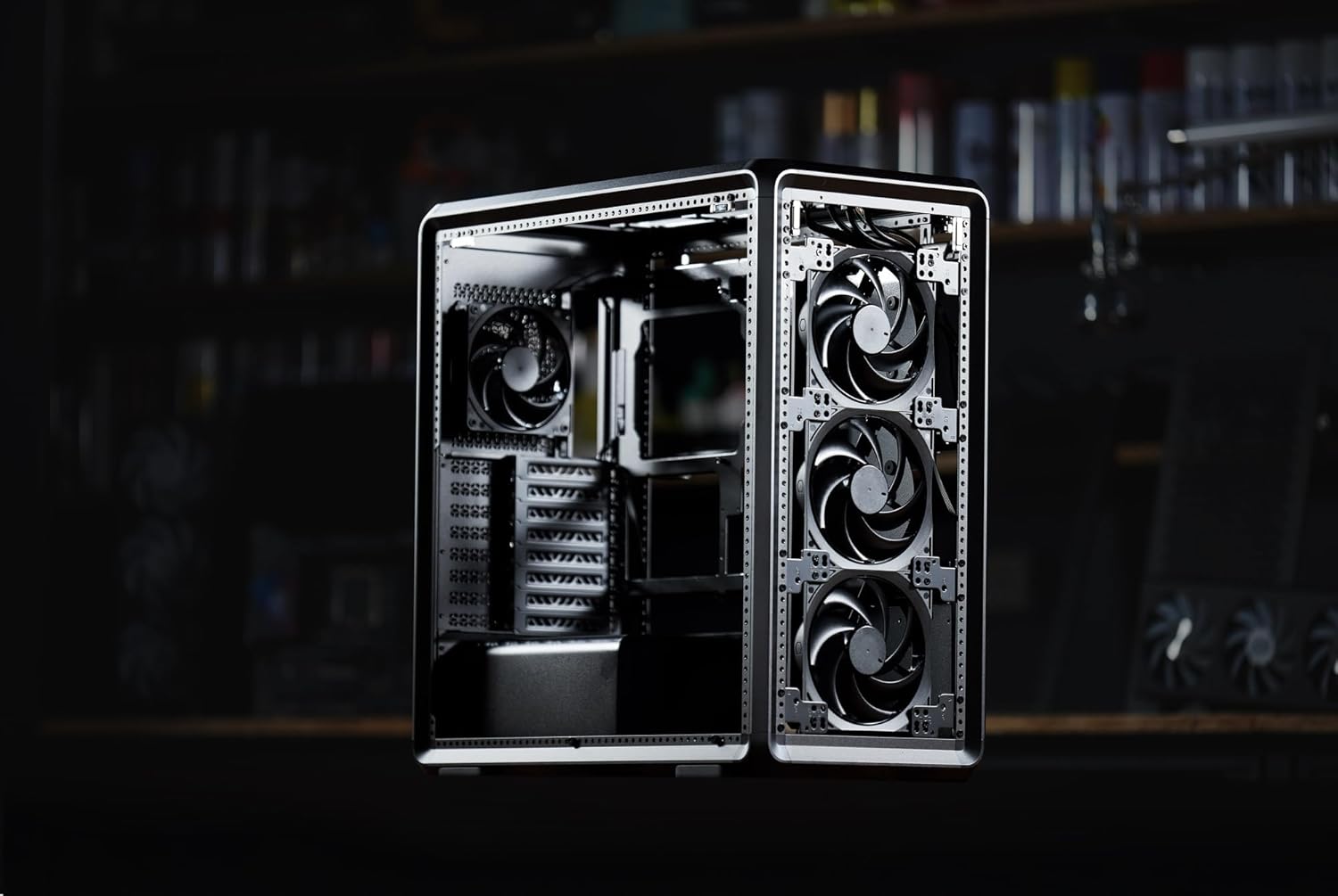
3-сүрөт: Ички view of the MasterFrame 600, showing potential fan mounting locations for optimized airflow.
2.7 Кабелди башкаруу
Utilize the various cutouts and tie-down points behind the motherboard tray to route and secure cables. This improves airflow and aesthetics.
3. Иштөө нускамалары
3.1 Кубат күйгүзүлдү
After all components are securely installed and connected, plug the power cable into your PSU and a wall outlet. Press the power button on the front panel to start your system.
3.2 Front Panel Connections
The front panel provides convenient access to USB 3.0 ports and audio jacks. Connect your peripherals as needed.
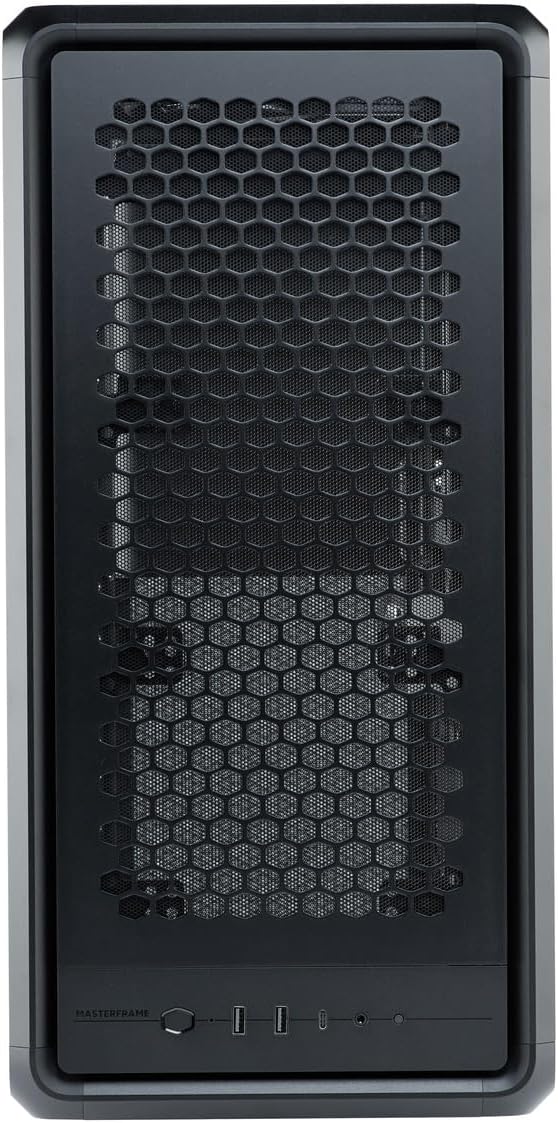
Figure 4: Close-up of the MasterFrame 600's front panel, detailing the power button and I/O ports.
3.3 Аба агымын оптималдаштыруу
The MasterFrame 600's design promotes excellent airflow. Ensure that fans are oriented correctly for intake and exhaust to maintain optimal component temperatures.
4. Техникалык тейлөө
Үзгүлтүксүз тейлөө сиздин PC компоненттеринин узак мөөнөттүү иштешин жана иштешин камсыз кылууга жардам берет.
4.1 Чаң чыпкасын тазалоо
The MasterFrame 600 features removable dust filters. Periodically remove and clean these filters to prevent dust buildup and maintain optimal airflow. Use compressed air or a soft brush.
4.2 General Case Cleaning
Корпустун сыртын жумшак менен сүртүңүз, гamp кездеме. Финишке зыян келтирүүчү абразивдүү тазалагычтардан же эриткичтерден качыңыз.
4.3 Вентиляторду тазалоо
If accessible, gently clean fan blades with compressed air or a soft brush to remove accumulated dust.
5. Кыйынчылыктарды
Эгерде сиз компьютериңизди түзүүдө көйгөйлөргө туш болсоңуз, төмөнкү жалпы көйгөйлөрдү чечүү кадамдарын карап көрүңүз:
- Кубат жок: Ensure all power cables (PSU to wall, PSU to motherboard, CPU, GPU) are securely connected. Check the power switch on the PSU.
- Дисплей жок: Verify that your monitor is connected to the graphics card (not the motherboard's integrated graphics, unless intended) and that the GPU is properly seated and powered.
- Желдетүүчү ызы-чуу: Excessive fan noise can indicate dust buildup or loose fan mounts. Clean fans and ensure they are securely fastened.
- Компонент аныкталган жок: Re-seat the component (e.g., RAM, GPU, storage drive) and check all associated power and data cables.
For specific component-related issues, consult the respective component manuals or Cooler Master's support resources.
6. Техникалык шарттар
| Өзгөчөлүк | Деталь |
|---|---|
| Бренд | Cooler Master |
| Модель аты | MasterFrame 600 |
| Модель номери | MF600-KGNN-S00 |
| Иштин түрү | Ара Tower |
| Түс | Кара |
| Колдоого алынган Motherboards | ITX / Micro-ATX / ATX / E-ATX |
| Product Dimensions (including protrusions) | 531 x 261 x 544 мм |
| Product Dimensions (excluding protrusions) | 514 x 244 x 514 мм |
| Элемент Салмагы | 12000 грамм |
| Drive Bays (3.5-inch) | 2 |
| Drive Bays (2.5-inch) | 5 |
| Supported Video Card Length | Max 485 mm (without front fan, radiator) |
| Power Supply Unit Length | 235мм |
| CPU муздаткычтын бийиктиги | 190мм |
| Кубат менен камсыздоону орнотуу түрү | Төмөнкү тоо |
| USB 3.0 порттору | 3 |
| Өзгөчөлүктөрү | Modular structure 'Freeform 2.0' |

Figure 5: Dimensional diagram of the MasterFrame 600, showing height, width, and depth measurements.
7. Кепилдик маалыматы
The Cooler Master MasterFrame 600 PC Case comes with a 2 жылдык кепилдик from the date of purchase. This warranty covers defects in materials and workmanship under normal use. Please retain your proof of purchase for warranty claims. For full warranty terms and conditions, please refer to the official Cooler Master webсайтка же кардарларды колдоо менен байланышыңыз.
8. Колдоо
For technical assistance, troubleshooting, or general inquiries regarding your Cooler Master MasterFrame 600 PC Case, please visit the official Cooler Master support website. You can typically find FAQs, driver downloads, and contact information for customer service there.
Cooler Master Official Webсайт: www.coolermaster.com