
1. Киришүү
Сатып алганыңыз үчүн рахматasing the AGPTEK A02XT MP3 Player. This device is designed to provide a high-quality audio experience with its HIFI lossless sound and Bluetooth 5.3 connectivity. It features a compact design, button operation, and various functions including FM radio, voice recording, and a pedometer. This manual will guide you through the setup, operation, and maintenance of your new MP3 player.

Figure 1.1: AGPTEK A02XT MP3 Player with accessories.
2. Продукт бүтүп калдыview
2.1 Пакеттин мазмуну
- AGPTEK A02XT MP3 Player (1)
- USB-C заряддоо кабели (1)
- Колдонуучунун колдонмосу (1)
- Earphones (1 pair) - May vary by region/package

Figure 2.1: Contents of the AGPTEK A02XT package.
2.2 Түзмөктүн жайгашуусу жана башкаруу элементтери
Familiarize yourself with the buttons and ports on your A02XT MP3 player.

Сүрөт 2.2: Алдыңкы view of the A02XT MP3 Player.
- Экран: Displays menus, music information, and settings.
- M баскычы: Menu/Back button. Long press to lock/unlock the screen.
- Ойнотуу/тындыруу баскычы: Ойнотууну баштайт же тындырат.
- Мурунку/Кийинки баскычтары: Navigates through tracks or menu options.
- VOL баскычы: Үндү көзөмөлдөө.
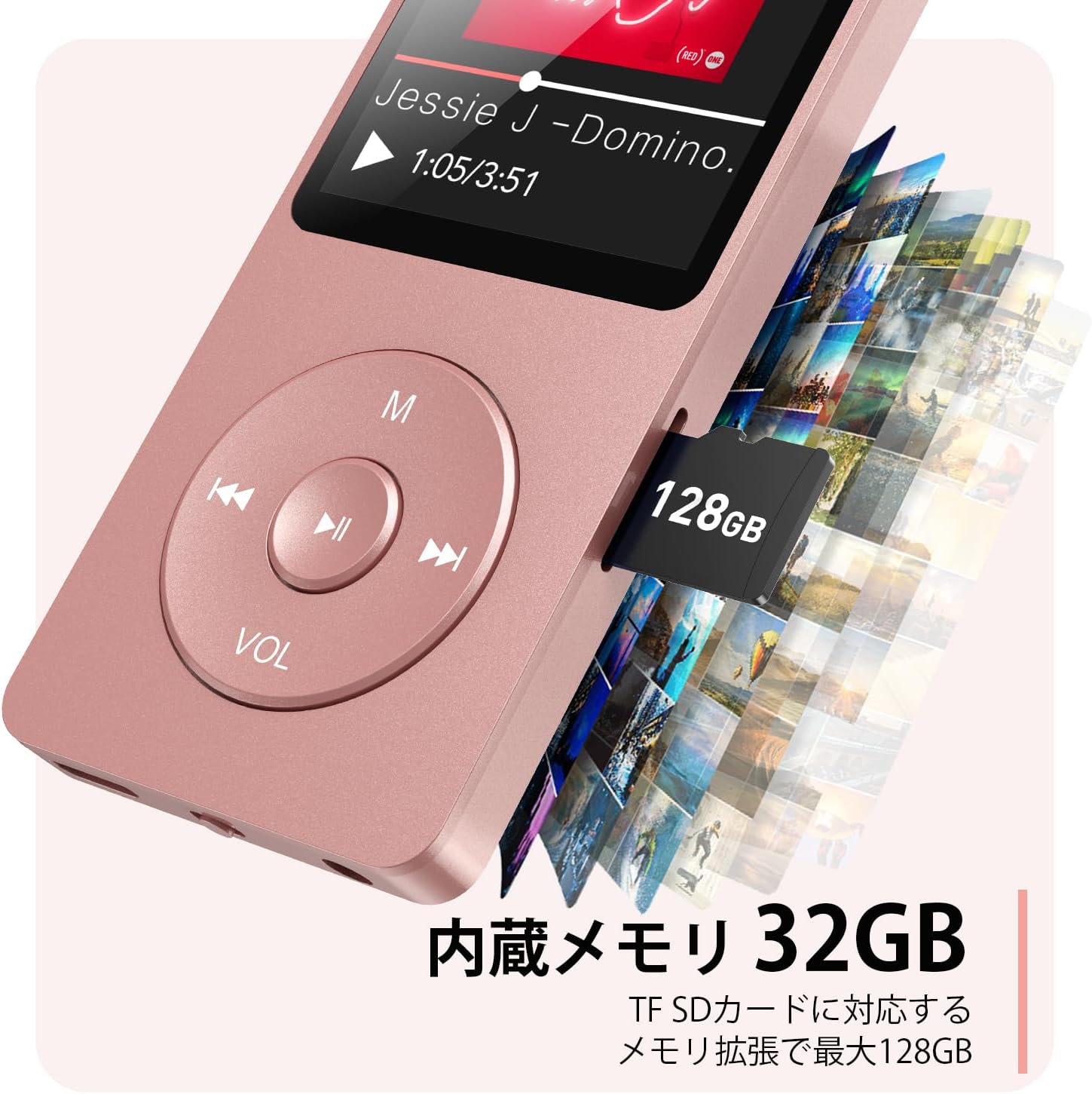
2.3-сүрөт: Каптал view with microSD card slot.
- USB-C порту: Заряддоо жана маалыматтарды өткөрүү үчүн.
- 3.5 мм гарнитура уячасы: Зымдуу аудио чыгаруу үчүн.
- MicroSD картасынын уячасы: 64 ГБ чейин кеңейтилүүчү сактагыч үчүн.
3. Орнотуу
3.1 Аппаратты заряддоо
Before first use, fully charge the MP3 player. Connect the provided USB-C cable to the player's USB-C port and the other end to a USB power adapter (not included) or a computer's USB port. The screen will indicate charging status. A full charge takes approximately 2 hours and provides up to 40 hours of music playback.

Figure 3.1: MP3 Player charging indication.
3.2 MicroSD картасын салуу
The player has 32GB of internal storage. To expand storage, insert a microSD card (up to 64GB, not included) into the microSD card slot until it clicks into place. Ensure the card is inserted correctly to avoid damage.
3.3 Музыканы өткөрүп берүү Files
- Connect the MP3 player to your computer using the USB-C cable.
- The player will appear as a removable disk on your computer.
- Музыкаңызды сүйрөп барып таштаңыз files (MP3, WMA, OGG, WAV, APE, FLAC, AAC, ACELP) into the 'Music' folder on the player or microSD card.
- Кабелди ажыратуудан мурун, түзмөктү компьютериңизден коопсуз ажыратыңыз.
4. Иштөө нускамалары
4.1 Күйгүзүү/өчүрүү
- Күйгүзүү: Long press the Power button (usually on the side or top edge) until the screen lights up.
- Өчүрүү: Long press the Power button until the 'Power Off' option appears, then select it.
4.2 Негизги навигация
Use the navigation buttons (Previous, Next, Play/Pause, M) to move through menus and select options. The Play/Pause button often acts as a 'Confirm' button in menus.

Figure 4.1: Main menu interface with various functions.
4.3 Музыканы ойнотуу
- Негизги менюдан "Музыка" бөлүмүн тандаңыз.
- Browse by Artist, Album, Songs, Playlists, etc.
- Ойнотууну баштоо үчүн ырды тандаңыз.
- Use the Previous/Next buttons to skip tracks, and Play/Pause to control playback.
- Adjust volume using the VOL button.
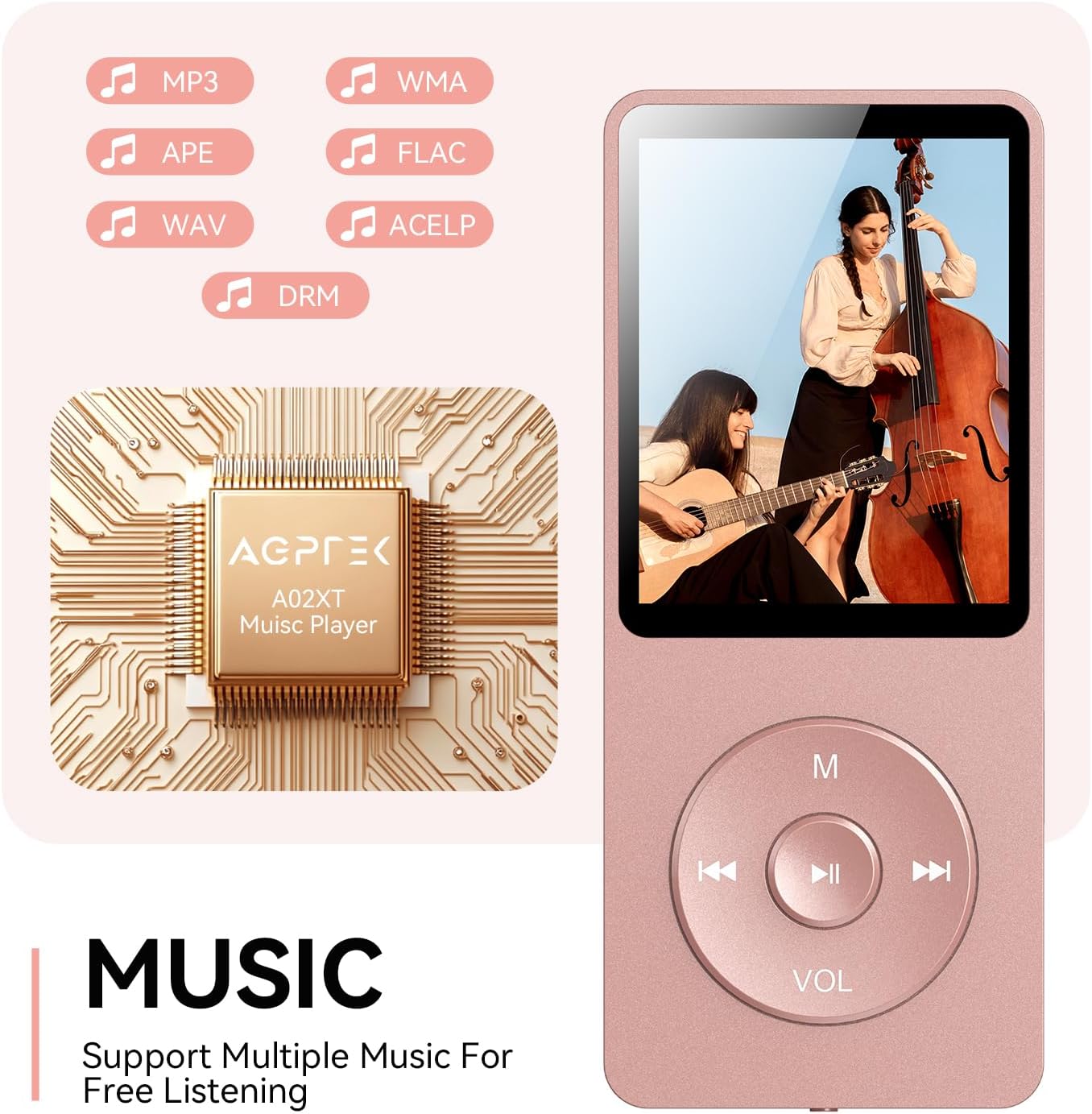
Figure 4.2: Music playback screen and supported formats.
4.4 Bluetooth байланышы
The A02XT supports Bluetooth 5.3 for wireless audio output to headphones or speakers.
- Негизги менюдан "Bluetooth" тандаңыз.
- Turn on Bluetooth on the player.
- Bluetooth кулакчындарыңыз/динамикиңиз жупташтыруу режиминде экенин текшериңиз.
- The player will search for nearby devices. Select your device from the list to pair.
4.5 FM радиосу
- Connect wired earphones to the 3.5mm jack; they act as the antenna.
- Негизги менюдан "FM Radio" тандаңыз.
- Use the navigation buttons to scan for stations or manually tune.
4.6 Үн жаздыруу
- From the main menu, select 'Record'.
- Баштоо үчүн "Үн жаздырууну баштоо" дегенди тандаңыз.
- Press Play/Pause to stop and save the recording.
4.7 Экранды кулпулоо
To prevent accidental button presses, long press the 'M' button to lock the screen. Repeat the action to unlock.
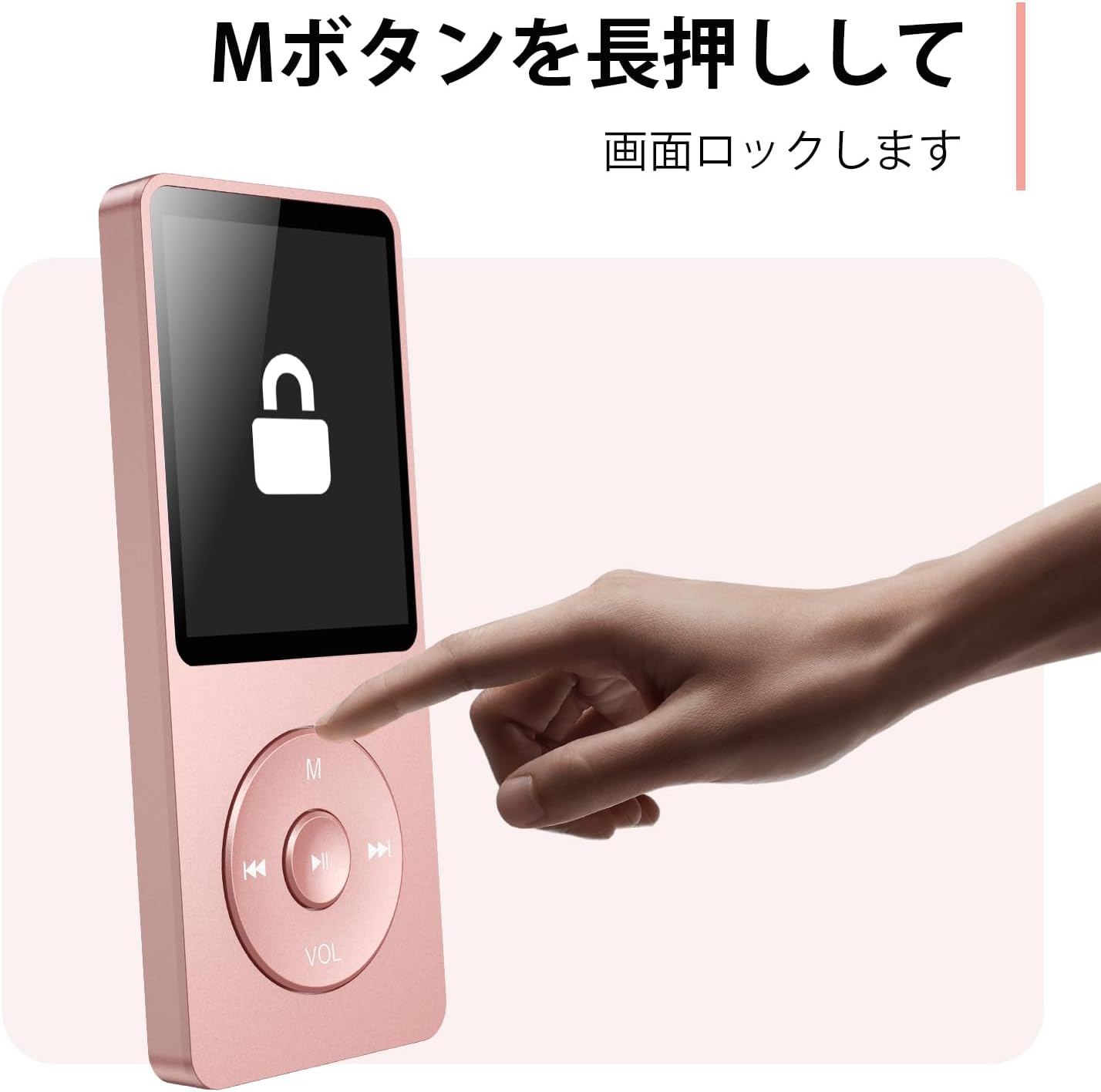
Figure 4.3: Screen lock function using the M button.
5. Техникалык тейлөө
5.1 Тазалоо
- Аппаратты жумшак, кургак чүпүрөк менен аарчыңыз.
- Суюк тазалагычтарды же эриткичтерди колдонбоңуз.
5.2 Сактоо
- Ойноткучту салкын, кургак жерде, күн нуру түз тийбеген жана өтө жогорку температурадан алыс сактаңыз.
- Аппаратты түшүрүүдөн же катуу таасирлерден сактаныңыз.
5.3 Батареяга кам көрүү
- Батареянын иштөө мөөнөтүн сактоо үчүн, колдонулбаса да, аны үзгүлтүксүз кубаттап туруңуз.
- Батареяны бат-баттан толук түгөтүп коюудан алыс болуңуз.
6. Кыйынчылыктарды
6.1 Түзмөк күйбөй жатат
- Батарея заряддалганын текшериңиз. Кубат булагына туташып, кайра аракет кылыңыз.
- Perform a hard reset by pressing and holding the power button for 10-15 seconds.
6.2 Өткөрүп берүү мүмкүн эмес Files
- Check the USB-C cable connection. Try a different cable or USB port.
- Ensure the device is properly recognized by your computer.
- экендигин текшериңиз file формат ойноткуч тарабынан колдоого алынат.
6.3 Bluetooth жупташтыруу көйгөйлөрү
- Ensure both the player and the Bluetooth device are in pairing mode and within range.
- Эки түзмөктө тең Bluetooth'ду өчүрүп жана күйгүзүңүз.
- Мурунку жупташтырууларды жок кылып, кайра жупташып көрүңүз.
6.4 Үн жок
- Үн деңгээлин текшериңиз.
- Ensure headphones are properly connected or Bluetooth device is paired.
- Test with different headphones or Bluetooth device.
7. Техникалык шарттар
| Бренд | AGPTEK |
| Модель аты | A02XT |
| Эстутум сактоо сыйымдуулугу | 32 GB (expandable up to 64 GB via microSD card) |
| Түс | Кызгылт |
| Screen Size | 8.9 сантиметр (болжол менен 3.5 дюйм) |
| Медиа түрү | microSD картасы |
| Дисплей технологиясы | LCD |
| Колдоого алынган аудио форматтары | MP3, WMA, OGG, WAV, APE, FLAC, AAC, ACELP |
| Батареянын иштөө мөөнөтү | 40 саатка чейин |
| Элемент Салмагы | 130 грамм |
8. Кепилдик жана колдоо
8.1 Кепилдик маалыматы
This AGPTEK A02XT MP3 Player comes with a 1 жылдык кепилдик сатып алынган күндөн тартып. Бул кепилдик өндүрүштүк кемчиликтерди жана нормалдуу колдонуудагы бузулууларды камтыйт. Бул туура эмес колдонуудан, кырсыктардан, уруксатсыз өзгөртүүлөрдөн же кадимки эскирүүдөн келип чыккан зыянды камтыбайт.
8.2 Кардарларды колдоо
If you encounter any issues or have questions regarding your AGPTEK A02XT MP3 Player, please refer to the troubleshooting section of this manual first. If the problem persists, contact AGPTEK customer support through the official website or your retailer's support channels. Please have your purchase receipt and product model number (A02XT) ready when contacting support.