
Introduction
The LAMAX BFit Call is a versatile smartwatch designed to enhance your daily life with smart notifications, comprehensive health monitoring, and various fitness features. This manual provides essential information for setting up, operating, and maintaining your device.
Жайгашуу
1. Кутудан чыгаруу жана баштапкы төлөм
Carefully unpack your LAMAX BFit Call smartwatch. The package includes the smartwatch, a charging cable, an additional strap, and safety tips. Before first use, fully charge the device using the provided charging cable.
2. Күйгүзүү / Өчүрүү
To power on, press and hold the side button until the screen illuminates. To power off, navigate to the settings menu on the watch, select 'Power Off', and confirm.
3. Смартфонуңуз менен жупташуу
- Download the official LAMAX BFit Call application from your smartphone's app store.
- Смартфонуңузда Bluetooth иштетилгенин текшериңиз.
- Open the LAMAX BFit Call app and follow the on-screen instructions to search for and connect to your smartwatch via Bluetooth 5.3.
- Телефонуңузда жана акылдуу саатыңызда жупташтыруу өтүнүчүн ырастаңыз.
Successful pairing enables call, SMS, and selected application notifications directly on your watch.
Иштөө нускамалары
1. Негизги навигация
The LAMAX BFit Call features a responsive touch screen. Swipe left, right, up, or down to navigate through menus and access different functions. Press the side button to return to the home screen or wake the device.
2. Байланыш өзгөчөлүктөрү
- Bluetooth чалуулары: Once paired, you can answer or reject incoming calls directly from your watch.
- Эскертмелер: Receive SMS messages and notifications from selected applications on your wrist.
3. Ден соолуктун мониторинги
Акылдуу саат ден соолуктун ар кандай көрсөткүчтөрүн үзгүлтүксүз көзөмөлдөп турат:
- Жүрөктүн кагышы: 24-hour heart rate tracking.
- Кандагы кычкылтек (SpO2): Monitors blood oxygen supply.
- Кан басымы: Кан басымынын көрсөткүчтөрүн берет.
- Стресс деңгээли: Күн бою стресс деңгээлиңизди көзөмөлдөйт.
- Уйкунун сапаты: Уйкунун сапатын жана режимин көзөмөлдөйт.
- Менструалдык цикл: Offers tracking for the menstrual cycle.
Note: This device is not a medical instrument. Health data is for reference only and should not be used for medical diagnosis or treatment.
4. Fitness and Sport Modes
Access over 100 sport modes to track your workouts. The watch records training results, including calorie consumption, and features a pedometer for daily step counting. Relaxation exercises are also available.
5. Кошумча функциялар
- Мультимедиа башкаруу: Жупташкан смартфонуңузда музыка ойнотууну башкарыңыз.
- Ыңгайлаштырылган саат жүздөрү: Personalize your watch face through the app.
- Аба ырайы: Реалдуу убакытта аба ырайы жаңыртууларын алыңыз.
- Remote Timer: Use the watch as a remote timer.
- Оюндар: Enjoy two built-in games.
- Ойготкуч саат: Ойготкучтарды түздөн-түз сааттан орнотуңуз.
Техникалык тейлөө
1. Тазалоо
Сааттын экранын жана боону жумшак, кургак чүпүрөк менен үзгүлтүксүз сүртүңүз. Өтө кир болсо, бир аз сүртүңүз.amp чүпүрөк менен сүртүп, андан кийин жакшылап кургатыңыз. Катуу химиялык заттардан же абразивдүү материалдардан алыс болуңуз.
2. Батареяга кам көрүү
To maximize battery life (up to 7 days on average), avoid extreme temperatures and fully charge the device before it completely drains. If storing for an extended period, charge it to about 50%.
3. Материалдарга кам көрүү
The watch is made from safe, non-irritating materials. If you experience any skin irritation, discontinue use and consult a doctor. Ensure the strap is not too tight to allow for proper air circulation.
Проблемаларды чечүү
- Күйгүзүлбөй жаткан саат: Саат толук заряддалганын текшериңиз. Аны заряддагычка кеминде 30 мүнөт туташтырыңыз.
- Телефон менен жупташтыруу мүмкүн эмес: Check if Bluetooth is enabled on your phone and the watch. Ensure the watch is within range and not paired with another device. Restart both the watch and phone.
- Билдирмелер алынган жок: Verify that app notifications are enabled in your phone's settings and within the LAMAX BFit Call app. Ensure the watch is properly connected via Bluetooth.
- Туура эмес ден соолук маалыматтары: Сааттын билегиңизге бекем тагылганын, бирок өтө бекем тагылбаганын текшериңиз. Сааттын арткы бетиндеги сенсорду тазалаңыз.
- Батарейканын кыска мөөнөтү: Зарыл болбосо, экрандын жарыктыгын азайтыңыз, керексиз эскертмелерди өчүрүңүз жана үзгүлтүксүз ден соолукту көзөмөлдөөнү чектеңиз.
Техникалык шарттар
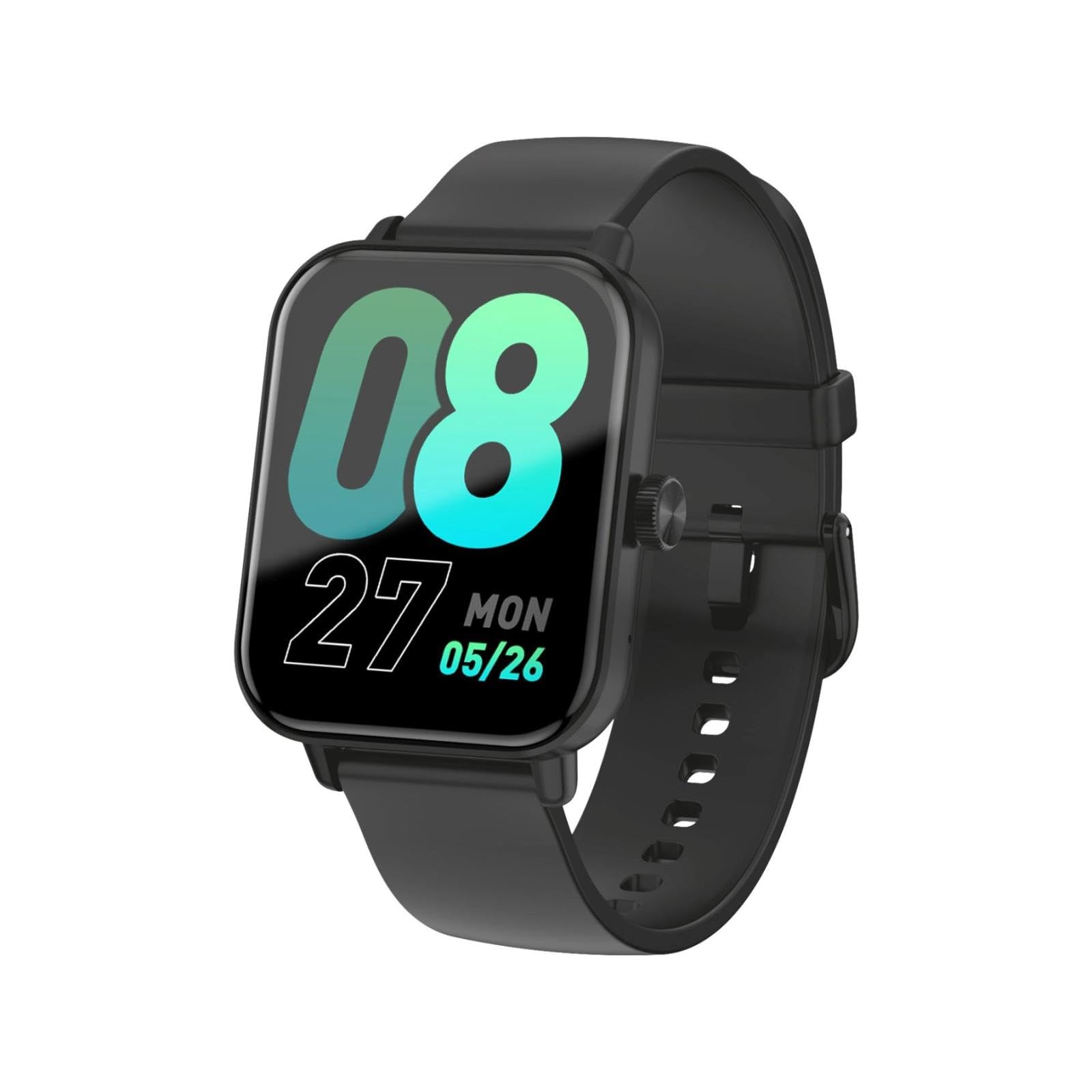
This image shows the LAMAX BFit Call smartwatch worn on the wrist of a child who is engaged in writing. The watch face displays digital time and other metrics, highlighting its comfortable fit and clear display during daily activities.
| Бренд | LAMAX |
| Модель аты | BFit Call |
| Дисплей өлчөмү | 1.83 дюйм |
| Дисплей түрү | TFT |
| Батарея сыйымдуулугу | 300 мАч |
| Батареянын орточо иштөө мөөнөтү | 7 күнгө чейин |
| Байланыш | Bluetooth |
| Өзгөчөлүктөр | Alarm clock, Touch screen, Cycle tracking, Time display |
| Салмагы | 35 г |
Кепилдик жана колдоо
For warranty information and technical support, please refer to the official LAMAX webсайтка кайрылыңыз же жергиликтүү дистрибьютериңиз менен байланышыңыз. Сатып алуу квитанциясын кепилдик дооматтары үчүн сатып алуунун далили катары сактаңыз.