
1. Киришүү
Сатып алганыңыз үчүн рахматasing the Promate Beamer-A250 4K UHD LCD Projector. This manual provides essential information for setting up, operating, and maintaining your device. Please read it thoroughly before use to ensure optimal performance and safety.
2. Продукциянын өзгөчөлүктөрү
- 4K UHD токтому: Experience stunning visuals with 3840 x 2160 resolution, powered by advanced LCD technology for vibrant colors and sharp clarity.
- 250 ANSI Lumens Brightness: Enjoy clear and vivid images even in well-lit environments, ideal for daytime presentations or movie nights.
- Integrated Telescopic Monopod Stand: The built-in adjustable stand allows for effortless setup and perfect alignment with any screen or wall.
- Automatic Keystone Correction & Manual Focus: Achieve a perfectly aligned and sharp image every time with automatic angle adjustment and precise manual focus.
- Android 11 операциялык системасы: Access your favorite streaming platforms like Netflix, YouTube, and Prime Video directly from the projector without additional devices.
- HDMI туташуу: Connect laptops, gaming consoles, or Blu-ray players via the HDMI port, supporting up to 4K resolution at 30Hz for smooth visuals.
- USB & HDD Storage Support: Play content directly from external storage devices, supporting USB flash drives up to 64GB and hard drives up to 512GB.
- Built-in Speaker & Bluetooth Audio: Enjoy clear and immersive sound from the integrated speaker or connect Bluetooth speakers/headphones for a personalized audio experience.
- Mini and Portable Design: Compact and lightweight, featuring a lens cover that doubles as a comfortable carrying handle, making it ideal for on-the-go use.
3. Пакеттин мазмуну
Пакетте бардык буюмдар бар экенин текшериңиз:
- Promate Beamer-A250 Projector
- Алыстан башкаруу
- Кубаттуу адаптер
- User Manual
Эгерде кандайдыр бир нерселер жок болсо же бузулса, кардарларды колдоо менен байланышыңыз.
4. Орнотуу
4.1. Күйгүзүү
- Кубат адаптерин проектордун кубат киргизүү портуна туташтырыңыз.
- Кубат адаптерин розеткага сайыңыз.
- Аппаратты иштетүү үчүн проектордун же пульттун кубат баскычын басыңыз.
4.2. Тирөөчтү тууралоо
The Beamer-A250 features an integrated telescopic monopod stand. Gently pull the stand to extend it to your desired height for optimal projection angle. Ensure the projector is stable on a flat surface.
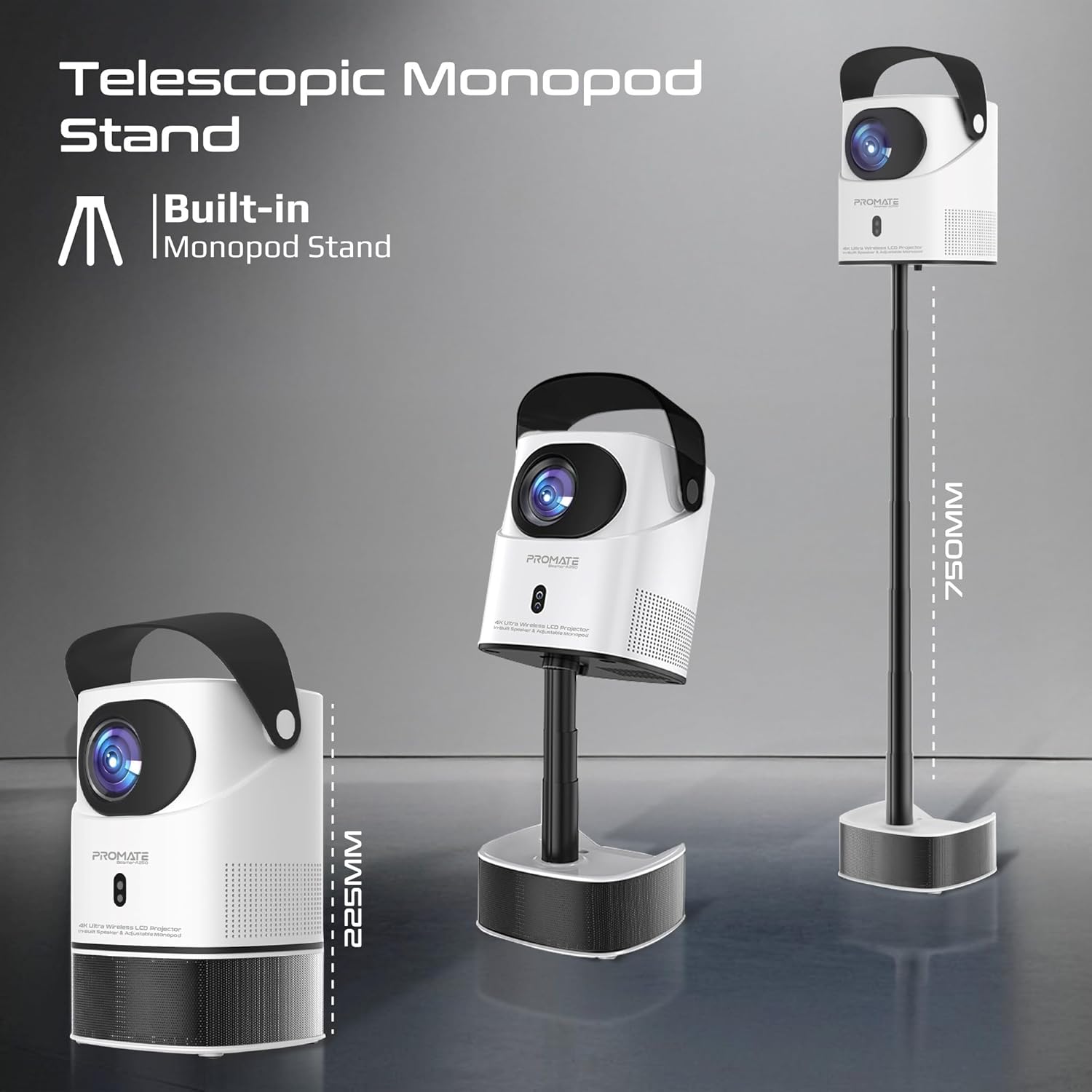
Image: The Promate Beamer-A250 projector demonstrating its adjustable telescopic monopod stand.
5. Иштөө нускамалары
5.1. Баштапкы орнотуу (Android 11)
Биринчи жолу күйгүзүлгөндө, экрандагы көрсөтмөлөрдү аткарыңыз:
- Тилиңизди тандаңыз.
- Wi-Fi тармагына туташыңыз.
- Log in with your Google account (optional, for app access).
- Күн жана убакыт жөндөөлөрүн тууралаңыз.

Image: The projector's interface showing the Android 11 home screen with streaming applications.
5.2. Фокусту жана Keystone коррекциясын түзүү
The projector features automatic keystone correction and manual focus for a clear, rectangular image.
- Автоматтык негизги ташты оңдоо: The projector will automatically adjust the image angle to correct for distortion when placed at an angle.
- Кол менен Фокус: Use the focus ring on the projector lens or the remote control to fine-tune the image sharpness until it is perfectly clear.

Image: Visual representation of auto keystone correction and manual focus adjustment.
5.3. Байланыш параметрлери
The Beamer-A250 offers multiple ways to connect your devices:
- HDMI: Connect external devices like laptops, gaming consoles, or Blu-ray players using an HDMI cable. The projector supports 4K@30Hz input.
- USB: Insert a USB flash drive (up to 64GB) or an external hard drive (up to 512GB) into the USB port to play media fileтүздөн-түз с.
- Bluetooth: Pair Bluetooth speakers or headphones for enhanced audio. Navigate to Settings > Bluetooth to connect.
- Wi-Fi: Connect to your home Wi-Fi network to access online streaming services and apps.

Сүрөт: Арткы view of the projector showing USB and HDMI ports.
5.4. Аудио чыгаруу
The projector has a built-in speaker. For external audio, use the Bluetooth connectivity feature to pair with your preferred audio devices.
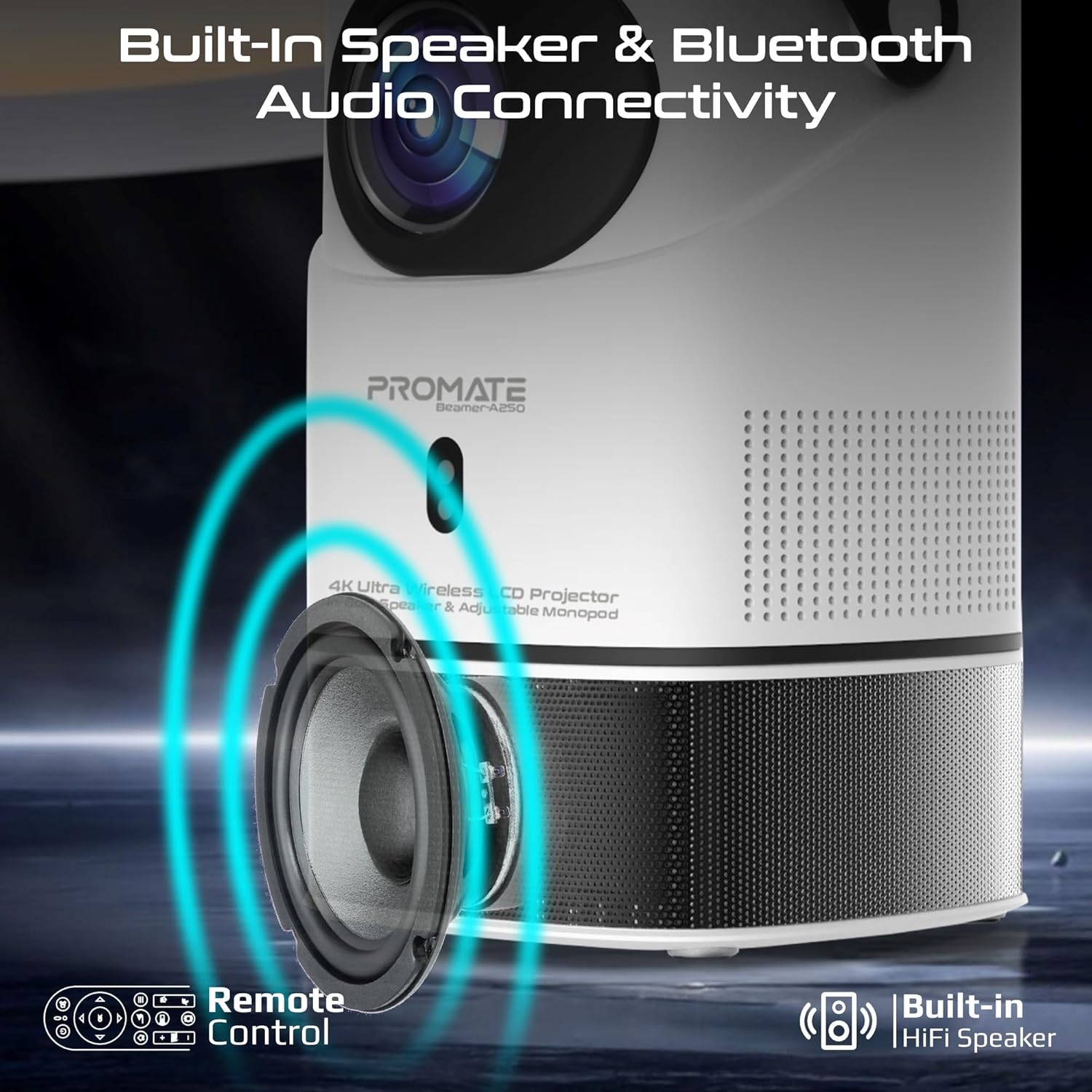
Image: Illustration of the projector's built-in speaker and Bluetooth audio capabilities.
6. Техникалык тейлөө
6.1. Объективди тазалоо
Use a soft, lint-free cloth specifically designed for optical lenses to gently wipe the projector lens. Avoid using abrasive cleaners or cloths that could scratch the lens.
6.2. Жалпы тазалоо
Проектордун сыртын жумшак, кургак чүпүрөк менен сүртүңүз. Суюк тазалагычтарды же эриткичтерди колдонбоңуз.
6.3. Сактоо
When not in use, store the projector in a cool, dry place away from direct sunlight and extreme temperatures. Use the integrated lens cover/handle for protection and easy transport.

Image: The projector's lens cover doubles as a handle for portability.
7. Кыйынчылыктарды
| Көйгөй | Мүмкүн себеп | Чечим |
|---|---|---|
| Сүрөт чагылдырылган жок | Power not connected; Input source incorrect; Lens cap on | Check power connection; Select correct input source (HDMI, USB); Remove lens cap |
| Сүрөт бүдөмүк | Focus not adjusted; Projector too close/far from screen | Adjust manual focus; Reposition projector within throw distance |
| Сүрөт бурмаланган (трапеция формасы) | Keystone not corrected | Ensure auto keystone correction is enabled or manually adjust in settings |
| Үн жок | Volume too low; External audio device not connected/paired | Increase volume; Connect/pair Bluetooth audio device |
| Wi-Fi/Bluetooth менен туташуу мүмкүн эмес | Incorrect password; Device out of range; Interference | Verify password; Move closer to router/device; Reduce interference |
8. Техникалык шарттар
| Өзгөчөлүк | Деталь |
|---|---|
| Бренд | Убада берүү |
| Модель аты | Beamer-A250 |
| Дисплей технологиясы | LCD |
| Native Resolution | 3840 x 2160 (4K UHD) |
| Жарыктык | 250 ANSI челинин |
| Контраст катышы | 2000:1 |
| Операция системасы | Android 11 |
| Байланыш | Wi-Fi, Bluetooth 4.0, HDMI (4K@30Hz input), USB |
| USB Storage Support | Up to 64GB (Flash Drive), Up to 512GB (Hard Drive) |
| Сүрөттүн өлчөмү | 2 to 10 meters (throw distance), Up to 150 inches (image size) |
| Өлчөмдөр | 18L x 18W x 31H см |
| Салмагы | 2.34 кг |
| Камтылган компоненттер | User Manual, Power Adapter |
9. Кепилдик жана колдоо
The Promate Beamer-A250 projector comes with a two-year manufacturer's warranty. For warranty claims, technical support, or any inquiries, please contact Promate customer service through their official webпродукт сатылып алынган сайт же сатуучу.
10. Продукт видеолору
10.1. Проектор бүттүview
Видео: Бүттүview of a 4K Android projector, showcasing features like auto-focus, keystone correction, and screen mirroring. This video provides a general demonstration of similar projector functionalities.