
1. Киришүү
Welcome to the EarFun K4 Kids Bluetooth Headphones. These headphones are designed specifically for children, featuring volume limiting technology to protect young ears, comfortable over-ear design, and fun LED lights. This manual provides essential information for safe and optimal use of your new headphones.
2. Коопсуздук маалыматы
The EarFun K4 headphones incorporate several safety features to ensure a secure listening experience for children.
- Үндү чектөө: The headphones feature adjustable volume limits of 74dBA (Normal Mode), 85dBA (Study Mode), and 94dBA (Travel Mode) to prevent hearing damage.
- Child-Friendly Materials: Constructed with BPA-free materials, certified with Rohs2.0 and CPC standards, ensuring they are safe for children.

Image: EarFun K4 headphones in various colors, highlighting safety certifications.

Image: Visual representation of the safer materials used in EarFun K4 headphones, including RoHS, CPC, and BPA-free certifications.
3. Пакеттин мазмуну
Пакетиңизде бардык буюмдар бар экенин текшериңиз:
- EarFun K4 Kids Bluetooth гарнитурасы
- USB-C заряддоо кабели
- 3.5 мм аудио кабель
- Колдонуучунун Колдонмосу (бул документ)
4. Продукт бүтүп калдыview
Familiarize yourself with the components and controls of your EarFun K4 headphones.

Сүрөт: деталдуу view of the headphone controls, LED light, and built-in microphone.
- Кубат баскычы: Used for powering on/off, play/pause, and call management.
- Үндү катуулатуу / Кийинки трек баскычы: Кыска басуу менен үндү жогорулатат, узак басуу менен кийинки трекке өтөт.
- Үндү азайтуу / Мурунку трек баскычы: Кыска басуу менен үндү азайтат, ал эми узак басуу менен мурунку трекке өтөт.
- LED Light Mode Button: Cycles through different LED light patterns.
- Камтылган микрофон: Үнсүз чалуулар үчүн.
- USB-C заряддоо порту: Наушниктерди заряддоо үчүн.
- 3.5 мм аудио уячасы: Зымдуу туташуу үчүн.
- Жөнгө салынуучу баш боосу: ар кандай баш өлчөмү үчүн жайлуу туура камсыз кылат.
- Бүктөлүүчү структурасы: Оңой сактоо жана көчмө болуу үчүн.
- Memory Foam Earcups: Provides enhanced comfort for extended wear.

Сүрөт: бүттүview of comfort features including adjustable headband, foldable design, memory foam, and durable materials.
5. Орнотуу
5.1 Наушниктерди заряддоо
- Берилген USB-C кубаттоо кабелин кулакчындардын кубаттоо портуна туташтырыңыз.
- Кабелдин экинчи учун USB кубат адаптерине (кошумча эмес) же компьютердин USB портуна туташтырыңыз.
- The LED indicator will blink red during charging. It will turn off or change color (depending on model) when fully charged.
A 10-minute charge provides approximately 8 hours of playtime. A full charge offers up to 90 hours of wireless playback with LED lights off.
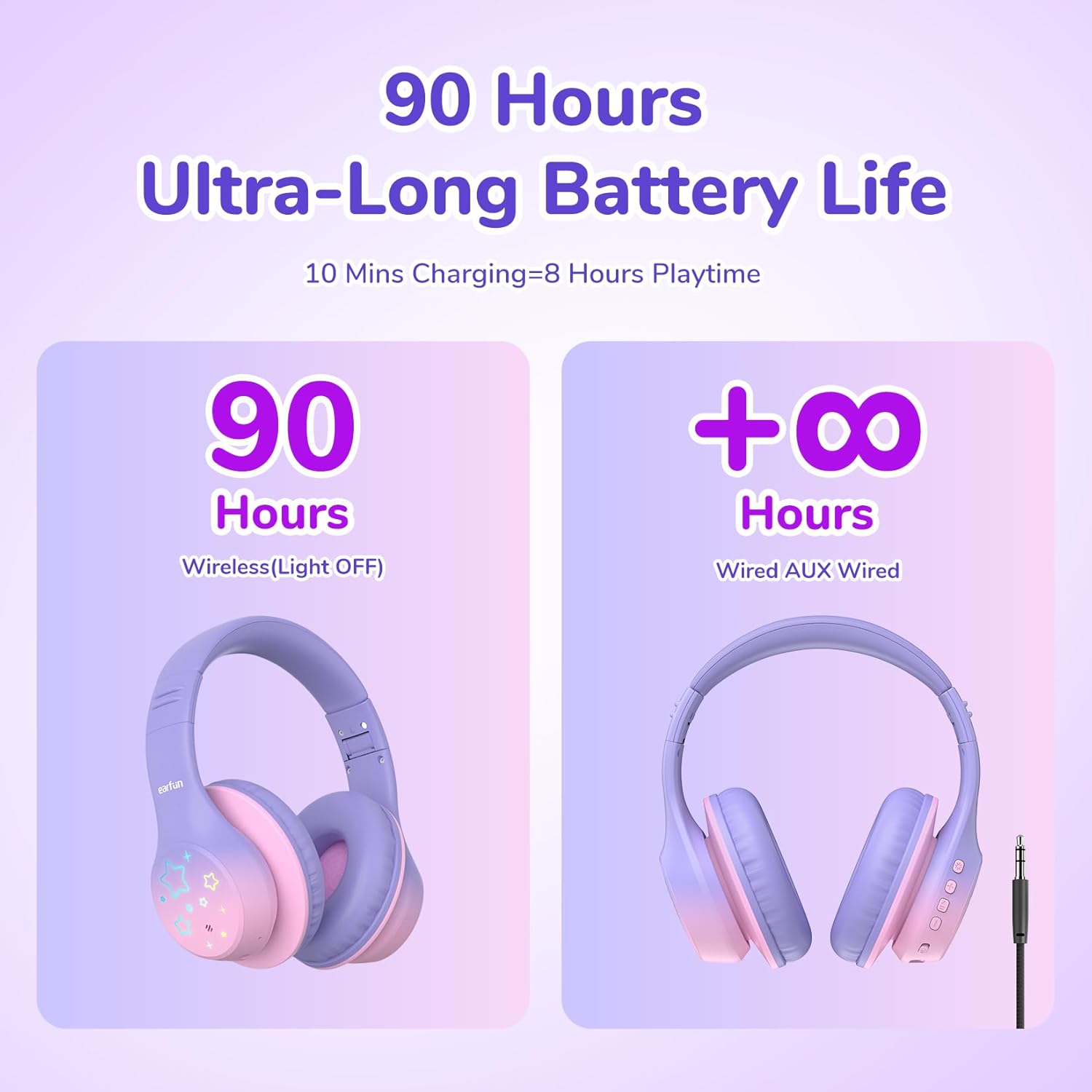
Image: Battery life illustration for wireless and wired modes.
5.2 Bluetooth жупташтыруу
- Наушниктердин заряддалганын текшериңиз.
- Press and hold the Power button for 3 seconds to turn on the headphones. The LED indicator will flash blue, indicating pairing mode.
- Түзмөгүңүздө (смартфон, планшет, ноутбук) Bluetooth иштетиңиз.
- Издөө "EarFun K4" in the list of available Bluetooth devices and select it to connect.
- Туташтырылгандан кийин, LED индикатору көк түскө айланат же жай күйөт.
5.3 Зымдуу режим
Наушниктерди зымдуу режимде колдонуу үчүн:
- 3.5 мм аудио кабелдин бир учун кулакчындардын аудио уячасына туташтырыңыз.
- Экинчи учун түзмөгүңүздүн 3.5 мм аудио чыгышына туташтырыңыз.
- The headphones will automatically switch to wired mode. Bluetooth functionality will be disabled.
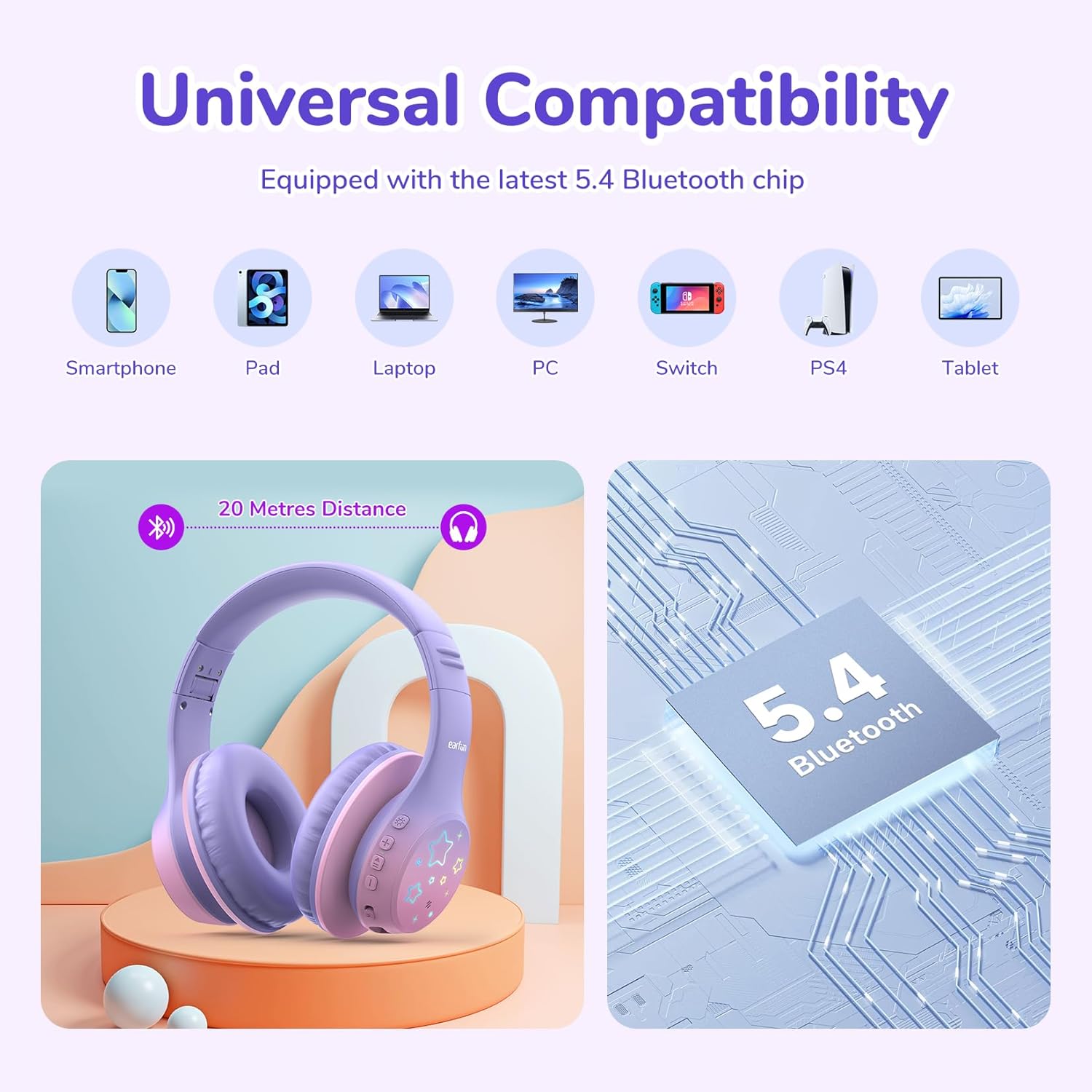
Image: Universal compatibility of EarFun K4 headphones with various devices via Bluetooth 5.4.
6. Иштөө нускамалары
6.1 Негизги функциялар
- Күйгүзүү: Кубат баскычын 3 секунд басып, кармап туруңуз.
- Өчүрүү: Кубат баскычын 3 секунд басып, кармап туруңуз.
- Ойнотуу/тындыруу: Кубат баскычын кыска басыңыз.
- Көлөмү: Үндү жогорулатуу (+) баскычын кыска басыңыз.
- Үнүн азайтуу: Үндү азайтуу (-) баскычын кыска басыңыз.
- Кийинки трек: Үндү жогорулатуу (+) баскычын көпкө басыңыз.
- Мурунку трек: Үндү азайтуу (-) баскычын көпкө басыңыз.
6.2 Чалууларды башкаруу
- Чалууга жооп берүү/аяктоо: Кубат баскычын кыска басыңыз.
- Чакырууну четке кагуу: Кубат баскычын көпкө басып туруңуз.
6.3 LED жарык режимдери
The EarFun K4 headphones feature 5 different LED light modes:
- Static Color 1
- Static Color 2
- Static Color 3
- Градиент жарык
- Ыкчам жарк
Short press the LED Light Mode button to cycle through these modes.

Image: Illustration of the five distinct LED lighting modes.
6.4 Volume Limit Modes
The EarFun K4 headphones offer three volume limit settings for different environments:
- 74dBA: Кадимки режим
- 85dBA: Окуу режими
- 94dBA: Саякат режими
To switch between these modes, simultaneously press the Volume Up (+) and Volume Down (-) buttons once after the headphones are paired.

Image: Visual guide to the three volume limit modes: Normal (74dB), Study (85dB), and Travel (94dB).

Image: Instructions on how to switch between volume limit modes.
7. Техникалык тейлөө
- Кулакчындарды жумшак, кургак чүпүрөк менен үзгүлтүксүз тазалап туруңуз. Суюк тазалоочу каражаттарды колдонбоңуз.
- Наушниктерди экстремалдык температурага, нымдуулукка же тике күн нуруна тийгизүүдөн сактаңыз.
- Наушниктерди колдонбогондо салкын, кургак жерде сактаңыз.
- Кулакчындарды бөлүктөргө бөлүүгө же өзгөртүүгө аракет кылбаңыз, анткени бул кепилдикти жокко чыгарат.
8. Кыйынчылыктарды
If you encounter issues with your EarFun K4 headphones, refer to the following common problems and solutions:
| Көйгөй | Чечим |
|---|---|
| Кулакчындар күйбөйт. | Наушниктердин толук заряддалганын текшериңиз. USB-C кабели аркылуу кубат булагына туташуу. |
| Bluetooth аркылуу жупташтыруу мүмкүн эмес. |
|
| Үн жок же үнү төмөн. |
|
| LED жарыктары иштебейт. | Press the LED Light Mode button to activate or cycle through the light patterns. Ensure headphones are powered on. |
9. Техникалык шарттар
| Өзгөчөлүк | Деталь |
|---|---|
| Бренд | EarFun |
| Модел | K4 |
| Байланыш | Bluetooth 5.4, 3.5 мм аудио уячасы |
| Кулак жайгаштыруу | Кулак үстүндө |
| Айдоочунун өлчөмү | 40мм динамикалык драйвер |
| Импеданс | 32 Ом |
| Frequency Response | 20 Гц - 20 КГц |
| Сезимталдуулук | 100 дБ |
| Көлөмдүн чеги | 74/85/94 дБА |
| Батареянын иштөө мөөнөтү | Up to 90 hours (wireless, LED lights off) |
| Заряддоо порту | USB-C |
| Тез кубаттоо | 8 саат ойноо үчүн 10 мүнөт кубаттоо |
| Камтылган микрофон | Ооба |
| Салмагы | 213 грамм |
| Материалдар | Булгаары, пластик |
| Кошумча функциялар | LED Lights, Foldable Structure |
10. Кепилдик жана колдоо
EarFun provides an 18-month warranty for every product. If you experience any issues or have questions regarding your EarFun K4 Kids Bluetooth Headphones, please contact EarFun customer support for assistance.
For more information and support, visit the official EarFun webсайтына кириңиз же продуктуңуздун таңгагында берилген байланыш маалыматтарын караңыз.