
Introduction
Сатып алганыңыз үчүн рахматasing the Oilsky D26 MP3 Player. This device combines a 2.8-inch full touchscreen with Bluetooth 5.0 connectivity, a built-in speaker, and a robust alloy design. It offers 64GB of internal storage, expandable up to 128GB with a microSD card, and supports various audio formats. This manual provides essential information for setup, operation, and maintenance to ensure optimal performance.
Пакеттин мазмуну
Сураныч, пакетте төмөнкү нерселерди текшериңиз:
- Oilsky D26 MP3 Player Unit
- Наушник
- Type-C USB кабели
- Instruction Manual
- Коргоочу кап

Эгерде кандайдыр бир нерселер жок болсо же бузулса, кардарларды колдоо менен байланышыңыз.
Продукт бүттүview
The Oilsky D26 MP3 Player features a sleek alloy design with a 2.8-inch full touchscreen for intuitive navigation. It includes a home button for easy return to the main menu.

Жайгашуу
1. Аппаратты заряддоо
Before first use, fully charge the MP3 player. Connect the provided Type-C USB cable to the player's charging port and the other end to a USB power adapter (not included) or a computer's USB port. The battery indicator on the screen will show charging status.
2. microSD картасын салуу (кошумча)
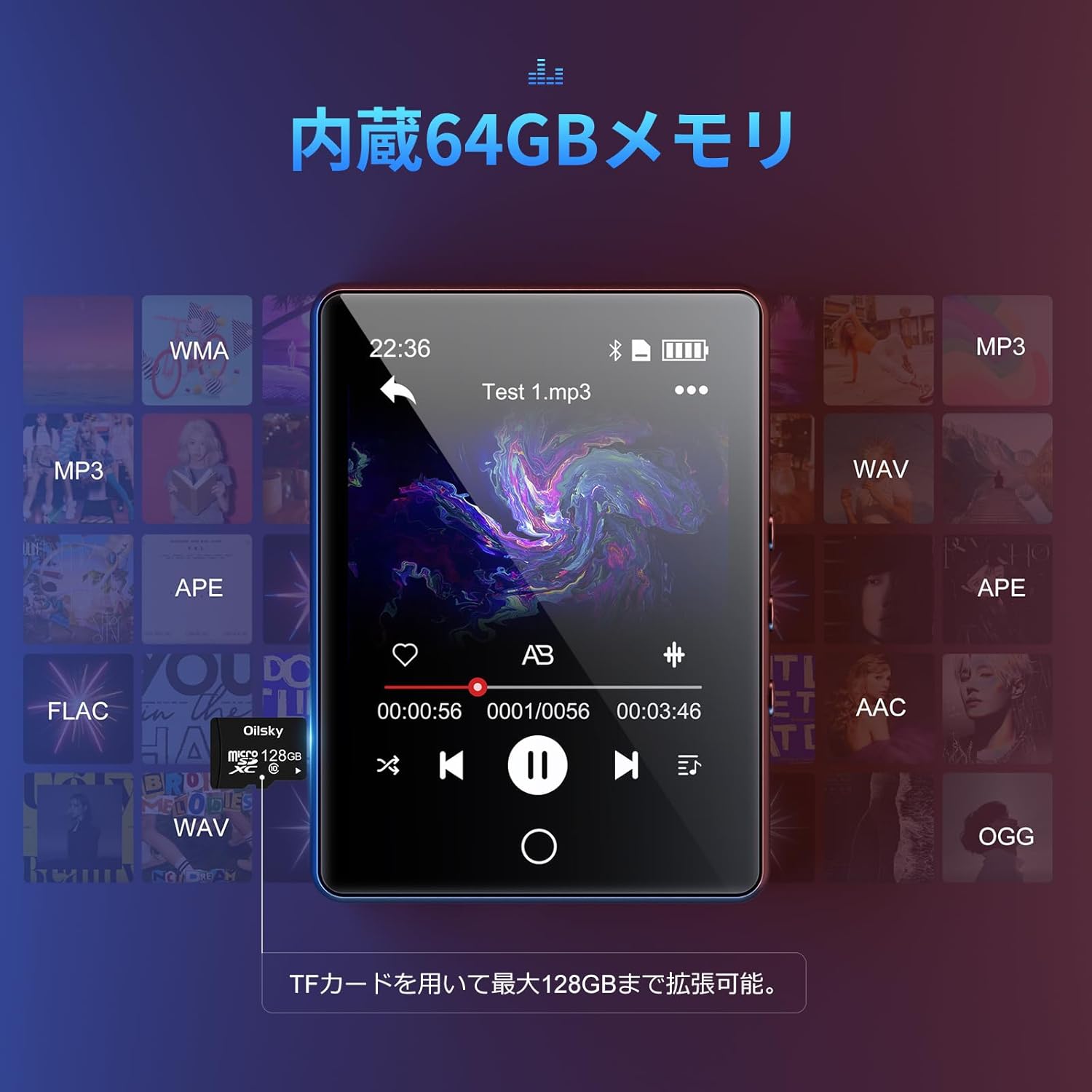
The device has 64GB of internal storage. To expand storage up to 128GB, insert a microSD card into the designated slot. Ensure the card is inserted correctly until it clicks into place.

3. өткөрүп берүү Files
Connect the MP3 player to your computer using the Type-C USB cable. The device will appear as a removable disk. You can then drag and drop audio files (MP3, WMA, APE, FLAC, AAC, WAV, OGG) into the player's internal storage or the inserted microSD card.
Иштөө нускамалары
1. Негизги навигация
The D26 features a 2.8-inch full touchscreen. Tap icons to select functions and swipe to navigate menus. The physical home button at the bottom allows you to return to the main menu from any application.

2. Музыканы ойнотуу
Tap the 'Music' icon on the main screen to access your audio library. The player supports various formats including MP3, WMA, APE, FLAC, AAC, WAV, and OGG, ensuring high-quality audio playback with minimal loss.
3. Bluetooth байланышы
The D26 features Bluetooth 5.0 for stable wireless connections. To pair with Bluetooth headphones or speakers:
- "Орнотууларга" өтүп, "Bluetooth" тандаңыз.
- Bluetooth'ду күйгүзүп, жеткиликтүү түзмөктөрдү издеңиз.
- Select your Bluetooth headphones or speaker from the list to pair.
Эскертүү: This device can only pair with Bluetooth headsets or speakers. It cannot pair with mobile phones, cars, or computers. Ensure you are in an area free from strong electromagnetic interference to maintain a stable Bluetooth connection.

4. FM радиосу
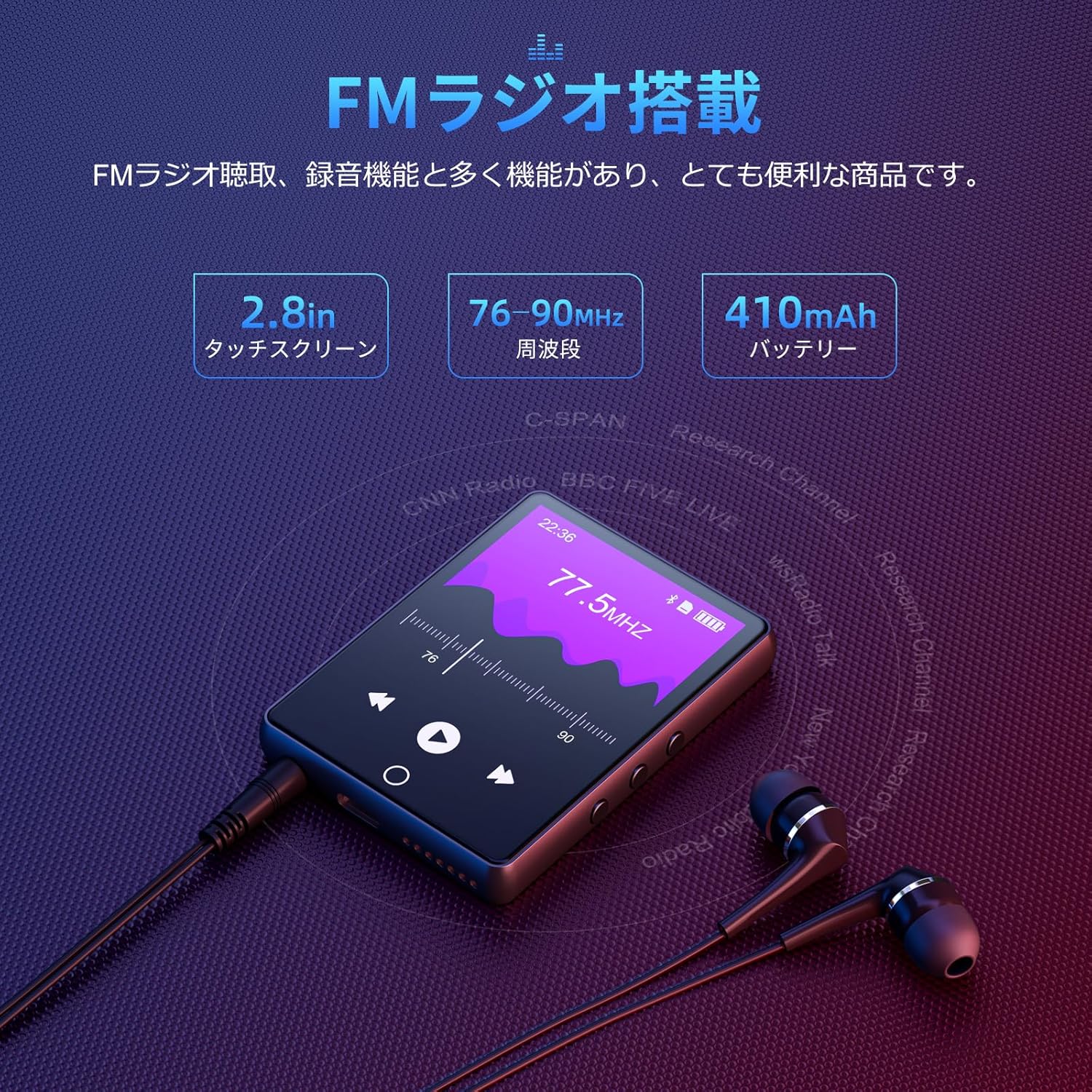
To use the FM radio function, connect the wired earphones (included) as they act as the antenna. Tap the 'FM Radio' icon on the main screen. You can then scan for stations and listen to broadcasts.
5. Жазуу функциясы
The D26 includes a recording function, useful for lectures, meetings, or personal notes. Tap the 'Record' icon to start and stop recordings. Recorded files are saved on the device.

6. Башка функциялар
The device also includes additional utilities such as a timer, calendar, and calculator. Access these features from the main menu.

Техникалык тейлөө
- Аппаратты кургак кармаңыз. ным же суюктуктардын таасиринен алыс болуңуз.
- Экранды жана корпусту жумшак, кургак чүпүрөк менен тазалаңыз. Абразивдүү тазалоочу каражаттарды колдонбоңуз.
- Ашыкча температурадан сактаныңыз.
- Аппаратты өз алдынча бөлүүгө же оңдоого аракет кылбаңыз.
Проблемаларды чечүү
Түзмөк күйбөй жатат:
- Аппараттын толук заряддалганын текшериңиз.
- Кубат баскычын бир нече секунд басып туруңуз.
Bluetooth аркылуу туташуу мүмкүн эмес:
- Ensure Bluetooth is enabled on both the player and the receiving device (headphones/speaker).
- Make sure the receiving device is in pairing mode.
- Confirm that you are attempting to pair with a compatible device (Bluetooth headphones or speakers only).
- Электромагниттик тоскоолдуктардын потенциалдуу булактарынан алыс болуңуз.
Үн жок:
- Үн деңгээлин текшериңиз.
- Ensure earphones are properly connected or Bluetooth device is paired and connected.
- Башка кулакчындар же Bluetooth түзмөгү менен сынап көрүңүз.
Fileойнобой жатат:
- Аудио экенин текшериңиз file format is supported (MP3, WMA, APE, FLAC, AAC, WAV, OGG).
- камсыз кылуу fileлар бузулган эмес.
Техникалык шарттар
| Өзгөчөлүк | Спецификация |
|---|---|
| Модель номери | D26 |
| Бренд | Ойлский |
| Screen Size | 2.8 дюйм |
| Дисплей технологиясы | LCD |
| Ички сактагыч | 64 ГБ |
| Кеңейтүүчү сактагыч | microSD карта аркылуу 128 ГБ чейин |
| Байланыш | Bluetooth 5.0 |
| Колдоого алынган аудио форматтары | MP3, WMA, APE, FLAC, AAC, WAV, OGG |
| Башка функциялар | FM Radio, Built-in Speaker, Recording, Calculator, Timer, Calendar |
| Өлчөмдөр | 14.7 x 14.6 x 1.9 см |
| Салмагы | 200 г |
Кепилдик жана колдоо
This product comes with a standard manufacturer's warranty. For specific warranty details, please refer to the warranty card included in your package or contact the seller directly. If you encounter any issues or have questions regarding your Oilsky D26 MP3 Player, please reach out to our customer support team for assistance.
Байланыш маалыматы: Please refer to the contact details provided on the product packaging or the seller's information page.