
1. Introduction and Overview
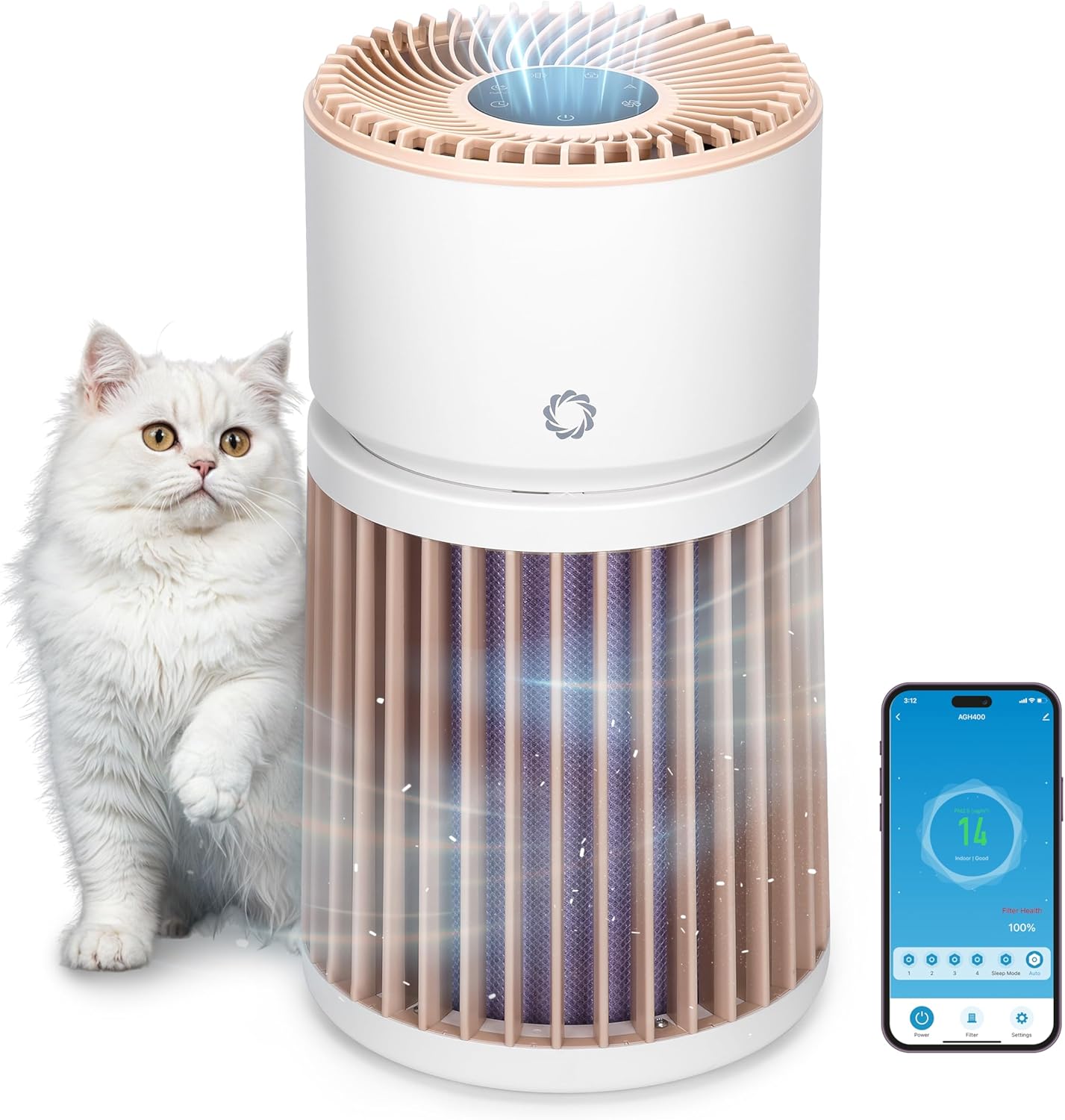
The Airthereal AGH400-PET Pet Air Purifier is designed to improve indoor air quality, especially in homes with pets. It features advanced filtration technology to effectively remove pet odors, dander, hair, dust, and other airborne particles, ensuring a fresher and healthier environment.
- Advanced Odor Elimination: Equipped with a powerful HEPA Purple Filter to combat pet odors and lingering smells.
- Жуучу алдын ала чыпка: A removable surface pre-filter captures pet hair and large particles, extending the lifespan of the main filter.
- Үй жаныбарларына ылайыктуу дизайн: Engineered to safely manage pet hair, cat urine odors, and dust, creating a healthier space for both pets and owners.
- Integrated PM 2.5 Sensor: Monitors and responds to changes in air quality in real-time, optimizing purification for any room size.
- 360° аба алуу: Provides comprehensive air purification by effectively capturing airborne particles from all directions.
- Whisper-Quiet Sleep Mode: Operates silently to ensure a peaceful and fresh environment without disturbance.
2. Орнотуу нускамалары
- Тазалагычты таңгактан чыгарыңыз: Аба тазалагычты жана бардык таңгактоочу материалдарды кутудан этияттык менен алып салыңыз.
- Фильтр таңгагын алып салуу: Twist the top section of the purifier counter-clockwise to unlock and lift it off. Remove the plastic packaging from the H13 Purple HEPA Filter.
- Чыпканы орнотуу: Place the unwrapped filter back into the base unit. Ensure it is seated correctly.
- Бирдикти кайра чогултуу: Align the top section with the base and twist clockwise to lock it securely in place.
- Жайгашкан жери: Place the air purifier on a flat, stable surface, ensuring at least 15 inches (38 cm) of clearance on all sides for optimal airflow. Avoid placing it near walls or furniture that could obstruct air intake.
- Кубат туташуу: Plug the power adapter into the DC input port on the back of the unit, then plug the adapter into a standard electrical outlet.

3. Иштөө нускамалары
Башкаруу панелиview
The control panel is located on the top of the air purifier and features touch-sensitive buttons and a digital display.

- Кубат баскычы (U): Түзмөктү күйгүзүү же өчүрүү үчүн басыңыз.
- Желдетүүчү ылдамдык баскычы (A): Cycle through 4 fan speed settings (F1-F4).
- Auto Mode Button (A): Activates automatic fan speed adjustment based on real-time air quality.
- Уйку режиминин баскычы (C): Reduces fan speed to the lowest setting and dims/turns off display lights for quiet operation.
- Таймер баскычы (L): Set the operating time (e.g., 1-12 hours).
- Балдардын кулпу баскычы (L): Press and hold for 3 seconds to activate/deactivate, preventing accidental changes to settings.
- Чыпканы баштапкы абалга келтирүү индикатору: Lights up when the filter needs cleaning or replacement.
Абанын сапаты көрсөткүчү
The LED light ring on the control panel changes color to indicate the current air quality:
- Жашыл: Good air quality (PM2.5 < 50 µg/m³)
- Сары: Moderate air quality (PM2.5 51-100 µg/m³)
- Кызыл: Unhealthy air quality (PM2.5 > 101 µg/m³)

Мобилдик колдонмону башкаруу
The AGH400-PET can be controlled remotely via a mobile application. Download the appropriate app (e.g., AIR.ai APP) from your smartphone's app store. Follow the in-app instructions to connect your device. The app allows you to:
- Turn the purifier On/Off.
- Adjust fan speeds and modes.
- Таймерлерди жана графиктерди коюу.
- Monitor air quality and filter health.
- Activate Child Lock.

4. Техникалык тейлөө
Фильтрди тазалоо жана алмаштыруу
Regular maintenance of the filters ensures optimal performance and extends the life of your air purifier.
- Жуучу алдын ала чыпка: The outer pre-filter is designed to capture larger particles like pet hair. It can be removed and gently washed with water. Ensure it is completely dry before reattaching.
- H13 Purple HEPA Filter: This multi-layer filter is not washable and should be replaced every 6-8 months, or when the filter reset indicator lights up, depending on usage and air quality.
Чыпканы алмаштыруу:
- Аба тазалагычты өчүрүп, розеткадан ажыратыңыз.
- Twist the top section counter-clockwise and lift it off.
- Carefully remove the old H13 Purple HEPA Filter.
- Insert the new filter into the base unit, ensuring proper orientation.
- Reattach the top section by aligning and twisting clockwise until locked.
- Plug in the unit and press and hold the Filter Reset button for 3 seconds to reset the filter life indicator.

5. Кыйынчылыктарды
| Көйгөй | Мүмкүн себеп | Чечим |
|---|---|---|
| Түзмөк күйбөйт | розеткага кошулбаган; күч уtagд) түзмөк туура эмес чогултулган. | Check power connection; ensure top and base are locked; check household circuit breaker. |
| Аба агымынын азайышы же адаттан тыш ызы-чуу | Clogged filter; foreign object in fan. | Clean/replace filters; check for obstructions (unplug first). |
| Абанын сапатынын индикатору ар дайым кызыл/сары түстө болот | High pollution levels; sensor obstruction. | Allow time for purification; clean the PM2.5 sensor (refer to manual for location). |
| Мобилдик колдонмого туташуу мүмкүн эмес | Incorrect Wi-Fi password; device too far from router; app issues. | Verify Wi-Fi credentials; move unit closer to router; restart app/device. |
6. Техникалык шарттар
- Модель номери: AGH400-PET
- Продукциянын өлчөмдөрү: 11.8 x 11.8 x 21.3 дюйм
- Элемент Салмагы: 13.34 фунт
- Кубат булагы: DC
- Ватtage: 42 ватт
- Башкаруу ыкмасы: App, Touch control
- Чыпка түрү: Odor Decomposition Filter, HEPA and Activated Carbon
- Полдун аянты: 3500 чарчы футка чейин
- Ызы-чуу деңгээли: 28 Decibels (in Sleep Mode)
- Бөлүкчөлөрдү кармоо өлчөмү: 0.1 микрон
- Өзгөчөлүктөр: HEPA Purple Filter, Integrated PM 2.5 Air Quality Sensor
- Тастыктоо: CARB тастыкталган
- Түсү: Ак

7. Кепилдик жана колдоо
For warranty information, technical support, or any questions regarding your Airthereal Pet Air Purifier AGH400-PET, please refer to the official Airthereal webсайтка же түздөн-түз кардарларды тейлөөгө кайрылыңыз. Кепилдик дооматтар үчүн сатып алуу дүмүрчөгүңүздү сактаңыз.
Көбүрөөк маалымат жана колдоо таба аласыз Airthereal Official Webсайт.