
WANPTEK DPS305U
WANPTEK DPS305U Switching DC Power Supply User Manual
Model: DPS305U
1. Киришүү
This user manual provides detailed instructions for the safe and efficient operation of the WANPTEK DPS305U Switching DC Power Supply. This device is a high-precision, four-digit LED display power supply offering adjustable voltage from 0-30V and current from 0-5A. It is designed for various applications including laboratory research, electronic production lines, communication equipment maintenance, and product development.
Түзмөктү туура колдонуу жана бузулууларды же жаракаттарды алдын алуу үчүн, аны иштетүүдөн мурун, ушул колдонмону кылдат окуп чыгыңыз.
2. Коопсуздук чаралары
- Ар дайым кубат булагын жерге туташтырылган розеткага туташтырыңыз.
- Аппаратты нымдуу жерде иштетпеңиз же damp шарттар.
- Ensure proper ventilation; do not block the ventilation openings.
- в ачпагылаasinЭлектр менен камсыздоонун g бөлүгү. Ичинде колдонуучу тейлей турган тетиктер жок. Бардык тейлөө иштерин квалификациялуу адистерге тапшырыңыз.
- Киргизилген томду текшериңизtage matches the power supply's requirements before connecting to the mains.
- Disconnect power before making or changing connections to the output terminals.
- Avoid short-circuiting the output terminals for extended periods, although the device has protection features.
3. Продукт бүтүп калдыview
The WANPTEK DPS305U features a compact design with intuitive controls and a clear LED display for precise readings.
3.1 Алдыңкы панелдин жайгашуусу

Сүрөт 3.1: Алдыңкы view of the WANPTEK DPS305U DC Power Supply, showing the LED display, control knobs, USB ports, and output terminals.
алдыңкы панели камтыйт:
- LED дисплей: Чыныгы убактагы том көрсөтөтtage (V), current (A), and power (W) readings with four digits of precision.
- Тtage Adjustment Knobs (V-COARSE, V-FINE): Чыгарылыштын көлөмүн орнотуу үчүн колдонулатtage. V-COARSE for large adjustments, V-FINE for precise tuning.
- Current Adjustment Knobs (A-COARSE, A-FINE): Used to set the output current limit. A-COARSE for large adjustments, A-FINE for precise tuning.
- USB-A жана USB-C порттору: For charging compatible devices or powering low-current USB devices.
- OCP (Over Current Protection) Indicator: Lights up when over-current protection is active.
- Кубат өчүргүч (КҮЙГҮЗҮҮ/ӨЧҮРҮҮ): Аппаратты күйгүзүү же өчүрүү үчүн.
- Output Terminals (+, -, Ground): For connecting loads using banana plugs or bare wires.
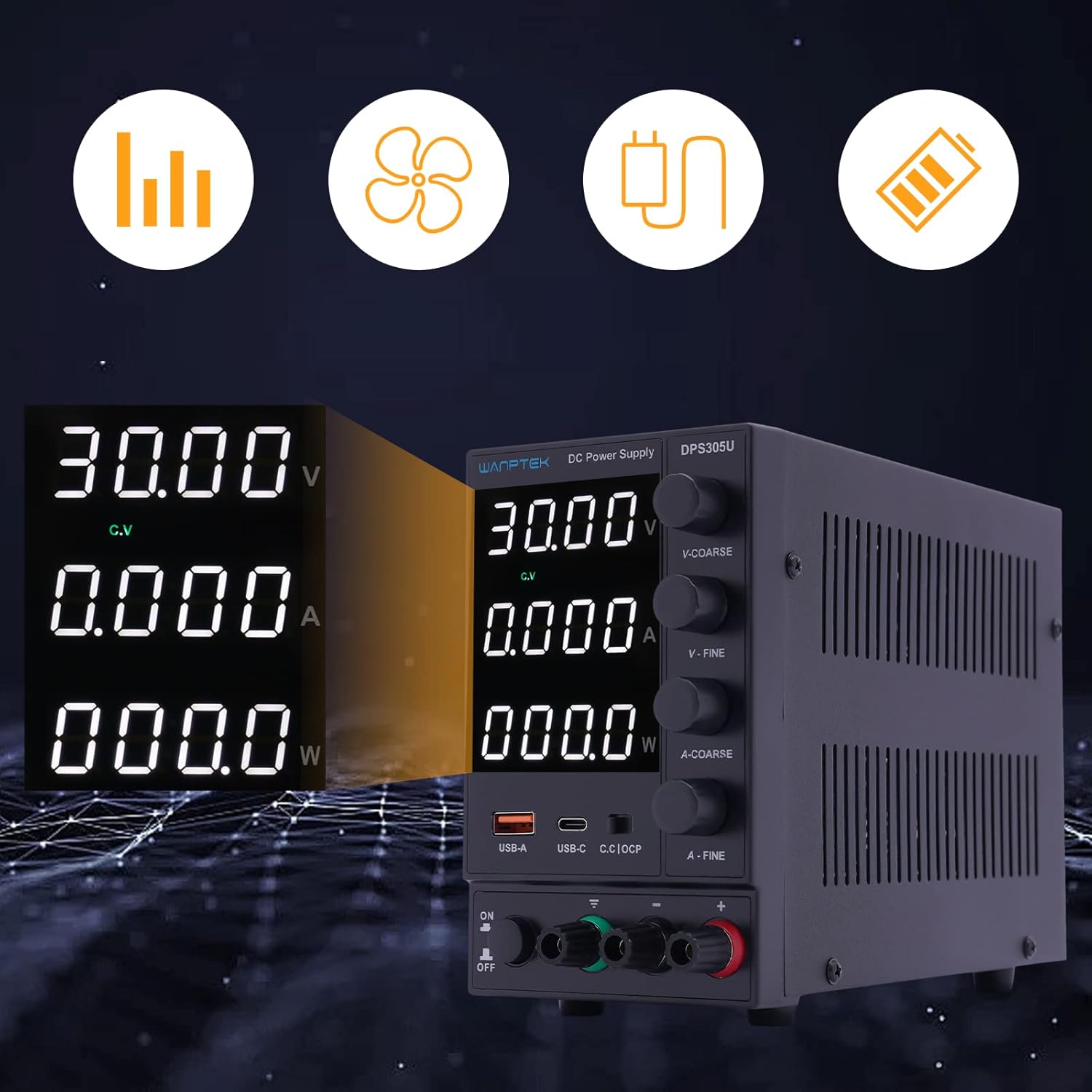
3.2-сүрөт: Детальдуу view of the digital display, indicating voltage, current, and power output, along with status indicators.
The display provides clear, real-time feedback on the power supply's output, essential for precise control during operation.
3.2 Арткы панелдин жайгашуусу

3.3-сүрөт: Арткы view of the power supply, showing the power input socket and ventilation fan.
The rear panel typically includes the AC power input socket and a cooling fan for thermal management.
3.3 Пакеттин мазмуну
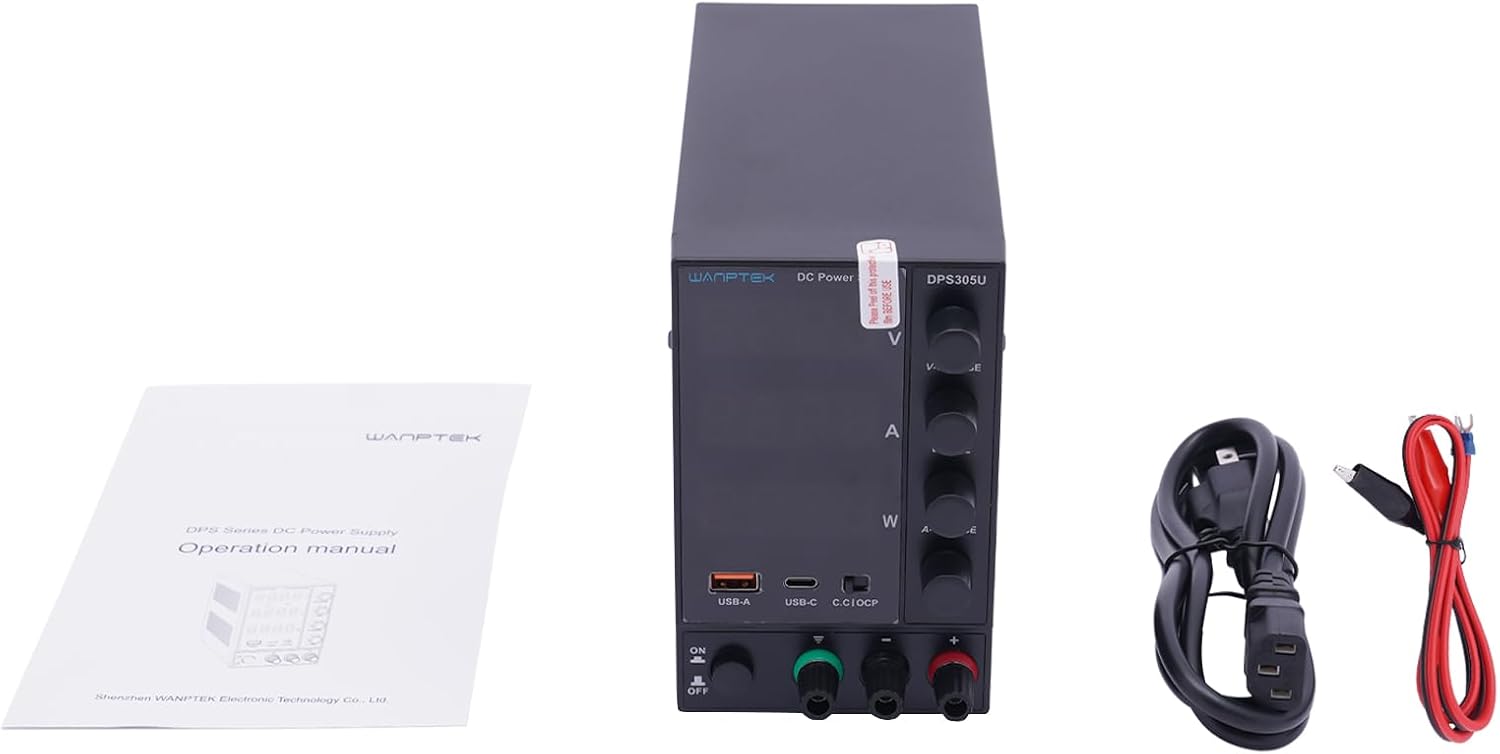
Figure 3.4: The standard package contents for the DPS305U, including the power supply unit, user manual, and necessary power and output cables.
Таңгактан чыгаргандан кийин, бардык буюмдар бар экенин текшериңиз:
- WANPTEK DPS305U DC Power Supply Unit
- AC Power Cord
- Output Test Leads (Banana Plug to Alligator Clip)
- User Manual
4. Орнотуу
- Жайгашкан жери: Place the power supply on a stable, level surface with adequate ventilation space around it. Ensure no objects block the air vents on the sides and rear.
- Кубат туташуу: Connect the supplied AC power cord to the power input socket on the rear panel of the power supply, then plug the other end into a grounded AC outlet.
- Алгачкы текшерүү: Before connecting any load, ensure the power supply is off. Turn the voltage and current adjustment knobs to their minimum settings (fully counter-clockwise).
5. Иштөө нускамалары
5.1 Setting Voltage and Current Limits (Constant Voltage / Constant Current Mode)
- Күйгүзүү: Turn on the power supply using the ON/OFF switch. The LED display will illuminate.
- Алдын ала коюу көлөмүtage: Without a load connected, adjust the V-COARSE and V-FINE knobs to set the desired output voltagд. Томду байкаңызtagдисплейде окуу.
- Pre-setting Current Limit: To set the current limit, temporarily short the positive and negative output terminals using a test lead (or a low-resistance load). The display will show the current. Adjust the A-COARSE and A-FINE knobs to set the desired maximum current. Remove the short circuit after setting.
- Туташуу жүк: Connect your device or circuit to the output terminals. Ensure correct polarity (+ to +, - to -).
- Операция: The power supply will operate in Constant Voltage (CV) mode if the load current is below the set limit, or in Constant Current (CC) mode if the load attempts to draw more current than the set limit. The corresponding CV or CC indicator on the display will light up.
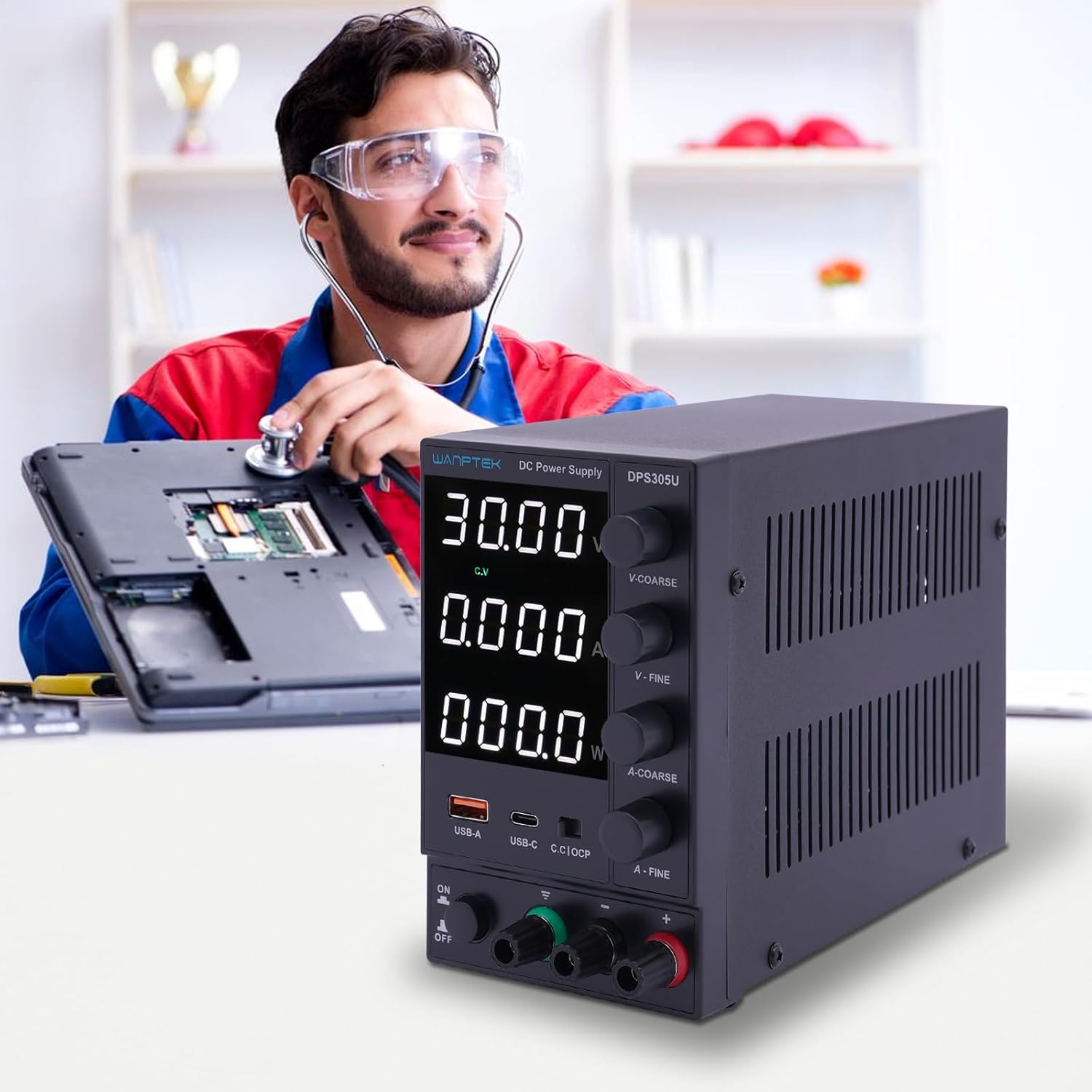
Figure 5.1: The DPS305U in use, demonstrating its application in electronic testing and repair environments.
5.2 Using USB-A and USB-C Output Ports
The integrated USB-A and USB-C ports provide a convenient 5V output for charging or powering compatible USB devices. These ports operate independently of the main adjustable DC output.
- кубат менен камсыздоо күйгүзүлгөнүн текшериңиз.
- Connect your USB device to either the USB-A or USB-C port using an appropriate cable.
- The device will begin charging or operating.
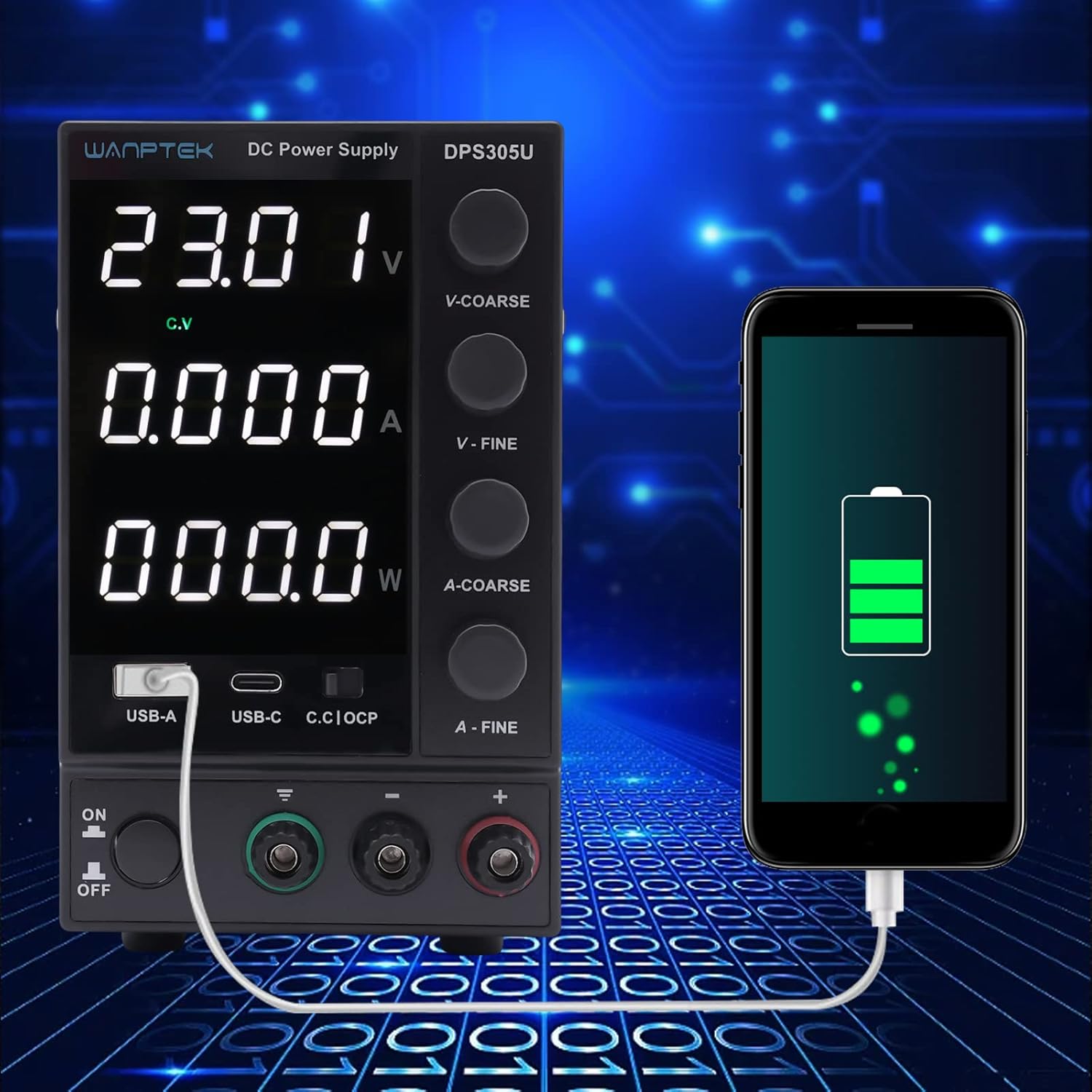
Figure 5.2: Demonstration of the power supply's USB-A port being used to charge a smartphone, highlighting its versatility.
5.3 Ашыкча ток коргоо (OCP)
The OCP function protects the connected load from excessive current. When the output current exceeds the preset limit, the OCP indicator will light up, and the power supply will limit the current to the set value. This prevents damage to both the power supply and the connected device.
6. Техникалык тейлөө
- Тазалоо: Тазалоодон мурун электр кубатын электр тармагынан ажыратыңыз. Сыртын сүртүү үчүн жумшак, кургак чүпүрөктү колдонуңуз. Абразивдүү тазалоочу каражаттарды же эриткичтерди колдонбоңуз.
- Вентиляция: Аба агымынын туура агымын камсыз кылуу жана ысып кетүүнүн алдын алуу үчүн вентиляция тешиктери чаңдан жана таштандыдан таза экенин дайыма текшерип туруңуз.
- Сактагыч: Узак мөөнөткө колдонулбаганда, кубат менен камсыздоону салкын, кургак жерде, тике күн нурунан жана өтө температурадан алыс сактаңыз.
7. Кыйынчылыктарды
| Көйгөй | Мүмкүн себеп | Чечим |
|---|---|---|
| Кубат жок/дисплей өчүк | Электр зымы туташкан эмес; Электр өчүрүү; Күйгүзүүчү. | Check power cord connection; Turn on power switch; Check and replace fuse (if accessible and safe to do so, otherwise contact support). |
| Чыгаруунун көлөмү жокtage/Current | Output terminals not connected; Voltage/current knobs set to zero; OCP activated. | Ensure proper connection to load; Adjust voltage/current knobs; Check for short circuit in load, remove it, and reset OCP if necessary. |
| Чыгуу томtage/current fluctuates | Unstable input power; Loose connections; Faulty load. | Ensure stable AC input; Check all connections; Test with a different load. |
| Бирдик ашыкча ысып жатат | Бөгөттөлгөн желдетүү; Ашыкча жүк. | Ensure vents are clear; Reduce load or operate within specified limits. |
8. Техникалык шарттар
| Параметр | Нарк |
|---|---|
| Модел | DPS305U |
| Киргизүү көлөмүtage | AC 110V/220V ±10% (Switchable) |
| Output Voltage | 0-30В DC |
| Output Current | 0-5А DC |
| Дисплей | 4-digit LED (Voltage, Current, Power) |
| Жүктү жөнгө салуу (Көлөм)tage) | ≤0.5% + 10мВ |
| Жүктү жөнгө салуу (учурдагы) | ≤0.5% + 3мА |
| Толкун жана ызы-чуу (том)tage) | ≤5mVrms |
| Толкун жана ызы-чуу (токтогу) | ≤3mArms |
| Коргоо | Overload, Over-temperature, Over-voltage, Over-current |
| USB чыгышы | USB-A: 5V/2A, USB-C: 5V/3A |
| Өлчөмдөрү (L×W×H) | Approx. 19cm × 9cm × 14.5cm (7.48in × 3.54in × 5.7in) |
| Салмагы | Болжол менен 1.5 кг |

Figure 8.1: Physical dimensions of the WANPTEK DPS305U power supply.
9. Кепилдик жана колдоо
Бул продукт стандарттуу өндүрүүчүнүн кепилдиги менен камтылган. Кепилдиктин конкреттүү шарттары жана эрежелери үчүн, сатып алууңуз менен кошо берилген документтерди караңыз же сатуучуга түз кайрылыңыз.
For technical support, troubleshooting assistance, or inquiries regarding parts and service, please contact your point of purchase or the manufacturer's customer service department. Please have your model number (DPS305U) and serial number (if applicable) ready when contacting support.
Ask a question about this manual
Ask about setup, troubleshooting, compatibility, parts, safety, or missing instructions. Manuals+ will review the question and use this page’s manual context to help answer it.