
1. Киришүү
The HPRT MT610 Pro is a compact and lightweight portable thermal printer designed for convenient printing on the go. It features 300 DPI resolution and supports various paper sizes, including US Letter (8.5" x 11"). This printer operates without ink, toner, or ribbons, utilizing thermal paper for printing. It offers versatile connectivity options, including Bluetooth for smart devices and USB for computers.

Image: HPRT MT610 Pro printer displaying supported paper sizes (A5, A4, US Letter) and its 300 DPI resolution capability. A smartphone with the Hereprint app is also visible, indicating wireless connectivity.

Image: A person carrying the HPRT MT610 Pro printer, highlighting its lightweight and portable design (0.53 KG / 1.1 lbs) for travel and on-the-go use.
2. Эмнелер камтылган
Upon unboxing your HPRT MT610 Pro Portable Printer, please verify that all the following items are present:
- HPRT MT610 Pro Wireless Printer
- USB кабели
- Продукт боюнча колдонмо (бул документ)
- 10 Sheets Thermal Paper (for initial testing)
- 200 Sheets Thermal Paper (US Letter Size)

Image: A stack of 200 sheets of HPRT 8.5" x 11" thermal paper, indicating the included paper supply.
3. Орнотуу
3.1 Баштапкы күйгүзүү жана заряддоо
- Принтерди заряддоо: Before first use, connect the printer to a power source using the provided USB cable and a compatible USB power adapter (not included). The indicator light will show charging status.
- Күйгүзүү: Press and hold the power button located on the printer until the indicator light illuminates.
3.2 Термикалык кагазды жүктөө
The HPRT MT610 Pro uses specialized thermal paper. Ensure you are using the correct type of paper for optimal print quality and to prevent damage to the printer.
- Open the Paper Cover: Gently open the paper input cover on the printer.
- Кагазды салыңыз: Insert the thermal paper into the input slot with the printable side facing up. Ensure the paper is aligned straight and not creased.
- Жөндөө көрсөтмөлөрү: Adjust the paper guides to snugly fit the width of the paper, preventing skewing during printing.
- Мукабаны жабуу: Close the paper input cover. The printer will automatically feed a small amount of paper to prepare for printing.

Image: The HPRT MT610 Pro printer with thermal paper loaded and ready for printing, demonstrating the paper path.

Image: Illustrates that the included thermal paper is specifically compatible with the MT610 Pro Thermal Printer and not with laser printers, inkjet printers, or copiers.
4. Иштөө нускамалары
4.1 Connecting via Bluetooth (for Smartphones/Tablets)
- Принтерди күйгүзүү: Ensure the HPRT MT610 Pro printer is powered on.
- Колдонмону жүктөп алуу: Scan the QR code provided in the quick start guide or search for "Hereprint" in your device's app store (iOS & Android) and install the application.
- Bluetooth иштетүү: Смартфонуңузда же планшетиңизде Bluetooth'ду күйгүзүңүз.
- Колдонмо аркылуу туташуу: Open the "Hereprint" app. Follow the in-app instructions to search for and connect to your MT610 Pro printer via Bluetooth.
- Басып чыгаруу: Туташкандан кийин, колдонмонун ичинде басып чыгаруу үчүн документтерди же сүрөттөрдү тандай аласыз.
4.2 Connecting via USB Cable (for PCs)
- Принтерди күйгүзүү: Ensure the HPRT MT610 Pro printer is powered on.
- USB туташтыруу: Connect one end of the provided USB cable to the printer and the other end to an available USB port on your computer.
- Драйверлерди орнотуу: If this is the first time connecting, your computer may prompt you to install drivers. Follow the on-screen instructions or visit the official HPRT website to download and install the latest drivers for the "MT610 Pro" printer.
- Басып чыгаруу: Once drivers are installed and the printer is recognized, you can print documents from any application on your PC by selecting "MT610 Pro" as your printer.
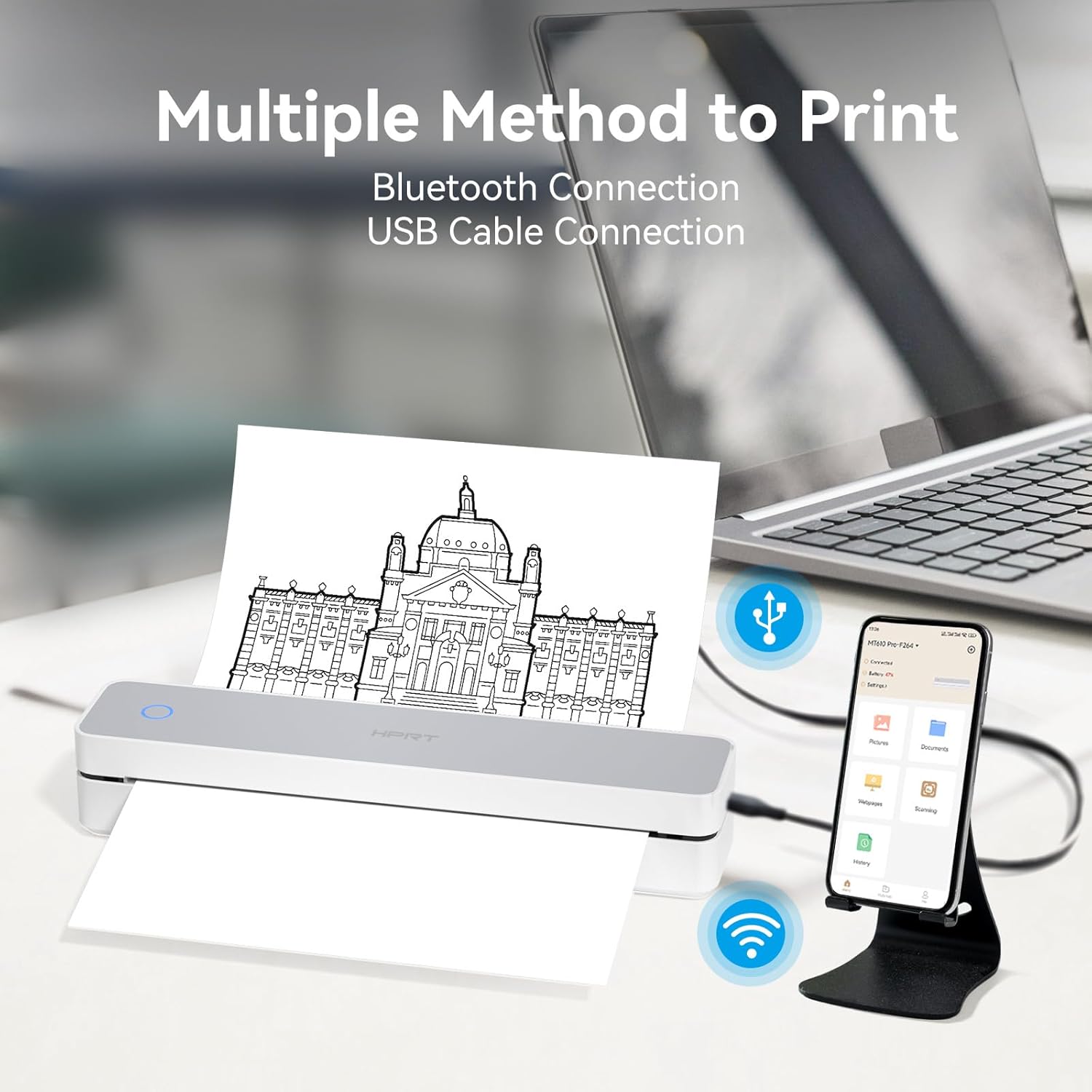
Image: Demonstrates the dual connectivity options of the HPRT MT610 Pro, showing it connected wirelessly via Bluetooth to a smartphone and wired via USB to a laptop.
5. Техникалык тейлөө
5.1 Принтерди тазалоо
Үзгүлтүксүз тазалоо басып чыгаруу сапатын сактоого жардам берет жана принтериңиздин иштөө мөөнөтүн узартат.
- Өчүрүү: Always turn off the printer and disconnect it from the power source before cleaning.
- Таза басып чыгаруучу баш: Жумшак, түксүз кездемени жеңил колдонуңуз dampened with isopropyl alcohol to gently wipe the thermal print head. Allow it to dry completely before use.
- Таза сырткы: Принтердин сыртын жумшак, кургак чүпүрөк менен сүртүңүз. Катуу химиялык заттарды же абразивдүү материалдарды колдонуудан алыс болуңуз.
5.2 Кагаз менен иштөө жана сактоо
Proper handling and storage of thermal paper are crucial for print quality and longevity.
- Use Quality Thermal Paper: Always use high-quality thermal paper specifically designed for thermal printers.
- Store Paper Properly: Store thermal paper in a cool, dry place away from direct sunlight, heat, and humidity. Avoid contact with plastics containing plasticizers, which can degrade the thermal coating.
- Avoid Smudges: Thermal paper is designed to be ink-free and smudge-resistant.

Image: Illustrates the benefits of the thermal paper, including being BPA-free, keeping hands clean, and requiring no ink.
6. Кыйынчылыктарды
If you encounter issues with your HPRT MT610 Pro printer, refer to the following common problems and solutions:
6.1 Жалпы маселелер жана чечимдер
- Принтер күйбөй жатат:
- Ensure the printer is fully charged. Connect it to a power source and allow it to charge for at least 30 minutes.
- Кубат баскычынын туура басылганын жана кармалып турганын текшериңиз.
- Bluetooth аркылуу туташуу мүмкүн эмес:
- Смарт түзмөгүңүздө Bluetooth иштетилгенин текшериңиз.
- Make sure the printer is within range (typically 10 meters or 33 feet).
- Restart both the printer and your smart device.
- Ensure you are using the "Hereprint" app for connection.
- Unable to Connect via USB:
- Verify the USB cable is securely connected to both the printer and the PC.
- Ensure the correct drivers for "MT610 Pro" are installed on your computer.
- Компьютериңиздеги башка USB портун колдонуп көрүңүз.
- Poor Print Quality / Blank Pages:
- Check if the thermal paper is loaded correctly with the printable side facing up.
- Кадимки эмес, термокагаз колдонуп жатканыңызды текшериңиз.
- Тейлөө бөлүмүндө сүрөттөлгөндөй термикалык басып чыгаруу башын тазалаңыз.
- The printer may be low on battery; charge it fully.
- Кагаз тыгылыштары:
- Ensure the paper is loaded straight and the paper guides are adjusted correctly.
- Кагаз табакчасын ашыкча жүктөбөңүз.
- Remove any jammed paper carefully by opening the cover and gently pulling the paper out.

Image: A comparison highlighting the advantages of HPRT thermal paper, such as being inkless, smudge-free, preventing paper jams, BPA-free, and long-lasting, compared to traditional methods.
7. Техникалык шарттар
| Өзгөчөлүк | Спецификация |
|---|---|
| Модел | MT610 Pro |
| Басма технологиясы | Термикалык басып чыгаруу |
| Резолюция | 300 DPI |
| Байланыш | Bluetooth, USB |
| Кагаз түрү | Thermal Paper (US Letter 8.5" x 11", A4, A5) |
| Ink/Toner Required | Жок |
| Салмагы | Болжол менен 500г (1.1 фунт) |
| Колдонмонун шайкештиги | Hereprint (iOS & Android) |
8. Кепилдик жана колдоо
For warranty information, technical support, or service inquiries, please refer to the warranty card included with your product or visit the official HPRT webсайт. Ошондой эле жардам алуу үчүн сатуучуга түздөн-түз кайрылсаңыз болот.
HPRT Official Webсайт: www.hprt.com