
Introduction
This manual provides detailed instructions for the proper use and maintenance of your truke Buds Elite True Wireless Earbuds. Please read this manual thoroughly before using the product to ensure optimal performance and longevity.

Сүрөт: бүттүview of truke Buds Elite features including playtime, latency, drivers, and connectivity.
Пакеттин мазмуну
Пакетте бардык буюмдар бар экенин текшериңиз:
- truke Buds Elite True Wireless Earbuds (Left and Right)
- Заряддоо кутусу
- USB заряддоо кабели
- User Manual
- Кулак учтары (ар кандай өлчөмдөгү)
Продукт бүттүview
The truke Buds Elite are designed for an immersive audio experience, featuring 10mm dynamic drivers for powerful sound. They offer extended playtime, clear call quality with Dual Mic ENC, and a dedicated gaming mode with low latency. The earbuds are lightweight and ergonomically designed for comfort.

Сүрөт: деталдуу view of the 10mm Dynamic Driver for enhanced audio.
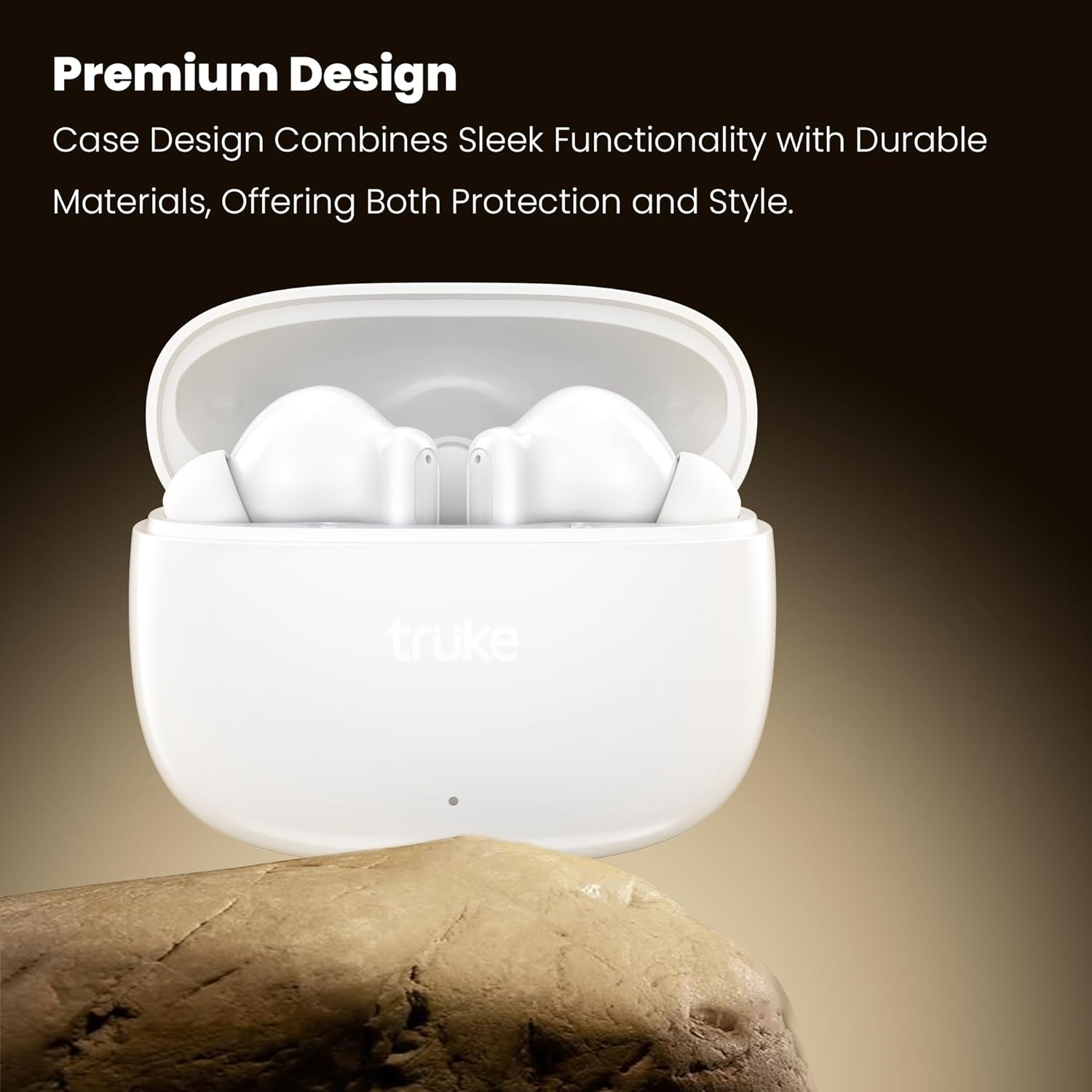
Image: The premium design of the truke Buds Elite earbuds and charging case.
Жайгашуу
1. Кулакчындарды жана кутуну кубаттоо
Before first use, fully charge the earbuds and charging case. Connect the charging case to a USB power source using the provided cable. The indicator light on the case will show charging status.
- Толук кубаттоо кубаттоочу куту менен 70 саатка чейин жалпы ойноо убактысын камсыз кылат.
- 10 мүнөттүк тез кубаттоо 10 саатка чейин ойнотууну камсыздай алат.

Image: Earbuds in charging case, illustrating the 70-hour total playtime and rapid charging capability.
2. Түзмөк менен жупташтыруу
- Заряддоо кутучасын ачыңыз. Кулакчындар жупташтыруу режимине автоматтык түрдө кирет.
- Түзмөгүңүздө (смартфон, планшет ж.б.) Bluetooth иштетиңиз.
- Издөө "truke Buds Elite" in the list of available Bluetooth devices.
- Select "truke Buds Elite" to connect. Once connected, you will hear a confirmation sound.
The earbuds utilize Bluetooth 5.4 for stable and energy-efficient connectivity.

Image: Illustrates Bluetooth 5.4 connectivity for stable audio transmission.
Иштөө нускамалары
Күйгүзүү/өчүрүү
- Күйгүзүү: Заряддоо кутучасын ачсаңыз, кулакчындар автоматтык түрдө күйөт.
- Өчүрүү: Кулакчындарды кайра заряддоо кутусуна салып, капкагын жабыңыз. Алар автоматтык түрдө өчүп, кубаттай башташат.
Touch Controls
The truke Buds Elite feature smart touch controls for easy management of music, calls, and voice assistants.
| Акция | Сол кулакчын | Оң кулак |
|---|---|---|
| Ойнотуу/Тыныгуу | Single Tap | Single Tap |
| Кийинки трек | Эки жолу таптаңыз | Эки жолу таптаңыз |
| Мурунку трек | Үч жолу таптаңыз | Үч жолу таптаңыз |
| Үндү төмөндөтүү | Узак басуу (3 сек) | - |
| Үндү көтөрүү | - | Узак басуу (3 сек) |
| Чалууга жооп берүү/аяктоо | Single Tap | Single Tap |
| Чакырууну четке кагуу | Узак басуу (2 сек) | Узак басуу (2 сек) |
| Үн жардамчысын жандырыңыз | Узак басуу (2 сек) | Узак басуу (2 сек) |
| Оюн режими күйгүзүү/өчүрүү | Quadruple Tap | Quadruple Tap |

Image: Illustration of touch controls for volume adjustment on the earbuds.
Оюн режими
Activate the dedicated Gaming Mode for an ultra-responsive experience with 40ms ultra-low latency, ensuring precise audio synchronization for competitive gaming. Quadruple tap either earbud to toggle Gaming Mode on or off.

Image: Gaming mode with 40ms ultra-low latency for an enhanced gaming experience.
Чалуу
The earbuds feature Dual Microphones with PureVoice Environmental Noise Cancellation (ENC) technology, which effectively suppresses background noise for crystal-clear voice communication.

Image: Dual Mic with PureVoice ENC ensures clear calls even in noisy environments.
Техникалык тейлөө
Тазалоо
Regularly clean your earbuds and charging case to maintain optimal performance and hygiene. Use a soft, dry, lint-free cloth. Do not use harsh chemicals or abrasive materials.
- Gently wipe the earbuds, especially the ear tips and charging contacts.
- Clean the charging contacts inside the case with a dry cotton swab if necessary.
Сактагыч
Колдонулбаганда, кулакчындарды чаңдан жана бузулуудан коргоо үчүн кубаттоочу кутуга салып сактаңыз.
Суу каршылык
The truke Buds Elite are IPX5 water and sweat resistant. This means they can withstand splashes and light rain, making them suitable for workouts and outdoor activities. They are not designed for submersion in water.
- Do not expose the earbuds to running water or wear them while swimming or showering.
- Кулакчындарды кайра заряддоо кутусуна коюудан мурун, кубаттоо контакттарына зыян келтирбөө үчүн кургатылганын текшериңиз.

Image: IPX5 water resistance for protection against splashes and sweat.
Проблемаларды чечүү
| Көйгөй | Мүмкүн чечим |
|---|---|
| Кулакчындар жупташкан жок |
|
| Бир гана кулакчын иштейт |
|
| Көлөмү төмөн же үн сапаты начар |
|
| Заряддоо маселелери |
|
Техникалык шарттар
| Өзгөчөлүк | Деталь |
|---|---|
| Модель аты | Buds Elite |
| Модель номери | F40+ |
| Байланыш технологиясы | Зымсыз (Bluetooth) |
| Bluetooth версиясы | 5.4 |
| Bluetooth диапазону | 10 метр |
| Аудио драйвер түрү | 10мм динамикалык драйвер |
| Батареянын иштөө мөөнөтү (наушник) | Заряддоого 10 саатка чейин |
| Жалпы ойноо убактысы (Кеп менен) | 70 саатка чейин |
| Rapid Charging | 10 саат ойнотуу үчүн 10 мүнөт заряддаңыз |
| Микрофон | Dual Mic with PureVoice ENC |
| Төмөнкү кечигүү оюн режими | 40ms |
| Башкаруу ыкмасы | тийүү |
| Суу каршылык | IPX5 (Сууга жана терге туруктуу) |
| Материал | Пластик |
| Элемент Салмагы | 38 грамм |
| Продукциянын өлчөмдөрү | 5.8 x 2.6 x 4.7 см |
Кепилдик жана колдоо
The truke Buds Elite come with a 1-year service warranty. For any product-related queries, issues, or service requests, please contact truke customer support. truke offers support through over 400 service points.

Image: truke Buds Elite are backed by 400+ service points and a 1-year service warranty.