
1. Introduction and Overview
The G-Shock GA2100RL-1A is a robust and stylish timepiece engineered for durability and functionality. Featuring Carbon Core Guard technology, this watch offers exceptional shock resistance in a lightweight, slim profile. Its design includes an octagonal bezel and a combination of analog and digital displays. Key functions include 200-meter water resistance, world time, multiple alarms, a stopwatch, a countdown timer, and a high-brightness LED backlight for visibility in low-light conditions.
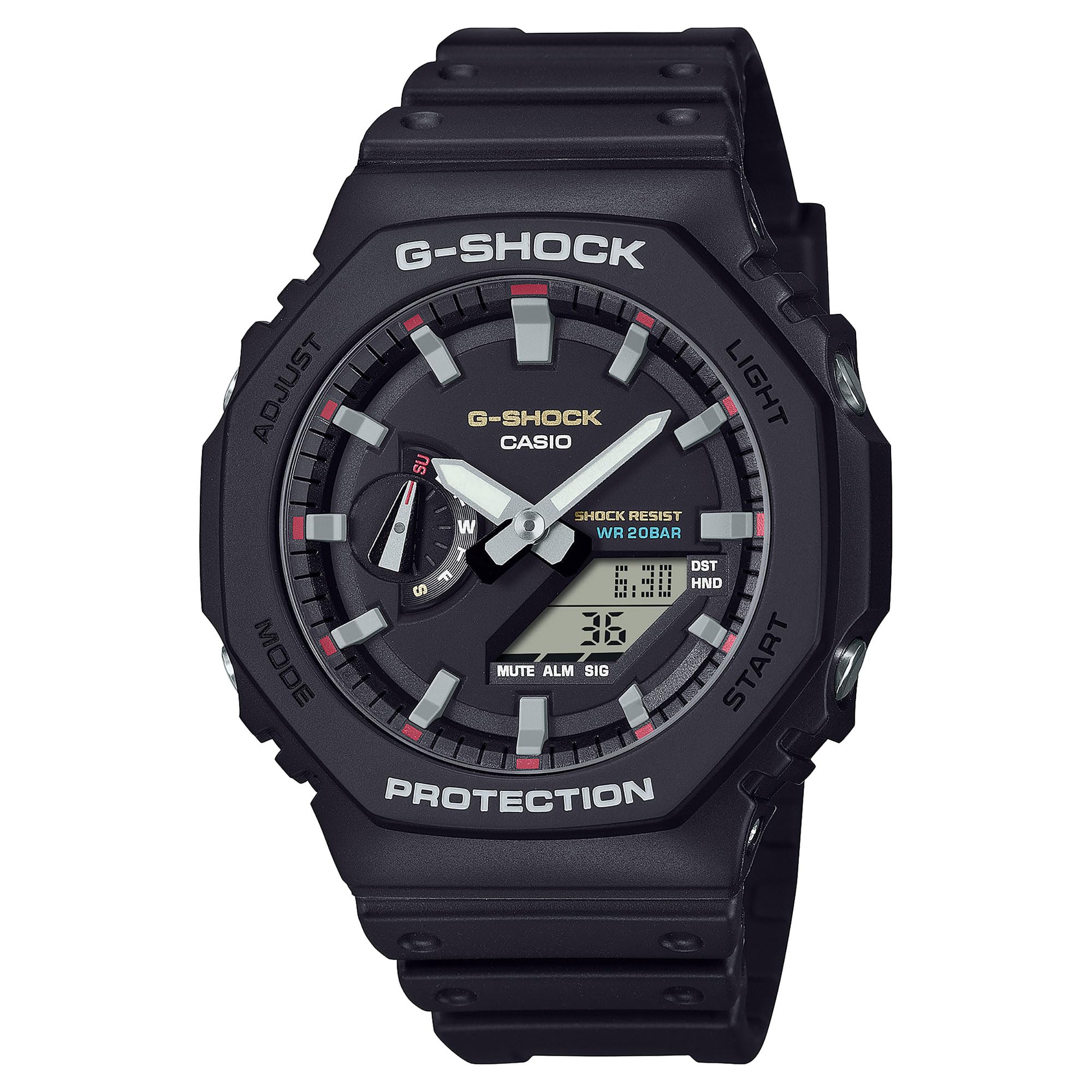
Сүрөт 1: Алдыңкы view of the G-Shock GA2100RL-1A watch, showcasing анын окtagonal bezel and analog-digital display.
2. Орнотуу
2.1 Баштапкы убакытты орнотуу
Upon first use or after a battery change, the watch requires initial time setting. Refer to the button functions diagram (Figure 2) for button identification.
- Убакытты орнотуу режимине кириңиз: Press and hold the 'Adjust' button (usually top-left) until the city code starts flashing.
- Үй шаарын тандоо: Use the 'Forward' (top-right) and 'Reverse' (bottom-right) buttons to select your desired home city code. This will automatically set the time zone.
- Жайкы убакытты тууралоо (DST): Press the 'Mode' button (bottom-left) to move to the DST setting. Use the 'Forward' or 'Reverse' button to toggle DST ON or OFF.
- Убакыт жана датаны коюу: Continue pressing the 'Mode' button to cycle through settings for seconds, hour, minute, year, month, and day. Use the 'Forward' and 'Reverse' buttons to adjust each value.
- Орнотуу режиминен чыгуу: Press the 'Adjust' button to save settings and exit.
2.2 Analog Hand Alignment
If the analog hands do not match the digital time, they may need alignment. Consult the full manufacturer's manual for detailed instructions on hand home position correction, typically found in the 'Time Adjustment' section.

2-сүрөт: Каптал view of the G-Shock GA2100RL-1A, showing the watch profile and button placement for operation.
3. Саатты иштетүү
3.1 Навигация режими
Press the 'Mode' button (bottom-left) to cycle through the different modes:
- Убакытты эсепке алуу режими: Учурдагы убакытты жана датаны көрсөтөт.
- Дүйнөлүк убакыт режими: Дүйнөнүн ар кайсы шаарларында учурдагы убакытты көрсөтөт.
- Секундомер режими: Өткөн убакытты өлчөйт.
- Артка таймер режими: Белгиленген убакыттан баштап санайт.
- Ойготкуч режими: Allows setting up to 5 daily alarms and an hourly убакыт сигналы.
3.2 LED арткы жарыгын колдонуу
The watch features a Double LED Light (Super Illuminator) for both the face and digital display. Press the 'Light' button (usually top-right or bottom-right, depending on model configuration) to illuminate the display for a few seconds. The illumination duration can often be configured in the settings.
3.3 Сууга туруктуулук
The GA2100RL-1A is rated for 200-meter water resistance. This means it is suitable for swimming, snorkeling, and other water-based activities, but not for deep-sea diving. Do not operate buttons while the watch is submerged in water.

Figure 3: The G-Shock GA2100RL-1A watch worn on a wrist, demonstrating its fit and style.
4. Техникалык тейлөө
4.1 Тазалоо
Саатыңыздын көрүнүшүн жана функционалдуулугун сактоо үчүн:
- Кирди жана нымдуулукту тазалоо үчүн саатты жумшак, кургак чүпүрөк менен сүртүңүз.
- Кежир кир үчүн жумшак кездемени колдонуңуз dampened with water and a mild neutral detergent. Avoid harsh chemicals or solvents.
- Rinse the watch with fresh water after exposure to saltwater or sand.
4.2 Батареяны алмаштыруу
The GA2100RL-1A uses 2 nonstandard batteries. When the display becomes dim or functions become erratic, it may be time for battery replacement. It is recommended to have the battery replaced by an authorized service center to ensure proper sealing and maintain water resistance.

4-сүрөт: Артка view of the G-Shock GA2100RL-1A, showing the case back with model information and Carbon Core Guard inscription.
5. Кыйынчылыктарды
5.1 Убакыт туура эмес көрсөтүлүүдө
- Digital Time: Re-enter Time Setting Mode (Section 2.1) to adjust the digital time and date. Ensure the correct home city and DST setting are selected.
- Аналогдук колдор: If analog hands do not match the digital time, perform analog hand alignment as described in the full manual.
5.2 Dim or Blank Display
- This often indicates a low battery. Replace the batteries as soon as possible (Section 4.2).
- Ensure the watch is not in a power-saving mode if applicable (refer to the full manual).
5.3 Баскычтар жооп бербейт
- Ensure the watch is not submerged in water when attempting to press buttons.
- If buttons remain unresponsive, a low battery might be the cause.
- Эгер көйгөй чечилбесе, кардарларды колдоо менен байланышыңыз.
6. Техникалык шарттар
| Модель номери | GA2100RL-1A |
| Бренд аты | G-Shock |
| Өндүрүүчү | Casio |
| Дисплей түрү | Analog-Digital |
| Көрүү кыймылынын түрү | Japanese Automatic |
| Power Source | Батарея менен иштейт (2 стандарттуу эмес батарея кошулган) |
| Сууга каршылыктын тереңдиги | 200 метр |
| Иштин материалдык түрү | Көмүртек |
| Band Материал түрү | чайыр |
| Кристалл түрү | Минералдык |
| Иштин диаметри | 48.5 мм |
| Case Thickness | 11.8 мм |
| Элемент Салмагы | 0.5 килограмм (1.1 фунт) |
| Продукциянын өлчөмдөрү | 4 x 4 x 3 дюйм |
| UPC | 889232397771 |
7. Кепилдик маалыматы
The G-Shock GA2100RL-1A watch comes with a Limited Warranty. For specific terms, conditions, and duration of the warranty, please refer to the warranty card included with your purchase or visit the official G-Shock webсайт. Кепилдик дооматтар үчүн сатып алганыңыздын далилин сактаңыз.
8. Колдоо
For further assistance, detailed operating instructions, or service inquiries, please visit the official G-Shock support webсайтка же кардарларды тейлөө бөлүмүнө кайрылыңыз. Байланыш маалыматы, адатта, өндүрүүчүнүн сайтынан тапса болот webсайтында же таңгактоо материалдарында.
- Онлайн ресурстар: Издөө 'G-Shock GA2100RL-1A manual' on the official Casio G-Shock webсайт.
- Кардарларды тейлөө: Refer to your product packaging or the G-Shock webаймактык кардарларды тейлөө байланыш маалымат сайты.