
1. Коопсуздук боюнча маанилүү маалымат
Please read all safety and operating instructions carefully before using this television. Keep this manual for future reference.
- Кубат булагы: Сыналгы көрсөтүлгөн көлөмдө кубат булагына туташтырылганын текшериңизtage диапазону.
- Вентиляция: Вентиляция тешиктерин жаап албаңыз. Тийиштүү аба агымы үчүн сыналгынын айланасында жетиштүү орун калтырыңыз.
- Тазалоо: Тазалоодон мурун сыналгыдан ажыратыңыз. Жумшак, кургак чүпүрөктү колдонуңуз. Суюк тазалагычтарды же аэрозоль тазалагычтарды колдонбоңуз.
- Суу жана ным: Телевизорду жамгырга же нымга тийгизбеңиз. Сыналгыга суюктук толтурулган нерселерди койбоңуз.
- Жайгашкан жери: Place the TV on a stable, level surface. Avoid direct sunlight, heat sources, and excessive dust.
- Чагылган: Чагылган бороондо же көпкө чейин пайдаланылбай турганда сыналгыны розеткадан ажыратыңыз.
2. Пакеттин мазмуну
Баардык буюмдар пакетиңизге камтылганын текшериңиз:
- Generic OS32ATVHD 32-inch LED TV
- Алыстан башкаруу
- Электр кабели
- Колдонуучунун Колдонмосу (бул документ)
- Телевизордун стендинин компоненттери (негизи жана бурамалары)
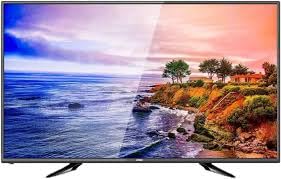
Image: Generic OS32ATVHD 32-inch LED TV.
3. Орнотуу
3.1. таңгактан чыгаруу
Carefully remove the TV and all accessories from the packaging. Retain the packaging for future transport or service needs.
3.2. Стенд орнотуу (кошумча)
Эгерде сиз телевизорду дубалга орнотпосоңуз, анда камтылган стендди бекитиңиз:
- Сыналгы экранын сызып кетпеши үчүн жумшак, тегиз бетке ылдый каратып кой.
- Align the stand base(s) with the screw holes on the bottom of the TV.
- Secure the stand(s) using the provided screws. Do not overtighten.
3.3. Дубалга орнотуу (кошумча)
The TV is wall-mountable. A VESA-compatible wall mount bracket (not included) is required. Follow the instructions provided with your wall mount bracket and ensure professional installation for safety.
3.4. Тышкы түзмөктөрдү туташтыруу
Connect your external devices to the appropriate ports on the TV. Ensure the TV and devices are powered off before making connections.
- HDMI: For high-definition audio and video from Blu-ray players, game consoles, or set-top boxes.
- USB: Медияны ойнотуу үчүн USB сактагыч түзмөктөрдү туташтыруу үчүн files.
- VGA: For connecting a computer. Use the PC audio input for sound.
- AV (Курама): For connecting older devices like VCRs or older DVD players.

Сүрөт: Арткы view of the TV with connectivity ports.
3.5. Power Connection
After all connections are made, plug the power cable into the TV's power input, then plug the other end into a wall power outlet.
4. Иштөө нускамалары
4.1. Күйгүзүү/өчүрүү
басыңыз КҮЧ телевизорду күйгүзүү же өчүрүү үчүн пульттагы же телевизордогу баскычты басыңыз.
4.2. Алыстан башкаруу функциялары
The included remote control allows you to access all TV functions. Ensure batteries are correctly inserted.
- КҮЧ: Телевизорду күйгүзөт же өчүрөт.
- КИРИШҮҮ/БУЛАК: Selects the input source (HDMI, USB, VGA, AV).
- VOL +/-: Үн деңгээлин тууралайт.
- CH +/-: Каналдарды өзгөртөт.
- МЕНЮ: Орнотуулар үчүн негизги менюну ачат.
- Чабыттоо баскычтары (өйдө/төмөн/сол/оң): Менюларды аралайт.
- OK/ENTER: Тандоолорду ырастайт.
4.3. Киргизүү булагын тандоо
басыңыз INPUT or БУЛАК button on the remote control to cycle through available input sources (e.g., HDMI1, HDMI2, USB, VGA, AV). Select the desired source using the navigation buttons and press OK.
4.4. Меню багыттоо жана орнотуулар
басыңыз МЕНЮ button to access the TV's settings. Use the navigation buttons to move between options and OK тандоо үчүн.
- Сүрөт жөндөөлөрү: Adjust brightness, contrast, color, sharpness, and aspect ratio.
- Үн орнотуулары: Control volume, equalizer, sound mode, and balance.
- Канал орнотуулары: Scan for channels (if using an antenna) and manage channel lists.
- Системанын жөндөөлөрү: Access language, time, and other general TV settings.
5. Техникалык тейлөө
5.1. Телевизорду тазалоо
Тазалоодон мурун дайыма сыналгыдан ажыратыңыз.
- Экран: Gently wipe the screen with a soft, dry, lint-free cloth. Do not use abrasive cleaners or sprays directly on the screen.
- кадр: жумшак, бир аз колдонуу damp cloth to clean the TV frame.
5.2. Жалпы кам көрүү
Ensure the TV is placed in a well-ventilated area to prevent overheating. Avoid exposing the TV to extreme temperatures or humidity.
6. Кыйынчылыктарды
Телевизоруңузда көйгөйлөргө туш болсоңуз, төмөнкү жалпы көйгөйлөрдү жана аларды чечүү жолдорун караңыз:
| Көйгөй | Мүмкүн чечим |
|---|---|
| Күч жок |
|
| Сүрөт жок, бирок үн бар |
|
| Үн жок, бирок сүрөт бар |
|
| Пульт иштебей жатат |
|
7. Техникалык шарттар
| Өзгөчөлүк | Деталь |
|---|---|
| Бренд | Жалпы |
| Модель аты | OS32ATVHD |
| Screen Size | 32 дюйм |
| Дисплей технологиясы | LED |
| Резолюция | 4K (3840 x 2160 пиксель) |
| Байланыш | HDMI (multiple ports), USB, VGA, AV Input |
| Камтылган компоненттер | Алыстан башкаруу |
| Өзгөчөлүктөр | Wall Mountable, Energy-saving technology |
| Сунушталган Колдонуулар | Entertainment, TV display |
8. Кепилдик жана колдоо
For warranty information and technical support, please refer to the warranty card included with your product or contact your retailer. Keep your purchase receipt as proof of purchase.