Introduction
This manual provides comprehensive instructions for the Generic YKB-913 RGB Gaming Keyboard and Mouse. Please read this manual carefully before using the product to ensure proper operation and to maximize your gaming experience. Keep this manual for future reference.
1. Орнотуу
Follow these steps to connect your Generic YKB-913 keyboard and mouse to your computer.
- Продуктту таңгактан чыгаруу: Клавиатура менен чычканды таңгагынан этияттык менен алып чыгыңыз. Бардык компоненттердин бар экенин текшериңиз.
- Баскычтопту туташтыруу: Компьютериңизден бош USB портун табыңыз. Баскычтоптун USB туташтыргычын USB портуна сайыңыз.
- Чычканды туташтыруу: Компьютериңизден башка жеткиликтүү USB портун табыңыз. Чычкандын USB туташтыргычын USB портуна сайыңыз.
- Системаны таануу: Your operating system (Windows 2000/XP/Vista/7/8/10 compatible) should automatically detect and install the necessary drivers. This process may take a few moments.
- Функционалдуулугун текшерүү: Once installed, test the keyboard and mouse by typing and moving the cursor to ensure they are working correctly.
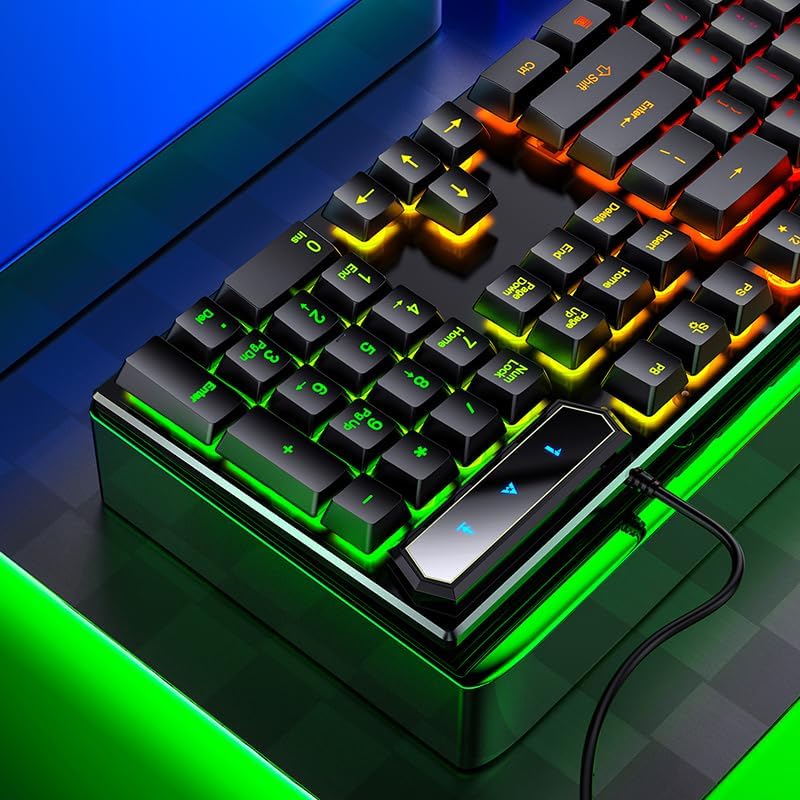
Image 1: The USB cable extending from the keyboard, ready for connection to a computer. This illustrates the simple plug-and-play setup process.
2. Иштөө нускамалары
The Generic YKB-913 keyboard features a 104-key layout with RGB rainbow backlighting and FN combination shortcut functions. The included mouse features laser movement detection.
2.1 Баскычтоптун өзгөчөлүктөрү
- Mechanical Feel Suspension Caps: Designed for strong button rebound and a tactile mechanical feel.
- Radium Carved Luminous Keys: Keycaps are laser-engraved and hollowed out for clear, durable, and wear-resistant lettering with backlight visibility.
- Matte Texture Keycaps: Provides a comfortable touch and crisp sound during typing.

Сүрөт 2: Жакын план view of the keyboard's keys, highlighting the suspension cap design and the illuminated characters. This demonstrates the "mechanical feel" and luminous key features.
2.2 RGB Rainbow Backlighting
The keyboard features a cool rainbow backlight effect. You can control the lighting as follows:
- Арткы жарыкты күйгүзүү/өчүрүү: Use the dedicated backlight control key (often indicated by a light bulb icon or similar) to toggle the lighting on or off.
- Adjust Brightness/Modes: Specific FN key combinations may be available to adjust brightness levels or cycle through different lighting modes. Refer to the keyboard layout for specific key markings.
2.3 FN Combination Shortcut Functions
The keyboard includes an FN key that, when pressed in combination with other keys, activates various shortcut functions. Common FN key combinations include:
- FN + F1-F12: Multimedia controls (e.g., play/pause, volume up/down, mute, previous/next track, web browser, email).
- FN + Windows ачкычы: Locks/unlocks the Windows key to prevent accidental presses during gaming.
- FN + Жебе баскычтары: May control backlight effects or speed.
Refer to the specific icons printed on the F-keys and other keys for their corresponding FN functions.
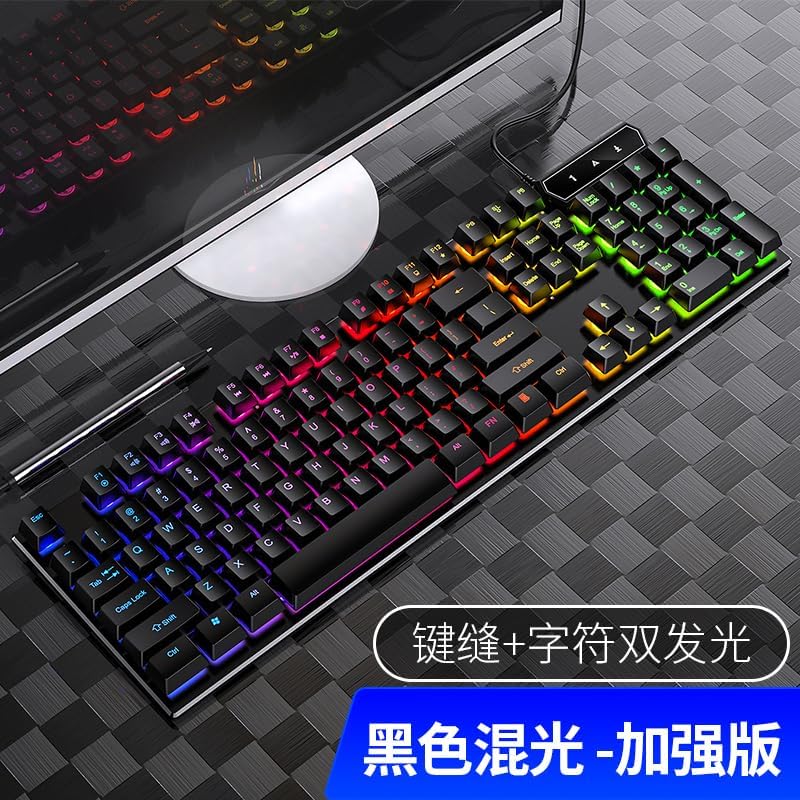
Image 3: A complete view of the keyboard layout, clearly showing the FN key located near the spacebar and the various function keys (F1-F12) with their secondary multimedia icons. This illustrates the available shortcut combinations.
3. Техникалык тейлөө
Туура тейлөө клавиатураңыздын жана чычканыңыздын узак мөөнөттүү иштешин жана оптималдуу иштешин камсыз кылат.
- Тазалоо: Use a soft, dry cloth to wipe the surface of the keyboard and mouse. For stubborn dirt, a slightly damp кездемени колдонсо болот, суюктуктун ички компоненттерге кирбешин камсыз кылыңыз.
- Суу өткөрбөйт дизайн: The keyboard features a waterproof design with drainage holes at the bottom to prevent liquid overflow. In case of accidental spills, tilt the keyboard to allow liquid to drain out. Do not immerse the keyboard in water.
- Экстремалдуу шарттарды болтурбоо: Do not expose the product to extreme temperatures, direct sunlight, or high humidity.
- Сактагыч: When not in use for extended periods, store the keyboard and mouse in a clean, dry environment.

Image 4: An illustration of the keyboard's waterproof feature, showing liquid draining through designated holes on the underside. This highlights the product's spill-resistant design.
4. Кыйынчылыктарды
If you encounter issues with your Generic YKB-913 keyboard or mouse, refer to the following common solutions:
- Баскычтоп/чычкан жооп бербейт:
- Ensure the USB cables are securely plugged into the computer's USB ports.
- Try plugging the devices into different USB ports.
- Компьютериңизди өчүрүп күйгүзүңүз.
- Check if the devices are recognized in your computer's Device Manager (for Windows users).
- Арткы жарык иштебейт:
- Press the backlight control key to ensure it is turned on.
- Check if any FN key combinations are used to adjust brightness or toggle lighting modes.
- Катталбаган ачкычтар:
- Ensure the keyboard is clean and free from debris under the keycaps.
- Системага тиешелүү маселени болтурбоо үчүн баскычтопту башка компьютерде сынап көрүңүз.
- Чычкан курсору секирет же туура эмес:
- Чычкан сенсорунун таза жана тоскоолдуксуз экенин текшериңиз.
- Чычканды таза, бирдей бетке (мисалы, чычкан жаздыгына) колдонуңуз.
If problems persist after trying these steps, contact customer support.
5. Техникалык шарттар
| Өзгөчөлүк | Деталь |
|---|---|
| Продукт түрү | Backlit Game Keyboard and Mouse |
| Модель номери | YKB-913 |
| Түс | Кара |
| Баскычтоп баскычтары | 104 |
| Keyboard Shaft | Suspended silicone key (Mechanical Feel) |
| Баскычтоп жарыгы | Rainbow mixing (RGB) |
| Байланыш | USB (Зымдуу) |
| Keyboard Cable Length | 1.35 метр |
| Баскычтоптун өлчөмдөрү | 440 × 130 × 30 mm (17.3 x 5.1 x 1.2 inches) |
| Элемент Салмагы | 1 килограмм |
| Системаны колдоо | Compatible with Windows 2000/XP/Vista/7/8/10 |
| Өзгөчөлүктөр | Backlit, Customizable Display Keys (FN functions), Waterproof Design |
| Mouse Movement Detection | Лазер |
6. Кепилдик жана колдоо
This product is covered by a standard manufacturer's warranty. For specific warranty terms and conditions, please refer to the documentation provided at the time of purchase or contact your retailer.
For technical support or inquiries, please contact the retailer or manufacturer's customer service department. Ensure you have your product model number (YKB-913) and purchase information available when seeking support.


