
1. Киришүү
This manual provides detailed instructions for the installation, operation, and maintenance of the MiBOXER FUT035Z+ (SZ2) 2-in-1 LED Strip Controller. This versatile controller supports both Zigbee 3.0 and 2.4G RF protocols, enabling control of single-color and CCT (Correlated Color Temperature) dual-white LED strip lights. It offers seamless integration with various smart home systems and provides flexible control options for your lighting needs.

Image 1.1: The MiBOXER FUT035Z+ (SZ2) 2-in-1 LED Strip Controller, shown from an angled perspective, highlighting its compact design and terminal labels.
2. Коопсуздук маалыматы
- Ensure the power supply is disconnected before installation or maintenance to prevent electric shock.
- Бул аппарат үй ичинде колдонуу үчүн гана иштелип чыккан. Нымдуулуктун же экстремалдык температуранын таасиринен алыс болуңуз.
- Use only with compatible DC12V-24V power supplies. Exceeding the specified voltage диапазону аппаратты бузушу мүмкүн.
- Do not exceed the maximum output current of 12A per channel or total output of 12A.
- Эгерде сиз орнотуунун кандайдыр бир кадамдары боюнча күмөн санасаңыз, квалификациялуу электрикке кайрылыңыз.
3. Пакеттин мазмуну
Пакет төмөнкү нерселерди камтыйт:
- 1x MiBOXER FUT035Z+ (SZ2) 2-in-1 LED Strip Controller
- 1x Колдонуучунун колдонмосу (бул документ)

Image 3.1: The MiBOXER FUT035Z+ (SZ2) controller alongside its retail packaging and a printed manual.
4. Продукт бүтүп калдыview
The FUT035Z+ (SZ2) controller is designed for flexible LED strip lighting applications, offering dual-mode control capabilities:
- Zigbee 3.0 стандарттык протоколу: Enables integration with various Zigbee gateways and smart home ecosystems.
- 2.4G RF Control: Compatible with Mi-Light / MiBoxer 2.4GHz series remotes for direct control.
- 2-in-1 Output Modes: Supports both single-color LED strips and CCT (Dual White) LED strips.
- Жөнгө салынуучу жарыктык жана түс температурасы: Provides smooth dimming from 1% to 100% and color temperature adjustment for CCT strips.
- Push Dimmable Support: Allows for simple brightness control using a compatible push switch.

Сүрөт 4.1: Жогорку view of the controller, showing input (V+, V-) and output terminals (V+, W, CW, WW, GND/PUSH), along with the 'SET' button and indicator lights for output mode.

Image 4.2: A lifestyle image demonstrating the application of the 2-in-1 LED Controller (Zigbee 3.0 + 2.4G) in a modern bedroom environment, highlighting its smart control capabilities.
5. Техникалык шарттар
| Өзгөчөлүк | Спецификация |
|---|---|
| Модель номери | FUT035Z+ (SZ2) |
| Киргизүү көлөмүtage | DC12V-24V |
| Output Current | 12А/Канал |
| Total Output | Макс 12А |
| Иштөө температурасы | -10~40°C |
| Zigbee Control Distance | 100м (ачык аянт) |
| 2.4G RF башкаруу аралык | 30 м |
| Чыгуу режимдери | Single Color / Dual White (CCT) |
| Өлчөмдөрү (L x W x Y) | 74.5 мм x 36 мм x 17 мм (болжол менен) |

Image 5.1: Technical drawing illustrating the dimensions of the MiBOXER FUT035Z+ (SZ2) controller, showing length (74.5mm), width (36mm), and height (17mm).
6. Орнотуу жана орнотуу
Follow these steps to correctly install your LED strip controller:
- Компоненттерди даярдоо: Ensure you have your MiBOXER FUT035Z+ (SZ2) controller, a compatible DC12V-24V power supply, and your LED strip light (single color or CCT dual white).
- Электр энергиясын өчүрүү: IMPORTANT: Disconnect all power before making any connections.
- Кубат киргизүүнү туташтыруу: Connect the positive (+) and negative (-) terminals of your DC12V-24V power supply to the "INPUT V+" and "V-" terminals on the controller, respectively.
- Чыгуу режимин тандоо: The controller supports two output modes: Single Color and Dual White (CCT).
- Press the "SET" button once to activate the indicator light.
- Press and hold the "SET" button continuously to switch between modes. The indicator light will flash:
- Кызыл: Бир түс режими
- Жашыл: Кош ак режими
- Release the "SET" button when the desired mode's indicator color is displayed.
- Connect LED Strip Output:
- For Single Color LED Strip: Connect the positive (+) wire of your LED strip to the "V+" output terminal and the negative (-) wire to the "W" output terminal.
- For CCT Dual White LED Strip: Connect the common positive (+) wire of your LED strip to the "V+" output terminal. Connect the Warm White (WW) wire to the "WW" output terminal and the Cool White (CW) wire to the "CW" output terminal.
- Connect Push Switch (Optional): If using a push dimmable switch, connect it to the "GND" and "PUSH" terminals.
- Күйгүзүү: Once all connections are secure, connect the power supply to the main power source.

Image 6.1: Detailed connection diagrams for the MiBOXER FUT035Z+ (SZ2) controller, illustrating wiring for both Single Color LED strips and CCT Dual White LED strips, including optional push switch connections.
7. Иштөө нускамалары
7.1. Output Mode Switching
As described in the setup section, the controller can operate in two modes: Single Color or Dual White (CCT). To switch modes:
- басыңыз SET button once to activate the indicator light.
- басып, кармап туруңуз SET button. The indicator light will cycle between Кызыл (Single Color) and Жашыл (Dual White).
- Release the button when the desired mode's indicator color is displayed.
7.2. Zigbee Pairing and Smart Home Integration
The FUT035Z+ (SZ2) controller is Zigbee 3.0 compliant and can be paired with various Zigbee gateways:
- Шайкеш борборлор: Philips Hue (limited features), Amazon Echo Plus (2nd Gen), Tuya Zigbee Hub, SmartThings, and other Zigbee 3.0 gateways.
- Жупташтыруу процесси:
- Контроллер күйгүзүлгөнүн текшериңиз.
- Initiate the device search/pairing mode on your Zigbee gateway/hub (refer to your gateway's manual for specific instructions).
- On the MiBOXER controller, press and hold the SET button for approximately 3 seconds until the indicator light flashes rapidly, indicating it is in pairing mode.
- Once successfully paired, the indicator light will stop flashing and remain solid or turn off, depending on the status. The device should appear in your gateway's app.
7.3. 2.4G RF Remote Control
The controller is compatible with Mi-Light / MiBoxer 2.4GHz series remotes. To link a remote:
- Контроллер күйгүзүлгөнүн текшериңиз.
- On your Mi-Light / MiBoxer 2.4GHz remote, select the desired zone you wish to link.
- Within 3 seconds of powering on the controller, press the "ON" button of the selected zone on your remote three times.
- The LED strip connected to the controller should flash three times to confirm successful linking.
7.4. Колдонмону башкаруу (Tuya Smart)
For advanced features like scene customization, do not disturb mode, timing settings, and device sharing, you can use the Tuya Smart app. A Zigbee 3.0 gateway is required for this functionality.

Image 7.1: Illustration of Tuya Smart App control, showing a smartphone interface for adjusting LED strip settings and a separate Zigbee 3.0 gateway, which is necessary for app functionality.
7.5. Үн менен башкаруу
Once integrated with a compatible Zigbee 3.0 gateway (e.g., Amazon Echo Plus, SmartThings), the controller can be controlled via voice commands using platforms like Amazon Alexa or Google Assistant.
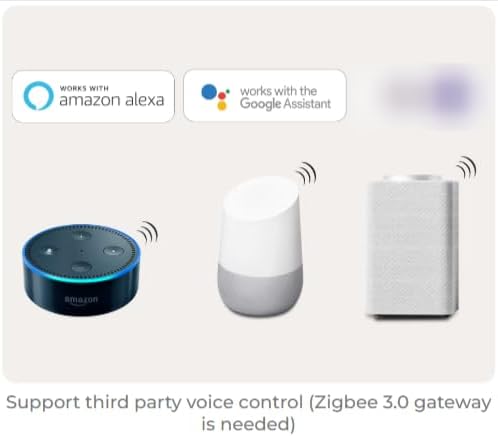
Image 7.2: Depiction of voice control compatibility, showing Amazon Echo and Google Home devices, indicating that the controller can be operated through Amazon Alexa and Google Assistant when connected via a Zigbee 3.0 gateway.
7.6. Push Dimmable Function
The controller supports push dimming for stepless brightness adjustment without flickering. Connect a compatible push switch to the "GND" and "PUSH" terminals as shown in the connection diagram.
- Бир чыкылдатуу: Жарыкты күйгүзөт же өчүрөт.
- Узун басуу: Increases or decreases brightness. Press and hold to change brightness; release and long press again to change in the opposite direction.

Image 7.3: Visual explanation of the push dimmable function, detailing how a single click turns lights on/off and a long press adjusts brightness.
8. Техникалык тейлөө
- Контроллерди таза жана чаңдан алыс кармаңыз. Тазалоо үчүн жумшак, кургак чүпүрөктү колдонуңуз.
- Avoid exposing the device to direct sunlight, high humidity, or corrosive environments.
- Do not attempt to open or repair the controller yourself, as this will void the warranty and may cause damage.
- Ашыкча ысып кетүүнүн алдын алуу үчүн аппараттын айланасында туура желдетүүнү камсыз кылыңыз.
9. Кыйынчылыктарды
| Көйгөй | Мүмкүн себеп | Чечим |
|---|---|---|
| LED тилкеси күйбөйт. | No power to controller; incorrect wiring; faulty LED strip. | Check power supply connection; verify input/output wiring; test LED strip with a known working power source. |
| Cannot pair with Zigbee gateway. | Controller not in pairing mode; gateway too far; interference. | Ensure controller is in pairing mode (rapid flashing indicator); move controller closer to gateway; check for other Zigbee devices causing interference. |
| Cannot control with 2.4G RF remote. | Remote not linked; remote battery low; out of range. | Re-link the remote to the controller; replace remote battery; ensure remote is within 30m range. |
| Incorrect color or brightness for CCT strip. | Incorrect output mode selected; incorrect wiring for CCT. | Verify controller is in Dual White mode (green indicator); check WW and CW wiring to the LED strip. |
10. Кепилдик жана колдоо
MiBOXER products are designed for reliability and performance. For warranty information and technical support, please refer to the official MiBOXER webсайтка кайрылыңыз же жергиликтүү дистрибьютериңиз менен байланышыңыз. Сатып алуу квитанциясын кепилдик дооматтары үчүн сатып алуунун далили катары сактаңыз.
Кошумча жардам алуу үчүн, сураныч, баш багыңыз Amazon боюнча MiBOXER дүкөнү же кардарларды тейлөөгө кайрылыңыз.