
Introduction
Thank you for choosing the BoxWave SlimKeys Bluetooth Keyboard. This ultra-thin and portable keyboard is designed to enhance your typing experience with your Volla Tablet (12.3 in) and other compatible devices. Featuring a sleek design, comfortable chiclet-style keys, and efficient Bluetooth 3.0 connectivity, it is ideal for productivity on the go. Please read this manual carefully to ensure proper setup and operation.
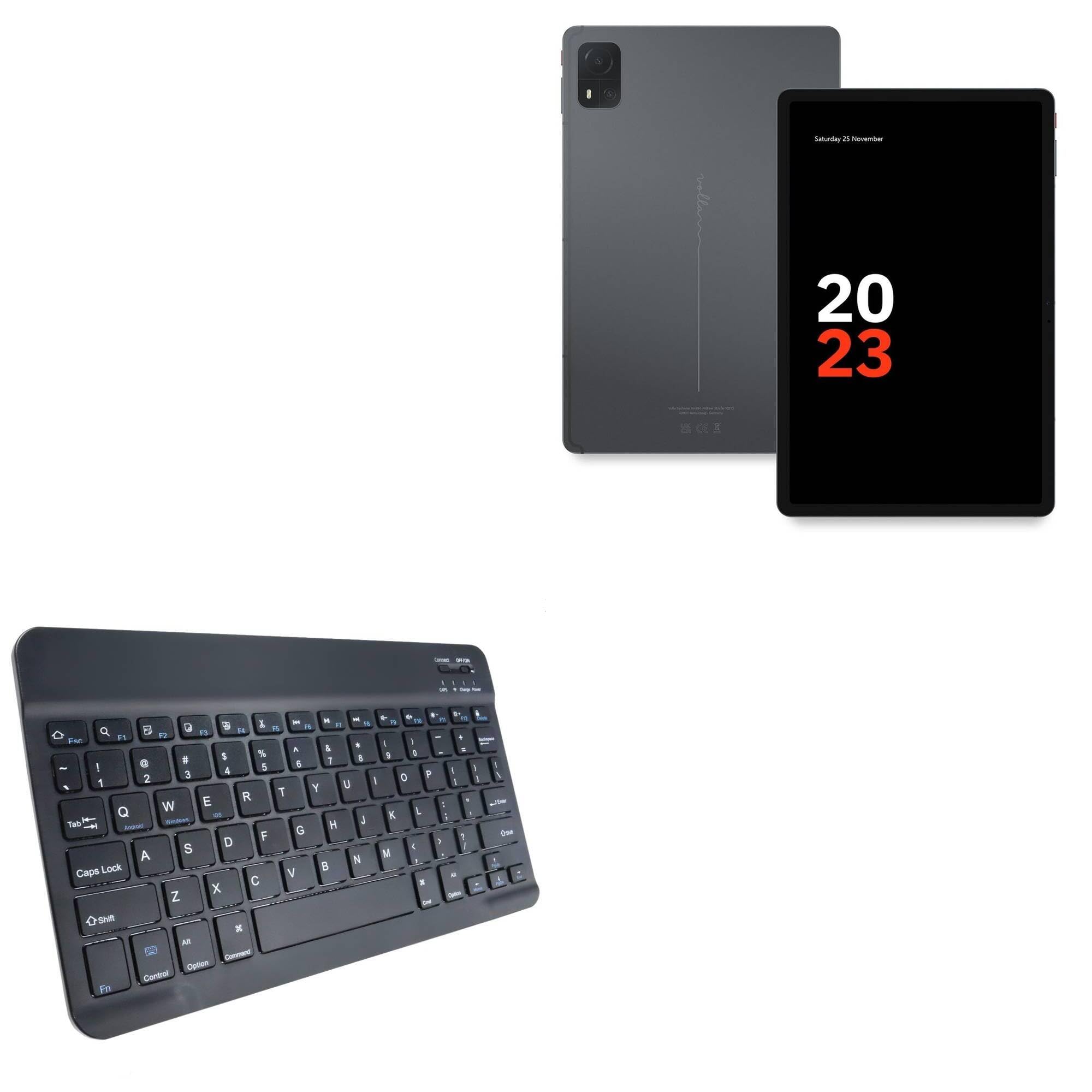
Image: The BoxWave SlimKeys Bluetooth Keyboard in Jet Black, showcasing its full QWERTY layout and compact design.
Пакеттин мазмуну
- BoxWave SlimKeys Bluetooth Keyboard
- USB заряддоо кабели
- Instruction Manual
Продукт өзгөчөлүктөрү
- Ультра жука дизайн: Measuring just 3/16 inch thick, the keyboard offers a sleek, compact profile for easy portability.
- Жеңил жана ыңгайлуу: Responsive, chiclet-style keys provide a tactile typing experience.
- Power-Efficient Functionality: Built-in on/off switch and Bluetooth 3.0 for reduced power consumption.
- Fast Bluetooth Pairing: Ensures quick and reliable connection without lag.
- Көп платформа шайкештиги: Works seamlessly with Android, Windows, and iOS devices.
- Узак мөөнөттүү батарея: Up to 30 days of battery life and 6 months on standby.

Image: A visual summary of the keyboard's key features, including Chiclet Keys, Multi-Platform compatibility, Bluetooth 3.0, and its ultra-slim and light design.
Жайгашуу
1. Баскычтопту заряддоо
- Locate the charging port on the keyboard (usually on the top edge).
- Берилген USB кубаттоо кабелин клавиатуранын кубаттоо портуна туташтырыңыз.
- USB кабелинин экинчи учун USB кубат булагына туташтырыңыз (мисалы, компьютер, дубал адаптер).
- The 'Charge' indicator light will illuminate during charging. It will turn off or change color when fully charged.
A full charge provides up to 30 days of active use or 6 months of standby time.

Image: The SlimKeys Bluetooth Keyboard connected to a charging cable, illustrating its long-lasting battery feature.
2. Pairing with Your Device (Bluetooth Connection)
- Ensure the keyboard is charged and the power switch (usually labeled 'ON/OFF') is in the 'ON' position.
- Press the 'Connect' button on the keyboard (often a small button near the power switch or an Fn key combination). The Bluetooth indicator light will start blinking, indicating it's in pairing mode.
- On your Volla Tablet (or other device), go to Орнотуулар > Bluetooth жана Bluetooth иштетилгенин текшериңиз.
- Your device will search for available Bluetooth devices. Select "BoxWave SlimKeys Keyboard" or a similar name from the list.
- If prompted, enter the displayed pairing code on the SlimKeys keyboard and press Кириңиз.
- Жупташтырылгандан кийин, клавиатурадагы Bluetooth индикатору күйүп-өчүүнү токтотуп, үзгүлтүксүз бойдон калат же өчөт, бул ийгиликтүү туташууну билдирет.
Иштөө нускамалары
1. Күйгүзүү/өчүрүү
Slide the 'ON/OFF' switch located on the top right of the keyboard to turn it on or off. To conserve battery, turn off the keyboard when not in use.
2. Operating System Selection
The SlimKeys keyboard supports multiple operating systems. To optimize function keys for your device, press the following key combinations:
- Fn + Q: Android түзмөктөр үчүн
- Fn + W: Windows түзмөктөрү үчүн
- Fn + E: iOS түзмөктөрү үчүн
3. Функционалдык баскычтар
The keyboard features specialized function keys (F1-F12) that provide quick access to various commands. These keys are typically activated by pressing the Fn каалаган функция баскычы менен бир убакта басыңыз.

Сүрөт: жакын план view of the specialized function keys on the SlimKeys Bluetooth Keyboard, detailing their icons and corresponding actions.
| Ачкыч айкалышы | Функция |
|---|---|
| Fn + Esc | Үй |
| Fn + F1 | издөө |
| Fn + F2 | Баарын тандаңыз |
| Fn + F3 | Көчүрүү |
| Fn + F4 | Паста |
| Fn + F5 | Кесүү |
| Fn + F6 | Артка өткөрүп жиберүү |
| Fn + F7 | Ойнотуу / Тыныгуу |
| Fn + F8 | Алдыга өтүү |
| Fn + F9 | Үндү төмөндөтүү |
| Fn + F10 | Үндү көтөрүү |
| Fn + F11 | Brightness Down |
| Fn + F12 | Brightness Up |
| Fn + Жок кылуу | Кулпу |
Техникалык тейлөө
- Тазалоо: Бир аз жумшак, түксүз кездемени колдонуңуз dampened with water or a mild cleaning solution to wipe the keyboard surface. Avoid excessive moisture. Do not spray cleaners directly onto the keyboard.
- Сактагыч: Store the keyboard in a cool, dry place away from direct sunlight and extreme temperatures. When traveling, consider placing it in a protective sleeve to prevent scratches.
- Батареяга кам көрүү: For optimal battery life, avoid fully discharging the keyboard frequently. Charge it regularly, especially if it will be stored for an extended period.
Проблемаларды чечүү
Keyboard Not Pairing
- Баскычтоп кубатталып, күйгүзүлгөнүн текшериңиз.
- Түзмөгүңүздө Bluetooth иштетилгенин текшериңиз.
- Press the 'Connect' button on the keyboard to enter pairing mode.
- If previously paired, try 'forgetting' the keyboard from your device's Bluetooth settings and re-pairing.
- Ensure the keyboard is within the effective Bluetooth range (typically 10 meters or 33 feet).
Ачкычтар жооп бербейт
- Check if the keyboard is powered on and successfully connected via Bluetooth.
- Ensure the correct operating system mode (Fn+Q/W/E) is selected for your device.
- The battery might be low; try charging the keyboard.
- Баскычтопту (өчүрүү/күйгүзүү) жана түзмөгүңүздү өчүрүп күйгүзүңүз.
Кечигүүлөр же ажыратуулар
- Интерференцияны азайтуу үчүн клавиатураны түзмөгүңүзгө жакындатыңыз.
- Ensure there are no other strong wireless signals or devices causing interference.
- Баскычтоптун батареясынын деңгээлин текшериңиз.
Техникалык шарттар
| Өзгөчөлүк | Деталь |
|---|---|
| Модель аты | SlimKeys Bluetooth Keyboard |
| Бренд | BoxWave |
| Байланыш | Bluetooth 3.0 |
| Шайкештик | Android, Windows, iOS |
| Өлчөмдөрү (болжол менен) | 9.5 in (Width) x 5.75 in (Depth) x 0.2 in (Height) |
| Салмагы | 8.6 унция |
| Батарея түрү | Продукттун өзгөчөлүгү (камтылат) |
| Батареянын иштөө мөөнөтү | Up to 30 days (active use), 6 months (standby) |
| Түс | Jet Black |

Image: The SlimKeys Bluetooth Keyboard with its ultra-slim and lightweight dimensions highlighted.
Коопсуздук маалыматы
- Баскычтопту сууга же ашыкча нымдуулукка дуушар кылбаңыз.
- Баскычтопту түшүрүүдөн же катуу таасирлерге дуушар кылуудан качыңыз.
- Балдар жетпеген жерде сактаңыз.
- Do not attempt to disassemble or repair the keyboard yourself. This may void the warranty and cause damage.
- Берилген заряддоо кабелин же тастыкталган эквивалентти гана колдонуңуз.
Кепилдик жана колдоо
BoxWave products are designed for quality and reliability. For warranty information or technical support, please refer to the BoxWave official webсайтка же түздөн-түз кардарларды тейлөөгө кайрылыңыз. Сатып алганыңыздын далили катары сатып алуу дүмүрчөгүңүздү сактаңыз.