
toocki TTWS-YL02
toocki Flip Bluetooth 5.3 Wireless Earbuds Instruction Manual
Model: TTWS-YL02
Introduction
This manual provides detailed instructions for the setup, operation, maintenance, and troubleshooting of your toocki Flip Bluetooth 5.3 Wireless Earbuds, Model TTWS-YL02. Please read this manual thoroughly before using the product to ensure optimal performance and longevity.

Image: The toocki Flip Bluetooth 5.3 Wireless Earbuds, black, resting inside their open charging case. A small LED indicator is visible on the front of the case.
Пакеттин мазмуну
Пакетте бардык буюмдар бар экенин текшериңиз:
- toocki Flip Bluetooth 5.3 Wireless Earbuds (Left and Right)
- Заряддоо кутусу
- USB заряддоо кабели
- Наушниктердин бир нече өлчөмү (S, M, L)
- User Manual
Продукт бүттүview
Familiarize yourself with the components of your earbuds.

Image: A detailed diagram highlighting various parts of the toocki Flip Wireless Earbuds and their charging case, including touch control area, microphone, charging contacts, and LED indicators.
- Earbud Touch Control Area: For managing playback, calls, and other functions.
- Микрофон: Integrated for calls and voice assistant.
- Заряддоо байланыштары: Located at the bottom of each earbud for charging within the case.
- Кубаттоочу кутучанын LED индикатору: Displays charging status and battery level.
- USB-C заряддоо порту: Заряддоочу кутучада жайгашкан.
Жайгашуу
1. Кулакчындарды жана кутуну кубаттоо
Биринчи колдонуудан мурун, кулакчындарды жана кубаттоочу кутучаны толук заряддаңыз.
- Кулакчындарды заряддоо кутусуна салыңыз.
- USB заряддоо кабелин корпустагы заряддоо портуна жана кубат булагына туташтырыңыз.
- Корпустагы LED индикатору кубаттоо абалын көрсөтөт. Толук кубатталгандан кийин, индикатор өзгөрөт же өчөт.

Image: An illustration showing the earbuds in their charging case, with a visual representation of the 4.5 hours of single-use battery life and the charging case capacity.
2. Түзмөк менен жупташтыруу
Кулакчындар кубаттоочу кутудан чыгарылганда автоматтык түрдө жупташтыруу режимине өтөт.
- Заряддоо кутусун ачып, эки кулакчынды алып салыңыз. Алар автоматтык түрдө күйүп, жупташтыруу режимине кирет.
- Түзмөгүңүздө (смартфон, планшет ж.б.) Bluetooth иштетиңиз.
- Издөө "toocki Flip" (or similar name) in the list of available Bluetooth devices and select it to connect.
- Туташтырылгандан кийин, сиз ырастоо сигналын угасыз жана кулакчындын индикатору өчөт.
Авто кайра туташуу: After the initial pairing, the earbuds will automatically reconnect to the last paired device when removed from the case, provided Bluetooth is enabled on the device.

Image: A graphic illustrating the earbuds' compatibility with various devices (cell phones, tablets) and the auto-reconnect function shown with a smartphone's Bluetooth settings.
Иштөө нускамалары
The toocki Flip earbuds feature intuitive touch controls. The touch control area is located on the outer surface of each earbud.
Сенсордук башкаруу функциялары

Image: A visual guide detailing the various touch control gestures for the earbuds, including play/pause, volume, call management, song switching, voice assistant, game mode, and reset.
| Функция | Жаңсоо |
|---|---|
| Музыканы ойнотуу/тындыруу | Double-tap Left or Right earbud |
| Үндү көтөрүү | Single-tap Right earbud |
| Үндү төмөндөтүү | Single-tap Left earbud |
| Кийинки ыр | Оң кулакчын үч жолу таптаңыз |
| Мурунку ыр | Сол кулакчын үч жолу таптаңыз |
| Чалууга жооп берүү/түп коюу | Double-tap Left or Right earbud |
| Чакырууну четке кагуу | Long press Left or Right earbud for 2 seconds |
| Үн жардамчысын жандырыңыз | Four taps on the Right earbud |
| Оюн режими күйгүзүү/өчүрүү | Long press Left earbud for 2 seconds to enter; long press again for 2 seconds to exit. |
| Гарнитураны баштапкы абалга келтирүү | Tap the headset 7 times in a row |
Noise Cancellation
The earbuds feature Hybrid Active Noise Cancellation (ANC) with AI, capable of reducing background noise by up to 99% (40dB depth, +4000Hz bandwidth).
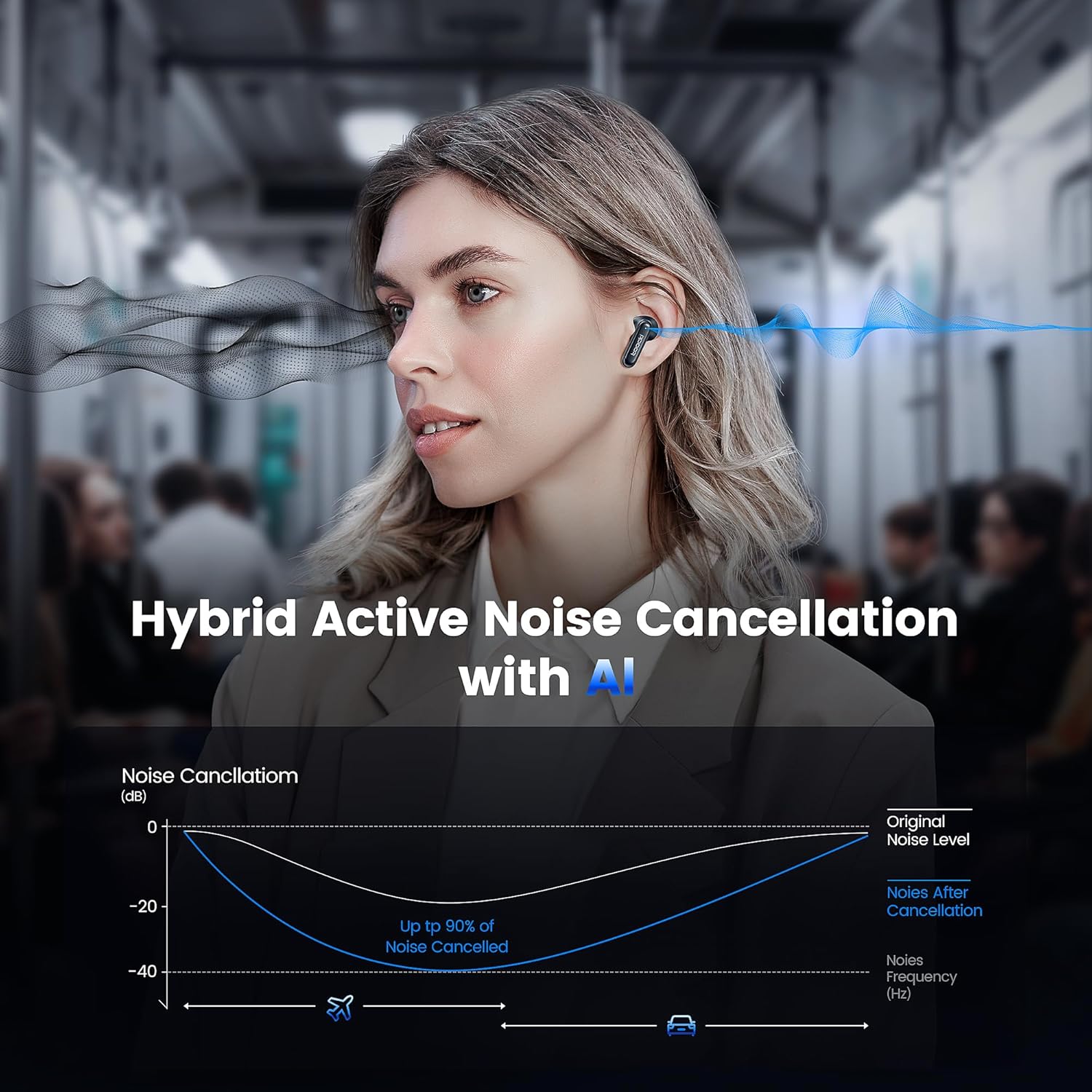
Image: A graph illustrating the effectiveness of Hybrid Active Noise Cancellation with AI, showing a significant reduction in noise levels across various frequencies, applicable in environments like airplanes and cars.
This technology is designed to enhance your listening experience by minimizing distractions from your surroundings, whether you are indoors, outdoors, or commuting.

Image: A person studying indoors with earbuds, illustrating how noise cancellation weakens sounds from turning books, air conditioners, and other machines.

Image: A person walking outdoors with earbuds, demonstrating the ability to block out crowd noise.

Image: A person commuting on public transport with earbuds, showing how noise cancellation blocks out airplane, high-speed train, and subway noise.
Чалууларды башкаруу
The earbuds are equipped with 4 microphones and advanced algorithms to enhance call clarity, ensuring your voice is heard clearly even in noisy environments.

Image: A person smiling while holding a smartphone and wearing the earbuds, with an overlay indicating "4 Mic + AI Call Noise Cancellation" to highlight enhanced call quality.
Үн тажрыйбасы
Experience 360° panoramic sound with stereo dual-channel audio and 10mm drivers, delivering rich bass and clear treble for an immersive listening experience.

Image: A visual representation of 360° panoramic sound emanating from an earbud, with text indicating "Stereo Dual-Channel with 10mm Driver."

Image: A cutaway diagram of a 10mm moving coil unit, illustrating its internal components and emphasizing its role in delivering extraordinary sound performance with larger vibration area, pure bass, and treble.
Техникалык тейлөө
Туура тейлөө кулакчындарыңыздын узак иштөөсүн жана оптималдуу иштешин камсыз кылат.
- Тазалоо: Regularly clean the earbuds, especially the eartips and charging contacts, with a soft, dry, lint-free cloth. Do not use abrasive cleaners or solvents.
- Наушниктер: The earbuds come with multiple sizes of eartips (S, M, L). Choose the size that provides the best seal and comfort for your ears. This also helps with noise cancellation effectiveness.
- Сактагыч: Колдонулбаганда, кулакчындарды коргоо жана кубаттоо үчүн кубаттоочу кутучага сактаңыз.
- Суу каршылык: The earbuds are waterproof. However, avoid prolonged exposure to water and ensure they are dry before placing them back in the charging case to prevent damage to the charging contacts.
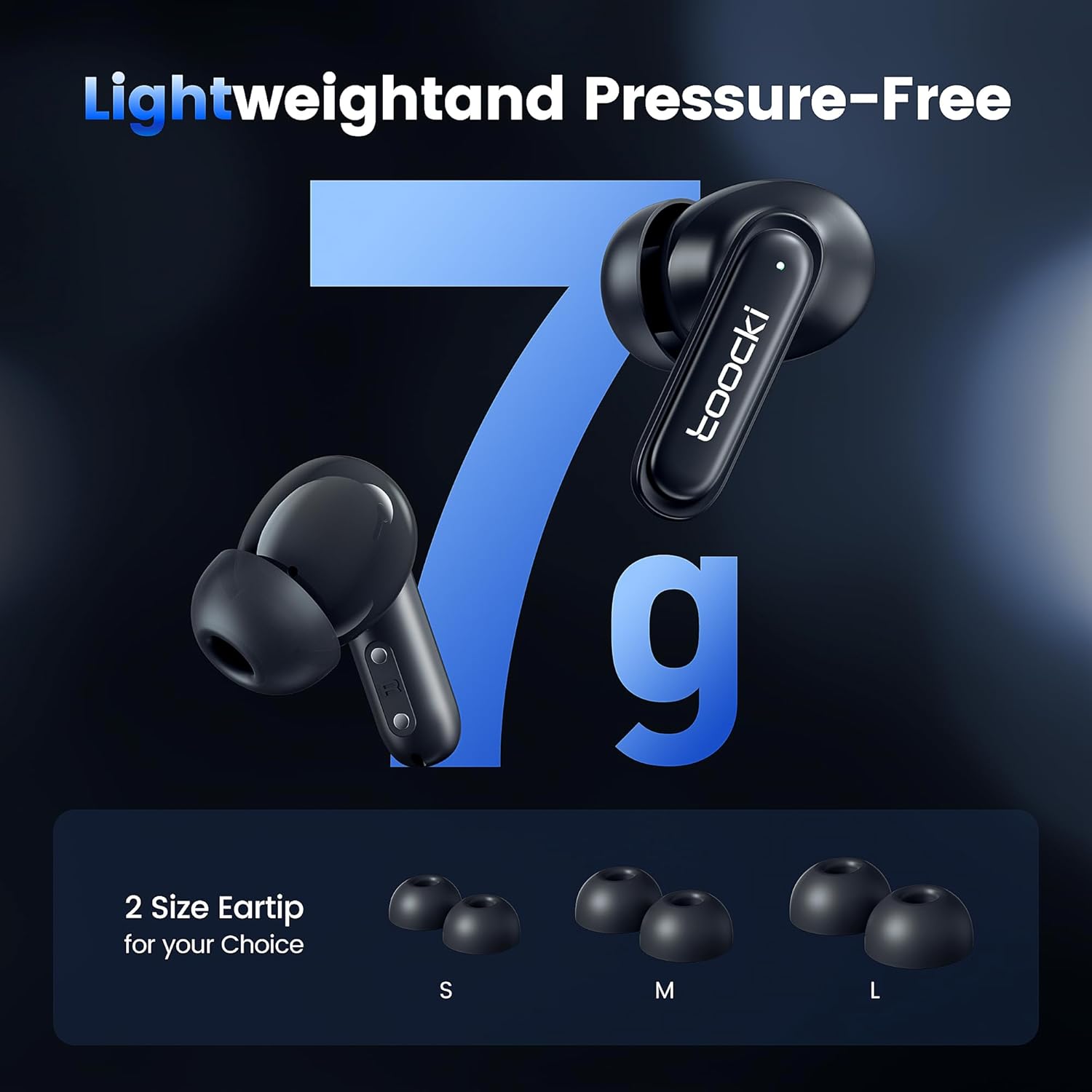
Image: The earbuds displayed alongside three pairs of eartips in small (S), medium (M), and large (L) sizes, emphasizing the lightweight design and choice of eartips for comfort.
Проблемаларды чечүү
Эгер көйгөйлөргө туш болсоңуз, төмөнкү чечимдерди колдонуп көрүңүз:
- Кулакчындар жупташкан жок:
- Эки кулакчындын тең кубатталганын текшериңиз.
- Түзмөгүңүздөгү Bluetooth'ду өчүрүп, кайра күйгүзүңүз.
- Forget the "toocki Flip" device from your device's Bluetooth settings and try pairing again.
- Perform a headset reset (tap 7 times in a row).
- Бир гана кулакчын иштейт:
- Эки кулакчындын тең кубатталганын текшериңиз.
- Эки гарнитураны тең заряддоо кутусуна салып, капкагын жаап, бир нече секунд күтө туруңуз, анан кайра чыгарыңыз.
- Кулакчындарды баштапкы абалга келтирип көрүңүз.
- Көлөмү төмөн же үн сапаты начар:
- Түзмөгүңүздөгү жана гарнитураңыздагы үндү тууралаңыз.
- Ensure the eartips are properly seated in your ear to create a good seal. Try different eartip sizes.
- Кулакчындын динамиктеринен жана кулакчындын учунан ар кандай таштандыларды тазалаңыз.
- Заряддоо маселелери:
- Заряддоо кабелин жана кубат адаптерин текшериңиз. Башка кабелди же адаптерди колдонуп көрүңүз.
- Ensure the charging contacts on both the earbuds and the case are clean and free of obstruction.
Техникалык шарттар
| Модель аты | TTWS-YL02 |
| Бренд | тооки |
| Байланыш технологиясы | Зымсыз (Bluetooth 5.3) |
| Кулак жайгаштыруу | In-Ear |
| Форма фактору | In-Ear |
| Noise Control | Active Noise Cancellation (up to 40dB depth, 99% background noise reduction) |
| Айдоочунун өлчөмү | 10мм |
| Playtime (Single Use) | Болжол менен 4.5 саат |
| Заряддоо кутусунун кубаттуулугу | 400mAh (estimated from image) |
| Башкаруу ыкмасы | тийүү |
| Өзгөчөлүктөр | Fast Charging, Waterproof, 4 Microphones + AI for Call Noise Cancellation |
| Түс | Кара |
| Салмагы (ар бир кулакчын үчүн) | Болжол менен 7г |
Кепилдик жана колдоо
For warranty information or technical support, please refer to the documentation included with your purchase or contact toocki customer service through their official webпродукт сатылып алынган сайт же сатуучу.
Ask a question about this manual
Ask about setup, troubleshooting, compatibility, parts, safety, or missing instructions. Manuals+ will review the question and use this page’s manual context to help answer it.