
1. Киришүү
Thank you for choosing the Micool BT-X EASY Wireless Open-Ear Bluetooth 5.4 Headphones. These headphones are designed to provide a comfortable listening experience with advanced features like Bluetooth 5.4 connectivity, call noise reduction, and long battery life. This manual will guide you through the setup, operation, and maintenance of your new headphones.
2. Продукт бүтүп калдыview
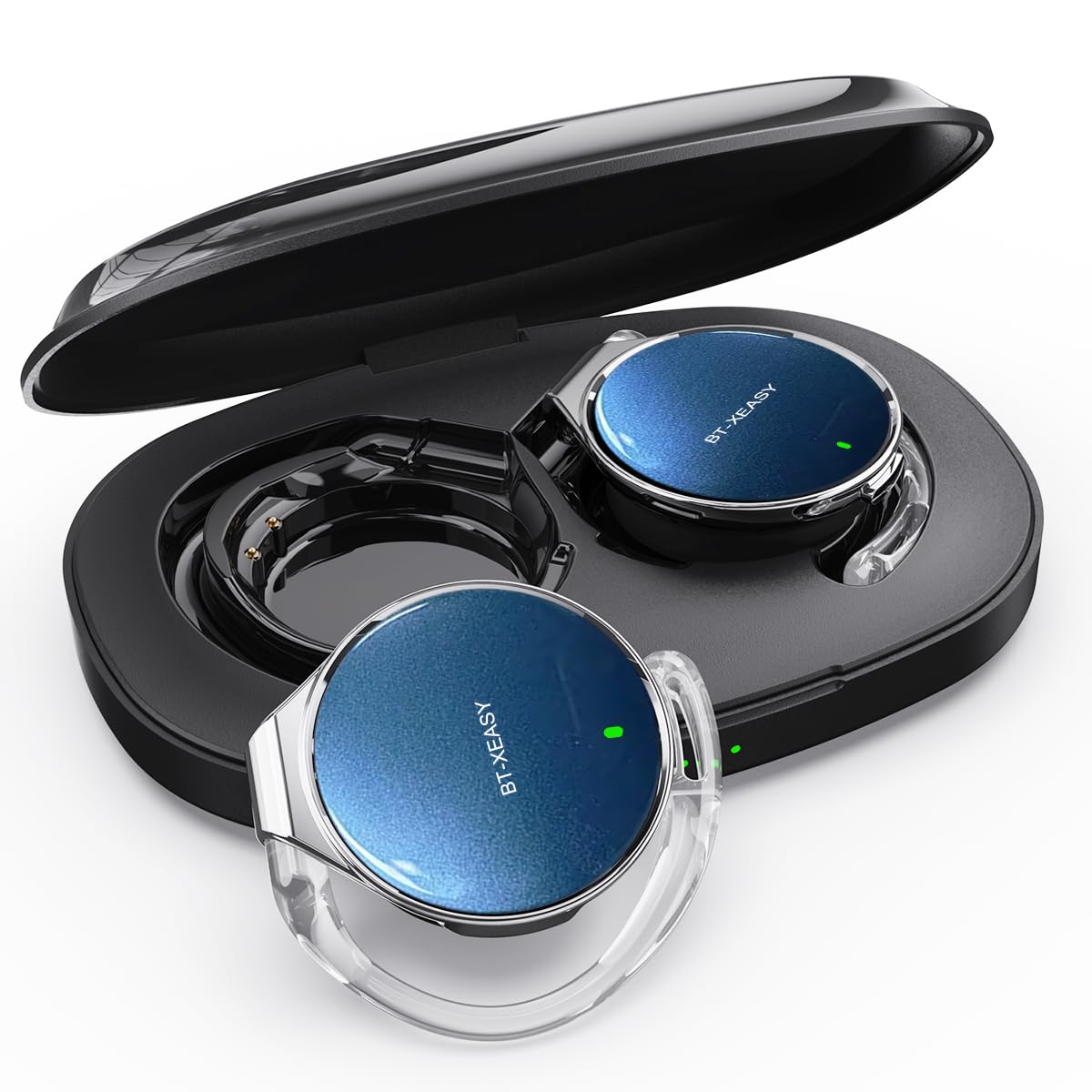
The Micool BT-X EASY headphones feature an open-ear design for comfort and awareness of your surroundings. Key features include:
- HD Stereo Audio & One-Button Control: Equipped with 28mm speakers for rich bass and an ANC+ENC adaptive noise reduction chip for clear calls. Easy control via multi-function buttons on each headset.
- Узартылган батареянын иштөө мөөнөтү: Up to 18 hours of music playback on a single charge. The charging case extends total listening time to up to 52 hours.
- High-Speed Bluetooth 5.4 Connectivity: Ensures fast pairing, stable connection, and reliable performance.
- Портативдик кубаттоочу куту: Includes a large-capacity charging case with a 4-stage power indicator and USB-C charging.
- Ыңгайлуу дизайн: Small, lightweight ear-hook design with sponge ear cups for comfortable wear without pressure. Headphone diameter is 36mm.
- Кош түзмөк туташуу: Connects to two devices simultaneously (e.g., smartphone, laptop, tablet) for seamless switching between music and calls.
Пакеттин мазмуну:
- Micool BT-X EASY Wireless Open-Ear Headphones
- Заряддоо кутусу
- USB-C заряддоо кабели
- User Manual
Продукт бүттүview:
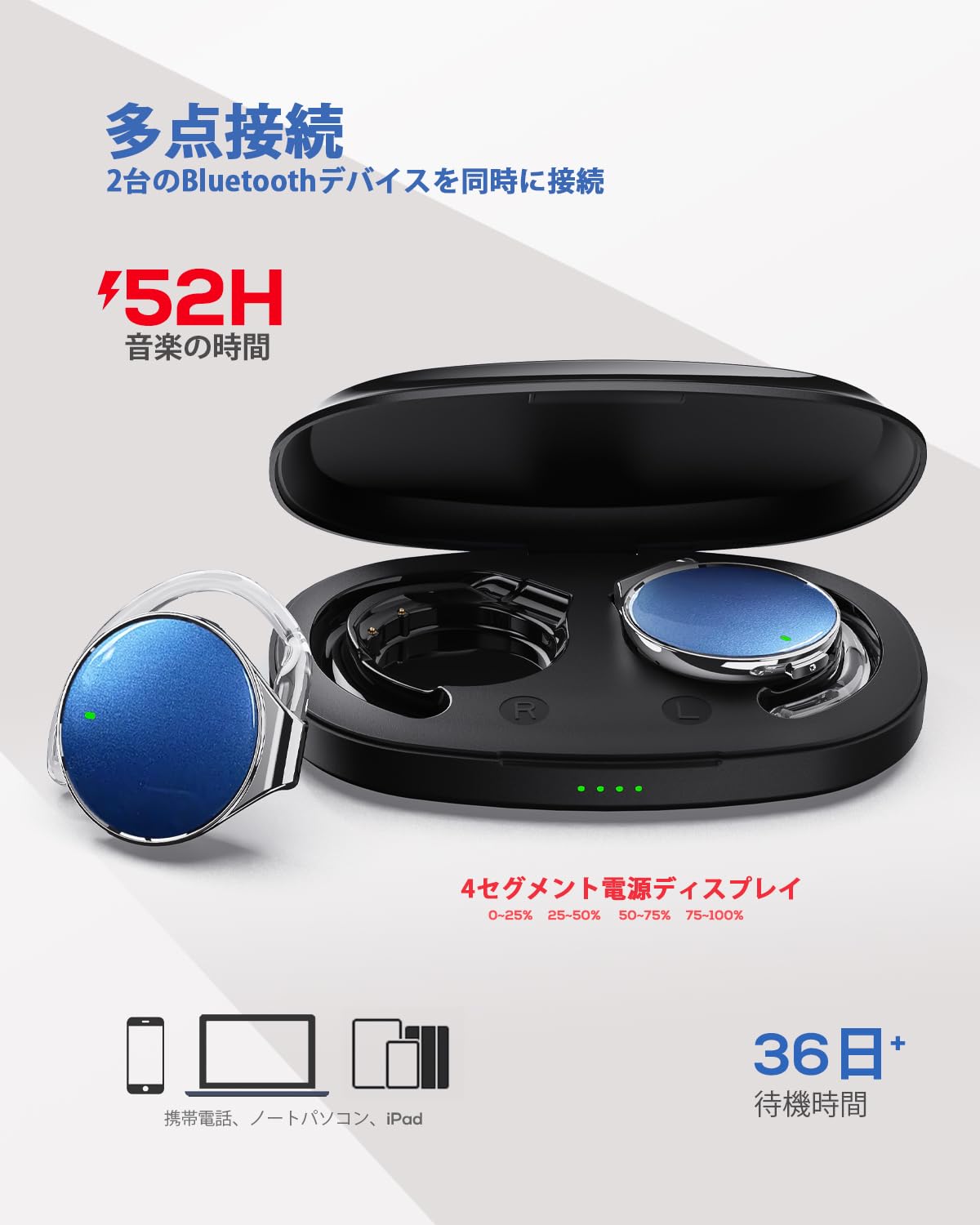
This image displays the Micool BT-X EASY headphones alongside their charging case, illustrating their compact and portable design and the concept of multi-point connection.
3. Орнотуу
3.1 Наушниктерди жана капты заряддоо
Биринчи колдонуудан мурун, наушникти жана кубаттоочу кутучаны толук заряддаңыз.
- Наушниктерди заряддоо кутусуна салыңыз.
- USB-C заряддоо кабелин корпустагы заряддоо портуна жана кубат булагына туташтырыңыз.
- 4-сtage LED indicators on the charging case will show the charging status. Each light represents 25% of the battery capacity.
- Once fully charged, all four indicator lights will be solid.

This image illustrates the charging case with its four-stage battery indicator, providing a visual representation of the remaining charge.
3.2 Наушник тагынуу
Follow these steps for a comfortable and secure fit:
- 1-кадам: Open the ear hook to approximately a 30-degree angle.
- 2-кадам: Rotate the ear hook around your ear until it rests comfortably below your earlobe.
- 3-кадам: Gently press the headphone against your ear to secure it.
- 4-кадам: Adjust the angle for the most comfortable wearing experience.

This visual guide demonstrates the four steps to correctly and comfortably wear the open-ear headphones.
3.3 Bluetooth жупташтыруу
The headphones will automatically enter pairing mode when removed from the charging case or when the case is opened. For initial pairing:
- Заряддоо кутучасын ачыңыз. Наушник автоматтык түрдө жупташтыруу режимине өтөт.
- Түзмөгүңүздө (смартфон, планшет, ноутбук) Bluetooth иштетиңиз.
- Издөө "BT-X EASY" in the list of available Bluetooth devices.
- Select "BT-X EASY" to connect. A voice prompt will confirm successful pairing.
- For dual device connection, pair the first device, then temporarily disconnect the headphones from the first device's Bluetooth settings. Pair with the second device. Reconnect to the first device from its Bluetooth settings. The headphones will now be connected to both.
4. Иштөө нускамалары
4.1 Сенсордук башкаруу
The headphones feature intuitive touch controls on each earbud. Refer to the diagram below for specific functions:
This diagram illustrates the various touch controls on the headphones, including single-click, double-click, and long-press actions for managing music playback and phone calls.
- Ойнотуу/тындыруу: x1 чыкылдатыңыз
- Кийинки трек: Click x2 (Right earbud)
- Мурунку трек: Click x2 (Left earbud)
- Көлөмү: Long press (Right earbud)
- Үнүн азайтуу: Long press (Left earbud)
- Чалууга жооп берүү/аяктоо: x1 чыкылдатыңыз
- Чакырууну четке кагуу: Узак басуу
- Mute (during call): Click x2 (A prompt tone will sound)
4.2 Чакыруу функциялары
The headphones support hands-free calling with 4 microphones and ENC noise reduction for clear conversations.
- Чалууларга жооп берүү: Көп функциялуу баскычты бир жолу басыңыз.
- Аяктаган чалуулар: Чалуу учурунда көп функциялуу баскычты бир жолу басыңыз.
- Чалууларды четке кагуу: Көп функциялуу баскычты 2 секунд басып туруңуз.
- Үнсүз микрофон: Double-click the multi-function button during a call.
5. Техникалык тейлөө
- Тазалоо: Regularly wipe the headphones and charging case with a soft, dry cloth. Do not use abrasive cleaners or immerse in water.
- Сактагыч: Store the headphones in their charging case when not in use to protect them from dust and damage. Keep in a cool, dry place away from extreme temperatures.
- Батареяга кам көрүү: Батареянын иштөө мөөнөтүн узартуу үчүн, кулакчындарды бат-баттан толук кубаттап турбаңыз. Узак мөөнөткө колдонулбаса да, аларды дайыма заряддап туруңуз.
6. Кыйынчылыктарды
| Көйгөй | Мүмкүн чечим |
|---|---|
| Наушник күйбөйт. | Кулакчындардын заряддалганын текшериңиз. Аларды кубаттоочу кутуга салып, кутучаны электр кубатына туташтырыңыз. |
| Түзмөк менен жупташтыруу мүмкүн эмес. |
|
| Үн жок же үнү төмөн. |
|
| үзгүлтүктүү байланыш. |
|
7. Техникалык шарттар
| Өзгөчөлүк | Деталь |
|---|---|
| Бренд | Micool |
| Модел | BT-X EASY |
| Bluetooth версиясы | 5.4 |
| Наушник стили | Open-Ear (Ear-hook style) |
| Байланыш | Зымсыз (Bluetooth) |
| Динамик өлчөмү | 28 мм динамикалык динамик |
| Noise Reduction | ANC+ENC Adaptive Noise Reduction (for calls) |
| Микрофондор | 4 microphones (for hands-free calls) |
| Музыканы ойнотуу убактысы | Up to 18 hours (headphones), up to 52 hours (with charging case) |
| Заряддоо порту | USB-C |
| Headphone Diameter | 36мм |
| Материал | Пластик |
| Түс | Black Silver Blue |
| UPC | 775494926203 |
8. Кепилдик жана колдоо
The Micool BT-X EASY headphones come with a 6 айлык кепилдик from the date of purchase. This warranty covers manufacturing defects and workmanship. It does not cover damage caused by misuse, accidents, unauthorized modifications, or normal wear and tear.
For technical support, warranty claims, or any questions regarding your product, please contact Micool customer service through the retailer where you purchased the product or visit the official Micool store on Amazon.
Amazon Store Link: Micool Amazon Store
9. Коопсуздук боюнча маанилүү маалымат
- Угуунун бузулушун алдын алуу үчүн кулакчындарды узак убакыт бою жогорку үндө колдонбоңуз.
- Айланадагы үндөрдү уга албаганыңыз кооптуу болушу мүмкүн болгон учурларда (мисалы, унаа айдоо, велосипед тебүү, жол тыгынында жөө басуу) кулакчындарды колдонбоңуз.
- Продукцияны суудан жана нымдан алыс кармаңыз.
- Продукцияны өз алдынча бөлүүгө же оңдоого аракет кылбаңыз.
- Балдар жетпеген жерде сактаңыз.