
Introduction
This manual provides essential information for the safe and efficient operation of your Refoss Smart Plug (Model MSS301). Please read these instructions thoroughly before use and retain them for future reference.
The Refoss Smart Plug is designed to offer intelligent control and energy monitoring for your household appliances. It features real-time energy consumption tracking, solar production monitoring, Time-of-Use (TOU) tariff support, overcurrent and overheating protection, and smart control via app and voice assistants like Alexa and Google Home.
Коопсуздук маалыматы
- Ensure the smart plug is used within its specified electrical ratings (240V, 10A, 2400W).
- Аппаратты демонтаждабаңыз, оңдоого же өзгөртүүгө болбойт.
- Суунун же нымдуу чөйрөнүн таасиринен алыс болуңуз.
- Балдар жетпеген жерде сактаңыз.
- The device is made of high-quality flame-retardant ABS material.
- Үй ичинде гана колдонуу үчүн.
Пакеттин мазмуну
Пакетке төмөнкүлөр кирет:
- 4 x Refoss Smart Plugs (MSS301)
- 1 x User Manual
Жайгашуу
1. Баштапкы байланыш
- Plug the Refoss Smart Plug into a standard wall outlet.
- Ensure your Wi-Fi network is 2.4 GHz. The smart plug does not support 5 GHz Wi-Fi.
- Download the Refoss app from your smartphone's app store (iOS or Android).
2. Колдонмону жупташтыруу
- Open the Refoss app and create an account or log in.
- Follow the in-app instructions to add a new device. This typically involves selecting the device type and entering your Wi-Fi credentials.
- The smart plug's indicator light will guide you through the pairing process.
3. Voice Assistant Integration (Alexa/Google Home)
- Once the smart plug is successfully paired with the Refoss app, open your Alexa or Google Home app.
- Enable the "Refoss" skill/service within the voice assistant app.
- Discover devices. Your smart plug should now be controllable via voice commands.
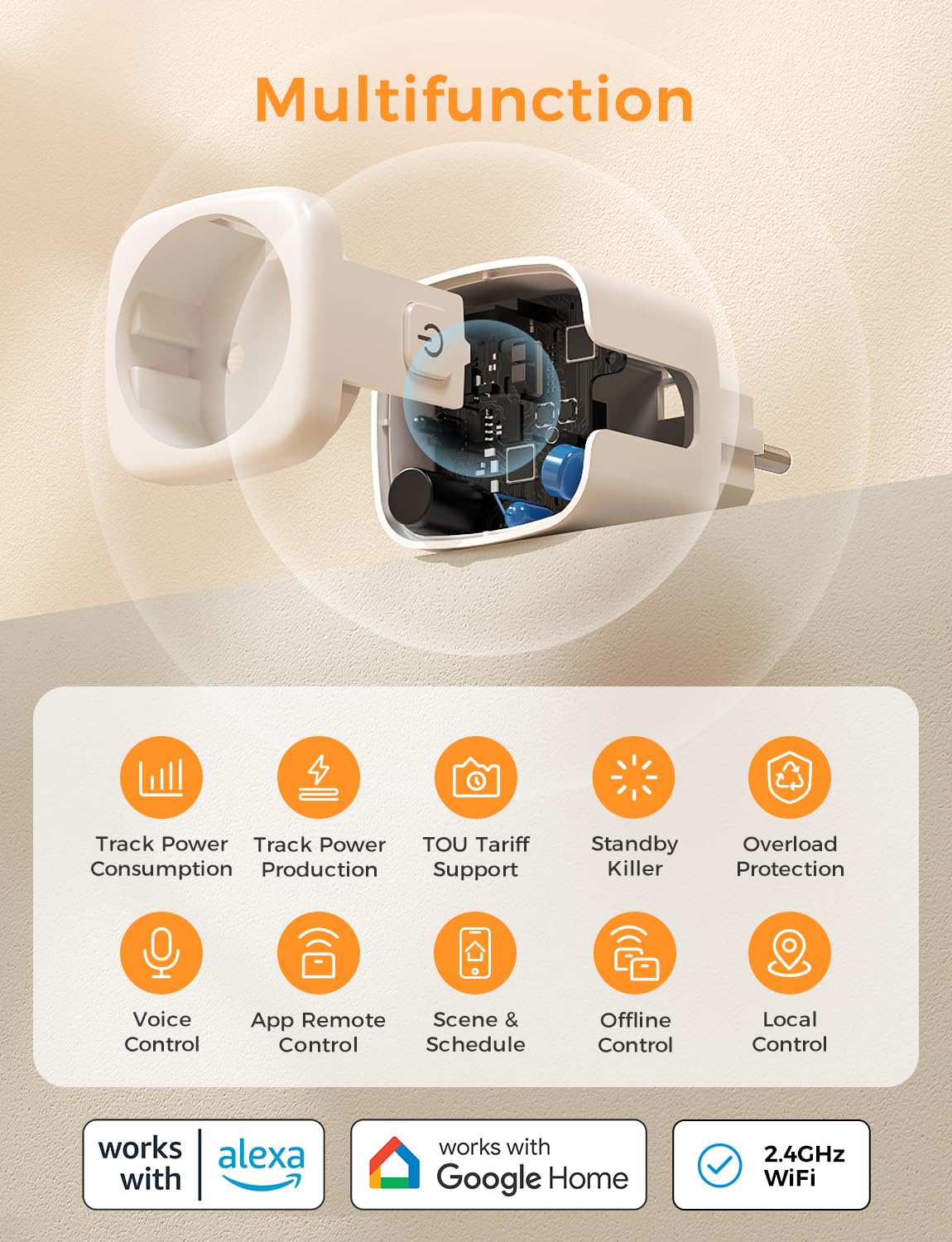
Сүрөт: бүттүview of Refoss Smart Plug's multifunction capabilities, including power consumption tracking, power production tracking, TOU tariff support, standby killer, overload protection, voice control, app remote control, scene & schedule, offline control, and local control. It also highlights compatibility with Alexa, Google Home, and 2.4GHz WiFi.
Иштөө нускамалары
1. Колдонмо аркылуу алыстан башкаруу
Use the Refoss app to turn connected devices on or off from anywhere with internet access. You can also monitor energy usage and set schedules.

Image: A smartphone displaying the Refoss app interface, showing various smart devices (light, fan, heater, toaster) that can be controlled remotely. This demonstrates the app's ability to control home appliances from any location with internet access.
2. Үн менен башкаруу
Control your smart plug using voice commands through Alexa or Google Home. For example, say "Alexa, turn on the lamp" or "Hey Google, turn off the coffee machine."

Image: An Amazon Echo Dot device on a wooden table next to a lamp, with a Refoss Smart Plug connected to the lamp. Text bubbles show "Alexa, turn on the lamp." and "Okay.", illustrating voice control functionality.
3. Энергия мониторинги
The Refoss app provides real-time energy consumption data for devices connected to the smart plug. This allows you to identify high-power appliances and optimize energy usage.

Image: A Refoss Smart Plug connected to a lamp, with a smartphone displaying the Refoss app's power monitoring interface. The screen shows current power consumption (913.28W) and historical data for week, month, and year, helping users track energy usage.
4. Solar Production Monitoring
For users with photovoltaic installations, the app can display the amount of electricity your solar system produces, helping you align your energy consumption with solar generation.

Image: A house with solar panels on the roof, and a smartphone displaying the Refoss app's electricity production monitoring. The app shows current power (913.28W) and historical data for solar energy generation, allowing users to track their photovoltaic system's output.
5. Time-of-Use (TOU) Tariff Support
Configure the smart plug to automatically operate high-energy devices during off-peak hours when electricity rates are lower, reducing your electricity costs.

Image: A split image showing a room with a heater. On the left, the heater is off during peak time/high tariff. On the right, the heater is on during off-peak time/low tariff. A smartphone displays the Refoss app's electricity bill calculation with rate tiers and peak/mid-peak/off-peak time periods, illustrating how TOU tariff support helps adjust power use for cheaper rates.
6. Standby Killer Feature
The smart plug can automatically power off appliances when they enter standby mode, eliminating phantom load and saving energy. You can customize the power-off threshold in the app.
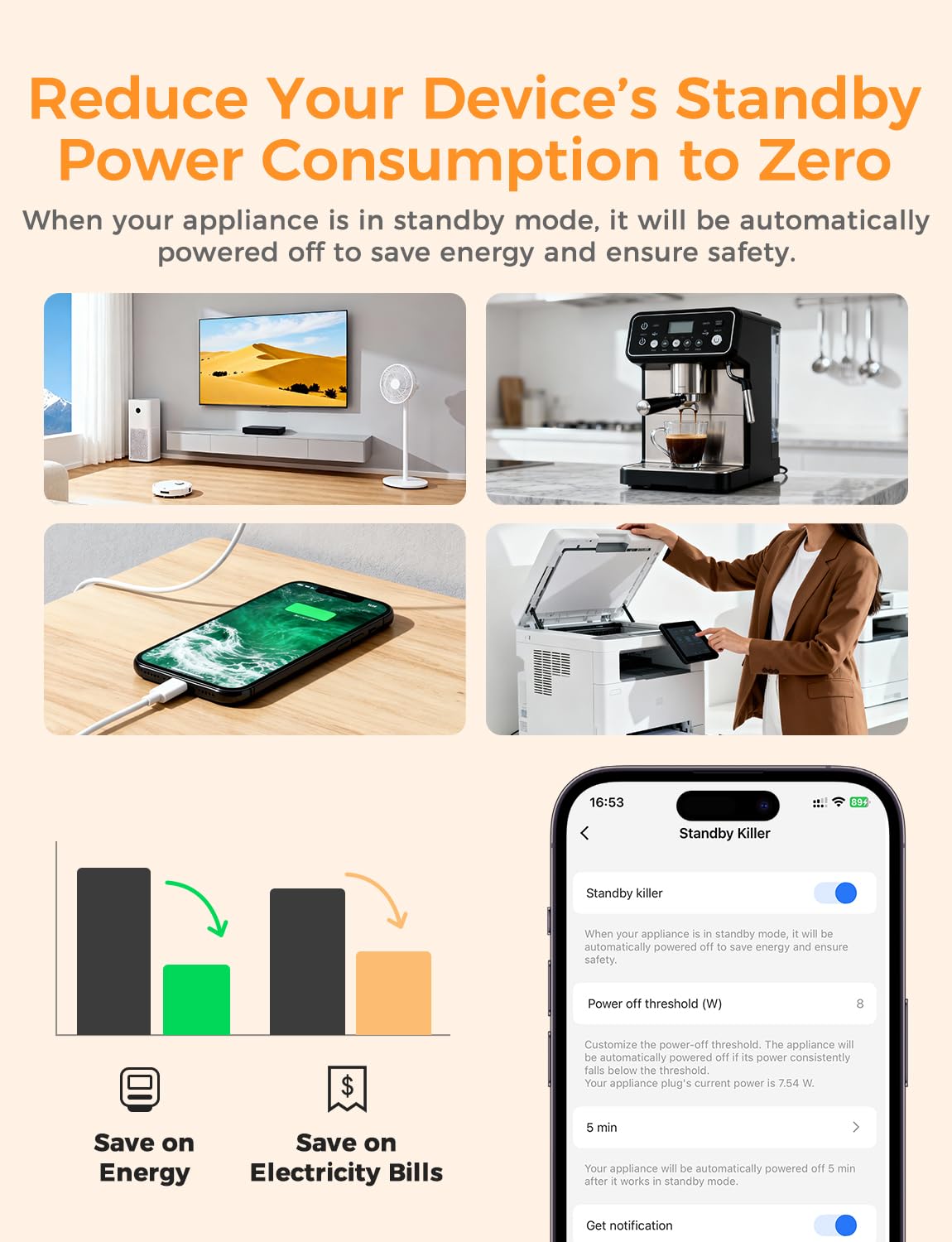
Image: A collage of appliances (TV, fan, coffee machine, printer) that can be automatically powered off when in standby mode. A smartphone screen shows the "Standby Killer" settings in the Refoss app, allowing users to set a power-off threshold and receive notifications, promoting energy saving.
7. Schedules and Scenes
Set timers, schedules, and scenes (e.g., "Good Morning," "Good Night") to automate device operation. Schedules can function even if internet connectivity is temporarily lost.

Image: A kitchen scene with a smartphone displaying the Refoss app's "Smart" section, showing various scenes and routines like "Sunrise," "Sunset," "Good Night," and "Have a Good Weekend." Text bubbles indicate automated actions like "Closed at 20:30" and "Open at 13:00", demonstrating how users can set scenes and schedules for their smart devices.
Техникалык тейлөө
- Акылдуу сайгычты кургак, жумшак чүпүрөк менен тазалаңыз. Суюк тазалоочу каражаттарды колдонбоңуз.
- Regularly check for firmware updates through the Refoss app to ensure optimal performance and security.
- Ensure the plug is not obstructed or covered, allowing for proper ventilation.
Проблемаларды чечүү
1. Түзмөк Wi-Fi'га туташпай жатат
- Ensure your Wi-Fi network is 2.4 GHz. The smart plug does not support 5 GHz.
- Check if the Wi-Fi signal strength is adequate at the plug's location.
- Wi-Fi роутериңизди өчүрүп-күйгүзүп, жупташтыруу процессин кайра аракет кылып көрүңүз.
- Туура Wi-Fi сырсөзүн киргизгениңизди текшериңиз.
2. Үн менен башкаруу иштебей жатат
- Verify that the Refoss skill/service is enabled in your Alexa or Google Home app.
- Ensure the smart plug is named clearly and uniquely in the Refoss app and recognized by your voice assistant.
- Интернет байланышыңызды текшериңиз.
3. Overcurrent/Overheating Protection Triggered
- If the plug automatically turns off, it may be due to an overcurrent or overheating event.
- Unplug the connected device and check its power consumption. Ensure it does not exceed the smart plug's maximum rating (10A, 2400W).
- Allow the smart plug to cool down if overheating is suspected.
Техникалык шарттар
| Өзгөчөлүк | Деталь |
|---|---|
| Модель номери | MSS301 |
| Өлчөмдөрү (L x W x Y) | 5 x 5 x 6.4 см (50 x 50 x 64 мм) |
| Салмагы | 380 grams (for 4-pack) |
| Материал | Flame-retardant ABS Plastic |
| Power Rating | 2400 Ватт |
| Учурдагы рейтинг | 10 Amperes |
| Operating Voltage | 240 вольт |
| Wi-Fi стандарты | 2.4 ГГц (IEEE 802.11 b/g/n) |
| Plug Type | F түрү (Шуко) |
| Сертификаттар | RoHS ылайыктуу |
| Шайкештик | Alexa, Google Home |
| Өзгөчөлүктөрү | Energy Monitoring, Solar Monitoring, TOU Tariff Support, Overcurrent Protection, Overheating Protection, Remote Control, Voice Control, Scheduling, Scene Automation |
Кепилдик жана колдоо
Refoss provides a 2-year customer service warranty for this product. For any questions or technical assistance, please contact Refoss customer support through the official webсайтына же продукттун таңгагында көрсөтүлгөн байланыш маалыматына кайрылыңыз.
Please note that warranty coverage may vary based on regional regulations and purchase location. Keep your proof of purchase for warranty claims.