
1. Киришүү
Thank you for choosing the Jectse Xg99 AI Voice Interpreter Headphones. This device combines advanced real-time translation capabilities with high-quality audio for music and calls, designed to facilitate communication across language barriers and enhance your daily audio experience. Please read this manual carefully to ensure proper use and optimal performance of your new headphones.
2. Продукт бүтүп калдыview
2.1 Негизги өзгөчөлүктөрү
- Реалдуу убакыттагы котормо: Supports translation for up to 80 languages.
- Бир нече котормо режимдери: Includes modes for face-to-face, conference, and real-time app-based translation.
- Bluetooth байланышы: Seamless wireless connection to your smartphone or other devices.
- Аудио функциялары: Enjoy music playback and hands-free calling.
- Эргономикалык дизайн: Узак убакытка кийүүгө ыңгайлуу.
2.2 Пакеттин мазмуну
Пакет төмөнкү нерселерди камтыйт:
- Jectse Xg99 AI Voice Interpreter Headphones (Left and Right)
- Заряддоо кутусу
- USB заряддоо кабели
- Lanyard
- User Manual

Image: All components included in the Jectse Xg99 package, including the headphones, charging case, USB cable, and lanyard.
3. Орнотуу
3.1 Аппаратты заряддоо
- Эки гарнитураны тең заряддоо кутусуна салыңыз.
- USB кубаттоочу кабелди корпустагы кубаттоочу портко жана шайкеш келген USB кубат булагына (мисалы, компьютер, дубал адаптери) туташтырыңыз.
- The indicator lights on the charging case will show the charging status. Ensure the headphones and case are fully charged before first use.
3.2 Bluetooth жупташтыруу
- Заряддоо кутучасын ачыңыз. Наушник автоматтык түрдө жупташтыруу режимине өтөт.
- Смартфонуңуздан Bluetooth жөндөөлөрүнө өтүңүз.
- Издөө available devices and select "Jectse Xg99" (or similar name) from the list.
- Туташтырылгандан кийин, сиз аудио эскертүүнү угасыз жана кулакчындардагы индикатор жарыктары өзгөрөт.
3.3 Колдонмону орнотуу
To utilize the full translation features, download the dedicated Jectse translation application from your smartphone's app store (e.g., Apple App Store or Google Play Store). Follow the on-screen instructions to complete the app setup and connect it to your headphones.
4. Иштөө нускамалары
4.1 Күйгүзүү/өчүрүү
- Күйгүзүү: Open the charging case, or press and hold the touch control area on each earbud for a few seconds.
- Өчүрүү: Place the headphones back into the charging case and close the lid, or press and hold the touch control area on each earbud for a few seconds until you hear a power-off prompt.
4.2 Music and Call Control
The headphones feature touch-sensitive controls for managing audio playback and calls:
- Ойнотуу/тындыруу: Кулакчындарды бир жолу таптаңыз.
- Кийинки трек: Оң кулакчынды эки жолу таптаңыз.
- Мурунку трек: Сол кулакчынды эки жолу таптаңыз.
- Чалууга жооп берүү/аяктоо: Кирүүчү чалуу учурунда гарнитураны бир жолу таптаңыз.
- Чакырууну четке кагуу: Кирүүчү чалуу учурунда кулакчындын бирин басып, кармап туруңуз.
4.3 Котормо режимдери
The Jectse Xg99 offers several translation modes via its companion app:
4.3.1 Conference Assistant Mode
Ideal for group discussions or meetings, allowing multiple participants to communicate in different languages. Each participant can wear a headphone, and the system translates spoken words in real-time.
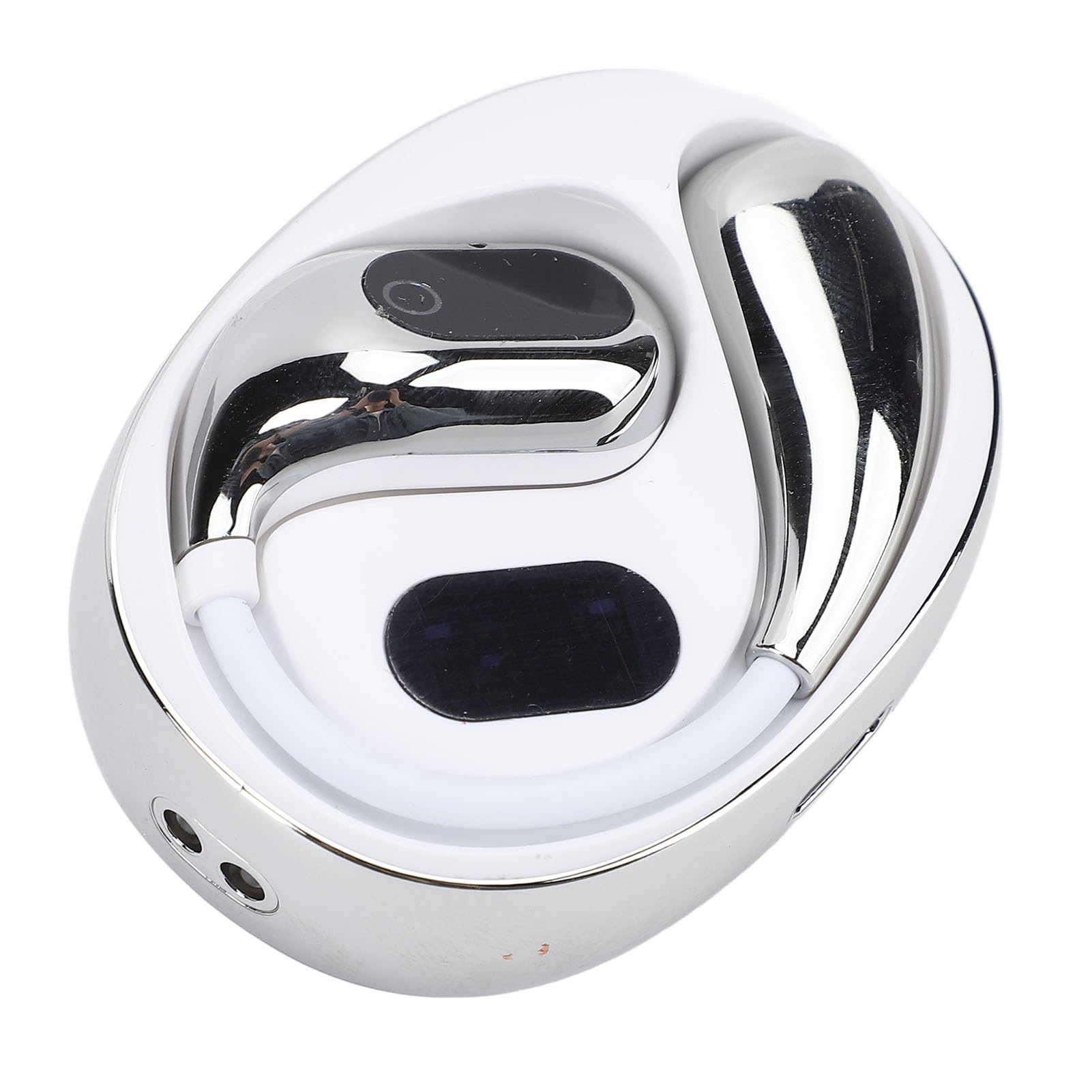
Image: Two individuals in a business setting using the Jectse Xg99 headphones for conference translation, with a speech bubble showing translated text.
4.3.2 Face-to-Face Communication Mode
Designed for direct conversations between two individuals. Each person wears one earbud, and the device translates their speech in real-time, enabling natural dialogue.

Image: Two men communicating face-to-face, each wearing one Jectse Xg99 earbud for real-time translation.
4.3.3 Real-Time App Translation Mode
Use the companion app on your smartphone to translate spoken words. Speak into the app, and the translation will be played through the headphones, or vice-versa. This mode is useful for translating signs, menus, or longer texts by speaking them into the app.

Image: A person using the Jectse Xg99 headphones while interacting with a translation app on a smartphone, showing a real-time translated conversation.
4.3.4 Other Modes
Consult the Jectse companion app for additional translation modes and features, which may include broadcast mode or speaker mode, depending on the app version.
4.4 Ergonomic Design and Usage Scenarios
The Jectse Xg99 headphones are designed for comfort, allowing for prolonged use without discomfort. Their versatile design makes them suitable for various activities and environments.

Image: A person wearing the Jectse Xg99 headset, highlighting its ergonomic design for comfortable, long-term wear.

Image: A collage showing different scenarios where the Jectse Xg99 headphones can be used, including sleeping, work, learning, traveling abroad, and exercise/running.
5. Техникалык тейлөө
- Тазалоо: Кулакчындарды жана кубаттоочу кутучаны тазалоо үчүн жумшак, кургак, мамыксыз чүпүрөктү колдонуңуз. Абразивдүү тазалоочу каражаттарды же эриткичтерди колдонбоңуз.
- Сактагыч: Колдонулбай турган учурда, кулакчындарды коргоо жана кубаттоо үчүн кубаттоочу кутучасында сактаңыз. Түз күн нурунан жана өтө жогорку температурадан алыс, салкын, кургак жерде сактаңыз.
- Батареяга кам көрүү: Батареянын иштөө мөөнөтүн узартуу үчүн, кулакчындарды бат-баттан толук кубаттап турбаңыз. Узак мөөнөткө колдонулбаса да, аларды дайыма заряддап туруңуз.
- Суу каршылык: Кулакчындар суу өткөрбөйт. Сууга, жамгырга же ашыкча нымдуулукка дуушар кылбаңыз.
6. Кыйынчылыктарды
| Көйгөй | Мүмкүн чечим |
|---|---|
| Кулакчындар күйбөйт. | Наушниктердин жана заряддоо кутусунун толук заряддалганын текшериңиз. |
| Смартфон менен жупташтыруу мүмкүн эмес. | Make sure Bluetooth is enabled on your phone. Place headphones in pairing mode. Forget previous pairings on your phone and try again. Ensure headphones are within range. |
| Үн жок же аудио сапаты начар. | Check volume levels on both headphones and smartphone. Ensure headphones are properly connected. Try restarting both devices. |
| Translation is inaccurate or not working. | Ensure the companion app is installed and updated. Check internet connection for the app (required for most translation features). Verify correct source and target languages are selected in the app. Speak clearly and at a moderate pace. |
| Кулакчындар тез-тез үзүлүп калат. | Ensure no obstacles are between the headphones and your smartphone. Keep devices within Bluetooth range. Check for interference from other wireless devices. |
7. Техникалык шарттар
- Бренд: Jectse
- Модель номери: Jectsegx6m42n7kc-11
- Продукциянын өлчөмдөрү: Болжол менен 12 x 11 x 4 см
- Продукт Салмагы: Болжол менен 85 грамм
- Байланыш: Bluetooth
- Котормо тилдери: Up to 80 (via companion app)
- Батареянын иштөө мөөнөтү: Varies by usage (refer to app or product packaging for specifics)
8. Кепилдик жана колдоо
The Jectse Xg99 AI Voice Interpreter Headphones come with a standard manufacturer's warranty. Please refer to the warranty card included in your package or visit the official Jectse webдеталдуу кепилдик шарттары жана шарттары үчүн сайт.
For technical support, troubleshooting assistance, or warranty claims, please contact Jectse customer service through the contact information provided on the official webсайтында же продукт документациясында.