
1. Киришүү
The Delton S22 Vertical Wireless Mouse is designed to provide a comfortable and efficient computing experience. Its ergonomic vertical design aims to reduce wrist strain and promote a natural hand posture, making it suitable for extended use. This manual provides instructions for setting up, operating, maintaining, and troubleshooting your Delton S22 mouse.

This image illustrates the ergonomic benefits of the Delton S22 Vertical Wireless Mouse. It compares the unnatural wrist position required by a traditional mouse with the natural, handshake-like grip promoted by the vertical mouse, highlighting how it reduces strain and is recommended by rheumatologists.
2. Продукт бүтүп калдыview жана компоненттер
Familiarize yourself with the various parts of your Delton S22 Vertical Wireless Mouse:

Бул диаграмма майда-чүйдөсүнө чейин берет view of the Delton S22 mouse, pointing out its key components: Left Button, Scroll Wheel, Right Button, DPI Switch, Detachable Wrist Pad, Optical Sensor, USB Receiver Compartment, Back Cover, 2*AA Battery Slot, Glide Pads, Forward Button, Back Button, and Power On/Off switch.
- Сол баскыч: Стандарттык сол чыкылдатуу функциясы.
- Оң баскыч: Стандарттык оң баскычты чыкылдатуу функциясы.
- Жылдыруу дөңгөлөгү: Вертикалдуу сыдыруу жана орто баскычты чыкылдатуу функциясы үчүн.
- Алга баскычы: Алга карай жылдырат web браузерлер же file изилдөөчүлөр.
- Артка баскычы: Артка карай багыт алат web браузерлер же file изилдөөчүлөр.
- DPI которуу: Adjusts cursor sensitivity (800/1600/2400 DPI).
- Күйгүзүү/өчүрүү: Conserves battery life when the mouse is not in use.
- Оптикалык сенсор: Tracks mouse movement.
- USB кабыл алгыч бөлүмү: Stores the 2.4G USB dongle.
- Батарея уячасы: Holds two AA batteries (not included).
- Detachable Wrist Pad: Provides additional wrist support and reduces friction.
3. Орнотуу
- Батареяны орнотуу: Open the battery compartment on the underside of the mouse. Insert two AA batteries, ensuring correct polarity. Close the compartment.
- Connect USB Dongle: Locate the USB receiver (dongle) stored in its compartment on the underside of the mouse. Plug the USB dongle into an available USB-A port on your computer (PC, laptop, or tablet PC).
- Күйгүзүү: Flip the Power On/Off switch on the underside of the mouse to the "On" position.
- Автоматтык жупташтыруу: The mouse should automatically pair with the USB dongle. Your computer's operating system will typically install the necessary drivers automatically.
- Attach Wrist Pad (Optional): If desired, attach the detachable wrist pad to the base of the mouse for enhanced comfort.
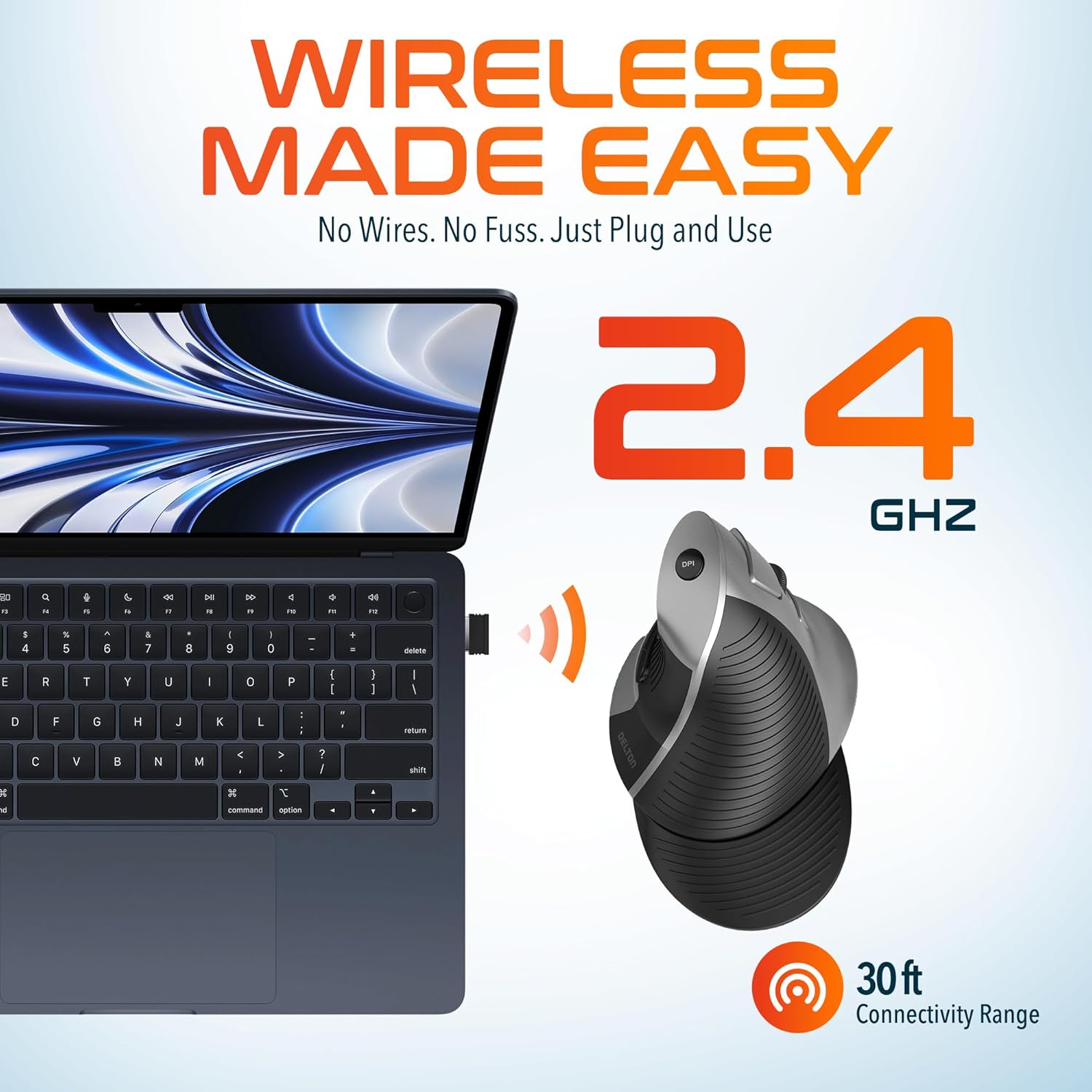
This image demonstrates the wireless connectivity of the Delton S22 mouse. It shows the mouse operating wirelessly with a laptop, emphasizing the 2.4 GHz connection and a 30 ft connectivity range, indicating a simple plug-and-use setup.
4. Иштөө нускамалары
Баскыч функциялары
The Delton S22 mouse features 6 buttons for enhanced functionality:
- Сол чыкылдатуу: Негизги тандоо жана активдештирүү.
- Оң чыкылдатуу: Контексттик менюларга кирет.
- Жылдыруу дөңгөлөгү: Документтерди тигинен жылдырат жана web pages. Pressing it acts as a middle-click.
- Алга баскычы: Navigates to the next page in supported applications.
- Артка баскычы: Navigates to the previous page in supported applications.
- DPI которуу: DPI жөндөөлөрү аркылуу айланышат.
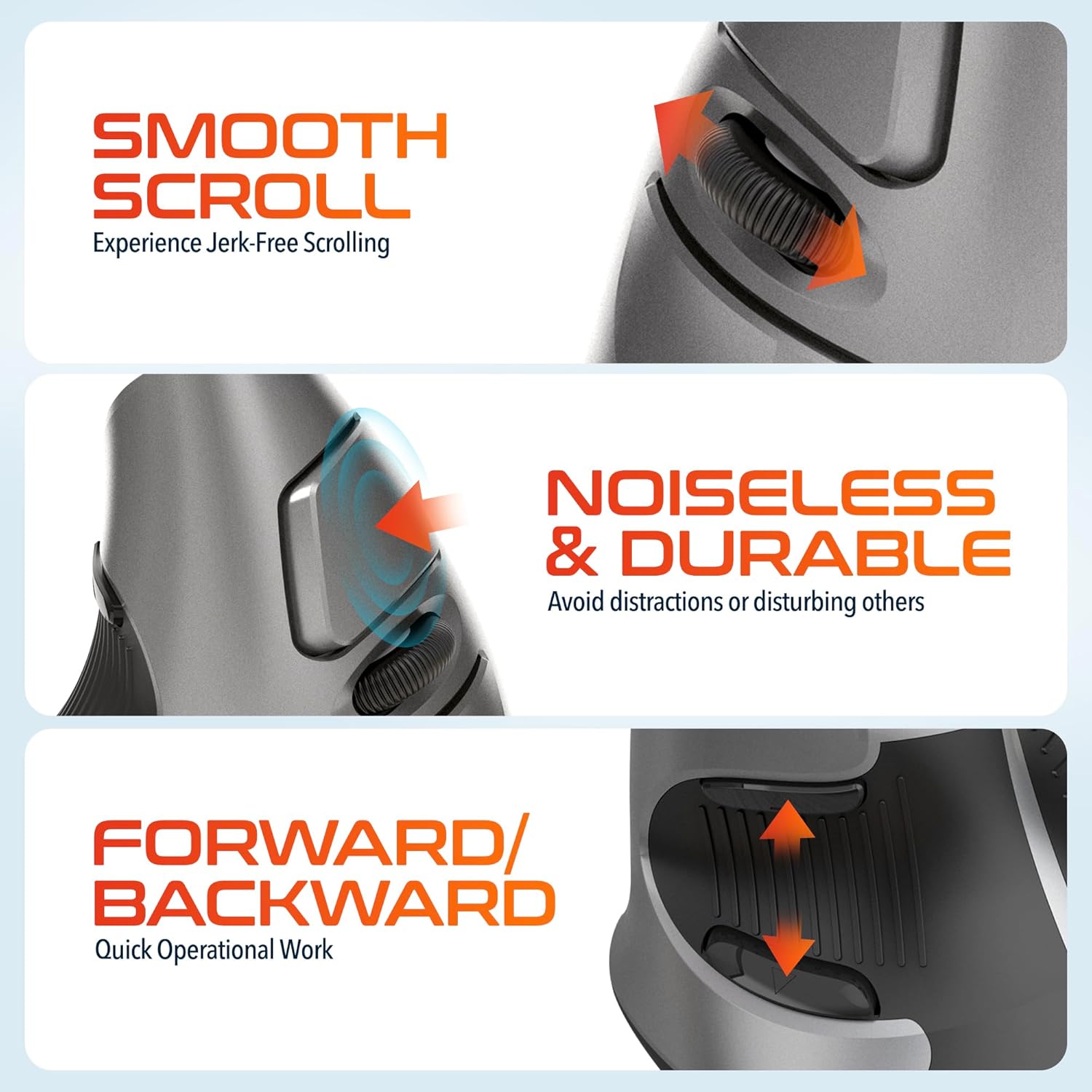
This composite image highlights three key operational features: the smooth, jerk-free scrolling experience, the noiseless and durable buttons designed to prevent distractions, and the convenient forward/backward buttons for quick navigation.
DPI тууралоо
The DPI (Dots Per Inch) switch allows you to adjust the cursor sensitivity to match your preference or task requirements. Press the DPI button located on the top of the mouse to cycle through the following settings:
- 800н/д: Так тапшырмалар үчүн төмөнкү сезгичтик.
- 1600н/д: Medium sensitivity for general use.
- 2400н/д: Курсорду тезирээк жылдыруу үчүн жогорку сезгичтик.

This image focuses on the high precision control offered by the Delton S22 mouse. It shows the DPI switch button and how it allows users to toggle between 800, 1600, and 2400 DPI settings for customized cursor sensitivity.
Power Management
To conserve battery life, switch the mouse to the "Off" position using the power switch on the underside when not in use for extended periods.
5. Шайкештик
The Delton S22 Vertical Wireless Mouse is designed for broad compatibility with various operating systems and devices:
- Операциялык системалар: Windows, macOS, iOS, Android, Chrome OS, Linux.
- Шайкеш түзмөктөр: Laptop, Personal Computer, Tablet.
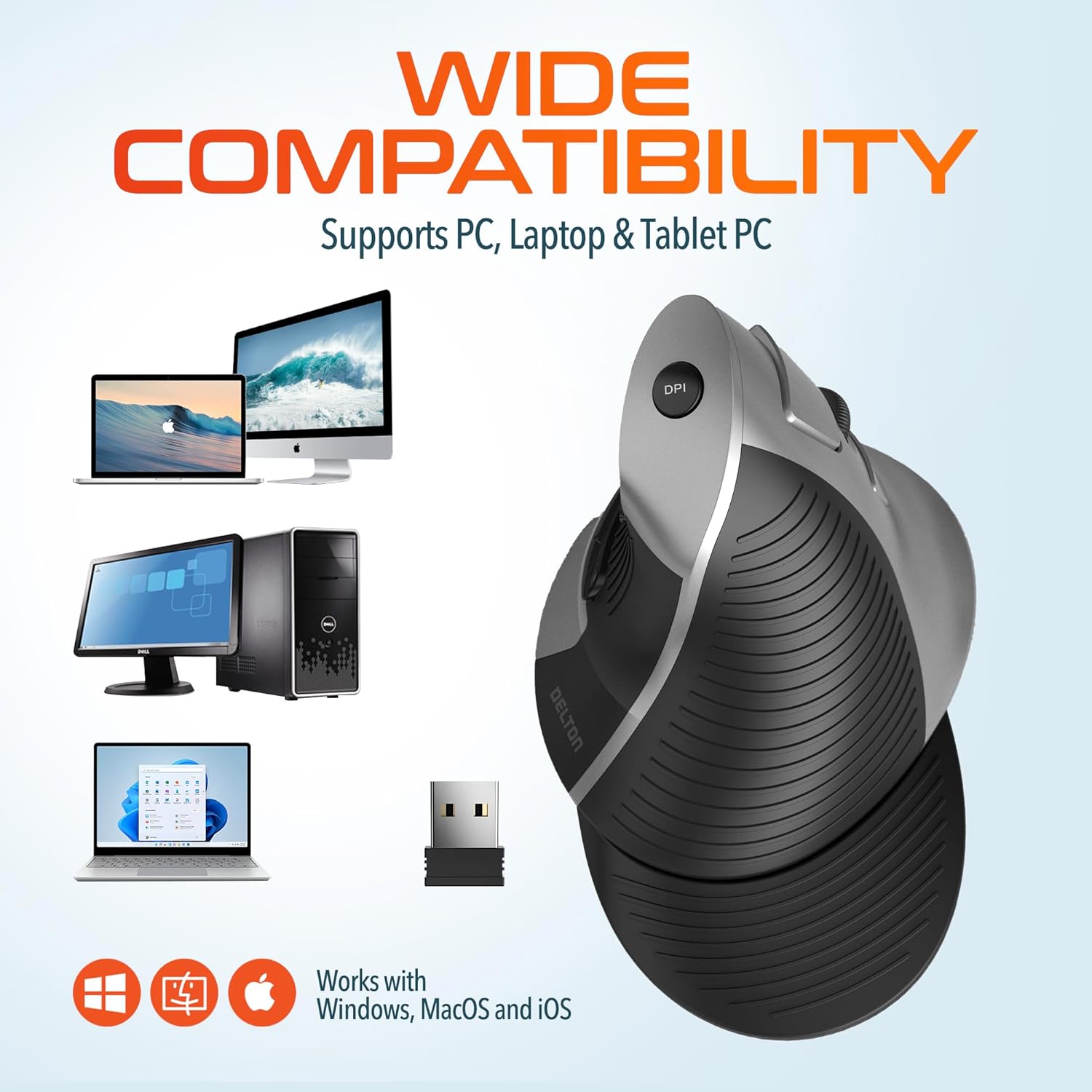
This image illustrates the wide compatibility of the Delton S22 mouse, showing it works seamlessly with PCs, laptops, and tablet PCs across Windows, macOS, and iOS operating systems. The USB dongle is also depicted as the connection method.
6. Техникалык тейлөө
- Тазалоо: Чычканды тазалоо үчүн жумшак, кургак чүпүрөктү колдонуңуз. өжөр кир үчүн, бир аз гampчүпүрөктү суу же жумшак тазалоо эритмеси менен жууп салыңыз. Катуу химиялык заттардан же абразивдүү материалдардан алыс болуңуз.
- Батареяны алмаштыруу: When the mouse performance degrades or it stops responding, replace the two AA batteries. Ensure the power switch is off before replacing batteries.
- Сактагыч: When transporting or storing the mouse, ensure the USB dongle is securely placed in its dedicated compartment to prevent loss.
7. Кыйынчылыктарды
| Көйгөй | Мүмкүн чечим |
|---|---|
| Чычкан жооп бербей жатат. |
|
| Курсордун кыймылы туруксуз же секирик. |
|
| DPI setting is not changing. |
|
| Forward/Back buttons not working. |
|
8. Техникалык шарттар
| Өзгөчөлүк | Деталь |
|---|---|
| Бренд | Делтон |
| Модель номери | S22 |
| Байланыш технологиясы | 2.4G зымсыз (USB донгл) |
| Өзгөчө өзгөчөлүк | Vertical, Ergonomic Design, Wireless |
| Кыймылды аныктоо технологиясы | Оптикалык |
| Button Quantity | 6 |
| Колдун багыты | Туура |
| Шайкеш түзмөктөр | Ноутбук, персоналдык компьютер, планшет |
| Операциялык системанын шайкештиги | Windows, macOS, iOS, Android, Chrome OS, Linux |
| Power Source | Батарея менен иштейт (2 x AA батарейкасы, камтылган эмес) |
| DPI деңгээли | 800, 1600, 2400 |
| Зымсыз диапазон | 30 метрге чейин |
| Түс | Кара |
| Элементтин өлчөмдөрү (L x W) | 5.3"L x 3.7"W |
| UPC | 802029086375 |
9. Кепилдик жана колдоо
The Delton S22 Vertical Wireless Mouse comes with a 1 жылдык Өндүрүүчүнүн Кепилдиги. Бул кепилдик нормалдуу колдонуудагы материалдардагы жана жасалгадагы кемчиликтерди камтыйт.
For warranty claims, technical support, or any questions regarding your product, please refer to the contact information provided with your purchase or visit the official Delton webколдоо булактары үчүн сайт.
Онлайн ресурстар: For additional information, FAQs, or driver downloads (if applicable), please visit the Delton Store on Amazon.