
Introduction
Thank you for choosing the Alomejor Wireless Translation Earbuds. These earbuds are designed to provide real-time language translation, enabling seamless communication across different languages. Featuring noise-canceling technology and a comfortable design, they are suitable for various environments, from business meetings to travel. This manual provides essential information for the proper setup, operation, maintenance, and troubleshooting of your device.
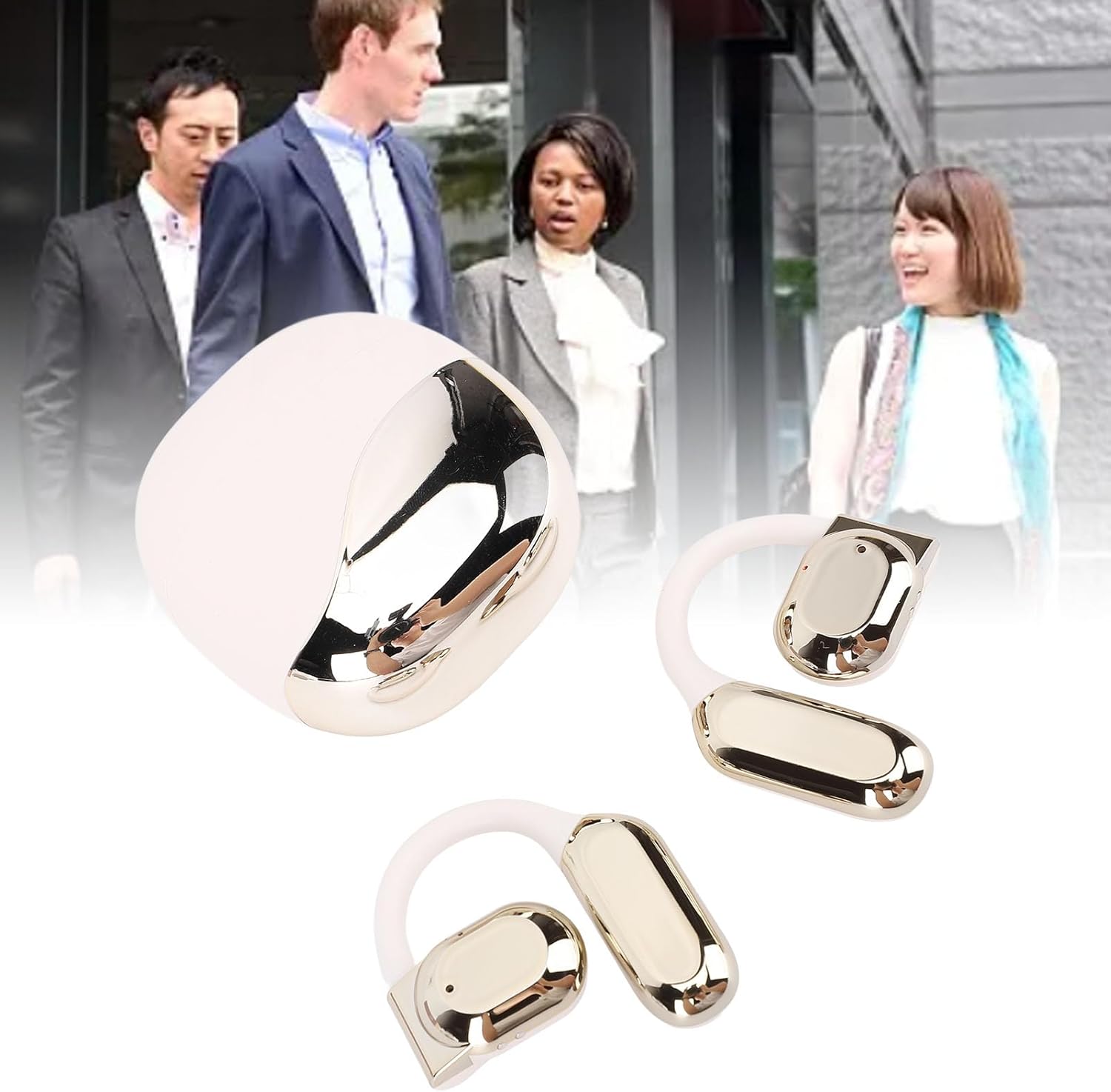
Image: Alomejor Wireless Translation Earbuds and their charging case, shown with individuals engaged in conversation in the background, illustrating their use in communication settings.
Жайгашуу
1. Кулакчындарды жана кутуну кубаттоо
Before first use, fully charge the earbuds and the charging case. Place the earbuds into the charging case. Connect the charging case to a power source using the provided USB cable. The indicator lights on the case will show the charging status. A full charge typically takes approximately 1-2 hours.

Image: The Alomejor Wireless Translation Earbuds securely placed within their open charging case, ready for charging or storage.
2. Bluetooth Жупташтыруу
- Кулакчындар кубатталганын жана кубаттоочу кутудан чыгарылганын текшериңиз. Алар автоматтык түрдө жупташтыруу режимине өтөт.
- Мобилдик түзмөгүңүздө Bluetooth иштетип, жеткиликтүү түзмөктөрдү издеңиз.
- Select "Alomejor Earbuds" (or similar name) from the list to connect.
- Туташкандан кийин үн билдирүүсү ийгиликтүү жупташтырууну ырастайт.
3. Translation App Installation
For real-time translation functionality, download and install the dedicated translation application on your smartphone. Refer to the separate software manual included in your package for specific app details and setup instructions. Ensure your phone has an active internet connection for optimal translation performance.
Иштөө нускамалары
1. Күйгүзүү/өчүрүү
- Күйгүзүү: Кулакчындарды кубаттоочу кутудан чыгарыңыз. Алар автоматтык түрдө күйөт.
- Өчүрүү: Кулакчындарды кайра кубаттоочу кутуга салыңыз. Алар автоматтык түрдө өчүп, кубаттала баштайт.
2. Real-Time Translation
Once paired with your device and the translation app is running:
- Open the translation application on your smartphone.
- Select the desired translation mode (e.g., conversation mode, simultaneous interpretation).
- Speak into the earbud's microphone, and the translated audio will be played through the other earbud or your connected device, depending on the app's settings.
- Ensure clear speech and a stable internet connection for accurate translation.

Сүрөт: деталдуу view of an earbud positioned on an ear, highlighting the directional sound transfer technology designed for clear audio and privacy.
3. Аудио ойнотуу жана чалуулар
The earbuds can also be used for standard audio playback and phone calls:
- Ойнотуу/тындыруу: Кулакчындардын бириндеги сенсордук башкаруу аймагын бир жолу таптаңыз.
- Чалууга жооп берүү/аяктоо: Кирүүчү чалуу учурунда кулакчындын бириндеги сенсордук башкаруу аймагын бир жолу басыңыз.
- Чакырууну четке кагуу: Кулакчындардын бириндеги сенсордук башкаруу аймагын 2 секунд басып туруңуз.
- Noise-Canceling: The earbuds feature integrated noise-canceling technology to enhance audio clarity during calls and translation. This feature is typically active by default or managed through the connected app.
Техникалык тейлөө
1. Тазалоо
- Кулакчындарды жана кубаттоочу кутуну жумшак, кургак, түксүз чүпүрөк менен акырын сүртүңүз.
- Абразивдүү тазалагычтарды, эриткичтерди же аэрозолдук спрейлерди колдонбоңуз.
- Ар кандай тешиктерге ным кирүүдөн сактаңыз.

Image: A detailed close-up of the Alomejor Wireless Translation Earbuds, highlighting their ergonomic design and the various components.
2. Батареяга кам көрүү
- Батареянын иштөө мөөнөтүн узартуу үчүн, кулакчындарды жана кубаттоочу кутучаны тез-тезден толугу менен зарядсыздандырбаңыз.
- Аппаратты колдонбогондо салкын, кургак жерде сактаңыз.
- Ашыкча температурага дуушар кылбаңыз.
3. Сактоо
Always store the earbuds in their charging case to protect them from dust, damage, and to keep them charged.
Проблемаларды чечүү
- Earbuds not turning on/charging: Ensure the charging case is charged. Check that the earbuds are correctly seated in the case. Clean the charging contacts if necessary.
- Bluetooth жупташтыруу көйгөйлөрү: Make sure Bluetooth is enabled on your device. Turn off and on the earbuds. Forget the device in your phone's Bluetooth settings and try pairing again. Ensure earbuds are not connected to another device.
- No sound/poor sound quality: Check the volume levels on both your device and the earbuds. Ensure the earbuds are properly seated in your ears. If using for translation, verify internet connection and app settings.
- Котормо иштебей жатат: Confirm the translation app is open and correctly configured. Check your internet connection. Ensure the correct languages are selected in the app. Speak clearly and at a moderate pace.
- Earbuds disconnecting frequently: Ensure your device is within the Bluetooth range (typically 10 meters/33 feet) and there are no significant obstructions.
Техникалык шарттар
| Өзгөчөлүк | Спецификация |
|---|---|
| Элемент түрү | Translation Earbuds |
| Материал | Акрилонитрил бутадиен стирол (ABS) |
| Заряддоо корпусунун батарея түрү | Ли Батарея |
| Заряддоо корпусунун батареясынын сыйымдуулугу | 300mAh |
| Single Earphone Battery Capacity | 90mAh |
| Bluetooth версиясы | V5.3+EDR |
| Зымсыз жыштык | 2.4 ГГц |
| Колдоого алынган протоколдор | HFP, HSP, AVRCP, A2DP, AVTCP |
| Иштөө температурасы | -10-45°С |
| Пакеттин өлчөмдөрү | 4.72 x 3.94 x 1.57 дюйм |
| Элемент Салмагы | 4.1 унция |
| Модель номери | Alomejor613a7dbh4g-12 |
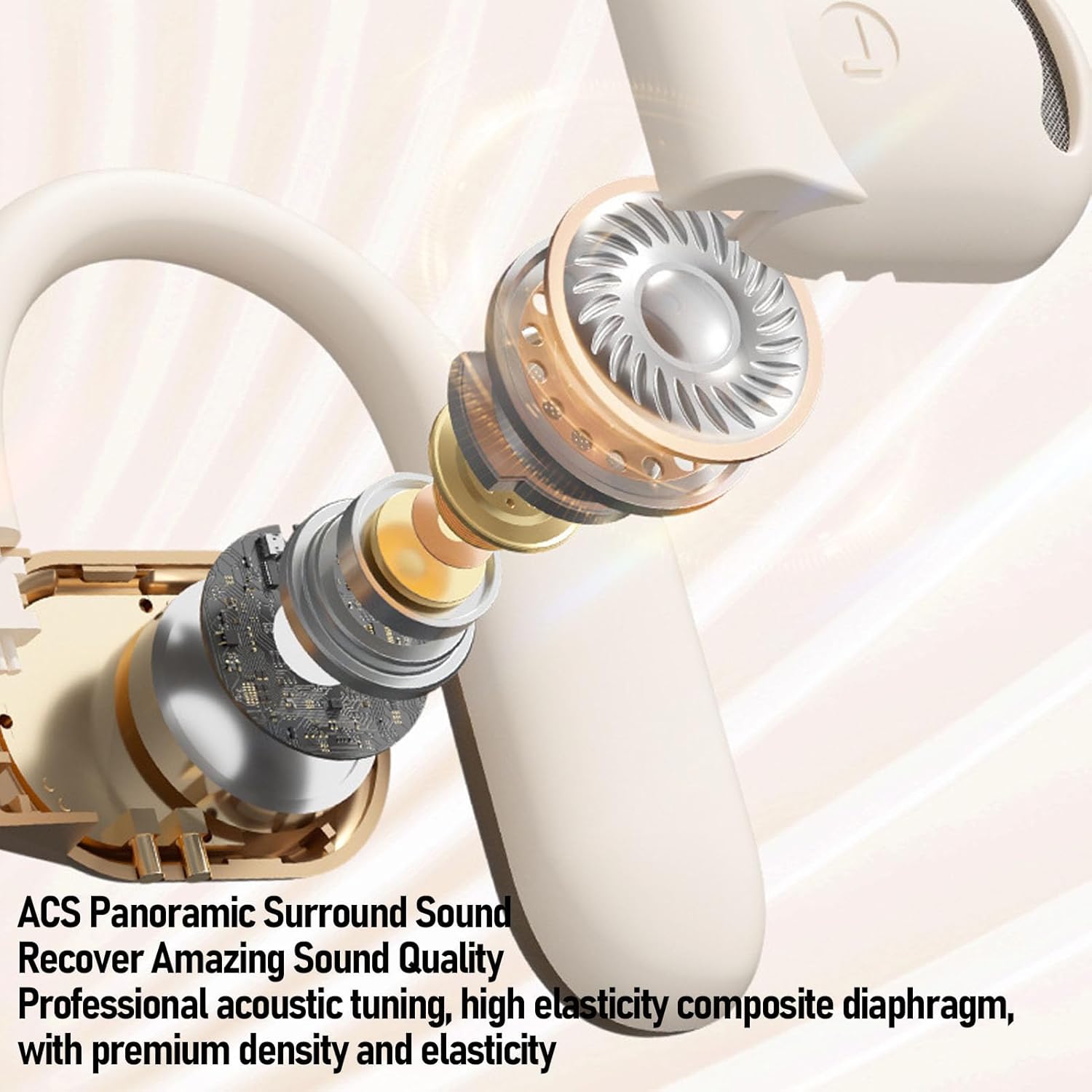
Сүрөт: жарылган view of an Alomejor earbud, showcasing its internal acoustic components and the "ACS Panoramic Surround Sound" technology.
Кепилдик жана колдоо
For warranty information, please refer to the documentation provided at the time of purchase or contact your retailer. For technical support or further assistance, please visit the official Alomejor website or contact their customer service department using the contact details provided with your product packaging.