
Twotrees T-TS13W
Twotrees TS1 Mini 3W Laser Engraver User Manual
Model: T-TS13W
1. Киришүү
The Twotrees TS1 Mini 3W Laser Engraver is a compact and versatile tool designed for precise engraving on a variety of materials. Its manual focus system allows for fine adjustments, ensuring optimal results across different thicknesses. With high-speed engraving capabilities and robust safety features, it is suitable for both home use and small workshop projects.

Figure 1.1: Twotrees TS1 Mini 3W Laser Engraver and example колдонмолору.

Figure 1.2: The TS1 Mini Laser Engraver in a typical workspace setup.
2. Коопсуздук маалыматы
WARNING: This product contains a laser. Improper use can cause serious injury, including eye damage and burns. Always follow safety guidelines.
- Always wear the provided laser safety goggles when the machine is operating.
- Never look directly into the laser beam, even with safety goggles on.
- Ensure the protective filter plate is properly installed during operation to shield against laser leakage.
- Operate the machine in a well-ventilated area to dissipate fumes and smoke produced during engraving.
- Тез күйүүчү материалдарды гравюра жасалган аймактан алыс кармаңыз.
- Иш учурунда машинаны кароосуз калтырбаңыз.
- Балдар жана үй жаныбарлары жетпеген жерде сактаңыз.
- Кандайдыр бир тейлөө же тазалоо иштерин жүргүзүүдөн мурун электр энергиясын өчүрүңүз.
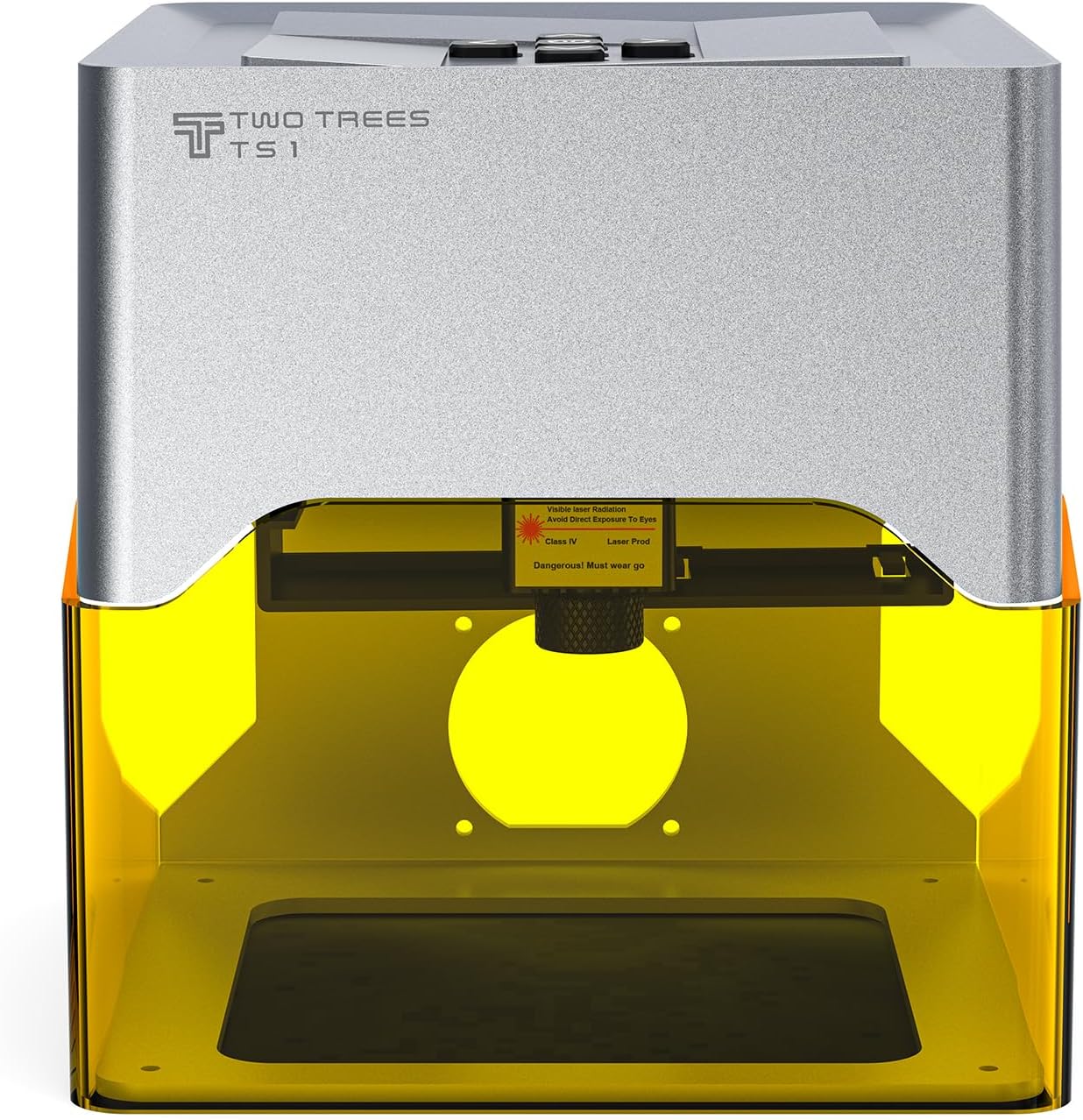
Figure 2.1: Laser warning label on the TS1 Mini.
3. Пакеттин мазмуну
Төмөндө тизмеленген нерселердин баары пакетиңизге камтылганын текшериңиз:
- Twotrees TS1 Mini 3W Laser Engraving Machine
- Laser Safety Protective Goggles
- USB кеңейтүү кабели
- Kraft Paper (for testing)
- Thin Aluminum Sheet (for testing)
- Кубаттуу адаптер
- Screwdriver
- Колдонуучунун Колдонмосу (бул документ)

Figure 3.1: Included accessories with the TS1 Mini.

3.2-сүрөт: Комплекстүү view бардык пакеттин мазмуну.
4. Орнотуу
- Машинаны таңгактан чыгаруу: Carefully remove the TS1 Mini from its packaging.
- Туруктуу бетке кой: Position the engraver on a flat, stable, and non-flammable surface.
- Туташуу кубаты: Plug the power adapter into the machine's power port and then into a suitable electrical outlet.
- Түзмөккө туташуу: Connect the engraver to your computer or mobile device using the provided USB cable.
- Программалык камсыздоону/тиркемени орнотуу: Download and install the recommended engraving software (e.g., LightBurn) for your computer or the dedicated mobile application for your smartphone. Refer to the quick start guide for QR codes or links.
- Initial Focus Adjustment: The machine features a manual focus system. For initial setup, place a piece of the provided kraft paper on the engraving platform. Adjust the laser head height until the laser spot is at its smallest and most intense point on the material. The focus range is 25-65mm.
5. Иштөө нускамалары
5.1. Software/App Connection
The TS1 Mini can be controlled via a mobile application or desktop software. Ensure your device is connected to the engraver via USB or Bluetooth (if supported by your model).

Figure 5.1: Control interfaces for the TS1 Mini.
5.2. Preparing for Engraving
- Материалды жайгаштыруу: Place the material to be engraved flat on the engraving platform.
- Фокусту тууралоо: Manually adjust the laser head height to achieve optimal focus for your material. The focus range is 25-65mm, and accuracy is up to 0.01mm. A precise focus ensures the best engraving results.

Figure 5.2: Precision focusing mechanism.
5.3. Starting an Engraving Project
- Design Selection/Creation: In the software/app, select an existing design or create a new one.
- Параметр орнотуулары: Adjust engraving parameters such as power, speed (up to 800 mm/min), and passes based on the material type.
- Preview: Программалык камсыздоонун алдын ала версиясын колдонуңузview function to ensure the design is positioned correctly on your material.
- Гравюра баштоо: Click 'Send' or 'Start' to begin the engraving process. The machine features a 5-second quick start function.
5.4. Supported Materials
The TS1 Mini can engrave a wide range of materials, including but not limited to:
- Жыгач
- Кагаз
- Акрил
- Шифер
- Керамикалык
- Айнек
- Various types of Metal
- Тери

5.3-сүрөт: Мисamples of materials and designs that can be engraved.

Figure 5.4: Creative applications of the TS1 Mini.
6. Техникалык тейлөө
Regular maintenance ensures the longevity and optimal performance of your TS1 Mini Laser Engraver.
- Линзаны тазалоо: Periodically clean the laser lens with a soft, lint-free cloth and lens cleaning solution. Ensure the machine is powered off before cleaning.
- Гравюралоо аймагын тазалоо: Remove any debris or dust from the engraving platform after each use. A small brush or vacuum can be used.
- Жалпы тазалоо: Машинанын сыртын кургак же бир аз сүртүңүз damp кездеме. Катуу химиялык заттарды колдонбоңуз.
- Сактагыч: Колдонулбай турган учурда, гравюраны таза, кургак жерде, күндүн түз нурунан жана өтө жогорку температурадан алыс сактаңыз.
7. Кыйынчылыктарды
If you encounter issues with your Twotrees TS1 Mini, refer to the common problems and solutions below:
| Көйгөй | Мүмкүн себеп | Чечим |
|---|---|---|
| Машина иштебейт | Электр кабели туташкан эмес; Электр розеткасынын маселеси | Электр кубатына туташууларды текшериңиз; башка розетканы колдонуп көрүңүз. |
| Лазер иштебейт же алсыз | Incorrect focus; Low laser power setting; Dirty lens | Adjust focus; Increase laser power in software; Clean the laser lens. |
| Engraving is blurry or inconsistent | Improper focus; Material not flat; Machine vibration | Re-adjust focus precisely; Ensure material is flat and secured; Place machine on a stable surface. |
| Software/App cannot connect to machine | USB cable issue; Driver not installed; Bluetooth off | Try a different USB port/cable; Install necessary drivers; Ensure Bluetooth is enabled and paired. |
| Engraving is too light or too deep | Incorrect power/speed settings for material | Adjust laser power and engraving speed in the software based on material type and desired effect. |
8. Техникалык шарттар
| Өзгөчөлүк | Спецификация |
|---|---|
| Модель номери | T-TS13W |
| Лазердик күч | 3W |
| Фокустоо системасы | Manual Focus |
| Фокус диапазону | 25-65мм |
| Гравюра тактыгы | 0.01 мм чейин |
| Гравюра ылдамдыгы | 800 мм/мин чейин |
| Гравюра аянты | 80mm x 80mm (approximate, based on visual) |
| Продукциянын өлчөмдөрү | 157mm x 157mm x 167mm (Mini size) |
| Элемент Салмагы | 1.32 килограмм |
| Байланыш | Mobile App / Computer Connection (USB) |
| Коопсуздук өзгөчөлүктөрү | Eye Protection Design (Goggles & Filter Plate) |
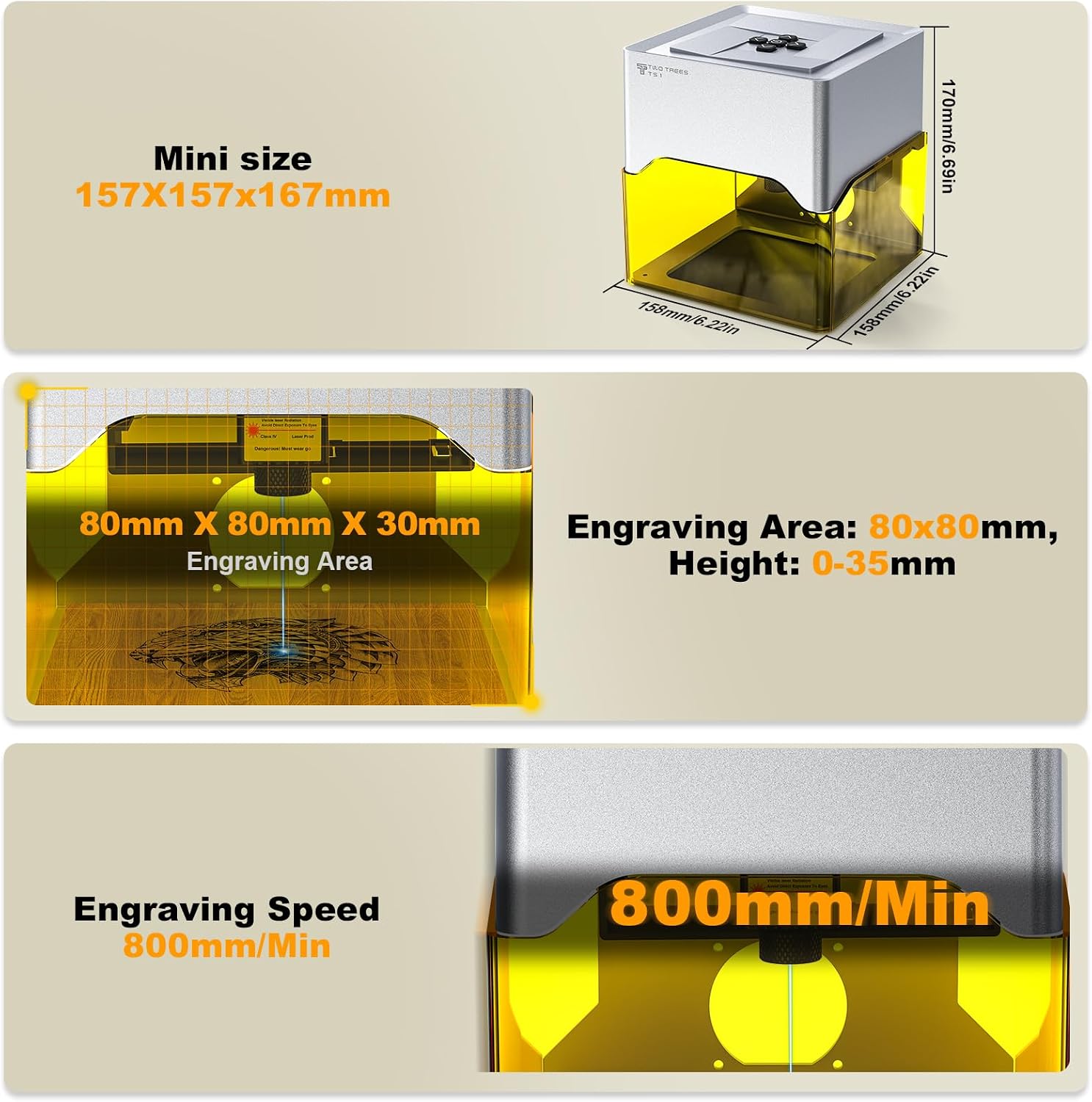
Figure 8.1: Key specifications and dimensions.
9. Кепилдик жана колдоо
For warranty information and technical support, please refer to the official Twotrees webсайтка же түздөн-түз кардарларды тейлөөгө кайрылыңыз. Сатып алуу квитанциясын кепилдик дооматтары үчүн сатып алуунун далили катары сактаңыз.
Кошумча жардам алуу үчүн, сиз иш сапары менен болот Twotrees Store on Amazon.
Ask a question about this manual
Ask about setup, troubleshooting, compatibility, parts, safety, or missing instructions. Manuals+ will review the question and use this page’s manual context to help answer it.