
1. Продукт бүтүп калдыview
The Potensic ATOM 2 is a compact and lightweight 3-axis gimbal GPS drone designed for aerial photography and videography. This Fly More Combo includes the drone, remote control, multiple batteries, and a 128GB Micro Memory Card, providing an extended flight experience and ample сактагыч.
Негизги өзгөчөлүктөрү:
- Өркүндөтүлгөн камера системасы: Equipped with a 1/2'' Sony CMOS sensor, capable of capturing 48MP photos and recording 4K/30fps HDR stable videos. The F1.8 aperture and 4-in-1 pixels enhance low-light performance, detail, and color accuracy.
- Жеңил дизайн: Weighing under 249g, the ATOM 2 does not require FAA or Remote ID registration in many regions, offering greater operational flexibility.
- Кеңейтилген берүү диапазону: Features a newly upgraded remote control with a directional antenna and PixSync 4.0 technology, providing excellent anti-interference capabilities and a control range of up to 10 km with 1080p/30fps live view жугуу.
- Акылдуу учуу режимдери: Powered by an AI model, the drone includes object locking and imagery technology with tracking modes such as Spotlight, Follow, and Parallel. It also supports vertical shooting and clear video capture in low-light conditions.
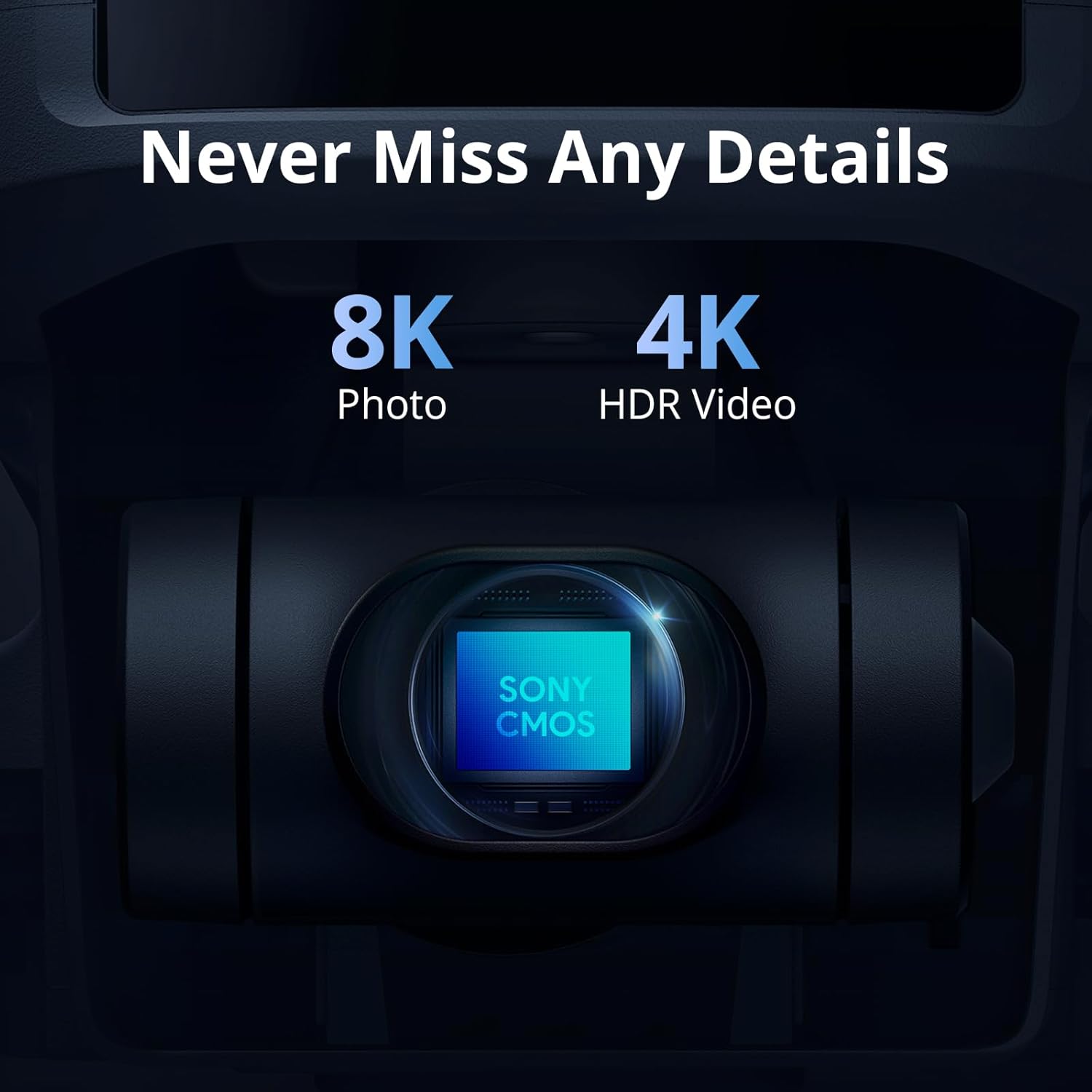
Image: The ATOM 2 camera module, featuring a Sony CMOS sensor for high-resolution photos and videos.

Image: The Potensic ATOM 2 drone held in a hand, illustrating its compact size and light weight.
2. Орнотуу колдонмосу
2.1 Кутудан чыгаруу жана алгачкы текшерүү
Carefully unpack all components from the box. Verify that all items listed in the package contents are present and undamaged. If any items are missing or damaged, contact customer support.
2.2 Батареяны заряддоо
Before first use, fully charge all drone batteries and the remote control. Use the provided 60W Fast Parallel Charging Hub for efficient charging of multiple drone batteries.
- Connect the charging hub to a power source.
- Дрондун батареяларын кубаттоо борборуна салыңыз.
- Monitor the charging indicator lights; they will typically change color or turn off when charging is complete.

Image: Illustration of battery charging and flight duration for the Fly More Combo versus the Standard Kit.
2.3 Пропеллерди орнотуу
Ensure propellers are correctly installed on the corresponding motor arms. Match the propeller type (A or B) with the markings on the motor base. Secure them firmly according to the instructions in the quick start guide.
2.4 Алыстан башкарууну даярдоо
Charge the remote control. Attach your smartphone to the remote control holder. Connect the remote control to your smartphone using the appropriate cable.
2.5 Колдонмону орнотуу
Download and install the official Potensic flight application on your smartphone from your device's app store. Follow the in-app instructions for initial setup and drone pairing.
2.6 Micro SD картаны киргизүү
Insert the included 128GB Micro Memory Card into the drone's designated slot. Ensure it is inserted correctly and securely to enable photo and video recording.

Image: The Potensic 128GB High-Speed microSD Card, essential for storing drone footage.

Image: The Potensic microSD card is widely compatible with various devices, including drones.
3. Иштөө нускамалары
3.1 Учуу алдындагы текшерүү тизмеси
- Дрондун жана алыстан башкаруунун батареялары толук заряддалганын текшериңиз.
- Пропеллерлердин бузулгандыгын текшерип, алардын бекем бекитилгенин текшериңиз.
- Verify the Micro SD card is inserted.
- Confirm GPS signal acquisition before takeoff (indicated in the app).
- Check for clear flight path and suitable weather conditions.
3.2 Учуу жана конуу
Follow the in-app prompts for automatic takeoff and landing. Manual takeoff and landing procedures are detailed in the full user manual available on the Potensic webсайт.
3.3 Учууну башкаруу
Use the remote control joysticks to maneuver the drone. Refer to the app interface for real-time flight data, camera view, and control settings. The drone offers a maximum transmission range of 10 km.

Image: Drone operation with remote control, displaying the 10KM transmission capability.
3.4 Учуунун интеллектуалдык режимдери
Access AI-powered tracking modes through the Potensic app:
- Көңүл бурчу: Keeps the camera focused on a subject while you control the drone's flight.
- Издөө: The drone automatically follows a designated subject.
- Параллель: The drone flies parallel to the subject at a set distance.

Image: The ATOM 2 drone utilizing its AI Track feature to follow a subject.
3.5 Камеранын иштеши
Use the dedicated buttons on the remote control or the app interface to capture 48MP photos and record 4K HDR videos. The 3-axis gimbal ensures stable footage. The drone also supports vertical shooting, optimized for social media content.

Image: The vertical shooting mode interface, demonstrating its utility for social media platforms.
4. Техникалык тейлөө
4.1 Тазалоо
- Regularly clean the drone body with a soft, dry cloth.
- Use a lens cleaning cloth for the camera lens to avoid scratches.
- Мотордун аймактарында чаң же таштандылар топтолбогонун текшериңиз.
4.2 Пропеллерди текшерүү жана алмаштыруу
- Inspect propellers before each flight for cracks, bends, or chips.
- Replace damaged propellers immediately using the provided spare parts and tools.
4.3 Батареяга кам көрүү
- Батареяларды күн тийбеген, салкын, кургак жерде сактаңыз.
- Батареяларды ашыкча заряддабаңыз же ашыкча разрядтабаңыз.
- Эгер батарейкаларды узак убакытка сактасаңыз, анда алардын кубаттуулугун болжол менен 50-60% чейин кубаттаңыз.
4.4 Сактоо
When not in use, store the drone and its accessories in the provided carrying case to protect them from dust and physical damage.
5. Кыйынчылыктарды
5.1 GPS сигналы жок
- Ensure you are flying in an open outdoor area away from tall buildings or strong magnetic interference.
- Wait for the app to indicate sufficient GPS satellites before attempting takeoff.
5.2 Connection Issues (Drone/Remote/App)
- Restart the drone, remote control, and the Potensic app.
- Ensure your smartphone's Wi-Fi and Bluetooth are enabled and connected to the remote control.
- Re-pair the drone with the remote control if necessary, following the instructions in the app.
5.3 Сүрөттүн/видеонун сапатынын начардыгы
- Камера линзасын тазалаңыз.
- Ensure the Micro SD card is properly inserted and has sufficient free space.
- Check camera settings in the app (resolution, frame rate).
- Verify the gimbal is functioning correctly and is not obstructed.
5.4 Drone Not Responding to Controls
- Check battery levels of both the drone and remote control.
- Ensure the drone and remote control are properly paired and within range.
- Calibrate the remote control and drone sensors as instructed in the app.
6. Техникалык шарттар
| Өзгөчөлүк | Спецификация |
|---|---|
| Бренд | Потенциалдуу |
| Модель аты | Potensic ATOM 2 |
| Түс | Ак |
| Видео тартуунун резолюциясы | 6K (4K/30fps HDR for stable video) |
| Натыйжалуу дагы эле чечим | 48 депутат |
| Байланыш технологиясы | Wi-Fi, радиожыштык |
| Видео тартуу форматы | MP4 |
| Алыстан башкаруу технологиясы | RF |
| Башкаруу түрү | Алыстан башкаруу |
| Максималдуу диапазон | 10 km (32808.4 Feet) |
| Зымсыз байланыш технологиясы | Wi-Fi, радиожыштык |
| Батарея клеткасынын курамы | Литий полимери |
| Батареялар камтылганбы? | Ооба |
| Колдоого алынган сүрөт форматы | JPEG |
| Video Output токтому | 6144 пиксел |
| Includes Remote? | Ооба |
| Оптикалык сенсор технологиясы | CMOS |
| Заряддалуучу батареяны камтыйт | Ооба |
| Медиа түрү | Микро SDXC |
| Материал | Пластик |
7. Кепилдик жана колдоо
7.1 Кепилдик маалыматы
For detailed warranty information, please refer to the warranty card included in your product packaging or visit the official Potensic webсайт. Кепилдик, адатта, сатып алынган күндөн тартып белгилүү бир мезгил ичинде өндүрүш кемчиликтерин камтыйт.
7.2 Кардарларды колдоо
If you encounter any issues or have questions regarding your Potensic ATOM 2 drone, please contact Potensic customer support. Contact details can be found on the official Potensic webсайтында же продукт документациясында.
- Онлайн колдоо: Visit Potensic Support for FAQs, troubleshooting guides, and contact forms.
- Электрондук почта колдоо: Refer to your product manual for the dedicated support email address.